Minecraft version
Back to mods 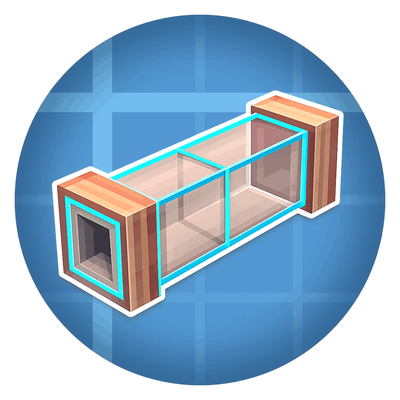
CurseForge · Minecraft mod
Create: Pipe Connector
Create: Pipe Connector removes the tedious part of routing Create fluid pipes. Select two pipes and the mod fills the shortest valid route between them, so you can build faster and with less manual placement.
Choose a version Pick your version below, then grab the matching file.
Quick answer
Which Create: Pipe Connector release should I use?
Latest stable file Create: Pipe connector 1.1.0 for mc1.20.1
Game version 1.20.1
Loader Forge
Create: Pipe connector 1.1.0 for mc1.20.1 targets 1.20.1 with Forge. The project page does not say whether this file belongs on the client, dedicated server, or both. No extra mods listed for this file.
Where it goes
Is Create: Pipe Connector required on the client, server, or both?
The project page does not say whether this file belongs on the client, dedicated server, or both.
Client Source doesn’t say
Dedicated server Source doesn’t say
Loader for this release Forge
Required install it here Optional supported, not mandatory Not supported do not install here Source doesn’t say do not assume
The source does not explicitly classify this release as client-only or server-only.
What else does Create: Pipe connector 1.1.0 for mc1.20.1 need?
Create: Pipe connector 1.1.0 for mc1.20.1. Change the file and its required mods may change too.
This file does not list any required mods. Do not add a library just because a different file uses it.
This file does not list any required or optional mods.
Before you install it
Add Create: Pipe Connector without breaking your instance.
Built for Create: Pipe connector 1.1.0 for mc1.20.1. Pick another file and the loader, install side or required mods may change.
- 01
Stick to this file
Use Create: Pipe connector 1.1.0 for mc1.20.1. It targets 1.20.1 with Forge; another release may have different loader, side or dependency requirements.
- 02
Bring the mods it needs
This file does not list any required mods. Do not add a library just because a different file uses it.
- 03
Put it on the correct side
The project page does not say whether this file belongs on the client, dedicated server, or both.
- 04
Pick the file you checked
Use the “Get this file” button beside Create: Pipe connector 1.1.0 for mc1.20.1. It opens that exact file at the source.
About this project
What does Create: Pipe Connector add?
Create: Pipe Connector
Plan and place complete Create fluid pipe routes in seconds.
A building utility addon for Create, available for Forge and NeoForge.
What Does It Do?
Create: Pipe Connector replaces block-by-block pipe building with a simple workflow: select a start, preview the route, adjust it, and confirm. The addon routes Create fluid pipes around obstacles and can include pumps, casing, and glass sections.
Main Features
- Live preview and smart routing: See a valid path around obstacles before placing anything.
- Anchors: Add waypoints to guide turns and complex routes.
- Pumps and styles: Add automatic pumps, glass sections, or copper casing.
- Survival checks: See required materials and prevent incomplete placement.
- Construction animation: Place routes progressively at five speeds or instantly.
- Radial menu: Change route, pump, flow, casing, and style options in-game.
Quick Start
- Hold a
create:fluid_pipeand pressBto enable Connector Pipe mode. - Right-click a reachable block or pipe face to start the route.
- Aim at the destination and review the preview.
- Use
Cfor anchors orNfor route options when needed. - Right-click to confirm, or left-click to cancel the current route.
- Press
Bagain to return to normal gameplay.
Main Controls
| Action | Default control |
|---|---|
| Enable or disable Connector Pipe mode | B |
| Start or confirm a route | Right-click |
| Cancel the current route | Left-click |
| Open connector options | N |
| Add an anchor | C |
| Lock or unlock the preview target | Left Alt |
Other shortcuts are available in Minecraft's Controls menu but are unassigned by default.
Connector Options
- Route: Automatic, horizontal first, vertical first, X first, Z first, or avoid vertical.
- Pumps: Disabled, efficient spacing, or safer shorter spacing.
- Flow: Normal or reversed automatic pump direction.
- Casing: None, manually marked positions, or the complete route.
- Style: Default pipes or glass straight sections.
Animation speed, instant placement, and construction preview settings are available under Mods → Create: Pipe Connector → Config.
Compatible Versions
| Edition | Minecraft | Loader | Java | Create | Mod |
|---|---|---|---|---|---|
| NeoForge | 1.21.1 |
NeoForge 21.1.219 |
21 |
6.0.6–6.0.10 |
1.1.0 |
| Forge | 1.20.1 |
Forge 47.4.20 |
17 |
6.0.6–6.0.10 |
1.1.0 |
Download the file matching your loader. Fabric is not currently supported.
Modpacks and Shaders
- Install the addon on both the client and server.
- Create is the only required dependency.
- The preview supports common renderer mods and shaders, although transparency can vary between shader packs.
- For visual issues, test without shaders and report the renderer, shader, screenshot, and client log.
- Very long Avoid vertical routes are more demanding; anchors or a simpler route mode can improve performance.
This project is still improving. Bug reports and gameplay suggestions are welcome on the project pages.
Project description from CurseForge.
Pick your setup
Create: Pipe Connector by Minecraft version and loader
Choose the version and loader you play, then open the matching release.
Minecraft version
1.20.1
1 loader buildCheck the dependencies, then try the file in a copied instance before changing a world you care about.
Recent files
Create: Pipe Connector versions and loaders
Create: Pipe connector 1.1.0 for mc1.20.1
createpipeconnector-forge-1.20.1-1.1.0.jar
9 Aug 2026
Client Source doesn’t say Server Source doesn’t say Dependencies No extras listed Listed on Release listing
Check the 1.20.1 · Forge setup 1.20.1Forge release
Create: Pipe connector 1.1.0 for mc1.21.1
createpipeconnector-neoforge-1.21.1-1.1.0.jar
9 Aug 2026
Client Source doesn’t say Server Source doesn’t say Dependencies No extras listed Listed on Release listing
Check the 1.21.1 · NeoForge setup 1.21.1NeoForge release
1.0.0-mc1.20.1
createpipeconnector-forge-1.20.1-1.0.0.jar
30 Jul 2026
Client Optional Server Optional Dependencies No extras listed Listed on Release listing
Check the 1.20.1 · Forge setup 1.20.1Forge release
1.0.0-mc1.21.1
createpipeconnector-neoforge-1.21.1-1.0.0.jar
30 Jul 2026
Client Optional Server Optional Dependencies No extras listed Listed on Release listing
Check the 1.21.1 · NeoForge setup 1.21.1NeoForge release
Create: Pipe connector 1.0.0 for mc1.20.1
createpipeconnector-forge-1.20.1-1.0.0.jar
28 Jul 2026
Client Source doesn’t say Server Source doesn’t say Dependencies No extras listed Listed on Release listing
Check the 1.20.1 · Forge setup 1.20.1Forge release
Create: Pipe connector 1.0.0 for mc1.21.1
createpipeconnector-neoforge-1.21.1-1.0.0.jar
28 Jul 2026
Client Source doesn’t say Server Source doesn’t say Dependencies No extras listed Listed on Release listing
Check the 1.21.1 · NeoForge setup 1.21.1NeoForge release
Create: Pipe connector 0.4.0-beta for mc1.21.1
createpipeconnector-neoforge-1.21.1-0.4.0-beta.jar
27 Jul 2026
Client Source doesn’t say Server Source doesn’t say Dependencies No extras listed Listed on Release listing
Check the 1.21.1 · NeoForge setup 1.21.1NeoForge beta
Create: Pipe connector 0.3.0-beta for mc1.21.1
createpipeconnector-neoforge-1.21.1-0.3.0-beta.jar
21 Jul 2026
Client Source doesn’t say Server Source doesn’t say Dependencies No extras listed Listed on Release listing
Check the 1.21.1 · NeoForge setup 1.21.1NeoForge beta
Create: Pipe connector 0.2.0-beta for mc1.20.1
createpipeconnector-forge-1.20.1-0.2.0-beta.jar
20 Jul 2026
Client Source doesn’t say Server Source doesn’t say Dependencies No extras listed Listed on Release listing
Check the 1.20.1 · Forge setup 1.20.1Forge beta
Create: Pipe connector 0.2.0-beta for mc1.21.1
createpipeconnector-neoforge-1.21.1-0.2.0-beta.jar
20 Jul 2026
Client Source doesn’t say Server Source doesn’t say Dependencies No extras listed Listed on Release listing
Check the 1.21.1 · NeoForge setup 1.21.1NeoForge beta
Looking for an older file? The official CurseForge project page is in Resources.
 mod
mod CurseForge + Modrinth · Minecraft
Sodium Chinese Localization Mod
A project can translate you sodium mod into Chinese
 mod
mod CurseForge + Modrinth · Minecraft
LDLib
LDLib is a libarary mod for custom rendering, modular gui.
 mod
mod CurseForge + Modrinth · Minecraft
Anything but Fish
Reel in creepers, diamonds, and more! This fishing rod catches ANYTHING—except fish.