Datapatched Needed by Trimmable Tools 2.1.1-neoforge-26.2
requiredMatching file found Matched file: 2.2.2-neoforge-26.2
Modrinth · Minecraft mod
Trim your tools!
Quick answer
Trimmable Tools 2.1.1-neoforge-26.2 targets 26.2 with NeoForge. Installation on the client is optional. Installation on the dedicated server is optional. All 1 required mods have matching files.
Where it goes
Installation on the client is optional. Installation on the dedicated server is optional.
The source marks this as usable on both the client and server.
2.1.1-neoforge-26.2. Change the file and its required mods may change too.
Install Datapatched first. We found matching files for this game-version and loader setup.
We only count dependency files that match this setup. A file for another loader does not fill the gap.
Before you install it
Built for Trimmable Tools 2.1.1-neoforge-26.2. Pick another file and the loader, install side or required mods may change.
Use 2.1.1-neoforge-26.2. It targets 26.2 with NeoForge; another release may have different loader, side or dependency requirements.
Install Datapatched first. We found matching files for this game-version and loader setup.
Installation on the client is optional. Installation on the dedicated server is optional.
Use the “Get this file” button beside 2.1.1-neoforge-26.2. It opens that exact file at the source.
About this project
Trimmable Tools is a mod and datapack that allows you to trim your tools!
Using the existing smithing templates, you can apply fancy trims onto your tools. In version 2, each template gives a unique set of patterns, so there's 18 possible patterns per tool!
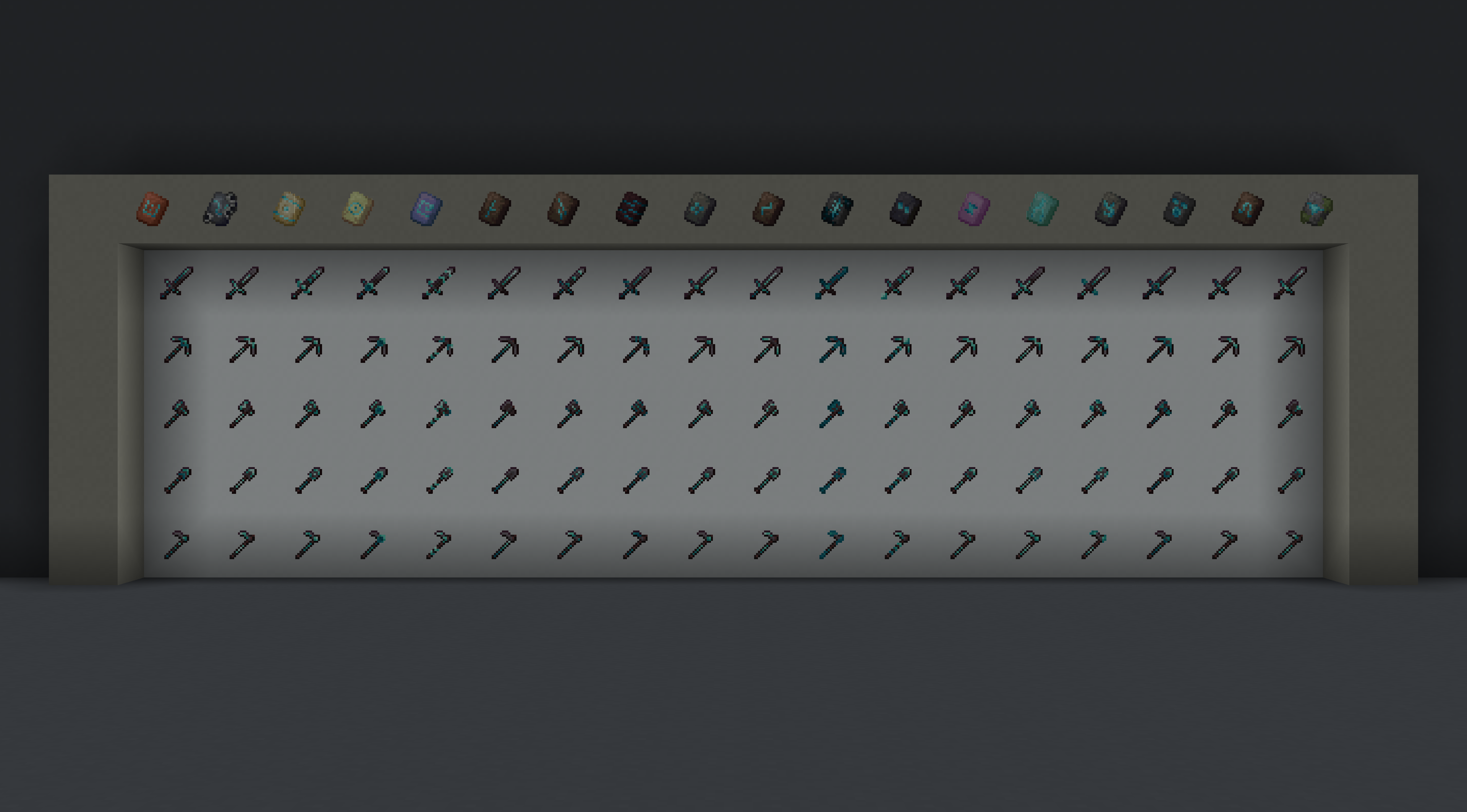
In total there are 5400 combinations of tools, trim patterns, and trim materials! Resource packs that modify the tool textures will work with them as well.
Project description from Modrinth.
Pick your setup
Choose the version and loader you play, then open the matching release.
Showing the newest 12 of 20 game versions. Older files are in the list below.
Check the dependencies, then try the file in a copied instance before changing a world you care about.
Recent files
trimmable-tools-2.1.1-neoforge-26.2.jar
8 Jul 2026
trimmable-tools-2.1.1-fabric-26.2.jar
8 Jul 2026
trimmable-tools-2.1.1-neoforge-26.1.jar
8 Jul 2026
trimmable-tools-2.1.1-fabric-26.1.jar
8 Jul 2026
trimmable-tools-2.1.1-neoforge-21.1.jar
8 Jul 2026
trimmable-tools-2.1.1-fabric-21.1.jar
8 Jul 2026
trimmable-tools-2.1.0-neoforge-26.1.jar
31 Mar 2026
trimmable-tools-2.1.0-fabric-26.1.jar
31 Mar 2026
trimmable-tools-2.1.0-neoforge-1.21.11.jar
29 Jan 2026
trimmable-tools-2.1.0-fabric-1.21.11.jar
29 Jan 2026
trimmable-tools-2.0.7-fabric-1.21.11.jar
19 Jan 2026
trimmable-tools-2.0.6-fabric-1.21.11.jar
11 Dec 2025
Looking for an older file? The official Modrinth project page is in Resources.
 mod
modBring the Marvel Universe to Minecraft! Mine Vibranium, forge superhero armor, and wield powerful tools.
 mod
modA MishangUC traffic expansion mod featuring standard Chinese mainland road signs, custom sign blocks with pillars, and road markings for realistic city building.
 mod
modA mod to remove minecraft moved too quickly! and moved wrongly (speed limits)