Minecraft version
Back to mods 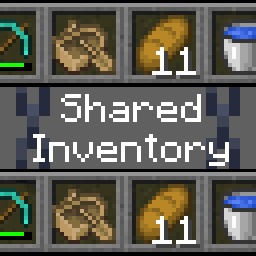
Modrinth · Minecraft mod
Shared Inventory
Linked inventory with other players
Choose a version Pick your version below, then grab the matching file.
Quick answer
Which Shared Inventory release should I use?
Latest stable file 1.2.3+26.2
Game version 26.2
Loader Fabric
Shared Inventory 1.2.3+26.2 targets 26.2 with Fabric. Do not install it on the client. It must be installed on the dedicated server. No extra mods listed for this file.
Where it goes
Is Shared Inventory required on the client, server, or both?
Do not install it on the client. It must be installed on the dedicated server.
Client Not supported
Dedicated server Required
Loader for this release Fabric
Required install it here Optional supported, not mandatory Not supported do not install here Source doesn’t say do not assume
This file is marked server-only.
What else does Shared Inventory 1.2.3+26.2 need?
1.2.3+26.2. Change the file and its required mods may change too.
This file does not list any required mods. Do not add a library just because a different file uses it.
This file does not list any required or optional mods.
Before you install it
Add Shared Inventory without breaking your instance.
Built for Shared Inventory 1.2.3+26.2. Pick another file and the loader, install side or required mods may change.
- 01
Stick to this file
Use 1.2.3+26.2. It targets 26.2 with Fabric; another release may have different loader, side or dependency requirements.
- 02
Bring the mods it needs
This file does not list any required mods. Do not add a library just because a different file uses it.
- 03
Put it on the correct side
Do not install it on the client. It must be installed on the dedicated server.
- 04
Pick the file you checked
Use the “Get this file” button beside 1.2.3+26.2. It opens that exact file at the source.
About this project
What does Shared Inventory add?
True inventory syncing
Players on the server can share the same inventory, hotbar, armour and offhand slot
Current features
- True synced inventories
- Seamless joining/leaving up to date with inventory
- Groups, each with their own shared inventories
How to use?
Simply install this mod on your fabric server, and join with the client of your choice (no client side mods needed)
Help
Update Warning!!!
If you had the previous version of the mod installed (1.1.2->1.2.0), the data will not transfer over. You may have to remove sharedinv.nbt.
Common Questions
| Question | Answer |
|---|---|
| Is there support for LAN/Essential? | Yes, but tenuously: expect bugs. Only the hosting player is required to have the mod |
| My items disappeared after installing the mod | You have joined the default shared inventory, your inventory is not lost. Leave the group or clear the default:/sharedinv default clear |
/sharedinv command does not exist |
The /sharedinv command is restricted to operators only. |
| How do I make inventory groups? | New inventory groups are created with /sharedinv group add <name>, players can be added to that group with /sharedinv join <group> <player(s)>. |
How does the default group work? |
When you install the mod, a default group will be created. The default group is special in that when a player not already assigned to a group logs on, they will automatically join that group. You may change the default group with /sharedinv default set <group>, and whenever a new player logs on, they will join that group. |
If you have any questions please contact us on: Discord
Project description from Modrinth.
Pick your setup
Shared Inventory by Minecraft version and loader
Choose the version and loader you play, then open the matching release.
Minecraft version
26.1.2
1 loader buildMinecraft version
26.1.1
1 loader buildMinecraft version
26.1
1 loader buildMinecraft version
1.21.11
1 loader buildMinecraft version
1.21.10
1 loader buildMinecraft version
1.21.8
1 loader buildMinecraft version
1.21.5
1 loader buildMinecraft version
1.21.4
1 loader buildCheck the dependencies, then try the file in a copied instance before changing a world you care about.
Recent files
Shared Inventory versions and loaders
1.2.3+26.2
sharedinv-1.2.3+26.2.jar
16 Jun 2026
Client Not supported Server Required Dependencies No extras listed Listed on Release listing
Check the 26.2 · Fabric setup 26.2Fabric release
1.2.3
sharedinv-1.2.3.jar
4 Jun 2026
Client Not supported Server Required Dependencies No extras listed Listed on Release listing
Check the 26.1.2 · Fabric setup 26.126.1.126.1.2Fabric release
1.2.2+26.1
sharedinv-1.2.2+26.1.jar
6 Apr 2026
Client Not supported Server Required Dependencies No extras listed Listed on Release listing
Check the 26.1.2 · Fabric setup 26.126.1.126.1.2Fabric release
1.2.2+1.21.11
sharedinv-1.2.2+1.21.11.jar
19 Dec 2025
Client Not supported Server Required Dependencies No extras listed Listed on Release listing
Check the 1.21.11 · Fabric setup 1.21.11Fabric release
1.2.2+1.21.10
sharedinv-1.2.2+1.21.10.jar
19 Dec 2025
Client Not supported Server Required Dependencies No extras listed Listed on Release listing
Check the 1.21.10 · Fabric setup 1.21.10Fabric release
1.2.2+1.21.8
sharedinv-1.2.2+1.21.8.jar
19 Dec 2025
Client Not supported Server Required Dependencies No extras listed Listed on Release listing
Check the 1.21.8 · Fabric setup 1.21.8Fabric release
1.2.2
sharedinv-1.2.2.jar
24 Apr 2025
Client Not supported Server Required Dependencies No extras listed Listed on Release listing
Check the 1.21.5 · Fabric setup 1.21.5Fabric release
1.2.1
sharedinv-1.2.1.jar
17 Mar 2025
Client Not supported Server Required Dependencies No extras listed Listed on Release listing
Check the 1.21.4 · Fabric setup 1.21.4Fabric release
1.2.0
sharedinv-1.2.0.jar
16 Mar 2025
Client Not supported Server Required Dependencies No extras listed Listed on Release listing
Check the 1.21.4 · Fabric setup 1.21.4Fabric release
1.1.2
sharedinv-1.1.2.jar
23 Feb 2025
Client Not supported Server Required Dependencies No extras listed Listed on Release listing
Check the 1.21.4 · Fabric setup 1.21.4Fabric release
Looking for an older file? The official Modrinth project page is in Resources.
 mod
mod CurseForge + Modrinth · Minecraft
Hovering Hotbar
Makes your hotbar seemingly float in place by shifting it a few pixels upward.
 mod
mod Modrinth · Minecraft
Realistic Campfires
Change how the vanilla campfire works by requiring you to put more work in creating and maintaining a campfire
 mod
mod Modrinth · Minecraft
Smooth Third Person Camera
Lightweight client mod that smooths third-person camera movement.