Valkyrien Skies Needed by Create: Interactive 1.1.1-beta.4
requiredMatching file found Matched file: 1.19.2-forge-2.1.2-beta.1

Modrinth · Minecraft mod
A rewrite of Create's contraptions using VS2 to allow for things like building on existing contraptions, stacked contraptions, train derailment and more!
Quick answer
Create: Interactive 1.1.1-beta.4 targets 1.19.2 with Forge. Installation on the client is optional. Installation on the dedicated server is optional. All 3 required mods have matching files.
Where it goes
Installation on the client is optional. Installation on the dedicated server is optional.
The source marks this as usable on both the client and server.
1.1.1-beta.4 on 1.19.2 Forge. Every mod below is checked against that same setup.
Install Valkyrien Skies, Create, Kotlin for Forge first. We found matching files for this game-version and loader setup.
We only count dependency files that match this setup. A file for another loader does not fill the gap.
Before you install it
Built for Create: Interactive 1.1.1-beta.4 on 1.19.2 Forge. Pick another file and the loader, install side or required mods may change.
Use 1.1.1-beta.4. It targets 1.19.2 with Forge; another release may have different loader, side or dependency requirements.
Install Valkyrien Skies, Create, Kotlin for Forge first. We found matching files for this game-version and loader setup.
Installation on the client is optional. Installation on the dedicated server is optional.
Use the “Get this file” button beside 1.1.1-beta.4. It opens that exact file at the source.
About this project
Interact with your Create contraptions in ways never before possible! With Interactive, all contraptions behave just like Minecraft blocks, so build, break, stack, and cause controlled chaos to your heart's content!
As of the last few updates, you now need to put the "interact me block" on any contraption you want interactive. You can change this behavior in the server config, allowing for contraptions to be interactive by default again.
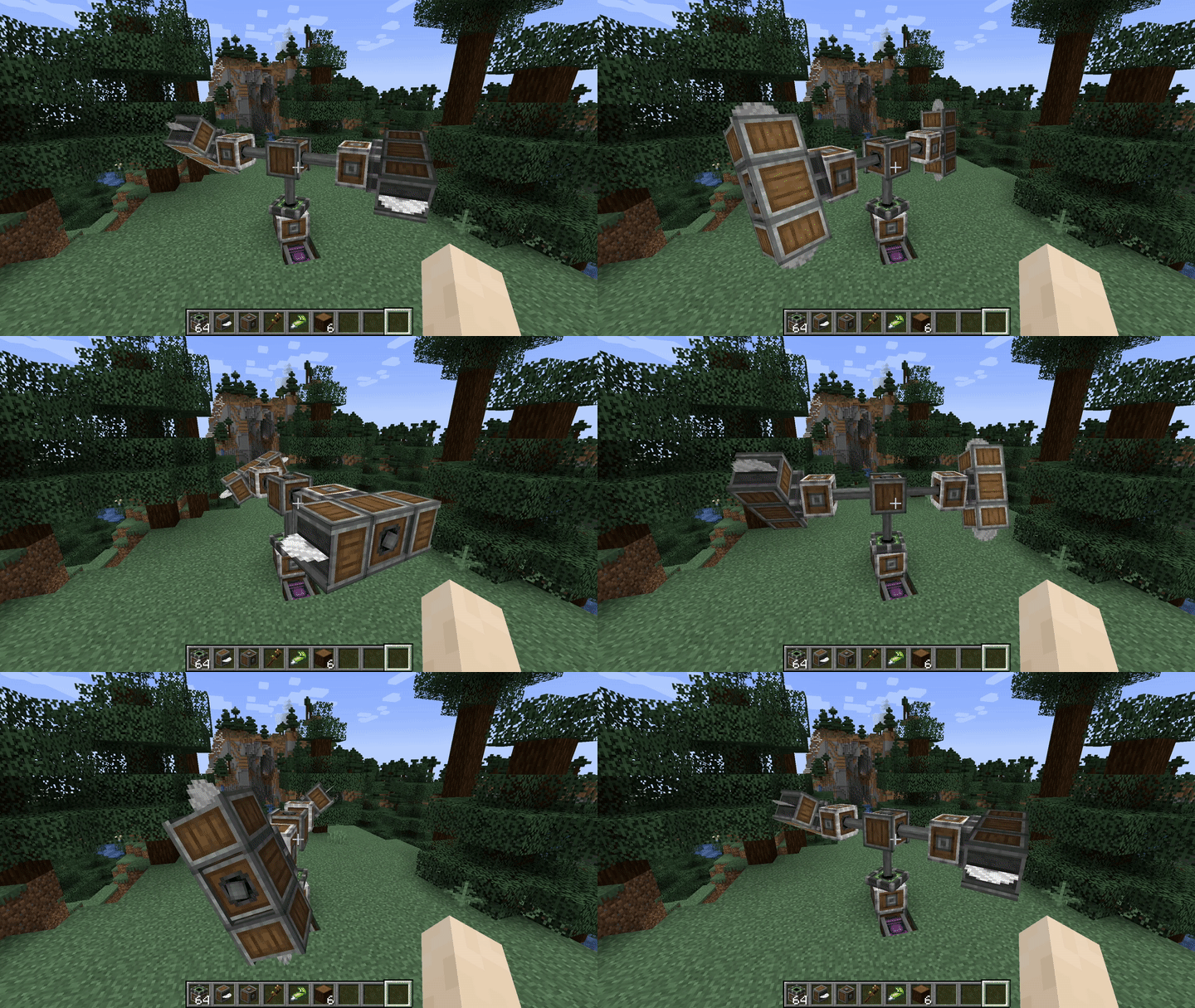

Project description from Modrinth.
Pick your setup
Choose the version and loader you play, then open the matching release.
Check the dependencies, then try the file in a copied instance before changing a world you care about.
Recent files
create_interactive-1.1.1-beta.4_1.19.2-forge.jar
28 Jul 2025
create_interactive-1.1.1-beta.3_1.19.2-forge.jar
8 Apr 2025
create_interactive-1192-forge-1.0.1-beta.3.jar
20 Apr 2024
create_interactive-1192-forge-1.0.1-beta.2.jar
31 Dec 2023
create_interactive-1192-forge-1.1.0-beta.1.jar
30 Dec 2023
Looking for an older file? The official Modrinth project page is in Resources.
 mod
MTR London Underground Trains expansion for the Minecraft Transit Railway mod.
 mod
Hide player name tags and usernames with simple server commands.
 mod
Show mob health and names, and customize mob health and damage in Minecraft.