Fabric API Needed by QuickStack 1.0.2+1.20.4
requiredMatching file found Matched file: [1.20.4] Fabric API 0.97.3+1.20.4

Modrinth · Minecraft mod
Quick stack to nearby chests!
Quick answer
QuickStack 1.0.2+1.20.4 targets 1.20.4 with Fabric. Installation on the client is optional. Installation on the dedicated server is optional. All 1 required mods have matching files.
Where it goes
Installation on the client is optional. Installation on the dedicated server is optional.
The source marks this as usable on both the client and server.
1.0.2+1.20.4 on 1.20.4 Fabric. Every mod below is checked against that same setup.
Install Fabric API first. We found matching files for this game-version and loader setup.
We only count dependency files that match this setup. A file for another loader does not fill the gap.
Before you install it
Built for QuickStack 1.0.2+1.20.4 on 1.20.4 Fabric. Pick another file and the loader, install side or required mods may change.
Use 1.0.2+1.20.4. It targets 1.20.4 with Fabric; another release may have different loader, side or dependency requirements.
Install Fabric API first. We found matching files for this game-version and loader setup.
Installation on the client is optional. Installation on the dedicated server is optional.
Use the “Get this file” button beside 1.0.2+1.20.4. It opens that exact file at the source.
About this project
Too lazy to spend dozens of hours constructing an automatic item sorter? QuickStack is a mod that aims to provide an intuitive way to deposit your inventory to nearby blocks/entities (following an identically-named feature from Terraria)! This mod also provides further quality-of-life features than one may expect—specifically...
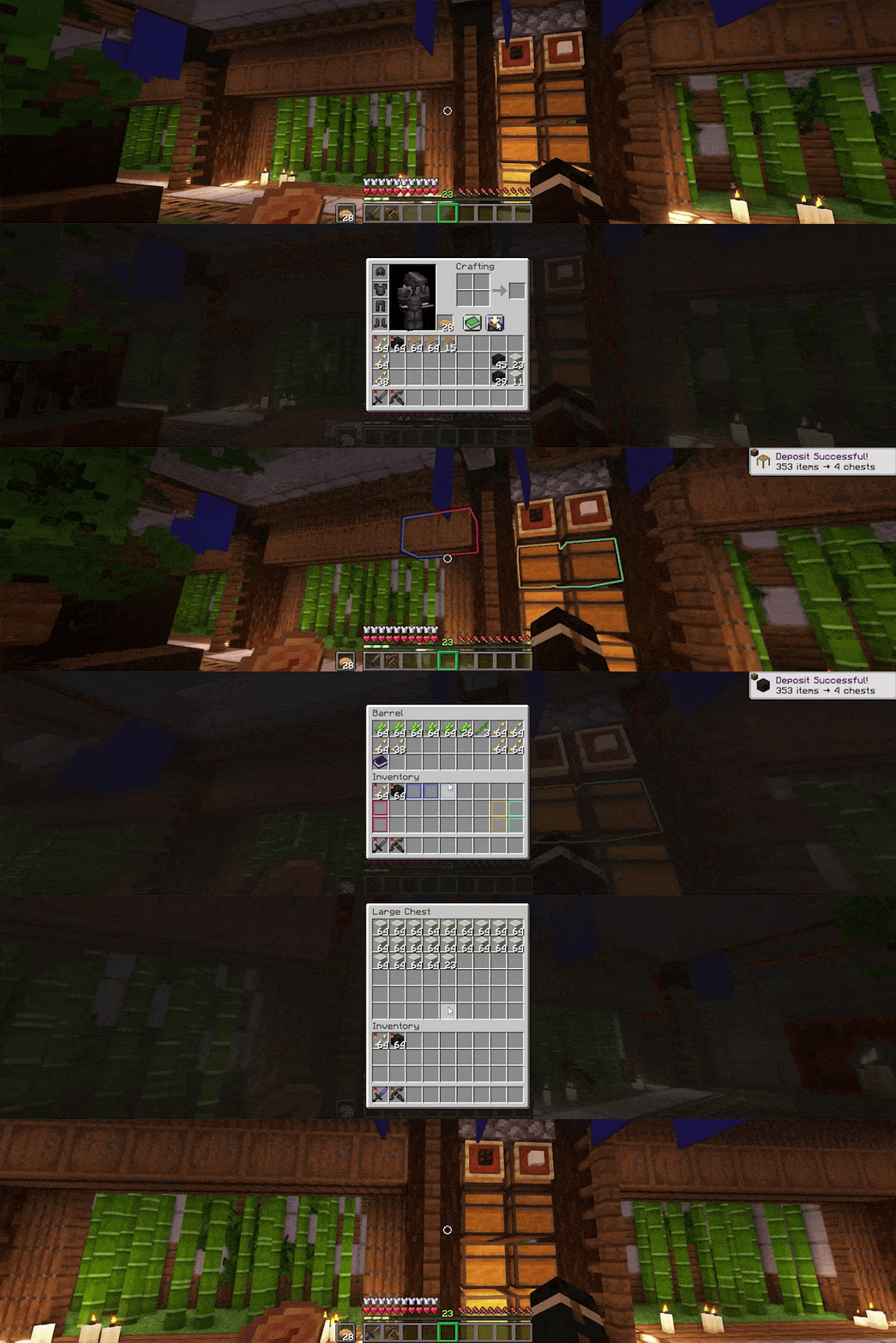
Quick Stacking Items! (obviously) (Clicking on a new button within your inventory will dump items into related containers!)

Color-coordinated mappings! (Upon initiating a quick stack, slots will be highlighted with colors that correspond to their respective destination block/entity highlight color!)
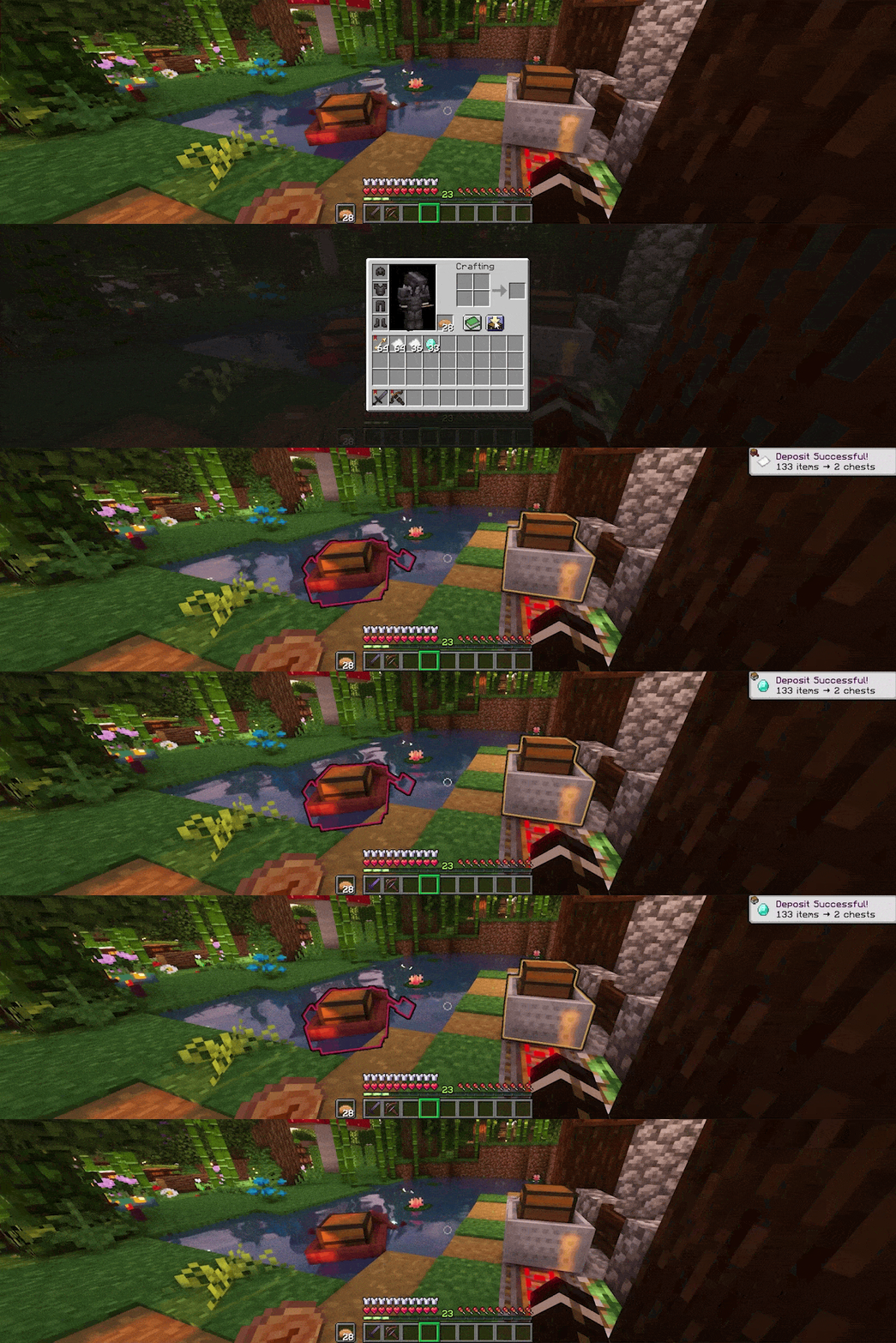
Support for quick stacking into entities! (Any entity, which contains an accessible inventory, can have items deposited into it!)

Marking items as favorites to prevent accidental stacking! (Another mod of mine, ItemFavorites, comes prepackaged in this mod, integrating all the functionality from it!)
alt key (configurable).Project description from Modrinth.
Pick your setup
Choose the version and loader you play, then open the matching release.
Check the dependencies, then try the file in a copied instance before changing a world you care about.
Recent files
quickstack-1.0.2+1.20.4.jar
9 Jan 2024
Looking for an older file? The official Modrinth project page is in Resources.