Minecraft version
Back to mods ![[Official] Epic x ParCool project artwork](https://cdn.modrinth.com/data/NfOLe8St/9a505e194be6edfae345d486413efbeb28cced07_96.webp)
Modrinth · Minecraft mod
[Official] Epic x ParCool
An official add-on for Epic Fight and ParCool! compatibility presented by Epic Fight team
Choose a version Pick your version below, then grab the matching file.
Quick answer
Which [Official] Epic x ParCool release should I use?
Latest stable file 21.0.0-1.21.1
Game version 1.21.1
Loader NeoForge
[Official] Epic x ParCool 21.0.0-1.21.1 targets 1.21.1 with NeoForge. Installation on the client is optional. Installation on the dedicated server is optional. No extra mods listed for this file.
Where it goes
Is [Official] Epic x ParCool required on the client, server, or both?
Installation on the client is optional. Installation on the dedicated server is optional.
Client Optional
Dedicated server Optional
Loader for this release NeoForge
Required install it here Optional supported, not mandatory Not supported do not install here Source doesn’t say do not assume
The source marks this as usable on both the client and server.
What else does [Official] Epic x ParCool 21.0.0-1.21.1 need?
21.0.0-1.21.1. Change the file and its required mods may change too.
This file does not list any required mods. Do not add a library just because a different file uses it.
This file does not list any required or optional mods.
Before you install it
Add [Official] Epic x ParCool without breaking your instance.
Built for [Official] Epic x ParCool 21.0.0-1.21.1. Pick another file and the loader, install side or required mods may change.
- 01
Stick to this file
Use 21.0.0-1.21.1. It targets 1.21.1 with NeoForge; another release may have different loader, side or dependency requirements.
- 02
Bring the mods it needs
This file does not list any required mods. Do not add a library just because a different file uses it.
- 03
Put it on the correct side
Installation on the client is optional. Installation on the dedicated server is optional.
- 04
Pick the file you checked
Use the “Get this file” button beside 21.0.0-1.21.1. It opens that exact file at the source.
About this project
What does [Official] Epic x ParCool add?

Epic Fight has an advanced animation library, and Parcool! has dynamic player movements that interact with terrain. What will happen if these creative works meet in the Minecraft world…?

Animations
First, you gotta enable Battle mode to activate Epic Fight-based animations (default switching key is R)
ParCool original movements
Fast run
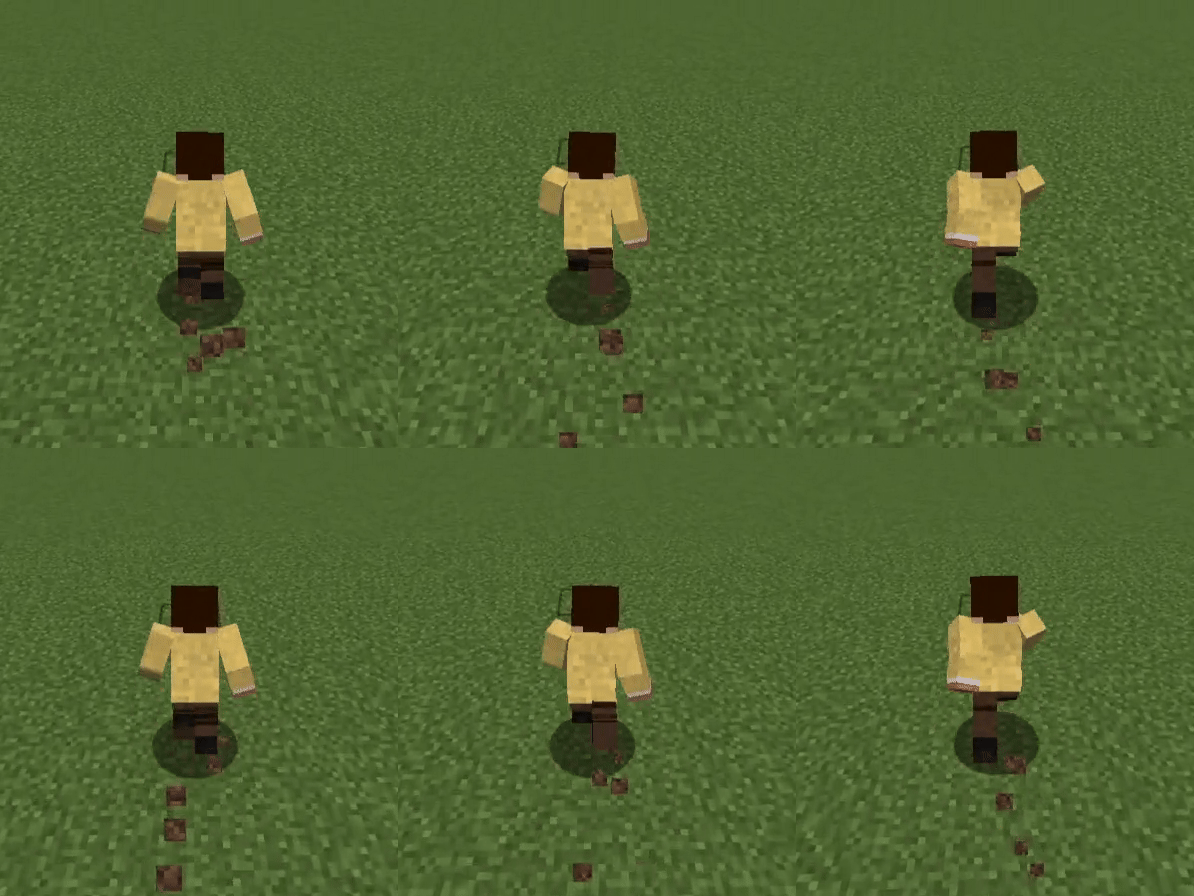
Cat leap
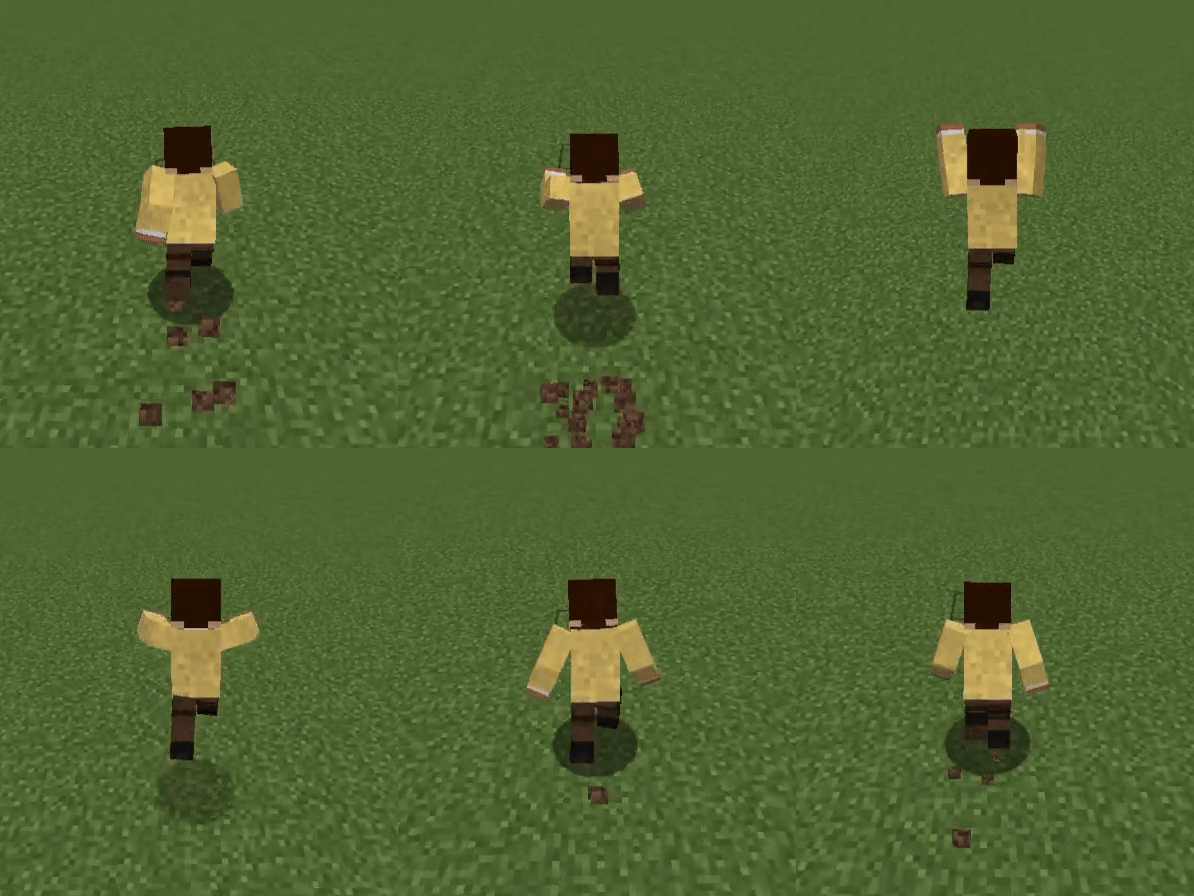
Roll
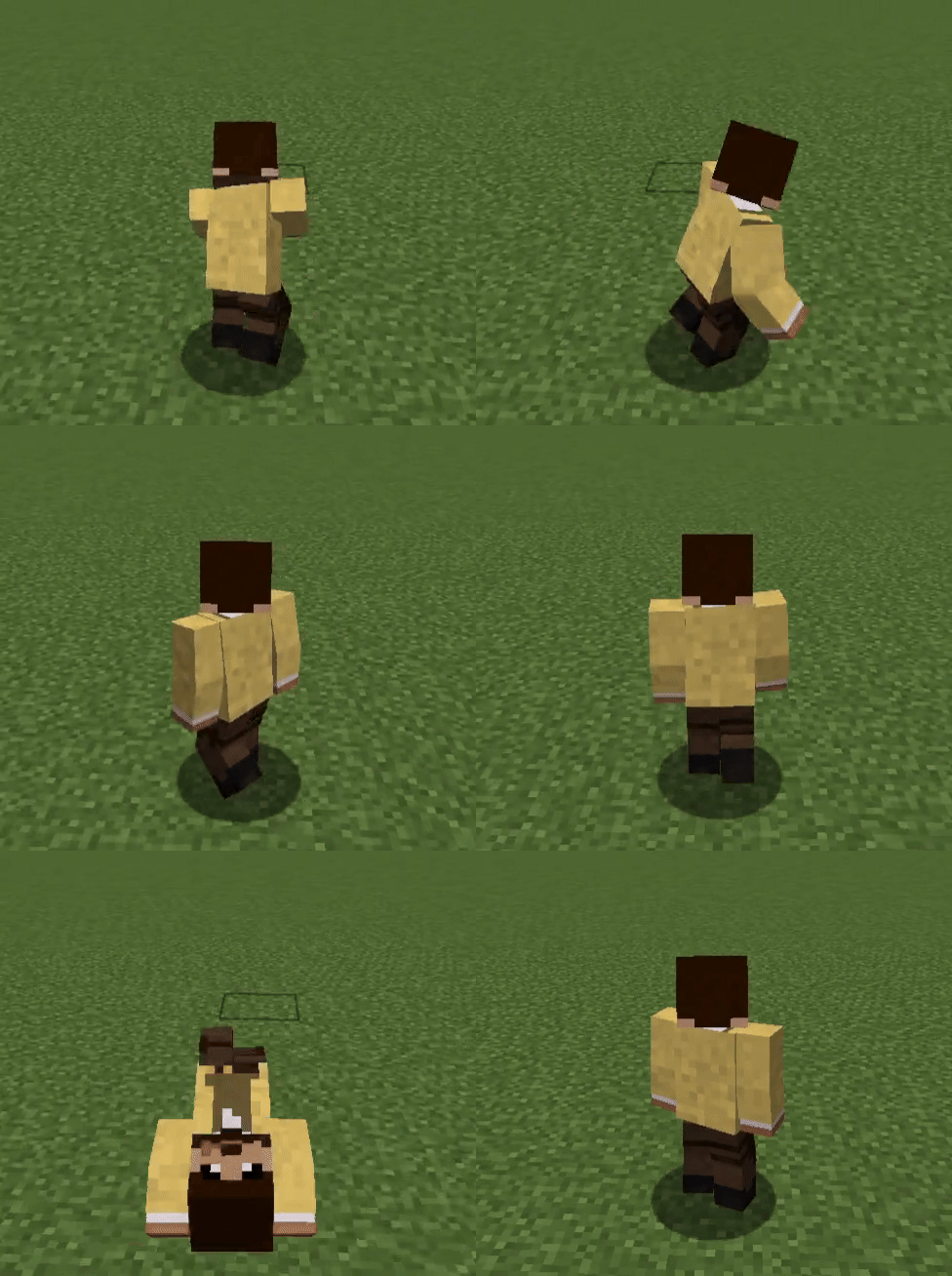
Wall grab & Wall climb
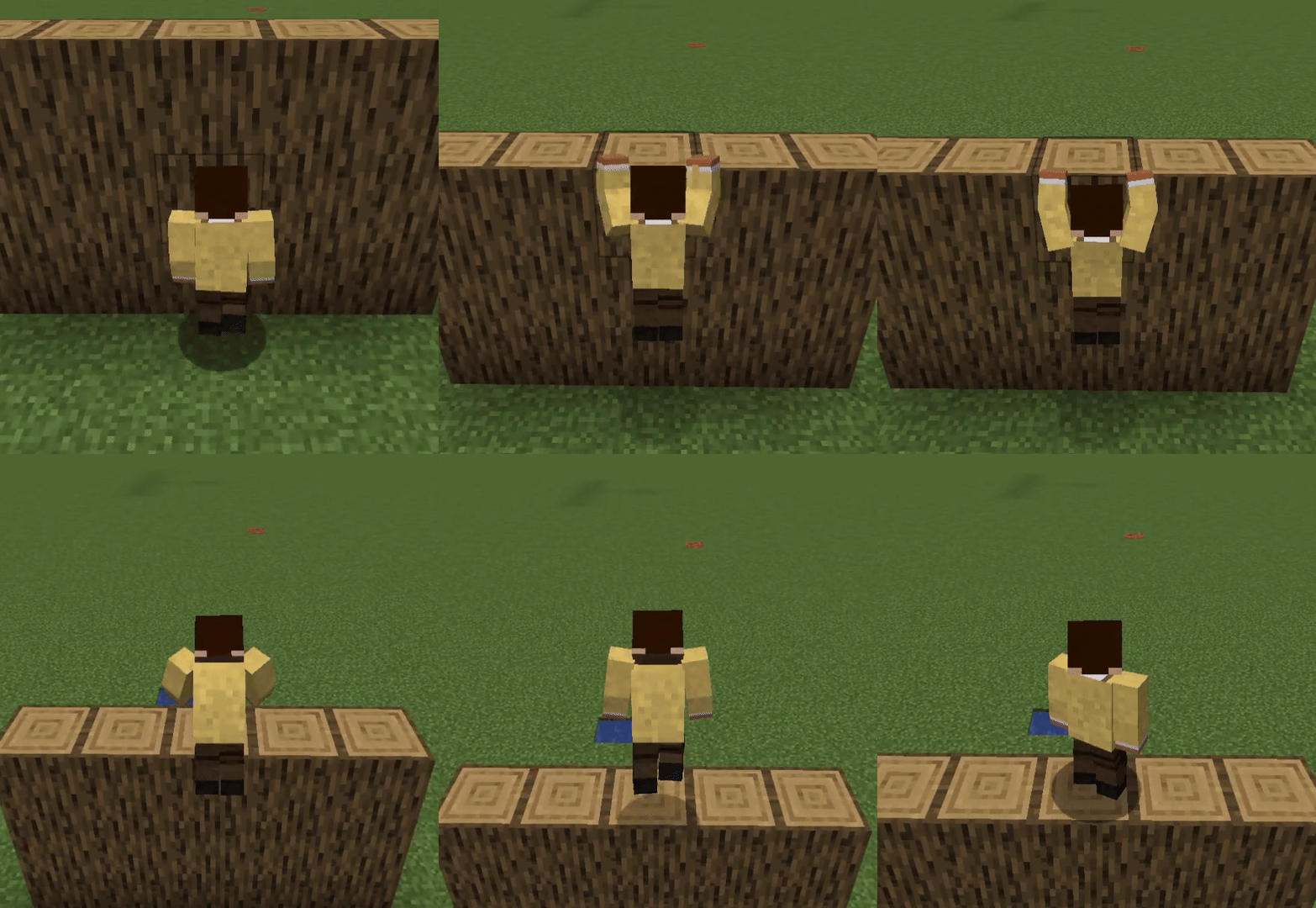
Vault

Dive & Skydive

Find out more animations in game!
ParCool-based, but unique movements (only work in Battle mode)
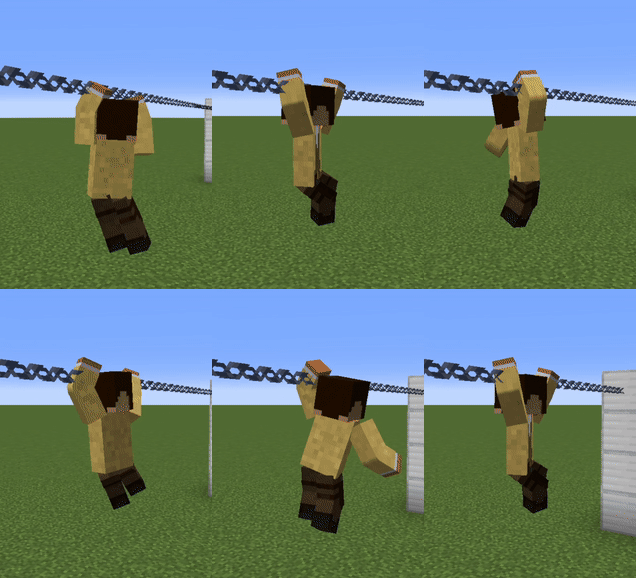
Chain movement
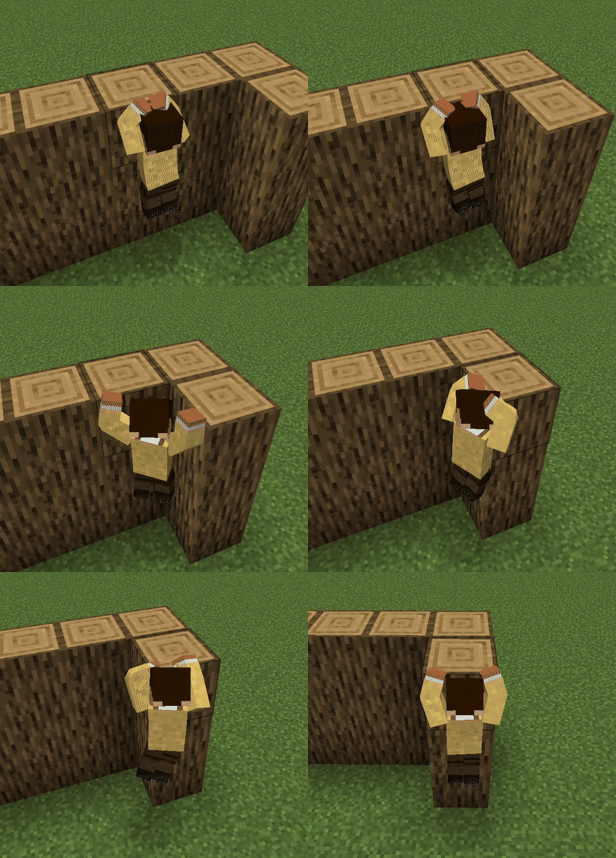
Wall movement
Support & Affiliates
Project description from Modrinth.
Pick your setup
[Official] Epic x ParCool by Minecraft version and loader
Choose the version and loader you play, then open the matching release.
Minecraft version
1.20.1
1 loader buildCheck the dependencies, then try the file in a copied instance before changing a world you care about.
Recent files
[Official] Epic x ParCool versions and loaders
21.0.0-1.21.1
epic x parcool-neoforge-21.0.0-1.21.1.jar
19 Jan 2026
Client Optional Server Optional Dependencies No extras listed Listed on Release listing
Check the 1.21.1 · NeoForge setup 1.21.1NeoForge release
20.12.0.1
epic x parcool-forge-20.12.0.1-1.20.1.jar
10 Aug 2025
Client Optional Server Optional Dependencies No extras listed Listed on Release listing
Check the 1.20.1 · Forge setup 1.20.1Forge release
20.11.0.1
epic x parcool-forge-20.11.0.1-1.20.1.jar
6 Jun 2025
Client Optional Server Optional Dependencies 2 required · 2 unchecked Listed on Release listing
Check the 1.20.1 · Forge setup 1.20.1Forge release
20.10.2.2
epic x parcool-forge-20.10.2.2-1.20.1.jar
16 May 2025
Client Optional Server Optional Dependencies 2 required · 2 unchecked Listed on Release listing
Check the 1.20.1 · Forge setup 1.20.1Forge release
20.10.1.6
epic x parcool-forge-20.10.1.6-1.20.1.jar
7 May 2025
Client Optional Server Optional Dependencies 2 required · 2 unchecked Listed on Release listing
Check the 1.20.1 · Forge setup 1.20.1Forge release
20.10.1.5
epic x parcool-20.10.1.5-1.20.1.jar
5 May 2025
Client Optional Server Optional Dependencies 2 required · 2 unchecked Listed on Release listing
Check the 1.20.1 · Forge setup 1.20.1Forge release
Looking for an older file? The official Modrinth project page is in Resources.
 mod
mod CurseForge + Modrinth · Minecraft
Immortality by adoleiiiiii
You can gain a special buff by consuming a Totem of Undying.
 mod
mod CurseForge + Modrinth · Minecraft
Fakeplayer Chunkloader
Keep chunks loaded automatically with fake players! Features live HUDs, interactive chunk map, dual-mode operation (mob spawning or tickets only), and robust configuration. Perfect for maintaining farms and automated systems even when you're away.
 mod
mod Modrinth · Minecraft
Cookie Clicker
Cookie Clicker datapack: click to earn cookies, buy upgrades, unlock automation, and build a steadily growing resource empire. [1.21.9 - 26.2]