Fabric API Needed by OrthoCamera 0.1.11+26.2
requiredMatching file found Matched file: 0.158.0+26.2

Modrinth · Minecraft mod
Configurable orthographic view mode
Quick answer
OrthoCamera 0.1.11+26.2 targets 26.2 with Fabric. It must be installed on the client. Do not install it on the dedicated server. All 1 required mods have matching files.
Where it goes
It must be installed on the client. Do not install it on the dedicated server.
This file is marked client-only.
0.1.11+26.2. Change the file and its required mods may change too.
Install Fabric API first. We found matching files for this game-version and loader setup. 1 comes through another mod in the chain.
1 extra mod was pulled in by another dependency. Indented rows show who needs each one. We only count dependency files that match this setup. A file for another loader does not fill the gap.
Before you install it
Built for OrthoCamera 0.1.11+26.2. Pick another file and the loader, install side or required mods may change.
Use 0.1.11+26.2. It targets 26.2 with Fabric; another release may have different loader, side or dependency requirements.
Install Fabric API first. We found matching files for this game-version and loader setup. 1 comes through another mod in the chain.
It must be installed on the client. Do not install it on the dedicated server.
Use the “Get this file” button beside 0.1.11+26.2. It opens that exact file at the source.
About this project
Minecraft Fabric client-side mod. Adds Toggleable & configurable orthographic view mode.
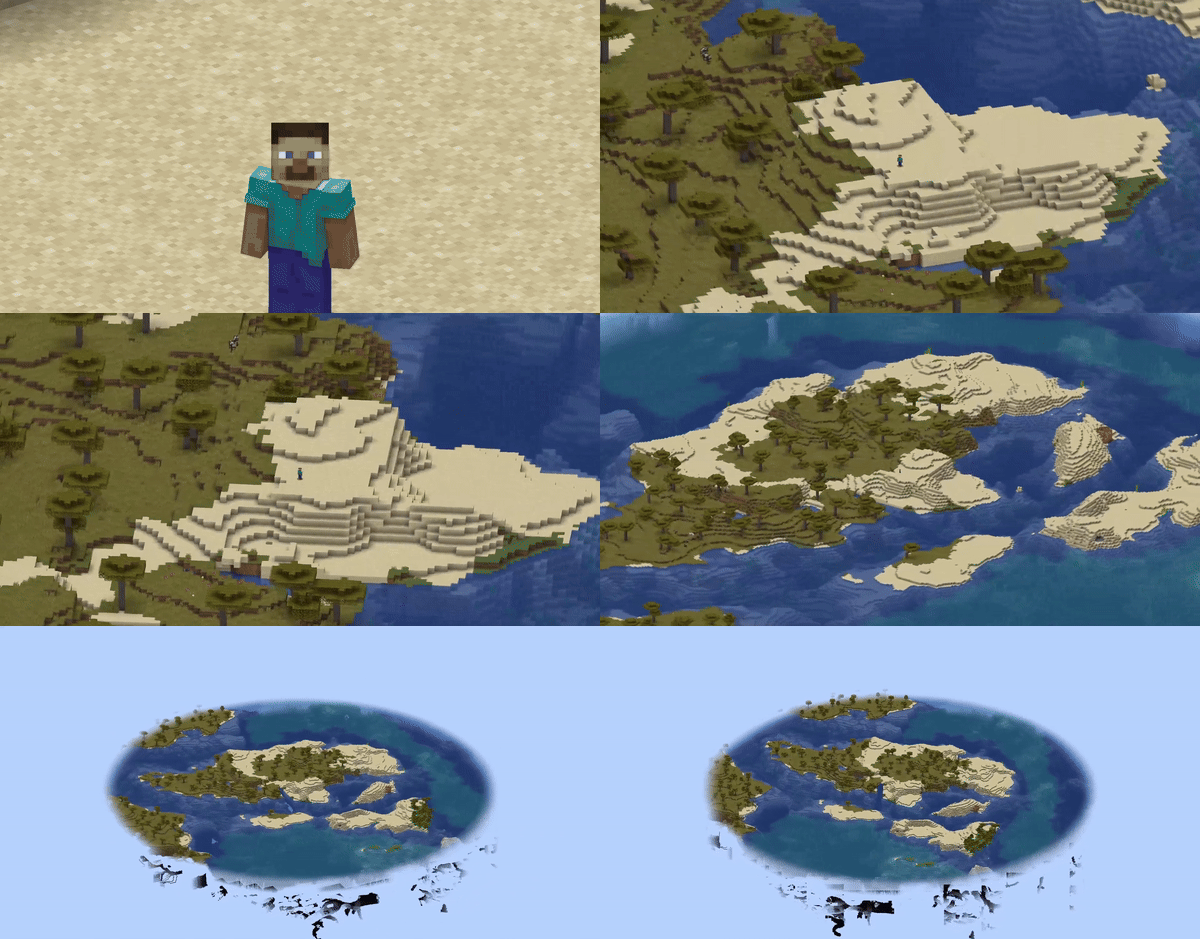
In the perspective view (the default), objects which are far away are smaller than those nearby. In the orthographic view, all objects appear at the same scale.
Minecraft uses perspective view to draw the world. It gives a first-person feel.
This mod allows you to enable orthographic view and configure frustum in detail.
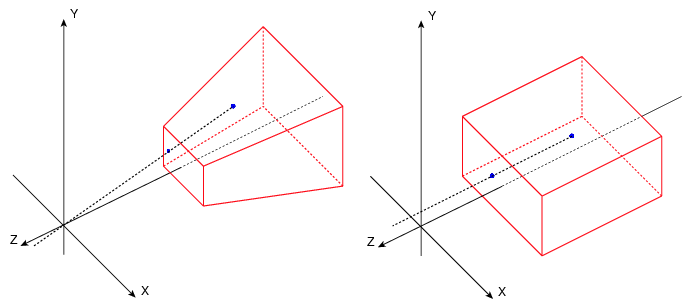
You can open config screen from ModMenu or by the hotkey. You can configure:
There are also 8 hotkeys for:
Fixed camera demonstration:
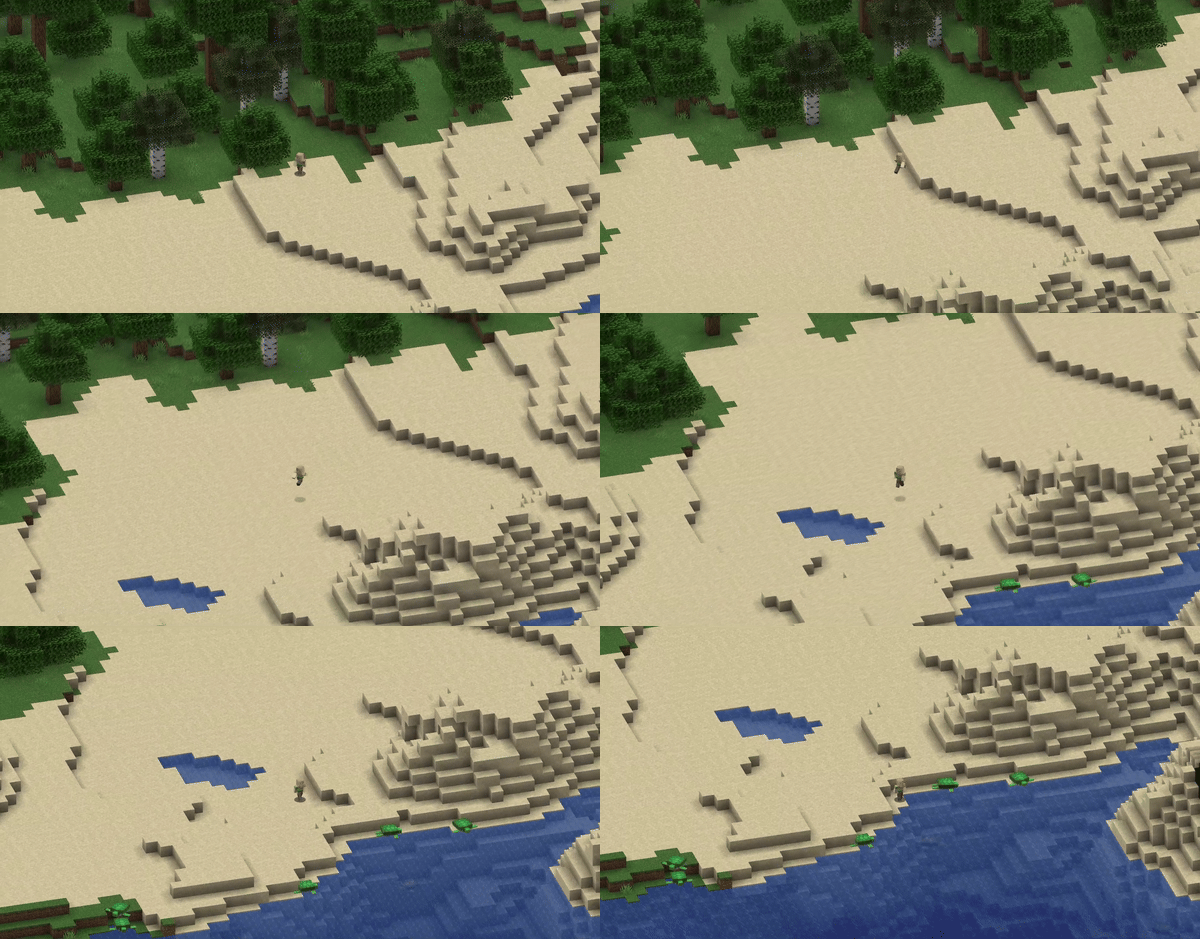
Project description from Modrinth.
Pick your setup
Choose the version and loader you play, then open the matching release.
Showing the newest 12 of 24 game versions. Older files are in the list below.
Check the dependencies, then try the file in a copied instance before changing a world you care about.
Recent files
OrthoCamera-0.1.11+26.2.jar
17 Jun 2026
OrthoCamera-0.1.10+26.1.jar
25 Mar 2026
OrthoCamera-0.1.10+1.21.11.jar
10 Dec 2025
OrthoCamera-0.1.10+1.21.9.jar
4 Oct 2025
OrthoCamera-0.1.9+1.21.9.jar
3 Oct 2025
OrthoCamera-0.1.9+1.21.6.jar
21 Sept 2025
OrthoCamera-0.1.9+1.21.5.jar
21 Sept 2025
OrthoCamera-0.1.9+1.21.4.jar
21 Sept 2025
OrthoCamera-0.1.9+1.21.3.jar
21 Sept 2025
OrthoCamera-0.1.9+1.21.jar
21 Sept 2025
OrthoCamera-0.1.8+1.21.6.jar
17 Jun 2025
OrthoCamera-0.1.8+1.21.5.jar
1 Apr 2025
Looking for an older file? The official Modrinth project page is in Resources.
 mod
modAn AI-powered Carpet extension mod packed with practical utilities, including longer player name support and fake-player area mining.
 mod
modEnchantment Shifter is a Minecraft mod that allows players to freely move enchantments between items using the anvil. Transfer enchantments to books for storage, shift enchantments between tools, and customize XP costs and limits.
 mod
modImmersive stealth mechanics: sound visualization, heavy armor penalties, and smart AI that reacts to noise.