Minecraft version
Back to mods 
Modrinth · Minecraft mod
Better Falling
This Mod adds Falling Animations, Pike Jumps to Jump Off and Landing Animations to the Game
Choose a version Pick your version below, then grab the matching file.
Quick answer
Which Better Falling release should I use?
Latest stable file 3.0.0
Game version 1.21.1
Loader NeoForge
Better Falling 3.0.0 targets 1.21.1 with NeoForge. Installation on the client is optional. Installation on the dedicated server is optional. No extra mods listed for this file.
Where it goes
Is Better Falling required on the client, server, or both?
Installation on the client is optional. Installation on the dedicated server is optional.
Client Optional
Dedicated server Optional
Loader for this release NeoForge
Required install it here Optional supported, not mandatory Not supported do not install here Source doesn’t say do not assume
The source marks this as usable on both the client and server.
What else does Better Falling 3.0.0 need?
3.0.0. Change the file and its required mods may change too.
This file does not list any required mods. Do not add a library just because a different file uses it.
This file does not list any required or optional mods.
Before you install it
Add Better Falling without breaking your instance.
Built for Better Falling 3.0.0. Pick another file and the loader, install side or required mods may change.
- 01
Stick to this file
Use 3.0.0. It targets 1.21.1 with NeoForge; another release may have different loader, side or dependency requirements.
- 02
Bring the mods it needs
This file does not list any required mods. Do not add a library just because a different file uses it.
- 03
Put it on the correct side
Installation on the client is optional. Installation on the dedicated server is optional.
- 04
Pick the file you checked
Use the “Get this file” button beside 3.0.0. It opens that exact file at the source.
About this project
What does Better Falling add?
Free Fall:
You can activate Freefall by pressing (V) while you are falling or you can activate Auto Free Fall via command, and Free Fall will be activated automatically.
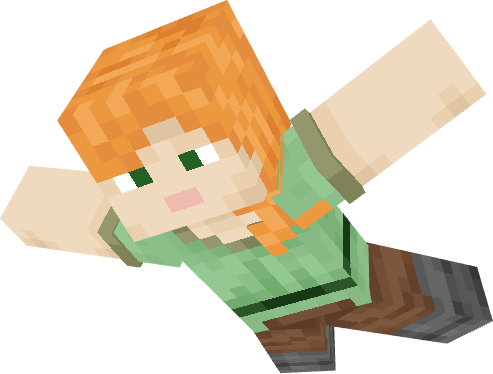
When you are in Freefall mode, you can either fall normally and slowly, which gives you better air control, or you can fall quickly by sneaking, but you will have less air control.
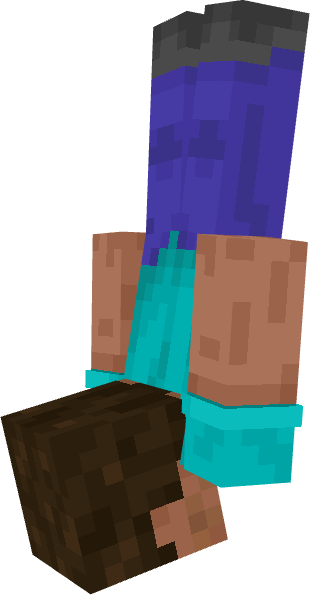
Aero Control - Enchantment:
With Aero Control on your chestplate, you can move more easily while in Freefall mode, and you will fall more slowly the higher the enchantment level is.
Pike Jumps to Jump Off:
If you are at an edge and jump, you will perform a dive jump downward as long as you are not sneaking.
If you are able to jump off, a message will appear in the center of the screen.
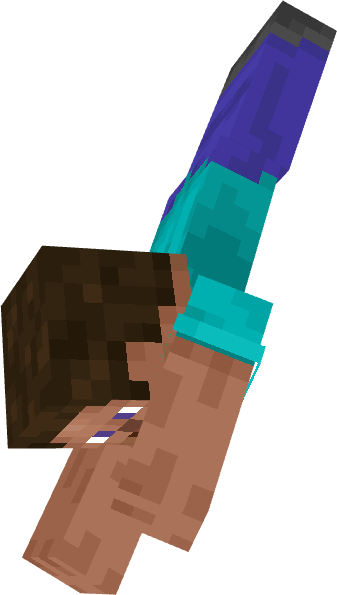
Landing Animations:
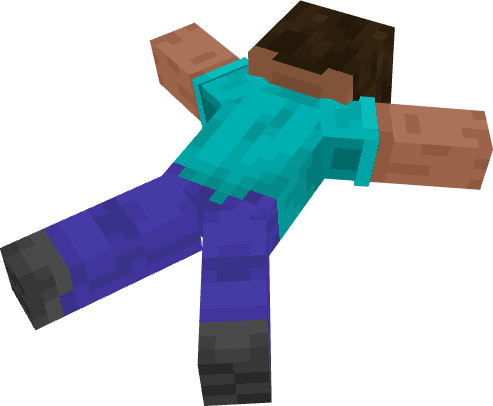
When you land on the ground after a high fall, you will perform a landing animation.
Spoiler
Survival Mode Landing Animation:
Creativ Mode Landing Animation:
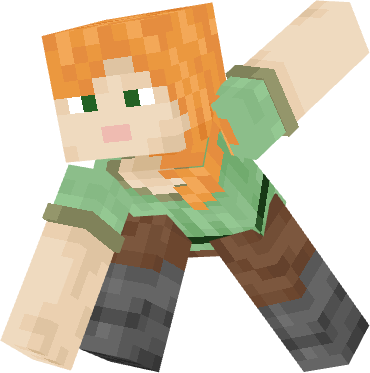
After landing, you need to jump to get back up, which will also be indicated with a message on the screen.
Config Menu:
Default Hotkey: [ . ]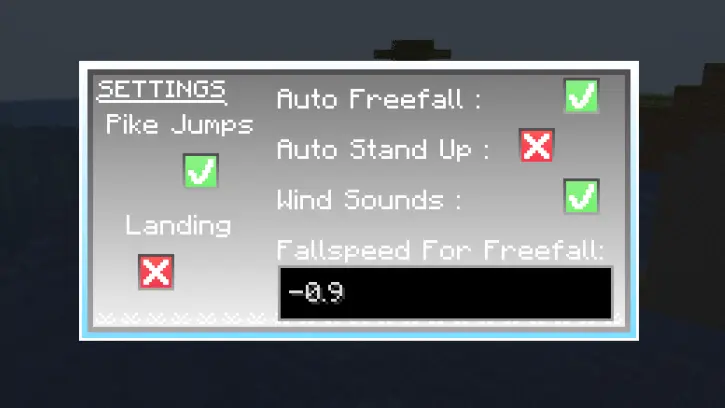
Here you can make some changes for yourself
The animations may not work with other animation mods or resource packs.
Warning:
Without the Player Animator, the mod will not work, so please keep that in mind.
Project description from Modrinth.
Pick your setup
Better Falling by Minecraft version and loader
Choose the version and loader you play, then open the matching release.
Minecraft version
1.21.1
1 loader buildMinecraft version
1.20.1
1 loader buildMinecraft version
1.19.4
1 loader buildMinecraft version
1.19.2
1 loader buildMinecraft version
1.18.2
1 loader buildCheck the dependencies, then try the file in a copied instance before changing a world you care about.
Recent files
Better Falling versions and loaders
3.0.0
better_falling-3.0.0-neoforge-1.21.1.jar
22 Aug 2026
Client Optional Server Optional Dependencies No extras listed Listed on Release listing
Check the 1.21.1 · NeoForge setup 1.21.1NeoForge release
3.0.0
better_falling-3.0.0-forge-1.20.1.jar
22 Aug 2026
Client Optional Server Optional Dependencies 1 required · 1 unchecked Listed on Release listing
Check the 1.20.1 · Forge setup 1.20.1Forge release
2.2.0
better_falling-2.2.0-neoforge-1.21.8.jar
25 Nov 2025
Client Optional Server Optional Dependencies 1 required · 1 unchecked Listed on Release listing
Check the 1.21.8 · NeoForge setup 1.21.8NeoForge release
2.2.0
better_falling-2.2.0-neoforge-1.21.1.jar
25 Nov 2025
Client Optional Server Optional Dependencies 1 required · 1 unchecked Listed on Release listing
Check the 1.21.1 · NeoForge setup 1.21.1NeoForge release
1.2.0
Better Falling-forge-1.2.0-mc1.20.1.jar
4 Nov 2023
Client Optional Server Optional Dependencies No extras listed Listed on Release listing
Check the 1.20.1 · Forge setup 1.20.1Forge release
1.2.0
Better Falling-forge-1.2.0-mc1.18.2.jar
10 Oct 2023
Client Optional Server Optional Dependencies No extras listed Listed on Release listing
Check the 1.18.2 · Forge setup 1.18.2Forge release
1.2.0
Better Falling-forge-1.2.0-mc1.19.4.jar
6 Oct 2023
Client Optional Server Optional Dependencies No extras listed Listed on Release listing
Check the 1.19.4 · Forge setup 1.19.4Forge release
1.2.0
Better Falling-forge-1.2.0-mc1.19.2.jar
6 Oct 2023
Client Optional Server Optional Dependencies No extras listed Listed on Release listing
Check the 1.19.2 · Forge setup 1.19.2Forge release
Looking for an older file? The official Modrinth project page is in Resources.
 mod
CurseForge + Modrinth · Minecraft
Chopper's Delight
An add-on for Farmer's Delight adding Cutting Boards for all wood types, which can be decorated with banners. Includes compatibility with Every Compat, Biomes O' Plenty and Oh The Biomes You'll Go.
 mod
CurseForge + Modrinth · Minecraft
Better Block Entities
A Minecraft optimization mod for Fabric-Sodium that improves framerates by improving block entity rendering via a hybrid renderer
 mod
CurseForge + Modrinth · Minecraft
FermiumBooter
Simplistic mixin mod utility to allow developers to load mixins both early and late