Minecraft version
Back to mods 
Modrinth · Minecraft mod
Custom Weaponery
Toxicisity's Boredom of Unbalanced Weapons
Choose a version Pick your version below, then grab the matching file.
Quick answer
Which Custom Weaponery release matches 1.20 Forge?
beta file 0.1
Game version 1.20, 1.20.1, 1.20.2
Loader Fabric, Forge, NeoForge
Custom Weaponery 0.1 targets 1.20, 1.20.1, 1.20.2 with Fabric, Forge, NeoForge. Installation on the client is optional. Installation on the dedicated server is optional. No extra mods listed for this file.
Where it goes
Is Custom Weaponery required on the client, server, or both?
Installation on the client is optional. Installation on the dedicated server is optional.
Client Optional
Dedicated server Optional
Loader for this release Fabric, Forge, NeoForge
Required install it here Optional supported, not mandatory Not supported do not install here Source doesn’t say do not assume
The source marks this as usable on both the client and server.
What else does Custom Weaponery 0.1 need?
0.1 on 1.20 Forge. Every mod below is checked against that same setup.
This file does not list any required mods. Do not add a library just because a different file uses it.
This file does not list any required or optional mods.
Before you install it
Add Custom Weaponery without breaking your instance.
Built for Custom Weaponery 0.1 on 1.20 Forge. Pick another file and the loader, install side or required mods may change.
- 01
Stick to this file
Use 0.1. It targets 1.20, 1.20.1, 1.20.2 with Fabric, Forge, NeoForge; another release may have different loader, side or dependency requirements.
- 02
Bring the mods it needs
This file does not list any required mods. Do not add a library just because a different file uses it.
- 03
Put it on the correct side
Installation on the client is optional. Installation on the dedicated server is optional.
- 04
Pick the file you checked
Use the “Get this file” button beside 0.1. It opens that exact file at the source.
About this project
What does Custom Weaponery add?
Theres More than 15 Weapons!
they might be inspired of other games, like ultrakill and project smash and also some anime
but mostily in my head, while working in offline
Heres some Exambles
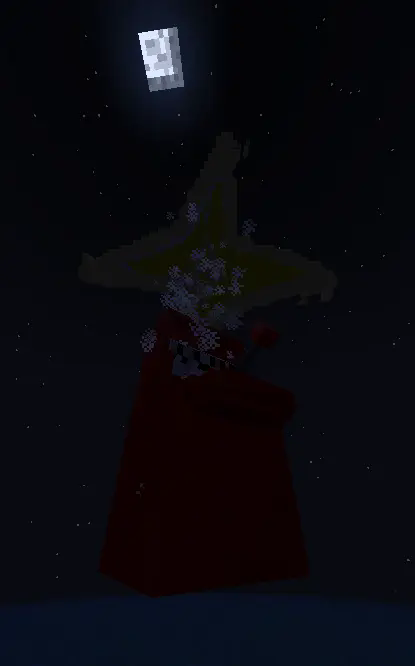
Heres one of the weapon's abilitys that are inspired on project smash
Spoiler
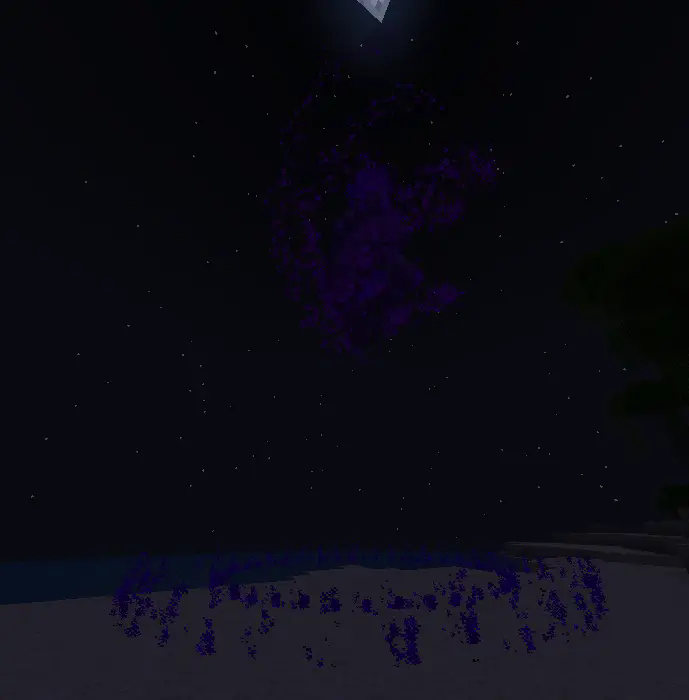
And heres one of the items inspired by- uh, achuly it isnt inspired by anything, its just in my head
Spoiler
WEAPONS
List of Items
Coin
- Just a regular coin
- Right click to throw it, but doesnt deal damage
- Maybe you can shoot it with something?
Dash Cut
- Right click to do a stunining dash!
- Deals damage when you aligned it at an enemy
Death Cut
- Right click to do a strong dash
- Deals alot of damage when you aligned it at an enemy
Domain
- Right click to select 3 domain expansions
- Each domain does something different
- Only works with players and not mobs
- So grab your friend and torture him :)
Gambler's Cane
Right click to throw a dice
When the dice hits any player it will make you roll a dice with 5 random colors and a random value thru 1-6 (like a dice)
The colors are [ White, Green, Yellow, Blue, Red ]
Green is a jackpot (gives all listed colors, EXECPT WHITE)
Red is an extender changes all abilitys and also resets the cooldown
The other colors you will have to find out what they will do
But try obtaining White 3 times, something will happend :)
Shift right click to summon a slot machine crashing the ground
Deals a proper damage but not too overpowered
Notice: theres a small bug you can use before i patch it up, throw a dice under you so it will activate the dice roll function without having any player suffer
Gernade
- Right click to throw a gernade
- Explodes on a timer
- its not overpowered till you hit it with something
GroundStrike
- Right click to summon a GIANT SPIKE
- You can see if the Giant Spike is aligned on an enemy or not
- The small spikes deals a little damage
- Jump and right click to summon a Giant Spike under you, it will launch you up and not deal damage to you
- Make sure you have a water bucket :)
- Notice: This weapon is somewhat broken when doing it on not a flat surface, but still broken due to unable to launch the enemys
Incernation
- Right click to place a domain circle
- Being inside the circle gives you strength and resistance
- Works only on you the activator
Orbitual Strike
- Right click to summon a MASSIVE ORBIT
- On impact, it impacts a massive explosion!
- When used ON an enemy, they will get slowness and be unable to jump
- But they still can use enderpearls
Orb Throw
- Right click to throw a Compacted Orb
- On impact it does a massive explosion
- When thrown exactly on top of you
- It Shatters into pieces
Peddle
- a regular peddle
- altho its hard, it can be used to do something
- Right click to throw a hard peddle
- Try hitting a gernade thats in mid-air :)
Orb Phase
- Right click to turn into an Orb
- As an Orb you can run fast, jump high, and infect wither to nearby entitys
Preslice Katana
- Right click to set a Pre-Sliced spot and angle
- Hold shift to see where Pre-Sliced is placed and angled
- Use one of three activations
- PreSlice Activation: Activates 1 Pre-Sliced per use
- PreSlice Activation [Death Wish Single]: Activates 1 Pre-Sliced per use, as a Death Wish, Deals a Massive damage
- PreSlice Activation [Death Wish]: Activates ALL Pre-Sliced as a Death Wish, Deals a Massive damage
Revolver
- Right click to shoot
- If theres no ammo, just right click to load each bullet
- Shift right click to shoot a Pre-Shot
- If you shoot a Pre-Shot on an entity, it will lock on it ONCE Each Pre-Shot, You cannot merge multiable Pre-Shot into 1 entity
- If any Pre-Shot is nearby, whenever you shoot (Right click)
- It will instantly aims at a Pre-Shot before shooting
- Try shooting a coin in both variants, it may do something :)
Orbitual UpperCut
- Right click to uppercut an enemey
- You can launch your self far up and go smashing on the ground
- By landing on the ground when launched up, it will launch other enemeys
- Notice: This weapon is still in progress in fixing, there is alot of issues so it only just does the groundslam instead of launching by looking slighty down
DISCLAIMER
- This mod may contain bugs!, kinda
- Made this mod just to send something in modrinth
- No models and textures are stolen, All made by me
Project description from Modrinth.
Pick your setup
Custom Weaponery by Minecraft version and loader
Choose the version and loader you play, then open the matching release.
Minecraft version
1.20.3
4 loader buildsMinecraft version
1.20.2
4 loader buildsMinecraft version
1.20.1
4 loader buildsMinecraft version
1.20
4 loader buildsCheck the dependencies, then try the file in a copied instance before changing a world you care about.
Recent files
Custom Weaponery versions and loaders
0.1
CustomWeaponery.jar
1 Oct 2025
Client Optional Server Optional Dependencies No extras listed Listed on Release listing
Check the 1.20 · Forge setup 1.201.20.11.20.21.20.3 beta
Looking for an older file? The official Modrinth project page is in Resources.
 mod
CurseForge · Minecraft
Cursed Blade
King of the Hill type of gameplay. One Player. One Sword. One Curse. Infinite Progression. If you want the blade, be ready to throw everything at its user to take him down and become the cursed one.
 mod
CurseForge · Minecraft
Occultism
A magic mod inspired by the world of Jonathan Stroud's Bartimaeus. With the help of occult rituals players can summon entities from the "Other Side" to perform magic.
 mod
CurseForge · Minecraft
Companions!
A mod that adds tameable creatures called companions!