Fabric API Needed by AdaptiveHUD 1.0.2+1.21.9
requiredMatching file found Matched file: [1.21.10] Fabric API 0.138.4+1.21.10

Modrinth · Minecraft mod
Adds FPS, light, coordinates etc directly on your screen! Endless customization! Variable-based!
Quick answer
AdaptiveHUD 1.0.2+1.21.9 targets 1.21.10, 1.21.9, 1.21.9-rc1 with Fabric. It must be installed on the client. Do not install it on the dedicated server. All 1 required mods have matching files.
Where it goes
It must be installed on the client. Do not install it on the dedicated server.
This file is marked client-only.
1.0.2+1.21.9. Change the file and its required mods may change too.
Install Fabric API first. We found matching files for this game-version and loader setup. 1 comes through another mod in the chain.
1 extra mod was pulled in by another dependency. Indented rows show who needs each one. We only count dependency files that match this setup. A file for another loader does not fill the gap.
Before you install it
Built for AdaptiveHUD 1.0.2+1.21.9. Pick another file and the loader, install side or required mods may change.
Use 1.0.2+1.21.9. It targets 1.21.10, 1.21.9, 1.21.9-rc1 with Fabric; another release may have different loader, side or dependency requirements.
Install Fabric API first. We found matching files for this game-version and loader setup. 1 comes through another mod in the chain.
It must be installed on the client. Do not install it on the dedicated server.
Use the “Get this file” button beside 1.0.2+1.21.9. It opens that exact file at the source.
About this project





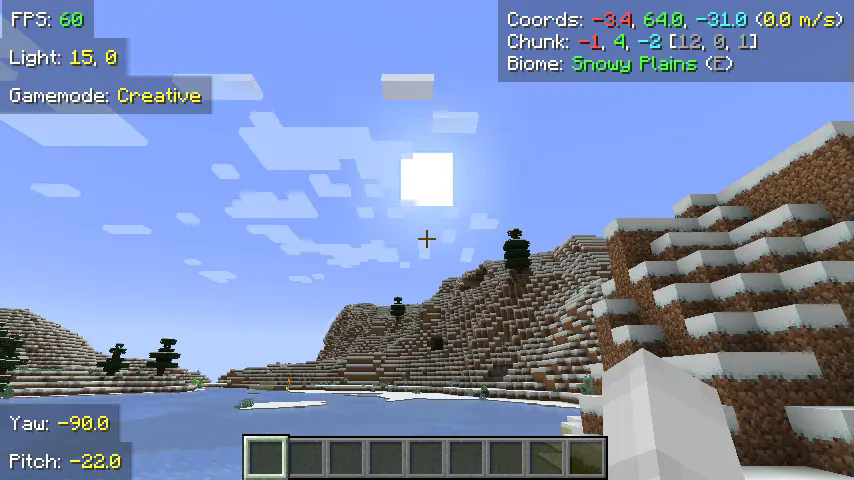
AdaptiveHUD is a highly customizable HUD mod, it is based on variables meaning you can make it display pretty much anything you want! From your current FPS to the amount of outgoing packets, anything is possible. While there are other mods like this, AdaptiveHUD gives you the ability to position these elements wherever you want (through a dragging-screen), you can change the padding, the background, the colors, shadows, scale and much more.
When you create a new element you use variables to display what you want. For example you could enter something like FPS: {fps}, which then would display your current FPS like FPS: 103. The mod has many different variables, and you can find them all by checking out the documentation.
While there are a few other mods like this, they all have some missing features that I would have liked.
Minihud: Lacks customization, while you can display a lot of information, you can't move each induvidually, it isn't variable based (meaning the text is set), also you can't change colors, scale, padding and such as easily.
CustomHUD: Not that user-friendly. While CustomHUD is able to scale, change colors and more, it isn't that easy to use since you must edit the files manually. CustomHUD also focuses more on paragraphs of text, while AdaptiveHUD has each variable as an individual element.
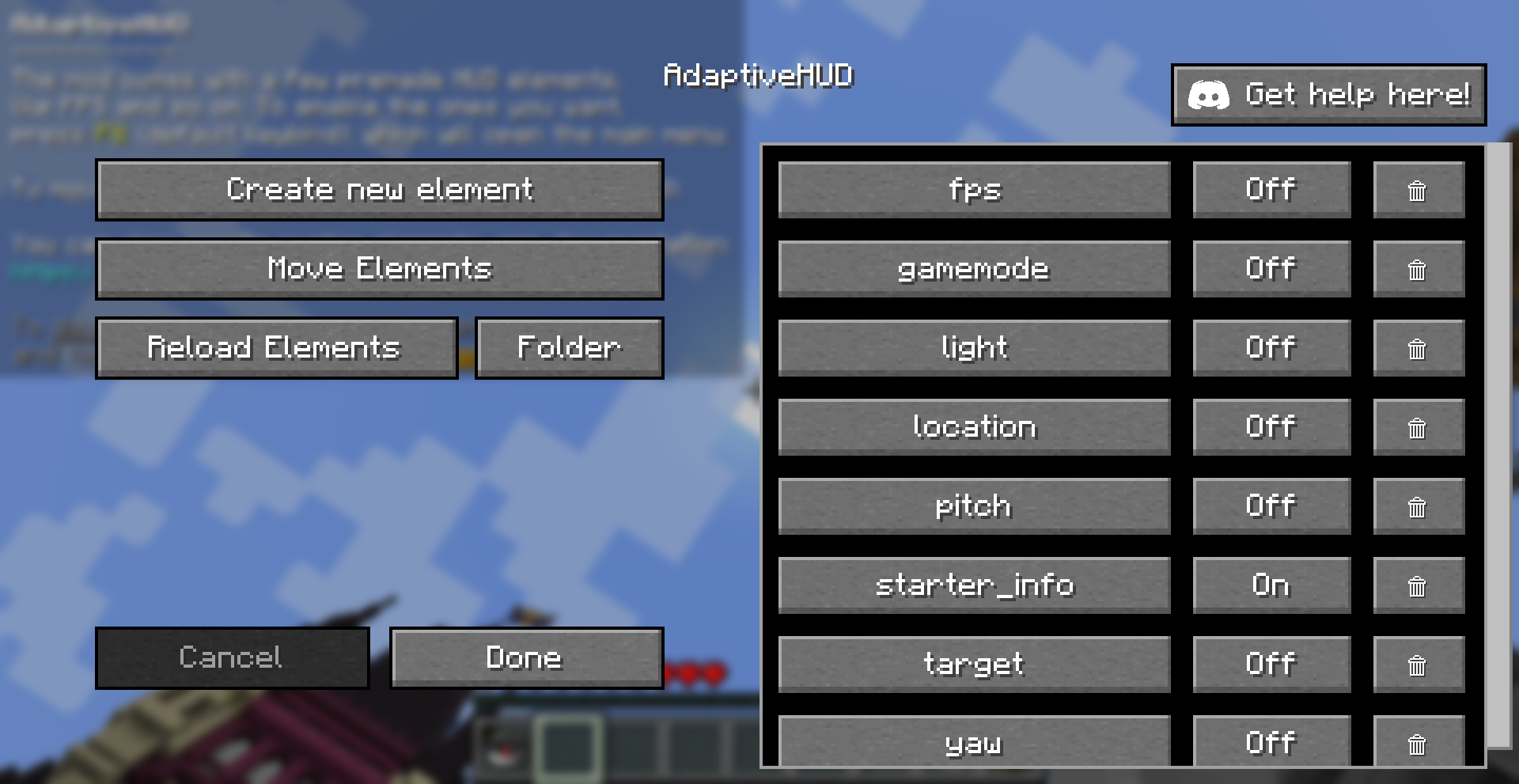
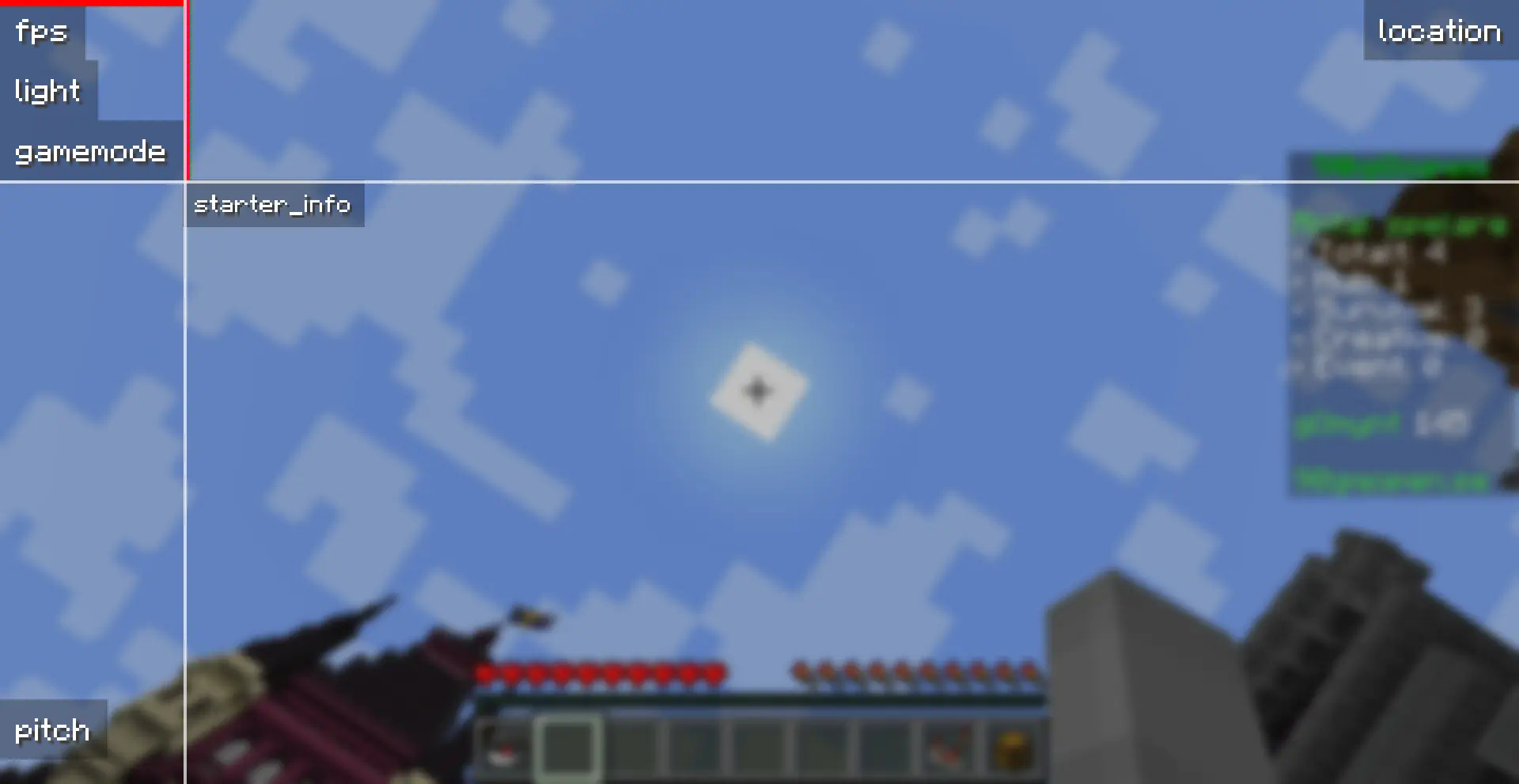
The mod is currently only available for Fabric, but might get ported to other loaders in the future.
Project description from Modrinth.
Pick your setup
Choose the version and loader you play, then open the matching release.
Showing the newest 12 of 16 game versions. Older files are in the list below.
Check the dependencies, then try the file in a copied instance before changing a world you care about.
Recent files
adaptivehud-1.0.2+1.21.9.jar
29 Sept 2025
adaptivehud-1.0.2+1.21.6.jar
18 Jun 2025
adaptivehud-1.0.2+1.21.5.jar
25 Mar 2025
adaptivehud-1.0.2+1.21.4.jar
4 Dec 2024
adaptivehud-1.0.1+1.21.2.jar
23 Oct 2024
adaptivehud-1.0.1+1.21.jar
19 Sept 2024
adaptivehud-1.0.1+1.20.6.jar
19 Sept 2024
adaptivehud-1.0.1+1.20.4.jar
19 Sept 2024
adaptivehud-1.0.0+1.21.jar
17 Sept 2024
adaptivehud-1.0.0+1.20.6.jar
17 Sept 2024
adaptivehud-1.0.0+1.20.4.jar
17 Sept 2024
Looking for an older file? The official Modrinth project page is in Resources.
 mod
This mod lets you instantly send items from your hotbar back to your inventory without ever having to open it.
 mod
Storage, computation and crafting extensions for Neo ECO AE Extension, with KubeJS integration for custom infinite matrices.
 mod
A client-side mod for Create that provides modular assistance features.