Minecraft version
Back to mods 
Modrinth · Minecraft mod
Simple Elytra Dye
A simple mod to give your elytra a color.
Choose a version Pick your version below, then grab the matching file.
Quick answer
Which Simple Elytra Dye release matches 26.3 Forge?
Best match for your filters 1.0.1+forge-26.3
Game version 26.3
Loader Forge
Simple Elytra Dye 1.0.1+forge-26.3 targets 26.3 with Forge. Installation on the client is optional. Installation on the dedicated server is optional. No extra mods listed for this file.
Where it goes
Is Simple Elytra Dye required on the client, server, or both?
Installation on the client is optional. Installation on the dedicated server is optional.
Client Optional
Dedicated server Optional
Loader for this release Forge
Required install it here Optional supported, not mandatory Not supported do not install here Source doesn’t say do not assume
The source marks this as usable on both the client and server.
What else does Simple Elytra Dye 1.0.1+forge-26.3 need?
1.0.1+forge-26.3 on 26.3 Forge. Every mod below is checked against that same setup.
This file does not list any required mods. Do not add a library just because a different file uses it.
This file does not list any required or optional mods.
Before you install it
Add Simple Elytra Dye without breaking your instance.
Built for Simple Elytra Dye 1.0.1+forge-26.3 on 26.3 Forge. Pick another file and the loader, install side or required mods may change.
- 01
Stick to this file
Use 1.0.1+forge-26.3. It targets 26.3 with Forge; another release may have different loader, side or dependency requirements.
- 02
Bring the mods it needs
This file does not list any required mods. Do not add a library just because a different file uses it.
- 03
Put it on the correct side
Installation on the client is optional. Installation on the dedicated server is optional.
- 04
Pick the file you checked
Use the “Get this file” button beside 1.0.1+forge-26.3. It opens that exact file at the source.
About this project
What does Simple Elytra Dye add?
Elytra Dye
Mod
It's an Elytra Dye Mod. Dye your Elytras like Leather Armor, cut them in half with Shears, dye both Wings separately and put them back together for Two-Tone Elytras.
Please Message me if you encounter any Bugs!
Discord: Emesry (for Bug-Reports, other Issues and Feedback)
Available for Fabric, NeoForge and Forge
Features:
- Dyeable Elytras (Dyes can be mixed, just like on Leather Armor)
- Split Elytras with Shears into a Left Wing and a Right Wing
- Dye each Wing separately
- Join both Wings again for a Two-Tone Elytra
- Colors are visible while wearing and flying, and on the Item-Icon in your Inventory
- Tooltip shows the Color of each Wing (Hex-Code)
- Enchantments, Durability and Custom Name are kept when splitting and joining (no Enchantment-Duplication)
- Undyed Wings keep the normal Elytra look (Capes are only shown on undyed Wings)
- Wash the Dye off in a Cauldron, just like Leather Armor (26.1 and newer)
- Wings can be found in the Creative-Tab "Tools & Utilities"
- No Commands, no Config, everything works with the normal Crafting Table
How to use:
Dye an Elytra Put an Elytra and one or more Dyes into a Crafting Table.
Split an Elytra Put an Elytra and Shears into a Crafting Table. You get the Left Wing, the Right Wing stays in the Crafting Grid. The Shears lose 1 Durability.
Dye a Wing Put a Wing and one or more Dyes into a Crafting Table.
Join the Wings Put a Left Wing and a Right Wing into a Crafting Table. You get an Elytra with both Colors.
Make it one Color again Dye the whole Two-Tone Elytra, it becomes single-colored again.
Enchantments, Durability and Name are stored on the Left Wing. The joined Elytra always gets them from the Left Wing you use.
Supported Versions:
Minecraft 1.21.11, 26.1, 26.1.2, 26.2 and 26.3 (one File per Loader and Version)
Requirements:
- Must be installed on the Server and on the Client (also works in Singleplayer)
- Fabric: Fabric API is required
- Java 25 for 26.x, Java 21 for 1.21.11
Project description from Modrinth.
Pick your setup
Simple Elytra Dye by Minecraft version and loader
Choose the version and loader you play, then open the matching release.
Minecraft version
26.2
2 loader buildsMinecraft version
26.1.2
2 loader buildsMinecraft version
26.1.1
2 loader buildsMinecraft version
26.1
2 loader buildsMinecraft version
1.21.11
2 loader buildsCheck the dependencies, then try the file in a copied instance before changing a world you care about.
Recent files
Simple Elytra Dye versions and loaders
1.0.1+forge-26.3
elytradye-1.0.1+forge-26.3.jar
29 Sept 2026
Client Optional Server Optional Dependencies No extras listed Listed on Release listing
Check the 26.3 · Forge setup 26.3Forge release
Looking for an older file? The official Modrinth project page is in Resources.
 mod
CurseForge + Modrinth · Minecraft
Remnants | RPG Mobs
Monsters grow stronger the farther, deeper and longer you play, with levels, five ranks, sixteen traits and rare named Remnants with boss bars.
 mod
Modrinth · Minecraft
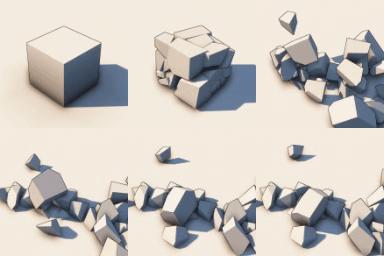
Physics Mod
Welcome to a more destructive Minecraft than you've ever seen before!
 mod
Modrinth · Minecraft
Duplicate Pottery Sherds
Duplicate Pottery Sherds using 4 Bricks and 1 Sherd.