Mod Menu Optional for ShieldScaler 2.0.0
optionalMatching file found Matched file: 21.0.1

Modrinth · Minecraft mod
Customise and change your shield model's scale and rotation to create a lower shield, side shield, and more! Includes other quality of life features!
Quick answer
ShieldScaler 2.0.0 targets 26.3 with Fabric. It must be installed on the client. Do not install it on the dedicated server. No extra mods listed for this file.
Where it goes
It must be installed on the client. Do not install it on the dedicated server.
This file is marked client-only.
2.0.0. Change the file and its required mods may change too.
This file does not list any required mods. Do not add a library just because a different file uses it.
2 extra mods were pulled in by other dependencies. Indented rows show who needs each one. We only count dependency files that match this setup. A file for another loader does not fill the gap.
Before you install it
Built for ShieldScaler 2.0.0. Pick another file and the loader, install side or required mods may change.
Use 2.0.0. It targets 26.3 with Fabric; another release may have different loader, side or dependency requirements.
This file does not list any required mods. Do not add a library just because a different file uses it.
It must be installed on the client. Do not install it on the dedicated server.
Use the “Get this file” button beside 2.0.0. It opens that exact file at the source.
About this project
ShieldScaler is a mod that lets you change your shield model in-game using sliders to create the shield look that you prefer most! The mod lets you shrink or enlarge your shield, rotate it in all different directions, and lower or higher it in your first-person view. This applies to both your held and blocked shield model!
This is an alternative to using texture pack based shield modelling, meaning you can take inspiration from models you like and tweak the look to your desire!
You can configure your left and right hand view seperately from each other, meaning you can make your shield model look constistent in both hands, or make them look completely different.
Save, load and share your shield models to make different looks and revisit them at any time! Cycle your chosen presets with a press of a keybind, making it easier to switch between shield looks.
The mod comes with 3 inbuilt presets; a Vanilla, Lowered, and Rotated look, that are popular amongst the community.
Change your first person fire height to make it easier to see when you've been set on fire. Use keybinds or commands at any time to lower or higher the height.
Hide the fire texture completely when you or others have the fire resistance effect applied to make it easier to see. This is separate for your screen, yourself in third person, and other players.
Change the size and height of the totem pop animation that plays when you use a totem of undying to make it easier to see when you are in danger.
With ShieldScaler you are able to view changes live when editing your shield model, fire height and totem pop animation within the config menu!
Use commands to open your configuration screen, load your presets, and change many different features from your chat!
| 💻 Commands | 📄 Description |
|---|---|
/shieldscaler config |
⚙️ Opens the config menu |
/shieldscaler fire |
🔥 Hide the fire texture when fire resistance is applied |
/shieldscaler fireheight |
🔥 Change the first person fire height |
/shieldscaler load |
💾 Load a shield model preset |
/shieldscaler totem |
✨ Rezise and lower your totem pop animation |
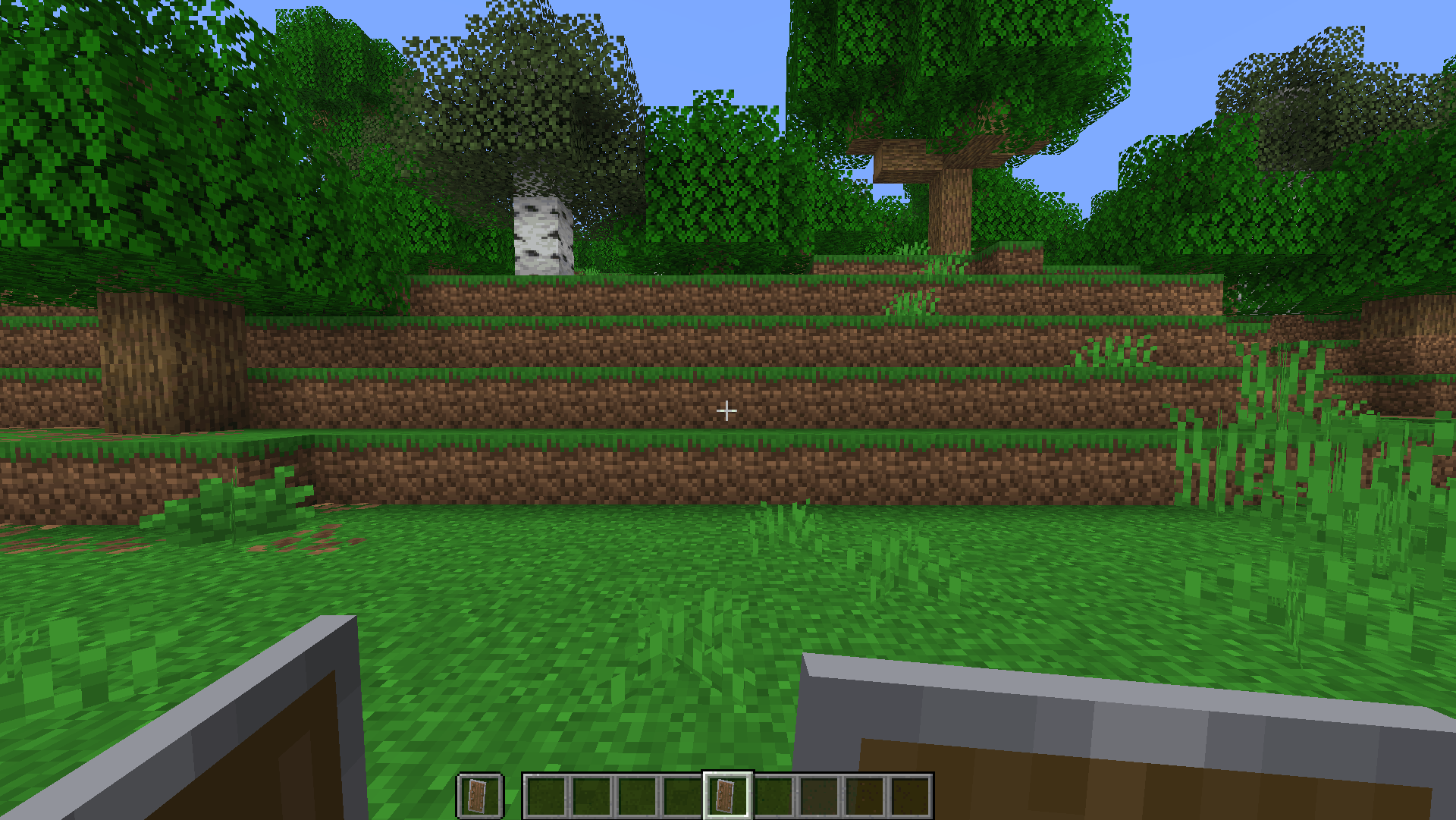
Project description from Modrinth.
Pick your setup
Choose the version and loader you play, then open the matching release.
Check the dependencies, then try the file in a copied instance before changing a world you care about.
Recent files
shieldscaler-2.0.0.jar
14 Nov 2026
shieldscaler-2.0.0.jar
14 Nov 2026
shieldscaler-2.0.0.jar
14 Nov 2026
shieldscaler-2.0.0.jar
14 Nov 2026
shieldscaler-1.1.0.jar
6 Oct 2026
shieldscaler-1.1.0.jar
6 Oct 2026
shieldscaler-1.1.0.jar
6 Oct 2026
shieldscaler-1.1.0.jar
6 Oct 2026
shieldscaler-1.0.0.jar
24 Sept 2026
shieldscaler-1.0.0.jar
8 Aug 2026
shieldscaler-1.0.0.jar
8 Aug 2026
shieldscaler-1.0.0.jar
8 Aug 2026
Looking for an older file? The official Modrinth project page is in Resources.
 mod
Customise and change your shield model's scale and rotation to create a lower shield, side shield, and more! Includes other quality of life features!
 mod
Transform your chaotic inventory into organized perfection with InventoryWizard! 🧙♂️
 mod
Replaces the static vanilla main menu with a panoramic view of your actual in-game locations.