Minecraft version
Back to mods 
Modrinth · Minecraft mod
RC Vehicles
"Remote-control cars, Planes, Boats, and heli with a bindable remote and first-person camera"
Choose a version Pick your version below, then grab the matching file.
Quick answer
Which RC Vehicles release should I use?
Latest stable file 0.9.0.0+mc1.21.4
Game version 1.21.4
Loader Fabric
RC Vehicles 0.9.0.0+mc1.21.4 targets 1.21.4 with Fabric. Installation on the client is optional. Installation on the dedicated server is optional. No extra mods listed for this file.
Where it goes
Is RC Vehicles required on the client, server, or both?
Installation on the client is optional. Installation on the dedicated server is optional.
Client Optional
Dedicated server Optional
Loader for this release Fabric
Required install it here Optional supported, not mandatory Not supported do not install here Source doesn’t say do not assume
The source marks this as usable on both the client and server.
What else does RC Vehicles 0.9.0.0+mc1.21.4 need?
0.9.0.0+mc1.21.4. Change the file and its required mods may change too.
This file does not list any required mods. Do not add a library just because a different file uses it.
This file does not list any required or optional mods.
Before you install it
Add RC Vehicles without breaking your instance.
Built for RC Vehicles 0.9.0.0+mc1.21.4. Pick another file and the loader, install side or required mods may change.
- 01
Stick to this file
Use 0.9.0.0+mc1.21.4. It targets 1.21.4 with Fabric; another release may have different loader, side or dependency requirements.
- 02
Bring the mods it needs
This file does not list any required mods. Do not add a library just because a different file uses it.
- 03
Put it on the correct side
Installation on the client is optional. Installation on the dedicated server is optional.
- 04
Pick the file you checked
Use the “Get this file” button beside 0.9.0.0+mc1.21.4. It opens that exact file at the source.
About this project
What does RC Vehicles add?
🚗 RC Vehicles
Remote-control vehicles for Minecraft. Drive, sail and fly them yourself, control them from a distance with a handheld remote — or build your own from parts.
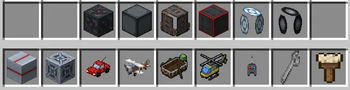
🔧 Build Your Own
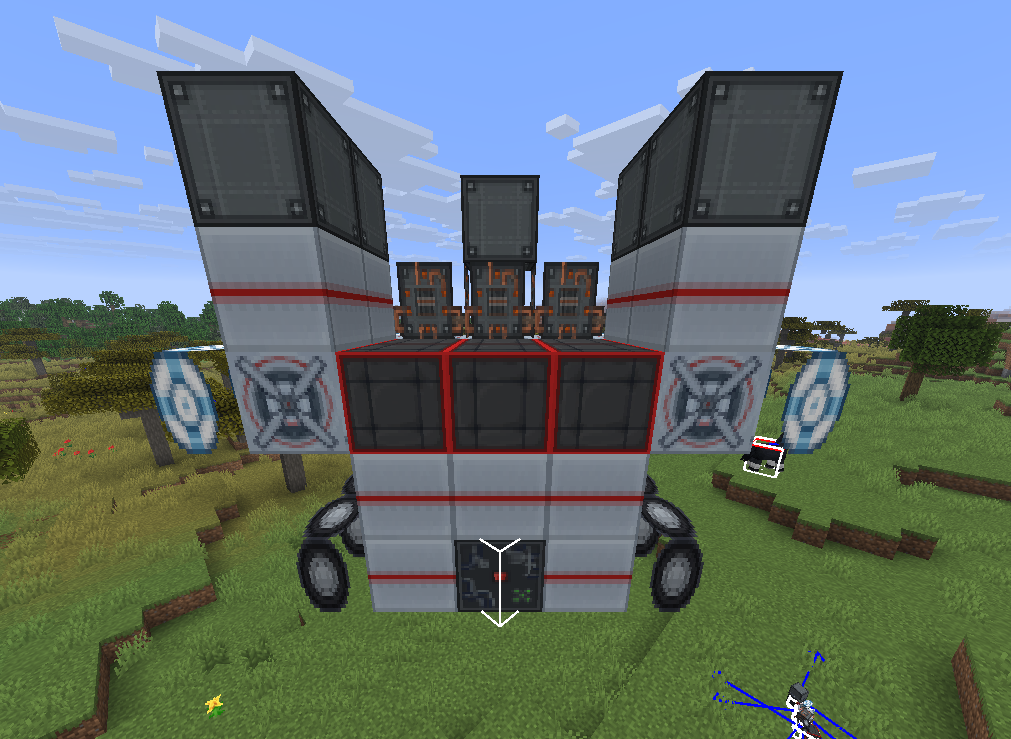
Place part blocks — Controller, Engine, Wheel, Wing, Rotor, Pontoon, Seat, Cargo, and Frame — then use the Wrench on the Controller to assemble them into a working vehicle. How you build it decides how it behaves:
- Rotor — hovers like a helicopter, up and down with your view
- Wing — flies like a plane: build up airspeed for lift, stall if you slow down
- Pontoon — floats on water
- Wheels — drives on land; more wheels turn sharper
- Engines — more engines, more speed
- Seat — required to ride, or control any build with the RC Remote
- Cargo — adds a storage crate you can haul goods in
- Frames — structure and weight; bigger builds are heavier
When you assemble a vehicle it tells you how to fuel it up, so you're never left wondering why it won't move. Wrench the vehicle again to disassemble it and get every part back.
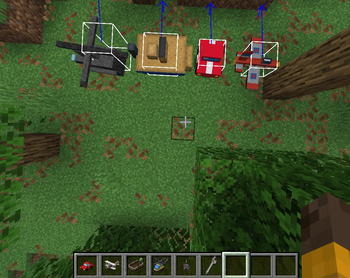
🏎️ Four Prebuilt Vehicles
Prefer to just drive? Four ready-made vehicles are included:
- RC Car — climbs blocks and handles rough terrain
- RC Boat — floats and cuts through water, and crawls if you beach it
- RC Plane — realistic flight: build up airspeed to stay airborne, and stall if you slow down too much
- RC Helicopter — hovers in place, takes off vertically, and rotates on the spot. No stall speed
👥 Passengers
Vehicles carry more than just the driver now. Build with multiple Seats and passengers ride along at their own spots while the driver steers. Bring your friends — or your animals — along for the ride.
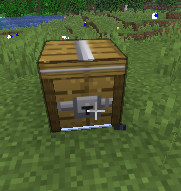
📦 Cargo
Add a Cargo block to your build and it becomes a crate on the vehicle with its own 27-slot inventory. Right-click the crate to open it, load it up, and haul your goods wherever you drive. The crate rides locked to the vehicle and turns with it, and its contents drop when you disassemble.
🎨 Paint & Customize
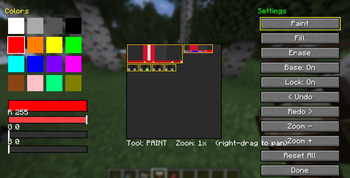
Make every vehicle yours. Craft a Paintbrush, right-click any vehicle, and design its look pixel by pixel in a full painter.
- Mix any color with RGB sliders, or grab one of 16 presets
- Paint, fill, and erase straight onto the vehicle's texture
- Undo and redo every change, zoom in for fine detail, and right-drag to pan around
- Part outlines mark out the body, cabin, wheels, and other sections so you know exactly what you're painting
- Toggle the base texture — paint over the original design, or start from a blank canvas
- Every design saves to that specific vehicle and is visible to everyone in multiplayer
Works on all five vehicles — car, plane, boat, helicopter, and your own assembled builds. The Paintbrush is craftable in survival and unlocked from the start.
📡 The Remote
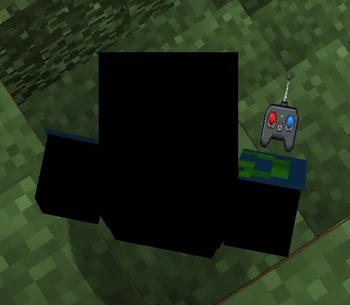
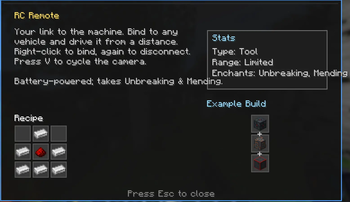
Craft an RC Remote, then right-click any vehicle to bind to it. Right-click it again to disconnect. Once bound, you control that vehicle from a distance.
Press V to cycle the camera: first-person from the vehicle, third-person behind it, then back to yourself.
The remote runs on a battery — its durability drains while you're driving, and it accepts Unbreaking and Mending.
Like a real RC, the remote has a limited range. Send a vehicle too far and you'll lose the signal.

📊 Info HUD
Press H to bring up an on-screen readout for the vehicle you're looking at — a quick tooltip showing its stats and status at a glance. Works on every vehicle, both the prebuilt ones and your own custom builds.
⚙️ Settings
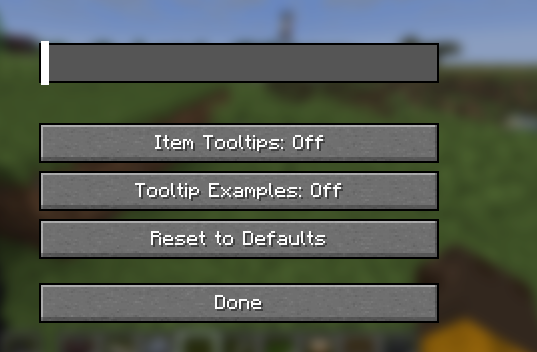
Press K to open the RC Vehicles settings screen. Adjust the engine volume to your taste, toggle item tooltips on or off, and reset everything to defaults. Your settings are personal — each player controls their own.
⛽ Fuel
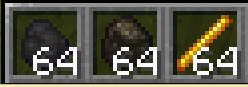
Every vehicle runs on coal, charcoal, or blaze powder — right-click a vehicle with fuel to top it up. A newly built vehicle tells you to fuel it, warns you when it's running dry, and shows its fuel level each time you refuel.
🎮 Controls
- Right-click a vehicle with the remote — bind or disconnect
- W / S — throttle and brake
- A / D — turn
- Space / Shift — climb and dive (plane, helicopter, rotor builds)
- V — cycle camera
- H — show the info HUD
- K — open settings
- Wrench a Controller to assemble, or a vehicle to disassemble
- Paintbrush a vehicle to customize its look
- Right-click a Cargo crate on a vehicle to open its storage
🛠️ Crafting
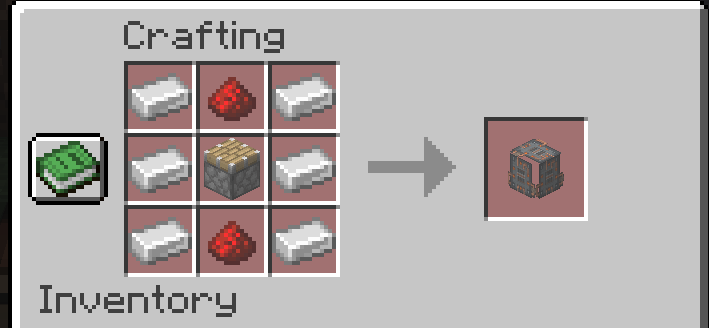
Every vehicle, every part, the remote, the paintbrush, and the cargo container are crafted from common survival materials — iron, redstone, and more — and all recipes unlock in your recipe book automatically.
✅ Requirements
- Fabric Loader + Fabric API
- Minecraft 1.21.4–1.21.11
- Required on both client and server
📺 Subscribe: MC_Infographic
Project description from Modrinth.
Pick your setup
RC Vehicles by Minecraft version and loader
Choose the version and loader you play, then open the matching release.
Minecraft version
1.21.10
1 loader buildMinecraft version
1.21.9
1 loader buildMinecraft version
1.21.8
1 loader buildMinecraft version
1.21.7
1 loader buildMinecraft version
1.21.6
1 loader buildMinecraft version
1.21.5
1 loader buildMinecraft version
1.21.4
1 loader buildCheck the dependencies, then try the file in a copied instance before changing a world you care about.
Recent files
RC Vehicles versions and loaders
0.9.0.0+mc1.21.4
rcvehicles-0.9.0.0+mc1.21.4.jar
9 Sept 2026
Client Optional Server Optional Dependencies No extras listed Listed on Release listing
Check the 1.21.4 · Fabric setup 1.21.4Fabric release
0.9.0.0+mc1.21.5
rcvehicles-0.9.0.0+mc1.21.5.jar
9 Sept 2026
Client Optional Server Optional Dependencies No extras listed Listed on Release listing
Check the 1.21.5 · Fabric setup 1.21.5Fabric release
0.9.0.0+mc1.21.6
rcvehicles-0.9.0.0+mc1.21.6.jar
9 Sept 2026
Client Optional Server Optional Dependencies No extras listed Listed on Release listing
Check the 1.21.6 · Fabric setup 1.21.6Fabric release
0.9.0.0+mc1.21.7
rcvehicles-0.9.0.0+mc1.21.7.jar
9 Sept 2026
Client Optional Server Optional Dependencies No extras listed Listed on Release listing
Check the 1.21.7 · Fabric setup 1.21.7Fabric release
0.9.0.0+mc1.21.8
rcvehicles-0.9.0.0+mc1.21.8.jar
9 Sept 2026
Client Optional Server Optional Dependencies No extras listed Listed on Release listing
Check the 1.21.8 · Fabric setup 1.21.8Fabric release
0.9.0.0+mc1.21.9
rcvehicles-0.9.0.0+mc1.21.9.jar
9 Sept 2026
Client Optional Server Optional Dependencies No extras listed Listed on Release listing
Check the 1.21.9 · Fabric setup 1.21.9Fabric release
0.9.0.0+mc1.21.10
rcvehicles-0.9.0.0+mc1.21.10.jar
9 Sept 2026
Client Optional Server Optional Dependencies No extras listed Listed on Release listing
Check the 1.21.10 · Fabric setup 1.21.10Fabric release
0.9.0.0+mc1.21.11
rcvehicles-0.9.0.0+mc1.21.11.jar
9 Sept 2026
Client Optional Server Optional Dependencies No extras listed Listed on Release listing
Check the 1.21.11 · Fabric setup 1.21.11Fabric release
0.8.0.0+mc1.21.6
rcvehicles-0.8.0.0+mc1.21.6.jar
27 Aug 2026
Client Optional Server Optional Dependencies No extras listed Listed on Release listing
Check the 1.21.6 · Fabric setup 1.21.6Fabric release
0.8.0.0+mc1.21.4
rcvehicles-0.8.0.0+mc1.21.4.jar
27 Aug 2026
Client Optional Server Optional Dependencies No extras listed Listed on Release listing
Check the 1.21.4 · Fabric setup 1.21.4Fabric release
0.8.0.0+mc1.21.5
rcvehicles-0.8.0.0+mc1.21.5.jar
27 Aug 2026
Client Optional Server Optional Dependencies No extras listed Listed on Release listing
Check the 1.21.5 · Fabric setup 1.21.5Fabric release
0.8.0.0+mc1.21.7
rcvehicles-0.8.0.0+mc1.21.7.jar
27 Aug 2026
Client Optional Server Optional Dependencies No extras listed Listed on Release listing
Check the 1.21.7 · Fabric setup 1.21.7Fabric release
Looking for an older file? The official Modrinth project page is in Resources.