Fabric API Needed by Packing Boxes 1.2.2-26.3
requiredMatching file found Matched file: 0.166.2+26.3
Modrinth · Minecraft mod
This mod allows you to pack up kind of block and move it around to any other location.
Quick answer
Packing Boxes 1.2.2-26.3 targets 26.3 with Fabric. Installation on the client is optional. Installation on the dedicated server is optional. All 1 required mods have matching files.
Where it goes
Installation on the client is optional. Installation on the dedicated server is optional.
The source marks this as usable on both the client and server.
1.2.2-26.3. Change the file and its required mods may change too.
Install Fabric API first. We found matching files for this game-version and loader setup.
We only count dependency files that match this setup. A file for another loader does not fill the gap.
Before you install it
Built for Packing Boxes 1.2.2-26.3. Pick another file and the loader, install side or required mods may change.
Use 1.2.2-26.3. It targets 26.3 with Fabric; another release may have different loader, side or dependency requirements.
Install Fabric API first. We found matching files for this game-version and loader setup.
Installation on the client is optional. Installation on the dedicated server is optional.
Use the “Get this file” button beside 1.2.2-26.3. It opens that exact file at the source.
About this project
This mod allows you to pack up any block in the game into a box, take the box and place it somewhere else and unpack it again.
In other words, you can move any block in the game to another place. Not that useful for most blocks, but there are
How it works?
That's it!
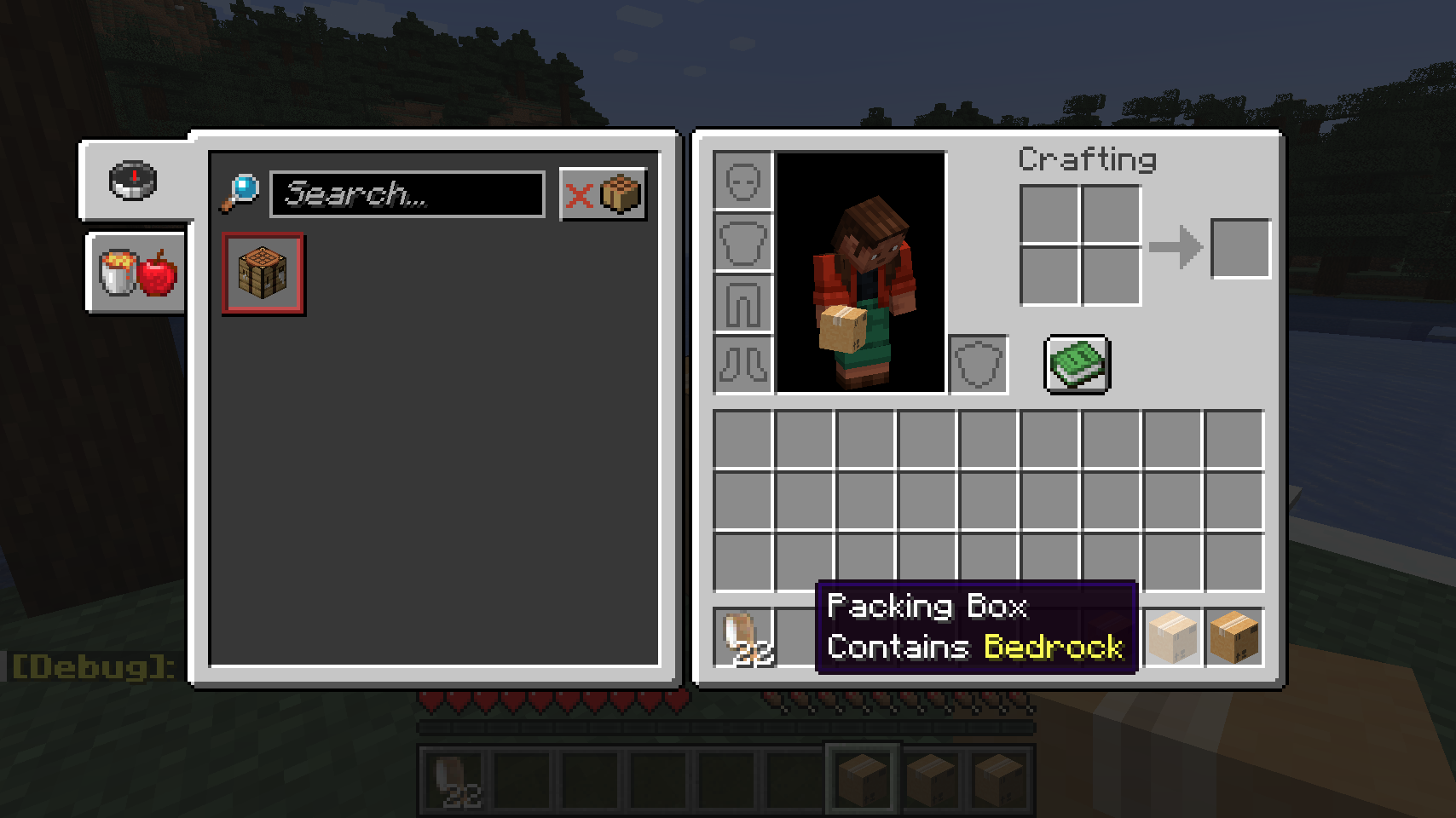
This can be used on any block, including non-minable blocks!
Project description from Modrinth.
Pick your setup
Choose the version and loader you play, then open the matching release.
Showing the newest 12 of 17 game versions. Older files are in the list below.
Check the dependencies, then try the file in a copied instance before changing a world you care about.
Recent files
packing_boxes-1.2.2-26.3.jar
16 Sept 2026
packing_boxes-1.2.2-26.2.jar
7 Sept 2026
packing_boxes-1.2.1-26.2.jar
30 Aug 2026
packing_boxes-1.2.1-1.21.11.jar
22 Feb 2026
packing_boxes-1.2.1-1.21.10.jar
11 Oct 2025
packing_boxes-1.2.1.jar
28 Dec 2024
packing_boxes-1.2.0.jar
21 Dec 2024
packing_boxes-1.2.0.jar
23 Aug 2024
packing_boxes-1.2.0.jar
15 Jun 2024
packing_boxes-1.1.121.rc1.jar
10 Jun 2024
packing_boxes-1.1.121.pre3.jar
5 Jun 2024
packing_boxes-1.1.1.1-1.19.4.jar
3 Jun 2024
Looking for an older file? The official Modrinth project page is in Resources.
 mod
A JEI fork (aka "MCdestined's Simple Storage") that turns your crafting table into a smart Crafting Station: auto-pull ingredients from connected chests, Ender Chests, and Shulker Boxes, or extract in-stock items in 1 click.
 mod
Creepers Breaching, Zombies mining and Skeletons sniping. Customize their AI as you like!
 mod
Disposable public fixture for testing the Modpacks.ch GitHub catalogue flow