Minecraft version
Back to mods 
Modrinth · Minecraft mod
Atum
Mod to automatically reset random and set seeds
Choose a version Pick your version below, then grab the matching file.
Quick answer
Which Atum release matches 1.9.4 Fabric?
Best match for your filters 1.1.3
Game version 1.9.4
Loader Fabric
Atum 1.1.3 targets 1.9.4 with Fabric. It must be installed on the client. Do not install it on the dedicated server. No extra mods listed for this file.
Where it goes
Is Atum required on the client, server, or both?
It must be installed on the client. Do not install it on the dedicated server.
Client Required
Dedicated server Not supported
Loader for this release Fabric
Required install it here Optional supported, not mandatory Not supported do not install here Source doesn’t say do not assume
This file is marked client-only.
What else does Atum 1.1.3 need?
1.1.3 on 1.9.4 Fabric. Every mod below is checked against that same setup.
This file does not list any required mods. Do not add a library just because a different file uses it.
This file does not list any required or optional mods.
Before you install it
Add Atum without breaking your instance.
Built for Atum 1.1.3 on 1.9.4 Fabric. Pick another file and the loader, install side or required mods may change.
- 01
Stick to this file
Use 1.1.3. It targets 1.9.4 with Fabric; another release may have different loader, side or dependency requirements.
- 02
Bring the mods it needs
This file does not list any required mods. Do not add a library just because a different file uses it.
- 03
Put it on the correct side
It must be installed on the client. Do not install it on the dedicated server.
- 04
Pick the file you checked
Use the “Get this file” button beside 1.1.3. It opens that exact file at the source.
About this project
What does Atum add?
Atum (Random and set seed autoresetter)

Mod to automatically reset random and set seeds
Usage
Press the golden boots button on the main menu to start the world resetting mode.
To reset, simply leave the world (either the normal save and quit or the fast reset button).
To exit the resetting mode, press the "Stop Resets & Quit" button at the bottom left of the options menu.
Adds a hotkey (by default F6) that when pressed will reset as soon as possible no matter what (even works outside a world and during chunk generation).
To change the seed that gets reset, change the difficulty, change the generator type (like superflat), change generate structures or change bonus chest simply shift-click on the golden boots.
An empty seed will result in the mod resetting random seeds.
Info and Compatibility
This mod is valid for speedruns on http://speedrun.com/mc and its category extensions.
Just replace Duncan's autoresetter jar with the newest release of this one, attempts and difficulty files are compatible.
Closet Witch's Fast Reset mod is compatible (https://github.com/jan-leila/FastReset/releases) and will make resetting with the hotkey more efficient.
My World Preview Mod is compatible (https://github.com/VoidXWalker/WorldPreview) and will make resetting with the hotkey more efficient.
Note for resource pack creators: the "Stop Resets & Quit" button can be changed by customizing menu.stop_resets in your language file if you like.
Authors
Acknowledgements
- @DuncanRuns for creating the original autoreset mod
Project description from Modrinth.
Pick your setup
Atum by Minecraft version and loader
Choose the version and loader you play, then open the matching release.
Minecraft version
20w14infinite
1 loader buildMinecraft version
15w14a
1 loader buildMinecraft version
1.19.2
1 loader buildMinecraft version
1.18.2
1 loader buildMinecraft version
1.17.1
1 loader buildMinecraft version
1.16.5
1 loader buildMinecraft version
1.16.1
1 loader buildMinecraft version
1.9.4
1 loader buildMinecraft version
1.8.9
1 loader buildMinecraft version
1.7.10
1 loader buildCheck the dependencies, then try the file in a copied instance before changing a world you care about.
Recent files
Atum versions and loaders
1.1.3
atum-1.1.3+1.9.4.jar
4 Dec 2022
Client Required Server Not supported Dependencies No extras listed Listed on Release listing
Check the 1.9.4 · Fabric setup 1.9.4Fabric release
Looking for an older file? The official Modrinth project page is in Resources.
 mod
mod CurseForge · Minecraft
CrashDetector
Detect Crashes and Causes (Buscar para los fallos y las causas) +VTubers/Animes/Idols
 mod
mod CurseForge · Minecraft
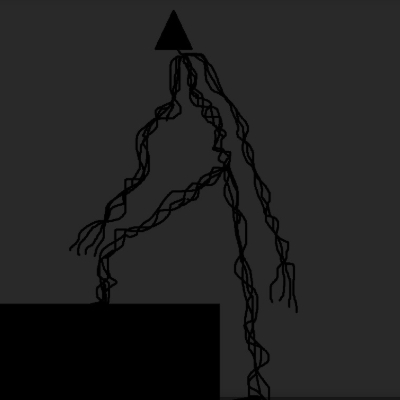
The Triangle Wraith
why did you come here you're not meant to be here leave.
 mod
mod CurseForge · Minecraft
hello infestation
hello this adds 2 blocks to the game and there is nothing you can really do with them though