Minecraft version
Back to mods 
Modrinth · Minecraft mod
Saro´s Interactive Blocks
Trigger server or client commands on right-click, left-click, touch, or redstone signal — for custom interactions.
Choose a version Pick your version below, then grab the matching file.
Quick answer
Which Saro´s Interactive Blocks release should I use?
Latest stable file 1.6
Game version 26.3
Loader Fabric
Saro´s Interactive Blocks 1.6 targets 26.3 with Fabric. Do not install it on the client. It must be installed on the dedicated server. No extra mods listed for this file.
Where it goes
Is Saro´s Interactive Blocks required on the client, server, or both?
Do not install it on the client. It must be installed on the dedicated server.
Client Not supported
Dedicated server Required
Loader for this release Fabric
Required install it here Optional supported, not mandatory Not supported do not install here Source doesn’t say do not assume
This file is marked server-only.
What else does Saro´s Interactive Blocks 1.6 need?
1.6. Change the file and its required mods may change too.
This file does not list any required mods. Do not add a library just because a different file uses it.
This file does not list any required or optional mods.
Before you install it
Add Saro´s Interactive Blocks without breaking your instance.
Built for Saro´s Interactive Blocks 1.6. Pick another file and the loader, install side or required mods may change.
- 01
Stick to this file
Use 1.6. It targets 26.3 with Fabric; another release may have different loader, side or dependency requirements.
- 02
Bring the mods it needs
This file does not list any required mods. Do not add a library just because a different file uses it.
- 03
Put it on the correct side
Do not install it on the client. It must be installed on the dedicated server.
- 04
Pick the file you checked
Use the “Get this file” button beside 1.6. It opens that exact file at the source.
About this project
What does Saro´s Interactive Blocks add?
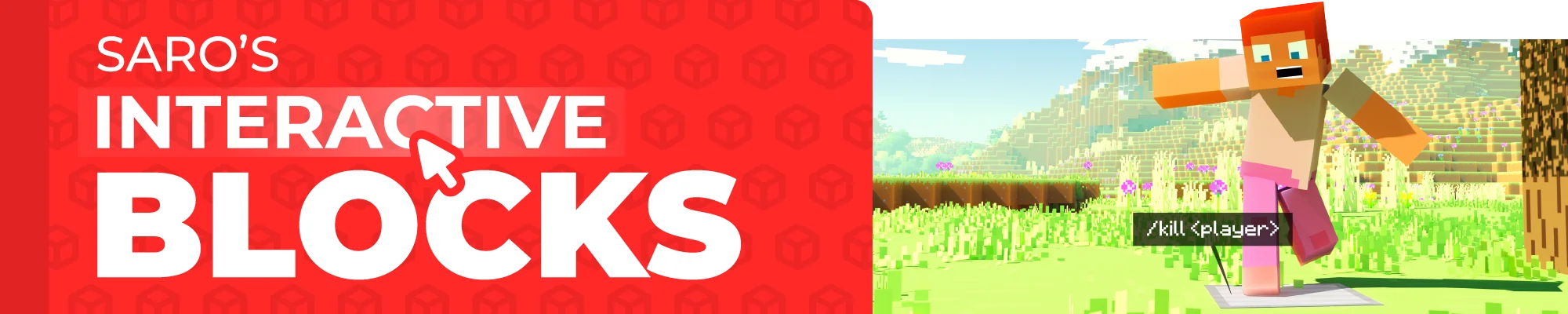

The Saro's Interactive Blocks Mod introduces a system that allows players to create custom block interactions in Minecraft. This includes actions such as right-clicking, left-clicking, or even touching blocks to trigger commands that can run either on the server or client-side.

Custom Block Actions ⚙️
- Players can assign commands to specific blocks based on interactions like right-clicking, left-clicking, or touching.
Easy Command Setup 🛠️
- Players can use simple commands to configure block actions directly in-game.

- Right-Click Action (R): Run specific commands when a block is right-clicked.
- Left-Click Action (L): Run specific commands when a block is left-clicked.
- Touch Action (T): Activate commands when a player walks over a block.
- On Redstone Action (S): Activate commands when the block is on redstone.

/blockaction create <side> <action> <command>: Create a new block interaction./blockaction delete: Remove an existing block interaction./blockaction info: Get information about the block interaction you are looking- (Use in the command to use the name of the trigger player)


Currently Supported
- Forge/NeoForge/Fabric 26.1 ✅
- Forge/Fabric 1.21.5 ✅
- Forge/Fabric 1.21.4 ✅
- Forge/Fabric 1.21.1 ✅
- Forge/Fabric 1.21 ✅
- Forge/Fabric 1.20.6 ✅
- Forge/Fabric 1.20.4 ✅
- Forge/Fabric 1.20.1 ✅
- Forge/Fabric 1.19.4 ✅
- Forge/Fabric 1.19.2 ✅
- Forge/Fabric 1.18.2 ✅
- Forge/Fabric 1.16.5 ✅

Join our community on Discord to give feedback and suggestions or report any bugs you find!

Project Support & Usage
Hosting: For the best performance, I recommend using BisectHosting linked in the banner.
Modpacks: You are free to include my work in any modpack. Please ensure proper credit is given by providing a link to this project page.
Project description from Modrinth.
Pick your setup
Saro´s Interactive Blocks by Minecraft version and loader
Choose the version and loader you play, then open the matching release.
Minecraft version
26.2
3 loader buildsMinecraft version
26.1.2
3 loader buildsMinecraft version
26.1.1
3 loader buildsMinecraft version
26.1
3 loader buildsMinecraft version
1.21.11
1 loader buildMinecraft version
1.21.10
1 loader buildMinecraft version
1.21.9
1 loader buildMinecraft version
1.21.8
1 loader buildMinecraft version
1.21.7
1 loader buildMinecraft version
1.21.6
1 loader buildMinecraft version
1.21.5
2 loader buildsShowing the newest 12 of 22 game versions. Older files are in the list below.
Check the dependencies, then try the file in a copied instance before changing a world you care about.
Recent files
Saro´s Interactive Blocks versions and loaders
1.6
Saros-Interactive-Blocks-Fabric-26.3-1.6.jar
19 Sept 2026
Client Not supported Server Required Dependencies No extras listed Listed on Release listing
Check the 26.3 · Fabric setup 26.3Fabric release
1.5
sarosinteractiveblocks-1.5.jar
24 Jun 2026
Client Not supported Server Required Dependencies No extras listed Listed on Release listing
Check the 1.21.1 · Fabric setup 1.21.1Fabric release
1.3
Saros-Interactive-Blocks-NeoForge-26.2-1.3.jar
22 Jun 2026
Client Not supported Server Required Dependencies No extras listed Listed on Release listing
Check the 26.2 · NeoForge setup 26.2NeoForge release
1.1
Saros-Interactive-Blocks-Fabric-26.2-1.1.jar
22 Jun 2026
Client Not supported Server Required Dependencies No extras listed Listed on Release listing
Check the 26.2 · Fabric setup 26.2Fabric release
1.3
Saros-Interactive-Blocks-Forge-26.2-1.3.jar
22 Jun 2026
Client Not supported Server Required Dependencies No extras listed Listed on Release listing
Check the 26.2 · Forge setup 26.2Forge release
1.2
Saros-Interactive-Blocks-NeoForge-26.1.2-1.2.jar
22 Jun 2026
Client Not supported Server Required Dependencies No extras listed Listed on Release listing
Check the 26.1.2 · NeoForge setup 26.1.2NeoForge release
1.1
Saros-Interactive-Blocks-Fabric-26.1.2-1.1.jar
22 Jun 2026
Client Not supported Server Required Dependencies No extras listed Listed on Release listing
Check the 26.1.2 · Fabric setup 26.1.2Fabric release
1.2
Saros-Interactive-Blocks-Forge-26.1.2-1.2.jar
22 Jun 2026
Client Not supported Server Required Dependencies No extras listed Listed on Release listing
Check the 26.1.2 · Forge setup 26.1.2Forge release
1.2
Saros-Interactive-Blocks-NeoForge-26.1.1-1.2.jar
22 Jun 2026
Client Not supported Server Required Dependencies No extras listed Listed on Release listing
Check the 26.1.1 · NeoForge setup 26.1.1NeoForge release
1.1
Saros-Interactive-Blocks-Fabric-26.1.1-1.1.jar
22 Jun 2026
Client Not supported Server Required Dependencies No extras listed Listed on Release listing
Check the 26.1.1 · Fabric setup 26.1.1Fabric release
1.2
Saros-Interactive-Blocks-Forge-26.1.1-1.2.jar
22 Jun 2026
Client Not supported Server Required Dependencies No extras listed Listed on Release listing
Check the 26.1.1 · Forge setup 26.1.1Forge release
1.2
Saros-Interactive-Blocks-NeoForge-26.1-1.2.jar
22 Jun 2026
Client Not supported Server Required Dependencies No extras listed Listed on Release listing
Check the 26.1 · NeoForge setup 26.1NeoForge release
Looking for an older file? The official Modrinth project page is in Resources.