Cloth Config API (Fabric/Forge/NeoForge) Optional for Nimble (Forge) Nimble-1.20.1-forge-5.0.1.jar
optionalMatching file found Matched file: [Forge 1.20(.1)] v11.1.136

CurseForge · Minecraft mod
Perspective animation | Auto third person | Elytra camera roll
Quick answer
Nimble (Forge) Nimble-1.20.1-forge-5.0.1.jar targets 1.20.1, 1.20 with Forge. The project page does not say whether this file belongs on the client, dedicated server, or both. No extra mods listed for this file.
Where it goes
The project page does not say whether this file belongs on the client, dedicated server, or both.
The source does not explicitly classify this release as client-only or server-only.
Nimble-1.20.1-forge-5.0.1.jar. Change the file and its required mods may change too.
This file does not list any required mods. Do not add a library just because a different file uses it.
1 extra mod was pulled in by another dependency. Indented rows show who needs each one. We only count dependency files that match this setup. A file for another loader does not fill the gap.
Before you install it
Built for Nimble (Forge) Nimble-1.20.1-forge-5.0.1.jar. Pick another file and the loader, install side or required mods may change.
Use Nimble-1.20.1-forge-5.0.1.jar. It targets 1.20.1, 1.20 with Forge; another release may have different loader, side or dependency requirements.
This file does not list any required mods. Do not add a library just because a different file uses it.
The project page does not say whether this file belongs on the client, dedicated server, or both.
Use the “Get this file” button beside Nimble-1.20.1-forge-5.0.1.jar. It opens that exact file at the source.
About this project
Nimble is a simple mod that adds smooth transition animation on player perspective changes. It also makes screen rolls when you fly using elytra, and switches perspective when riding a vehicle.
The third-person front view now requires holding F4.
Client-side only. All these features can be disabled or configured if you have installed Kiwi. Besides, in-game config UI is provided if you have installed Cloth Config
I probably won't update Nimble to future versions. I would recommend using Leawind's Third Person, which with a little configuration can replace the functionality of Nimble.
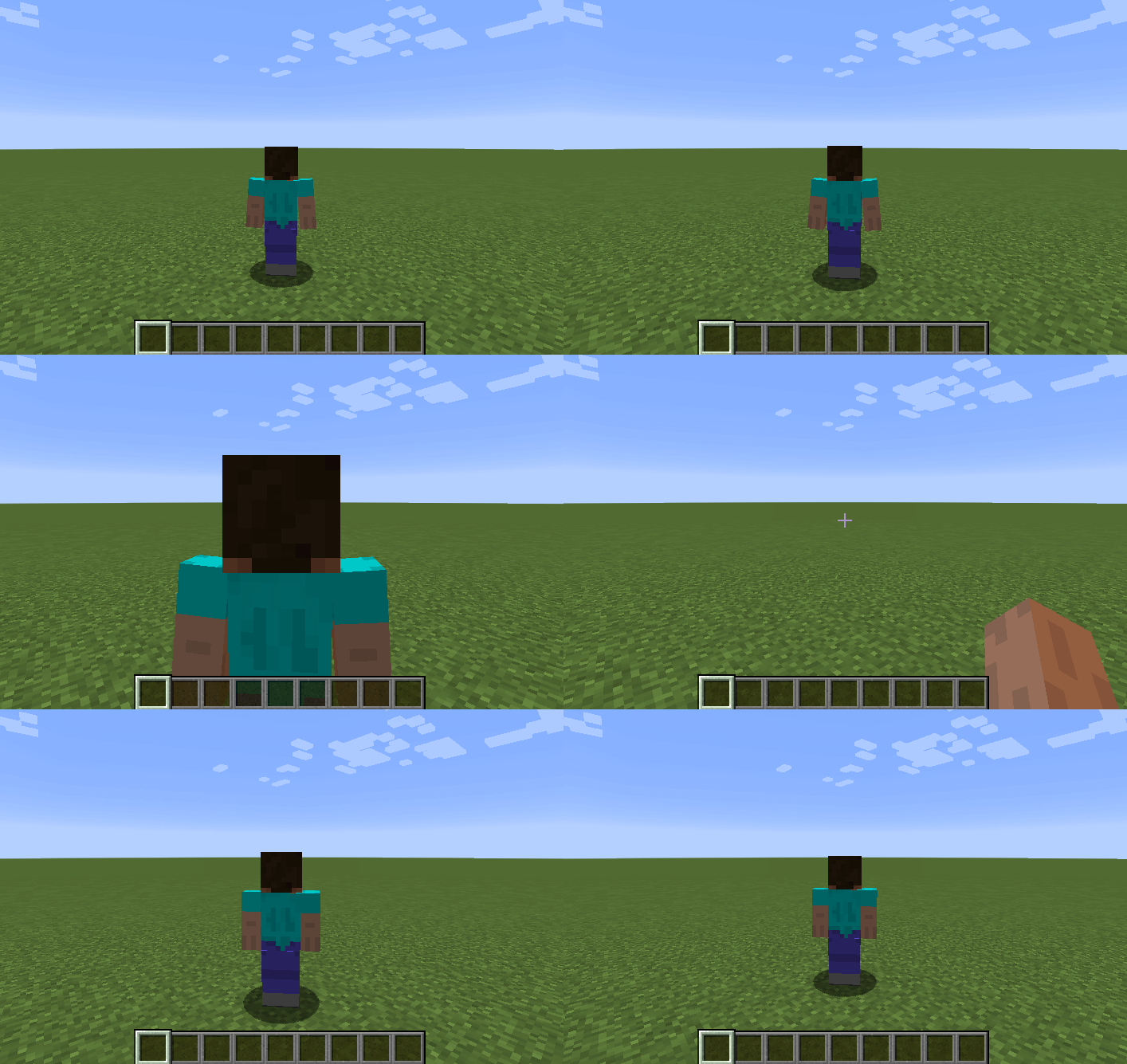
Elytra: https://imgur.com/a/DufQUv2
Thanks to quat1024's Auto Third Personfor the inspiration
Project description from CurseForge.
Pick your setup
Choose the version and loader you play, then open the matching release.
Showing the newest 12 of 17 game versions. Older files are in the list below.
Check the dependencies, then try the file in a copied instance before changing a world you care about.
Recent files
30 Nov 2023
Nimble-1.20.1-fabric-5.0.1.jar
30 Nov 2023
Nimble-1.19.2-fabric-3.2.0.jar
30 Nov 2023
7 Sept 2023
Nimble-1.20.1-fabric-5.0.0.jar
7 Sept 2023
Nimble-1.19.3-fabric-4.2.0.jar
15 Mar 2023
25 Jan 2023
25 Jan 2023
Nimble-1.19.2-forge-3.1.0.jar
25 Jan 2023
Nimble-1.19.3-fabric-4.1.1.jar
25 Jan 2023
Nimble-1.19.3-fabric-4.1.0.jar
24 Jan 2023
Nimble-1.19.3-fabric-4.0.0.jar
31 Dec 2022
Looking for an older file? The official CurseForge project page is in Resources.
 mod
modAn addon for Create Aeronautics and VS2, Adds many useful blocks and items, aiming to improve the experience with minimal bloat.
 mod
modA damage testing tool for mod developers - spawn configurable tester entities to track and analyze damage output in real-time.
 mod
modA stock-exchange style market mod for Minecraft with physical Vault storage, live order books, and instant player trading.