Minecraft version
Back to mods 
Modrinth · Minecraft mod
ItemLock
Press O to lock a hotbar slot in place so you can't accidentally drop or move that item during PvP fights.
Choose a version Pick your version below, then grab the matching file.
Quick answer
Which ItemLock release should I use?
Latest stable file 1.9.1+forge-1.21.3
Game version 1.21.3
Loader Forge
ItemLock 1.9.1+forge-1.21.3 targets 1.21.3 with Forge. It must be installed on the client. Do not install it on the dedicated server. No extra mods listed for this file.
Where it goes
Is ItemLock required on the client, server, or both?
It must be installed on the client. Do not install it on the dedicated server.
Client Required
Dedicated server Not supported
Loader for this release Forge
Required install it here Optional supported, not mandatory Not supported do not install here Source doesn’t say do not assume
This file is marked client-only.
What else does ItemLock 1.9.1+forge-1.21.3 need?
1.9.1+forge-1.21.3. Change the file and its required mods may change too.
This file does not list any required mods. Do not add a library just because a different file uses it.
This file does not list any required or optional mods.
Before you install it
Add ItemLock without breaking your instance.
Built for ItemLock 1.9.1+forge-1.21.3. Pick another file and the loader, install side or required mods may change.
- 01
Stick to this file
Use 1.9.1+forge-1.21.3. It targets 1.21.3 with Forge; another release may have different loader, side or dependency requirements.
- 02
Bring the mods it needs
This file does not list any required mods. Do not add a library just because a different file uses it.
- 03
Put it on the correct side
It must be installed on the client. Do not install it on the dedicated server.
- 04
Pick the file you checked
Use the “Get this file” button beside 1.9.1+forge-1.21.3. It opens that exact file at the source.
About this project
What does ItemLock add?
Preview
A small Minecraft mod that stops you from losing loot to a misclick mid-fight.
What it does
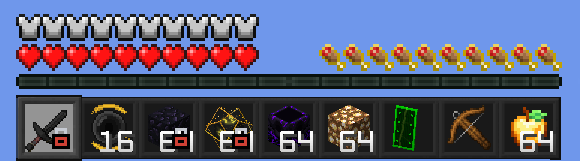
Press O while on a hotbar slot to lock it in place. While a slot is locked:
- Pressing Q (or Ctrl+Q) does nothing while that slot is selected - you can't accidentally drop the item.
- Clicking, dragging, shift-clicking, or number-key-swapping that item out of its slot is blocked in any inventory screen.
- Everything else in your inventory stays freely usable - you can still loot chests and reorganise other slots.
- A small lock icon appears in the bottom-right corner of the locked hotbar slot so you can see it's active at a glance, even after you switch away to a different slot.
You can lock several slots at once, and locked slots are remembered between sessions. The lock stays on its slot as you switch hotbar slots around it. Press O again while back on the locked slot to unlock it, or switch to a different slot and press O to move the lock there instead. An action-bar message confirms every lock/unlock.
The key is rebindable in Options -> Controls -> ItemLock if O clashes with something else.
This is a client-side mod - it works in singleplayer and on any multiplayer server, no server-side install required.
Requirements
Fabric / Quilt
- Minecraft 1.21 or 1.21.11 (pick the matching download)
- Fabric Loader >= 0.18.4 (or Quilt Loader, via its built-in Fabric compatibility layer)
- Fabric API (Quilted Fabric API on Quilt)
- Java 21
NeoForge
- Minecraft 1.21.11
- NeoForge >= 21.11.0-beta
- Java 21
Forge
- Minecraft 1.21.11
- Forge >= 1.21.11-61.0.0
- Java 21
License
CC0-1.0 - Do whatever you'd like with it.
Project description from Modrinth.
Pick your setup
ItemLock by Minecraft version and loader
Choose the version and loader you play, then open the matching release.
Minecraft version
1.21.10
3 loader buildsMinecraft version
1.21.9
3 loader buildsMinecraft version
1.21.8
3 loader buildsMinecraft version
1.21.7
3 loader buildsMinecraft version
1.21.6
3 loader buildsMinecraft version
1.21.5
3 loader buildsMinecraft version
1.21.4
2 loader buildsMinecraft version
1.21.3
3 loader buildsMinecraft version
1.21.2
2 loader buildsMinecraft version
1.21.1
4 loader buildsMinecraft version
1.21
2 loader buildsCheck the dependencies, then try the file in a copied instance before changing a world you care about.
Recent files
ItemLock versions and loaders
1.9.1+forge-1.21.3
ItemLock-1.9.1+forge-1.21.3.jar
4 Aug 2026
Client Required Server Not supported Dependencies No extras listed Listed on Release listing
Check the 1.21.3 · Forge setup 1.21.3Forge release
1.9.1+forge-1.21.10
ItemLock-1.9.1+forge-1.21.10.jar
4 Aug 2026
Client Required Server Not supported Dependencies No extras listed Listed on Release listing
Check the 1.21.10 · Forge setup 1.21.10Forge release
1.9.1+forge-1.21.9
ItemLock-1.9.1+forge-1.21.9.jar
4 Aug 2026
Client Required Server Not supported Dependencies No extras listed Listed on Release listing
Check the 1.21.9 · Forge setup 1.21.9Forge release
1.9.1+forge-1.21.8
ItemLock-1.9.1+forge-1.21.8.jar
4 Aug 2026
Client Required Server Not supported Dependencies No extras listed Listed on Release listing
Check the 1.21.8 · Forge setup 1.21.8Forge release
1.9.1+forge-1.21.7
ItemLock-1.9.1+forge-1.21.7.jar
4 Aug 2026
Client Required Server Not supported Dependencies No extras listed Listed on Release listing
Check the 1.21.7 · Forge setup 1.21.7Forge release
1.9.1+forge-1.21.5
ItemLock-1.9.1+forge-1.21.5.jar
4 Aug 2026
Client Required Server Not supported Dependencies No extras listed Listed on Release listing
Check the 1.21.5 · Forge setup 1.21.5Forge release
1.9.0+1.21
ItemLock-1.9.0+1.21.jar
4 Aug 2026
Client Required Server Not supported Dependencies 1 required · 1 unchecked Listed on Release listing
Check the 1.21.5 · Fabric setup 1.211.21.11.21.21.21.3 release
1.9.0+neoforge-1.21.1
ItemLock-1.9.0+neoforge-1.21.1.jar
4 Aug 2026
Client Required Server Not supported Dependencies No extras listed Listed on Release listing
Check the 1.21.1 · NeoForge setup 1.21.1NeoForge release
1.9.0+neoforge-1.21.11
ItemLock-1.9.0+neoforge-1.21.11.jar
4 Aug 2026
Client Required Server Not supported Dependencies No extras listed Listed on Release listing
Check the 1.21.11 · NeoForge setup 1.21.11NeoForge release
1.9.0+1.21.9
ItemLock-1.9.0+1.21.9.jar
4 Aug 2026
Client Required Server Not supported Dependencies 1 required · 1 unchecked Listed on Release listing
Check the 1.21.10 · Fabric setup 1.21.91.21.10FabricQuilt release
1.9.0+1.21.6
ItemLock-1.9.0+1.21.6.jar
4 Aug 2026
Client Required Server Not supported Dependencies 1 required · 1 unchecked Listed on Release listing
Check the 1.21.8 · Fabric setup 1.21.61.21.71.21.8Fabric release
1.9.0+forge-1.21.6
ItemLock-1.9.0+forge-1.21.6.jar
4 Aug 2026
Client Required Server Not supported Dependencies No extras listed Listed on Release listing
Check the 1.21.6 · Forge setup 1.21.6Forge release
Looking for an older file? The official Modrinth project page is in Resources.
 mod
mod CurseForge + Modrinth · Minecraft
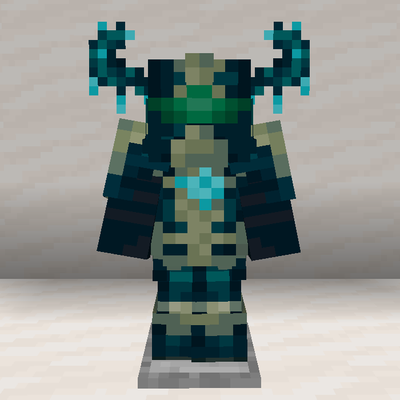
Deep Diving Gear
Allows Netherite Diving Gear from Create to be further upgraded via Reinforced Echo Shards from Deeper and Darker
 mod
mod CurseForge + Modrinth · Minecraft
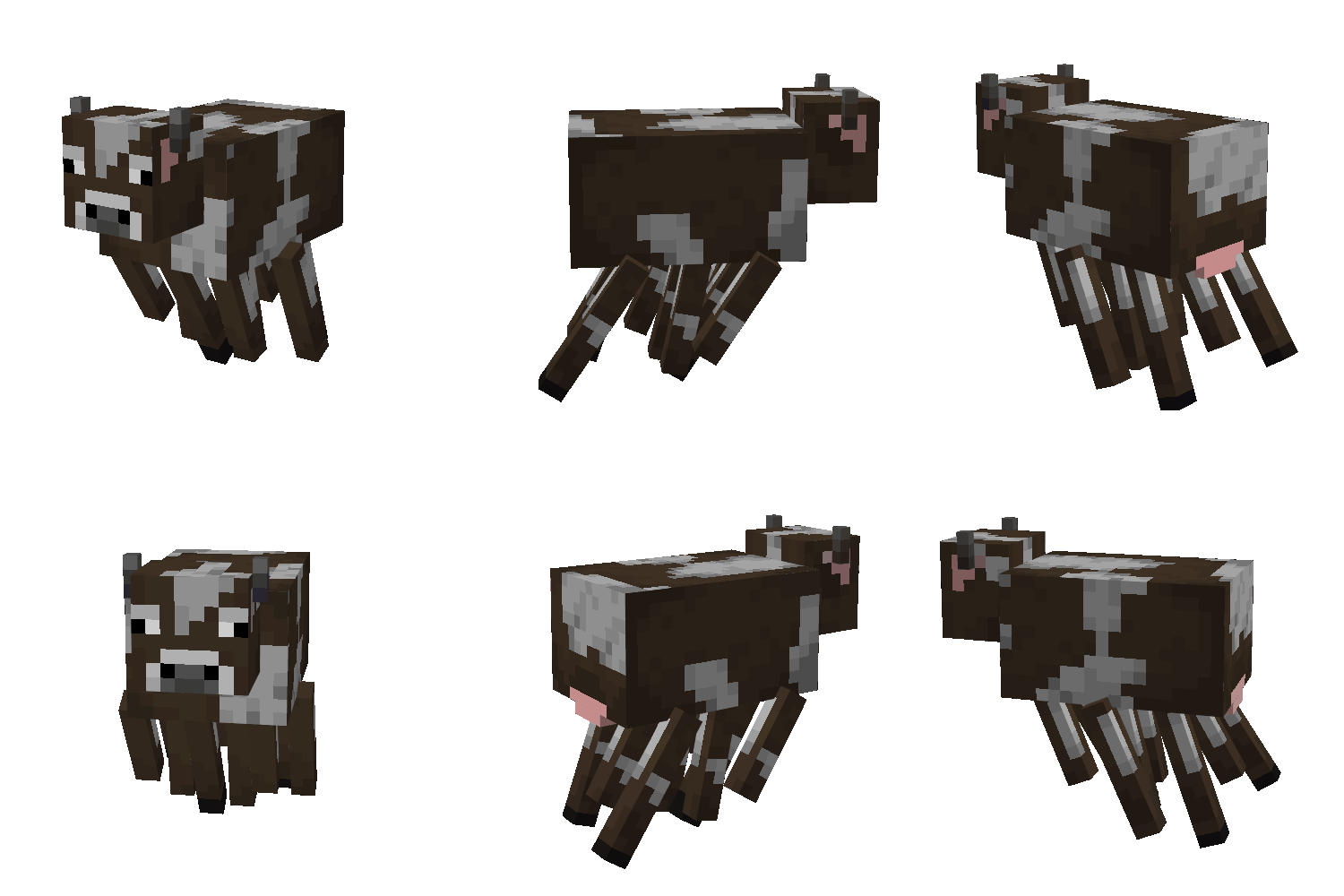
The Ghast Cow
Adds a Ghast Cow mini-boss
 mod
mod Modrinth · Minecraft
Just Enough Items (JEI)
View Items and Recipes