Geckolib Needed by toNekoMod 1.9.6
requiredMatching file found Matched file: 4.9.2

Modrinth · Minecraft mod
Neko is so cute, isn't it?
Quick answer
toNekoMod 1.9.6 targets 1.21.1 with NeoForge. Installation on the client is optional. Installation on the dedicated server is optional. All 3 required mods have matching files.
Where it goes
Installation on the client is optional. Installation on the dedicated server is optional.
The source marks this as usable on both the client and server.
1.9.6. Change the file and its required mods may change too.
Install Geckolib, Forgified Fabric API, playerAnimator first. We found matching files for this game-version and loader setup. 1 comes through another mod in the chain.
1 extra mod was pulled in by another dependency. Indented rows show who needs each one. We only count dependency files that match this setup. A file for another loader does not fill the gap.
Before you install it
Built for toNekoMod 1.9.6. Pick another file and the loader, install side or required mods may change.
Use 1.9.6. It targets 1.21.1 with NeoForge; another release may have different loader, side or dependency requirements.
Install Geckolib, Forgified Fabric API, playerAnimator first. We found matching files for this game-version and loader setup. 1 comes through another mod in the chain.
Installation on the client is optional. Installation on the dedicated server is optional.
Use the “Get this file” button beside 1.9.6. It opens that exact file at the source.
About this project
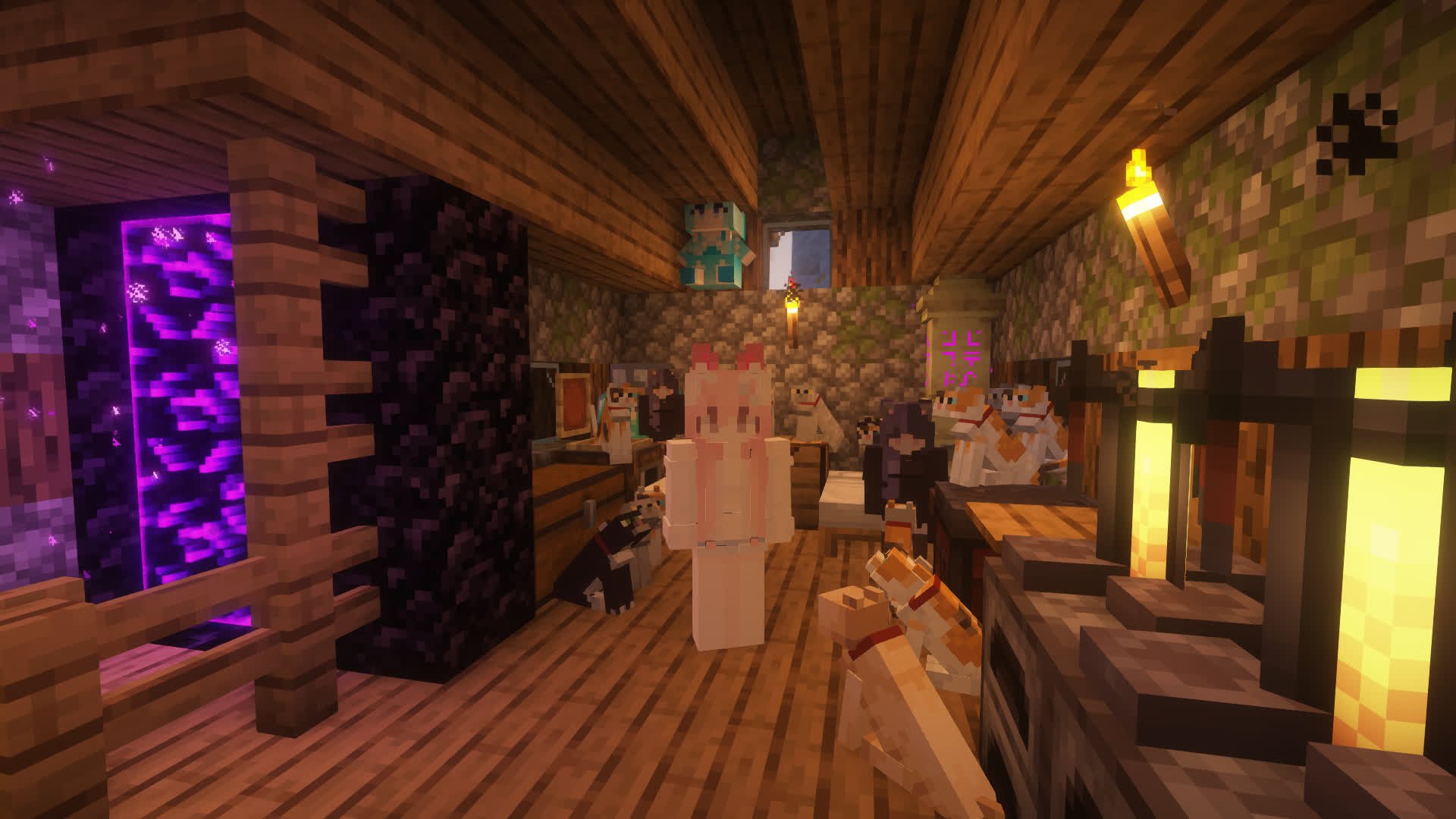

Meow meow meow~
toNeko is a Minecraft mod that turns you into a neko! Beyond becoming a catgirl, there's also AI chat, genetics, a quirk system, catnip farming, boss battles, and more waiting for you to explore nya~
If you like this mod, please give it a star~
Optional:
Just put the mod into the mods folder of your server/client, meow~
If you find that some text isn't in your language, you can change the language setting through the Mod Menu config screen in-game~
If you want to become a neko, it's very simple. Just craft a Neko Collector and get close to cats. When the energy is full, a Neko Potion will drop. Just drink it, meow~
If you want to become the owner of another neko (yes, you can be one yourself too), just run /toneko player <player name>. The prerequisite is that the other player must already be a neko (Tips: a neko can have multiple owners)
Some toNeko features can be used with keybinds. The defaults are:
K: Ride nearby creatures (same as /neko ride)I: Lie down (literally)O: Get down (also literally)J: Open the quirks settings screenThese keybinds all have corresponding commands (I'll never tell you that they just call the commands directly)
toNeko adds neko entities so there's stuff to do in single-player mode. You can encounter them in the wild, or just spawn them directly~
Shift+right-click a neko to open the interaction menu. Different nekos may have slightly different menus. The effective range is 16 blocks — if you walk too far away, the buttons won't work~
Each neko spawns with a different skin. There aren't many built-in skins yet, but you can add new ones through resource packs. As for how, I'll write a dedicated guide once the skin system is more complete, so stay tuned~ ^_^~
Nekos come in different variants, including Adventurer Neko, Ghost Neko, Crystal Neko, Fighting Neko, and more, each spawning in different biomes. If you want to add yourself as one, just tell me and I'll try my best to do it! There's also a special variant — the Crystal Neko — that only spawns on toNeko's birthday (September 26th)~
There's also a powerful Mouflet Boss waiting for you to challenge! It steals your items, flies around while attacking — it's not easy to deal with!
toNeko adds several accessories (neko ears, tail, paws, etc.) that you can find in the creative inventory. Of course, they're all craftable. Accessories can be worn directly in armor slots, and if you have trinkets installed, they can go in accessory slots too~
# To learn how to use each command, add "help" after it, e.g. /toneko help
# Commands for owners (permission: command.toneko.xxx)
/toneko
# Commands for nekos (permission: command.neko.xxx)
/neko
# Commands for admins (permission: command.tonekoadmin.xxx)
/tonekoadmin
# Set your quirks (permission: command.quirk.xxx)
/quirk
# View genetic info (permission: command.genetics.xxx)
/genetics
Integrated mods: luckperms
That's not all.
Project description from Modrinth.
Pick your setup
Choose the version and loader you play, then open the matching release.
Check the dependencies, then try the file in a copied instance before changing a world you care about.
Recent files
toneko-neoforge-1.9.6.jar
16 Aug 2026
toneko-fabric-1.9.6.jar
16 Aug 2026
toneko-neoforge-1.9.5.jar
11 Aug 2026
toneko-fabric-1.9.5.jar
11 Aug 2026
toneko-fabric-1.9.4.jar
5 Aug 2026
toneko-neoforge-1.9.4.jar
5 Aug 2026
toneko-neoforge-1.9.3.jar
31 Jul 2026
toneko-fabric-1.9.3.jar
31 Jul 2026
toneko-neoforge-1.9.2.jar
14 Jul 2026
toneko-fabric-1.9.2.jar
14 Jul 2026
toneko-neoforge-1.9.1.jar
4 Jul 2026
toneko-fabric-1.9.1.jar
4 Jul 2026
Looking for an older file? The official Modrinth project page is in Resources.
 mod
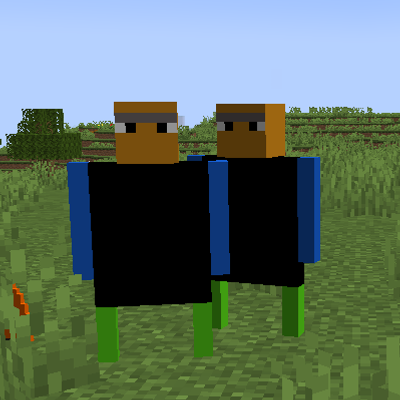
modAdapted from Originium creature from Arknights, which adds varieties of Originium mobs in the Land.
 mod
modThis mod adds toy infecton! (It extreamly WIP)
 mod
modThe World Will Soon Be Destroyed....

