Minecraft version
Back to mods 
Modrinth · Minecraft mod
maze mod
An advanced Minecraft maze generator with themes, life rooms, timed resets, exits control, and deep gameplay customization.
Choose a version Pick your version below, then grab the matching file.
Quick answer
Which maze mod release matches 26.3 Forge?
Best match for your filters 1.4.0
Game version 26.3
Loader Forge
maze mod 1.4.0 targets 26.3 with Forge. Installation on the client is optional. Installation on the dedicated server is optional. No extra mods listed for this file.
Where it goes
Is maze mod required on the client, server, or both?
Installation on the client is optional. Installation on the dedicated server is optional.
Client Optional
Dedicated server Optional
Loader for this release Forge
Required install it here Optional supported, not mandatory Not supported do not install here Source doesn’t say do not assume
The source marks this as usable on both the client and server.
What else does maze mod 1.4.0 need?
1.4.0 on 26.3 Forge. Every mod below is checked against that same setup.
This file does not list any required mods. Do not add a library just because a different file uses it.
This file does not list any required or optional mods.
Before you install it
Add maze mod without breaking your instance.
Built for maze mod 1.4.0 on 26.3 Forge. Pick another file and the loader, install side or required mods may change.
- 01
Stick to this file
Use 1.4.0. It targets 26.3 with Forge; another release may have different loader, side or dependency requirements.
- 02
Bring the mods it needs
This file does not list any required mods. Do not add a library just because a different file uses it.
- 03
Put it on the correct side
Installation on the client is optional. Installation on the dedicated server is optional.
- 04
Pick the file you checked
Use the “Get this file” button beside 1.4.0. It opens that exact file at the source.
About this project
What does maze mod add?
Maze Mod
A Minecraft mod that generates random mazes with configurable settings, including life rooms, chests, and difficulty parameters. This version features a comprehensive GUI for maze management and customization.
Features
- Maze Generation: Creates random mazes with adjustable dimensions and complexity.
- GUI Control Panel: A tabbed interface to manage maze settings without using commands.
- Multi-Version Support: Compatible with Minecraft 1.16.5, 1.18.2, 1.19.4, and 1.20.1.
- Network Sync: Real-time synchronization of maze states between client and server.
- HUD Integration: In-game hints for maze controls and status.
Installation
- Download the mod JAR file.
- Place it in your Minecraft
modsfolder. - Launch Minecraft with Forge for the corresponding version.
Usage
Controls
- Press M to open the Maze Control Panel.
- Use the <** and **> arrows to navigate between the 4 tabs.
Tabs
Maze Setup:
- Set Position 1 & 2 using in-game buttons.
- Adjust Height, Wall Width, and Path Width.
- Configure Life Room, Roof, Center Room, Torches, and Exits.
- Choose Wall Color and Floor Color.
- Select a Theme.
Advanced Settings:
- Set Timer, Zombie Count, and Chest Count.
- Adjust Stone Chance and Erosion.
- Configure Life Room Chest Count (LRCC).
- Toggle Loot Drops, Mob Spawning, and Life Chests.
Actions:
- Create, Rebuild, Refresh, or Delete Mazes.
- Start, Stop, or Reset the Timer.
- Reset Wins and Clear Positions.
- List Mazes and Positions.
- Apply Settings (Timer, Zombie Count, Chest Count).
GUI Customization:
- Adjust GUI Scale (50%–150%).
- Modify Background Opacity.
- Change Text Color.
Commands
While the GUI is the primary control method, the following commands are available:
/maze - Press M: Opens the Maze Control Panel./maze - List Mazes: Lists all created mazes./maze - List Positions: Lists all saved positions./maze - Clear Positions: Clears all saved positions./maze - Reset Wins: Resets the win counter./maze - Delete <name>: Deletes a maze by name./maze - Rebuild <name>: Rebuilds a maze by name./maze - Refresh <name>: Refreshes a maze by name./maze - Start <name>: Starts a maze by name./maze - Stop <name>: Stops a maze by name./maze - Reset <name>: Resets a maze by name./maze - Apply <name> <timer> <zombie_count> <chest_count>: Applies settings to a maze.
API Compatibility
| Version | Button API | Render API | Component API | Send Command |
|---|---|---|---|---|
| 1.20.1 | Button.builder().build() |
GuiGraphics |
Component.literal() |
connection.sendCommand() |
| 1.19.4 | Button.builder().bounds().build() |
PoseStack |
Component.literal() |
connection.sendCommand() |
| 1.18.2 | new Button(x,y,w,h,text,onPress) |
PoseStack |
new TextComponent() |
player.chat("/cmd") |
| 1.16.5 | new Button(x,y,w,h,text,IPressable) |
MatrixStack |
new StringTextComponent() |
player.chat("/cmd") |
License
MIT License
Project description from Modrinth.
Pick your setup
maze mod by Minecraft version and loader
Choose the version and loader you play, then open the matching release.
Minecraft version
26.2
3 loader buildsMinecraft version
26.1.2
3 loader buildsMinecraft version
26.1.1
3 loader buildsMinecraft version
26.1
3 loader buildsMinecraft version
1.21.11
3 loader buildsMinecraft version
1.21.10
3 loader buildsMinecraft version
1.21.9
3 loader buildsMinecraft version
1.21.8
3 loader buildsMinecraft version
1.21.7
3 loader buildsMinecraft version
1.21.6
3 loader buildsMinecraft version
1.21.5
3 loader buildsShowing the newest 12 of 26 game versions. Older files are in the list below.
Check the dependencies, then try the file in a copied instance before changing a world you care about.
Recent files
maze mod versions and loaders
1.4.0
maze-forge-26.3-1.4.0.jar
4 Oct 2026
Client Optional Server Optional Dependencies No extras listed Listed on Release listing
Check the 26.3 · Forge setup 26.3Forge release
Looking for an older file? The official Modrinth project page is in Resources.
 mod
Modrinth · Minecraft
Purgatory
An asymmetrical horror minigame, that revolves around a place called purgatory, and justice for those who died unjustly
 mod
CurseForge · Minecraft
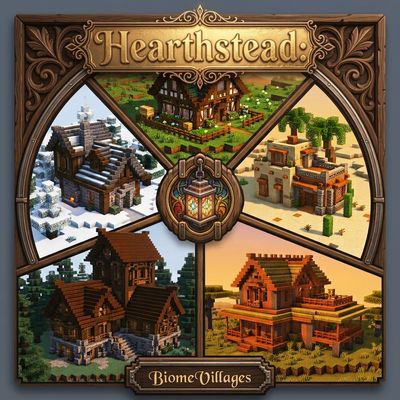
Hearthstead: Biome Villages
Every vanilla village rebuilt as a real little town: plazas, gardens, walled towns and 8 biome styles from desert to cherry grove. Pure vanilla blocks, works with vanilla villagers and raids.
 mod
CurseForge · Minecraft
Command Shortcuts
Adds compact, easy-to-type command shortcuts for gamemodes, teleportation, items, time, weather, healing, and custom aliases.