Cloth Config API (Fabric/Forge/NeoForge) Needed by InvMove 0.9.3 for Fabric 1.16
requiredNo matching file
CurseForge · Minecraft mod
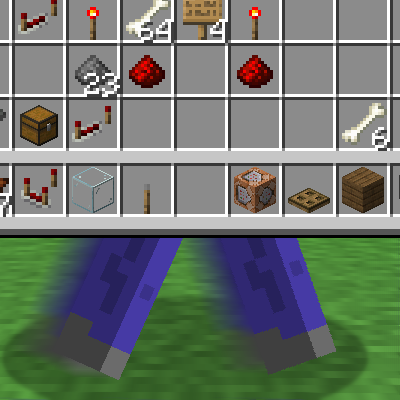
Adds the ability to walk around while in inventories
Quick answer
InvMove 0.9.3 for Fabric 1.16 targets 1.16.5 with Fabric. The project page does not say whether it belongs on the client. The project page does not say whether it belongs on the dedicated server. 1 required mod needs a matching file.
Where it goes
The project page does not say whether it belongs on the client. The project page does not say whether it belongs on the dedicated server.
The source does not explicitly classify this release as client-only or server-only.
0.9.3 for Fabric 1.16. Change the file and its required mods may change too.
Install Cloth Config API (Fabric/Forge/NeoForge) first, but 1 required mod has no matching file for this setup. Do not mix loader builds to force a match. 1 comes through another mod in the chain.
1 extra mod was pulled in by another dependency. Indented rows show who needs each one. We only count dependency files that match this setup. A file for another loader does not fill the gap.
Before you install it
Built for InvMove 0.9.3 for Fabric 1.16. Pick another file and the loader, install side or required mods may change.
Use 0.9.3 for Fabric 1.16. It targets 1.16.5 with Fabric; another release may have different loader, side or dependency requirements.
Install Cloth Config API (Fabric/Forge/NeoForge) first, but 1 required mod has no matching file for this setup. Do not mix loader builds to force a match. 1 comes through another mod in the chain.
The project page does not say whether it belongs on the client. The project page does not say whether it belongs on the dedicated server.
Use the “Get this file” button beside 0.9.3 for Fabric 1.16. It opens that exact file at the source.
About this project
| InvMove | GitHub | CurseForge | Modrinth |
| InvMoveCompats | GitHub | CurseForge | Modrinth |

Enables moving, jumping, sprinting, etc. from within inventories/screens.
Also hides the darkened background tint in screens that don't pause the game.
Both features can be toggled on or off per-screen (including modded ones) in the config menu.
Additional mod compatibilities (REI/JEI/EMI) have been moved into an addon mod: InvMoveCompats
This mod is client-side, but it may raise alarms if used on servers with anticheat.
I take no responsibility if you get banned or something because you used this on public servers.
Requires Cloth Config on all mod loaders.
Requires Fabric API on Fabric.
For Fabric, you need Mod Menu to be able to open the config screen.
For (Neo)Forge, I also recommend Game Menu Mod Option so you can change settings in-game.
Enable Mod: Enable the entire modDebug Display: Enables a debug overlay that can help debug compatibility problems.Move In Inventories: Enable movement in inventoriesAllow Jumping: Allow jumping in inventoriesSneak Mode: How to handle sneaking in inventories:Off = No sneakingMaintain = Keep sneaking if you were when the inventory opened (default)Pressed = Sneak only while holding the sneak button (can be distracting when shift-clicking)Allow Dismounting: Allow dismounting from mounts in inventories (overrides "Sneak Mode" while on a mount)Text Field Disables Movement: Disable movement when a text field is focused (like search bars or in an anvil)Unrecognized Screens Default: Sets the default movement mode for unrecognized screens.Allowed Keys: Configure what keys InvMove will force update inside inventories.Hide Inventory Backgrounds: Hides the background tint while in inventories.Pause Screens Background: How to handle screens that pause the game:Show = Always show backgroundShowSP = Show background in singleplayer, otherwise allow hideAllowHide = Allow background to be hiddenUnrecognized Screens Default: Sets the default background mode for unrecognized screens.The Movement and Background pages also have expandable categories containing toggles for individual inventory types.
The base mod has a category for vanilla screens, as well as a section for Unrecognized UI Types which are automatically grouped by modid.
For mod compatibilities that can't be solved with this system (REI/JEI/EMI), see InvMoveCompats
Feel free to use in packs if you wish.
The only official downloads are from the InvMove GitHub, CurseForge, or Modrinth page.
Be careful downloading them from elsewhere, as unauthorized reposts are not monitored and could contain malware.
(If you are interested in the mod being added to another platform, please open an issue!)
The mod is licensed under the GNU Lesser General Public License v3.0
Project description from CurseForge.
Pick your setup
Choose the version and loader you play, then open the matching release.
Showing the newest 12 of 33 game versions. Older files are in the list below.
Check the dependencies, then try the file in a copied instance before changing a world you care about.
Recent files
InvMove-0.9.5+26.2-NeoForge.jar
17 Jun 2026
InvMove-0.9.5+26.1.2-NeoForge.jar
17 Jun 2026
InvMove-0.9.5+26.2-Fabric.jar
17 Jun 2026
InvMove-0.9.5+26.1.2-Fabric.jar
17 Jun 2026
InvMove-0.9.4+26.1-NeoForge.jar
25 May 2026
InvMove-0.9.4+26.1-Fabric.jar
25 May 2026
InvMove-0.9.4+26.1-NeoForge.jar
25 May 2026
InvMove-0.9.4+26.1-Fabric.jar
25 May 2026
InvMove-0.9.3+1.16.5-Fabric.jar
4 Jan 2026
InvMove-0.9.3+1.17.1-Fabric.jar
4 Jan 2026
InvMove-0.9.3+1.18.2-Fabric.jar
4 Jan 2026
InvMove-0.9.3+1.19.4-Fabric.jar
4 Jan 2026
Looking for an older file? The official CurseForge project page is in Resources.
 mod
modSimple client projection printer
 mod
modPlays a ping sound when your name is mentioned, with options to create custom alerts.
 mod
modThis mod makes the Quest Board availabe again so you can have quicker and faster progressing