Minecraft version
Back to mods 
Modrinth · Minecraft mod
DeckTweaks
Control render distance, simulation distance, and master volume on the fly with simple keyboard shortcuts, no menus, no pause screen. Comes with a clean in-game toast notification for every change. Perfect for Stream Deck users.
Choose a version Pick your version below, then grab the matching file.
Quick answer
Which DeckTweaks release matches 26.3?
Best match for your filters 1.1.0
Game version 26.3
Loader Fabric
DeckTweaks 1.1.0 targets 26.3 with Fabric. It must be installed on the client. Do not install it on the dedicated server. No extra mods listed for this file.
Where it goes
Is DeckTweaks required on the client, server, or both?
It must be installed on the client. Do not install it on the dedicated server.
Client Required
Dedicated server Not supported
Loader for this release Fabric
Required install it here Optional supported, not mandatory Not supported do not install here Source doesn’t say do not assume
This file is marked client-only.
What else does DeckTweaks 1.1.0 need?
1.1.0 on 26.3. Every mod below is checked against that same setup.
This file does not list any required mods. Do not add a library just because a different file uses it.
This file does not list any required or optional mods.
Before you install it
Add DeckTweaks without breaking your instance.
Built for DeckTweaks 1.1.0 on 26.3. Pick another file and the loader, install side or required mods may change.
- 01
Stick to this file
Use 1.1.0. It targets 26.3 with Fabric; another release may have different loader, side or dependency requirements.
- 02
Bring the mods it needs
This file does not list any required mods. Do not add a library just because a different file uses it.
- 03
Put it on the correct side
It must be installed on the client. Do not install it on the dedicated server.
- 04
Pick the file you checked
Use the “Get this file” button beside 1.1.0. It opens that exact file at the source.
About this project
What does DeckTweaks add?
DeckTweaks
DeckTweaks lets you control render distance, simulation distance, and master volume on the fly, directly from your keyboard or Stream Deck, without ever opening a menu.
Every change shows as a clean, minimal toast notification in the bottom-right corner of your screen, so you always know what's happening.
Features
- Render distance — increase or decrease on the fly, chunks reload instantly
- Simulation distance — tweak how far the game simulates without restarting
- Master volume — adjust in 5% steps while staying in-game
- Toast notifications — subtle, styled HUD notification for every change, no chat spam
- Stream Deck ready — all shortcuts are simple two-key combos that map perfectly to macro buttons
Keybinds
| Keybind | Action |
|---|---|
Ctrl + . |
Render distance +1 |
Ctrl + , |
Render distance -1 |
Ctrl + ] |
Simulation distance +1 |
Ctrl + [ |
Simulation distance -1 |
Ctrl + = |
Master volume +5% |
Ctrl + - |
Master volume -5% |
macOS users:
Ctrlmeans Control (⌃), not Command (⌘).
Installation
- Install Fabric Loader for Minecraft 1.21.11
- Download and install Fabric API
- Drop
decktweaks.jarinto yourmods/folder - Launch Minecraft and start tweaking
Compatibility
- Minecraft 1.21.11
- Fabric only
- Client-side — works on any server
Project description from Modrinth.
Pick your setup
DeckTweaks by Minecraft version and loader
Choose the version and loader you play, then open the matching release.
Minecraft version
1.21.11
1 loader buildCheck the dependencies, then try the file in a copied instance before changing a world you care about.
Recent files
DeckTweaks versions and loaders
1.1.0
decktweaks-1.1.0.jar
28 Oct 2026
Client Required Server Not supported Dependencies No extras listed Listed on Release listing
Check the 26.3 · Fabric setup 26.3Fabric release
Looking for an older file? The official Modrinth project page is in Resources.
 mod
CurseForge + Modrinth · Minecraft
Custom Recipes (In Game Editor)
Create custom crafting recipes and custom crafts in-game with a Fabric recipe editor. Manage vanilla/modded recipes, worlds, recipe books, and servers. Now supports custom items (NBTs).
 mod
CurseForge + Modrinth · Minecraft
Polydium
Well-rounded client-side optimization mod. Extremely compatible Vulkan backend for 1.21.11-26.1.2. By Polyfrost, best with OneClient.
 mod
CurseForge · Minecraft
Peterwofs Horse Carriage
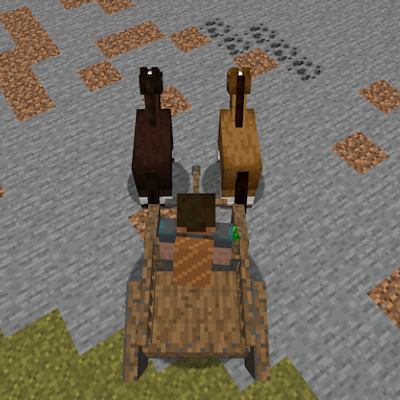
Right-click a wild horse, donkey or mule. It fights the rope — stay close until it is caught. Sit on the front bench and drive