Cloth Config API (Fabric/Forge/NeoForge) Needed by Biology Dictionary v1.1.0-mc1.20.1-fabric
requiredMatching file found Matched file: [Fabric 1.20(.1)] v11.1.136

CurseForge · Minecraft mod
Discover, highlight, inspect, modify - your vanilla & modded mob encyclopedia
Quick answer
Biology Dictionary v1.1.0-mc1.20.1-fabric targets 1.20.1 with Fabric. The project page does not say whether this file belongs on the client, dedicated server, or both. All 3 required mods have matching files.
Where it goes
The project page does not say whether this file belongs on the client, dedicated server, or both.
The source does not explicitly classify this release as client-only or server-only.
Biology Dictionary v1.1.0-mc1.20.1-fabric. Change the file and its required mods may change too.
Install Cloth Config API (Fabric/Forge/NeoForge), Fabric API, Cloth Config API first. We found matching files for this game-version and loader setup.
We only count dependency files that match this setup. A file for another loader does not fill the gap.
Before you install it
Built for Biology Dictionary v1.1.0-mc1.20.1-fabric. Pick another file and the loader, install side or required mods may change.
Use Biology Dictionary v1.1.0-mc1.20.1-fabric. It targets 1.20.1 with Fabric; another release may have different loader, side or dependency requirements.
Install Cloth Config API (Fabric/Forge/NeoForge), Fabric API, Cloth Config API first. We found matching files for this game-version and loader setup.
The project page does not say whether this file belongs on the client, dedicated server, or both.
Use the “Get this file” button beside Biology Dictionary v1.1.0-mc1.20.1-fabric. It opens that exact file at the source.
About this project

Discover, highlight, inspect, modify - your vanilla & modded mob encyclopedia


| Problem | Solution |
|---|---|
| Want to explore all mobs | Check your discovery progress in the dictionary |
| Want spawn biomes, drops, food, speed, hitbox… all at once | View all base properties on a single page |
| Curious about horse, panda, or villager variants | Browse all variants (and change them in Creative) |
| Baby mobs are too adorable to grow up | Lock growth, keep them babies forever |
| Dozens of chickens in a cooker are deafening | One-click mute — offspring inherit it too |
| Can't find the villager's job site in your trading hall | One-click locate, no more blind digging |
| Villagers keep crafting bread, breaking your auto-farm | Steal their inventory, fill with junk, stop wheat pickup |
| Bees flew off — which hive did they go to? | View hive honey levels and bee counts, track them home |
| Cross-dimension mob transport is a nightmare | Lock or force nether portal teleportation |
| Want static NPCs in your survival builds | Disable AI + set invulnerable, done |
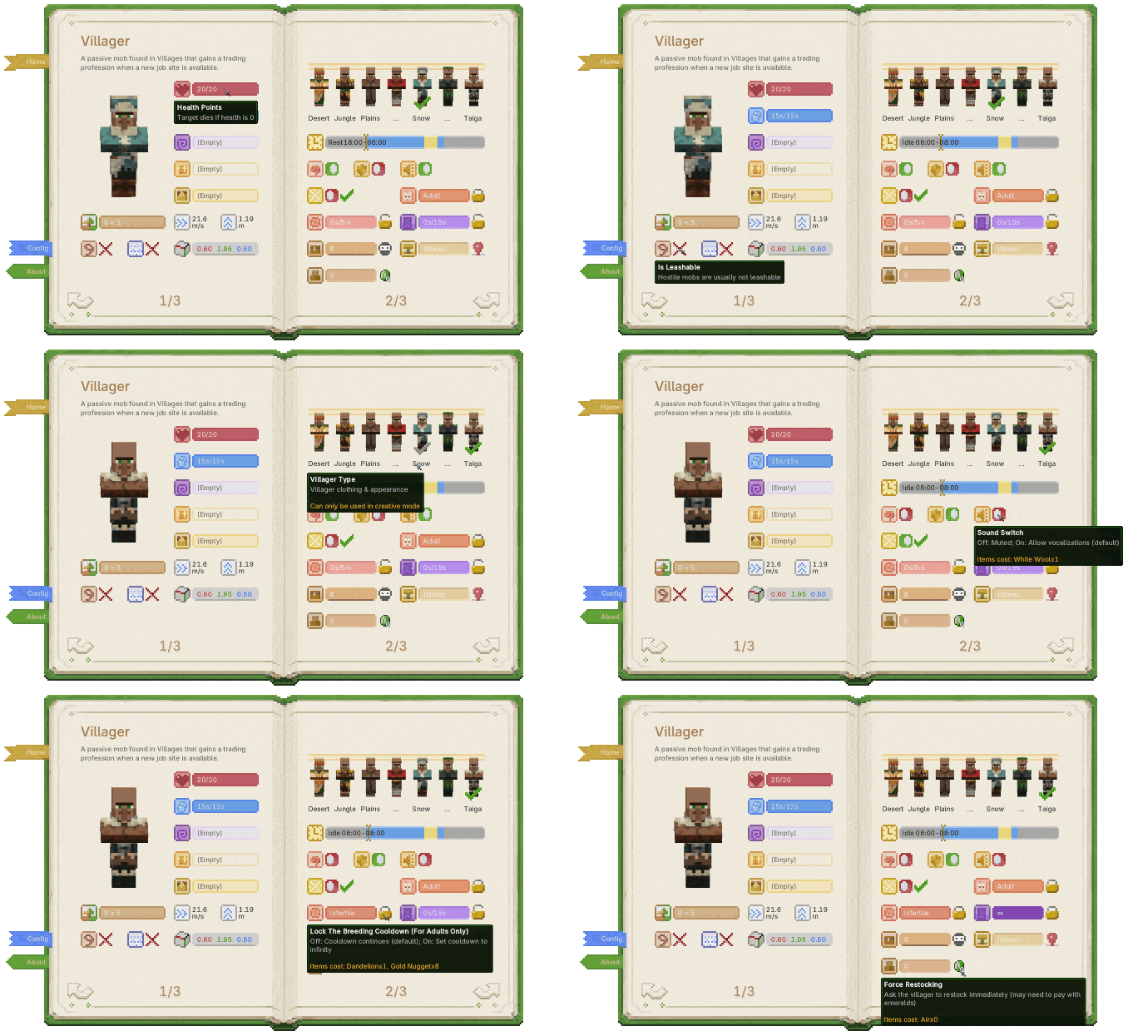
One screen for all of those problems.
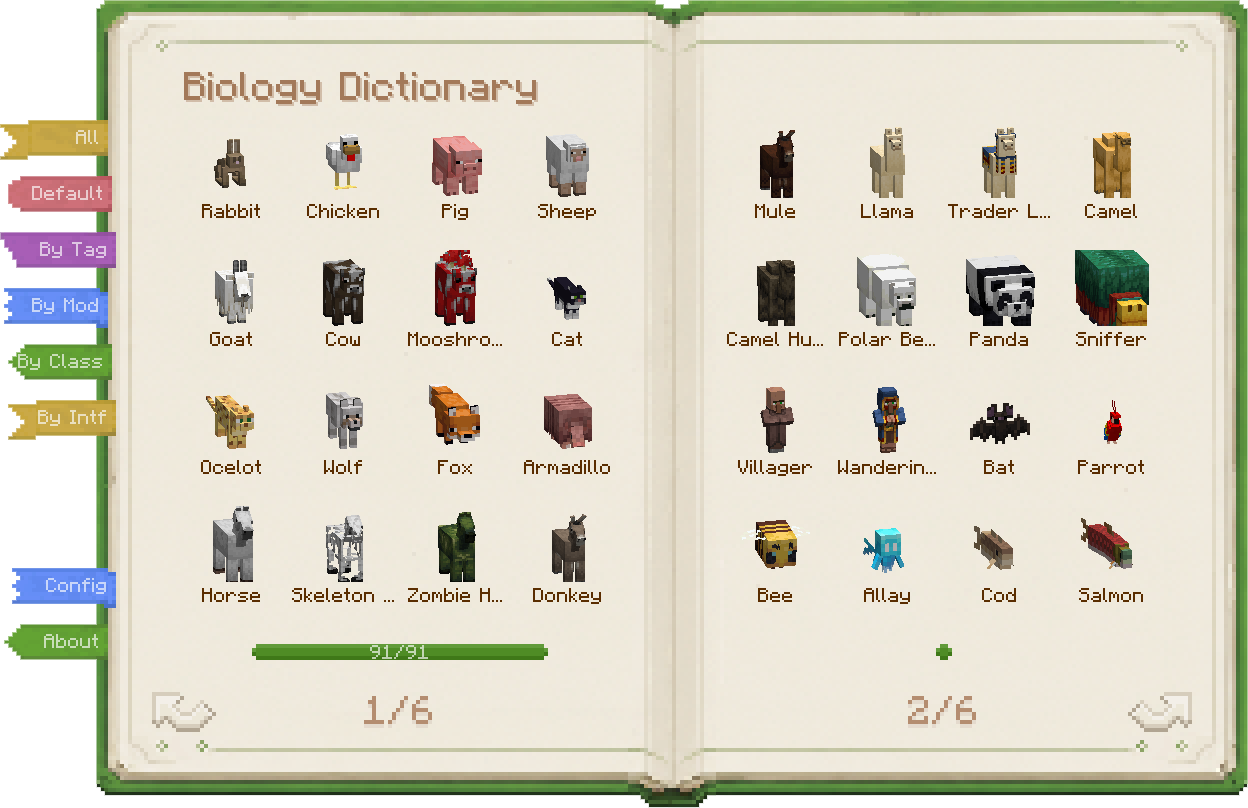
| Biology Dictionary | Discovery Progress |
|---|---|
 |
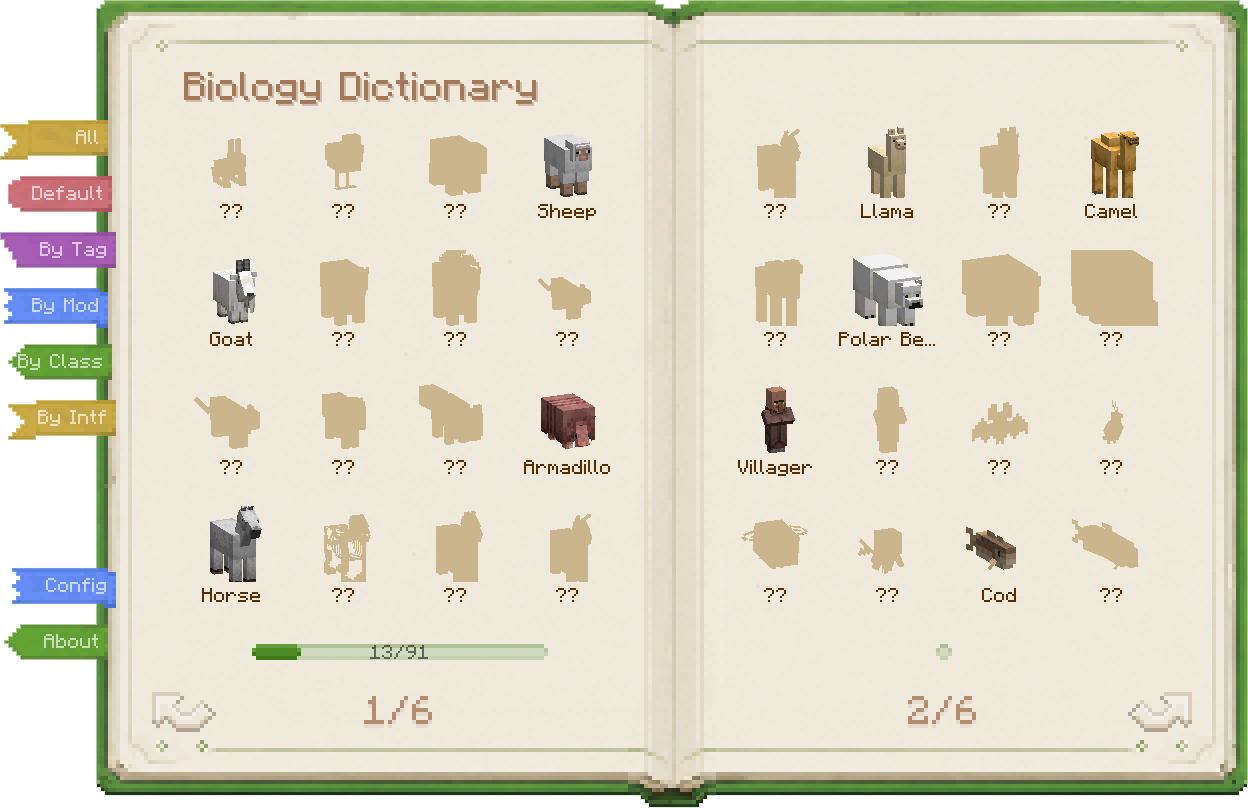 |
| Vanilla mobs, modded mobs, all in one book. | Build your encyclopedia one discovery at a time. |
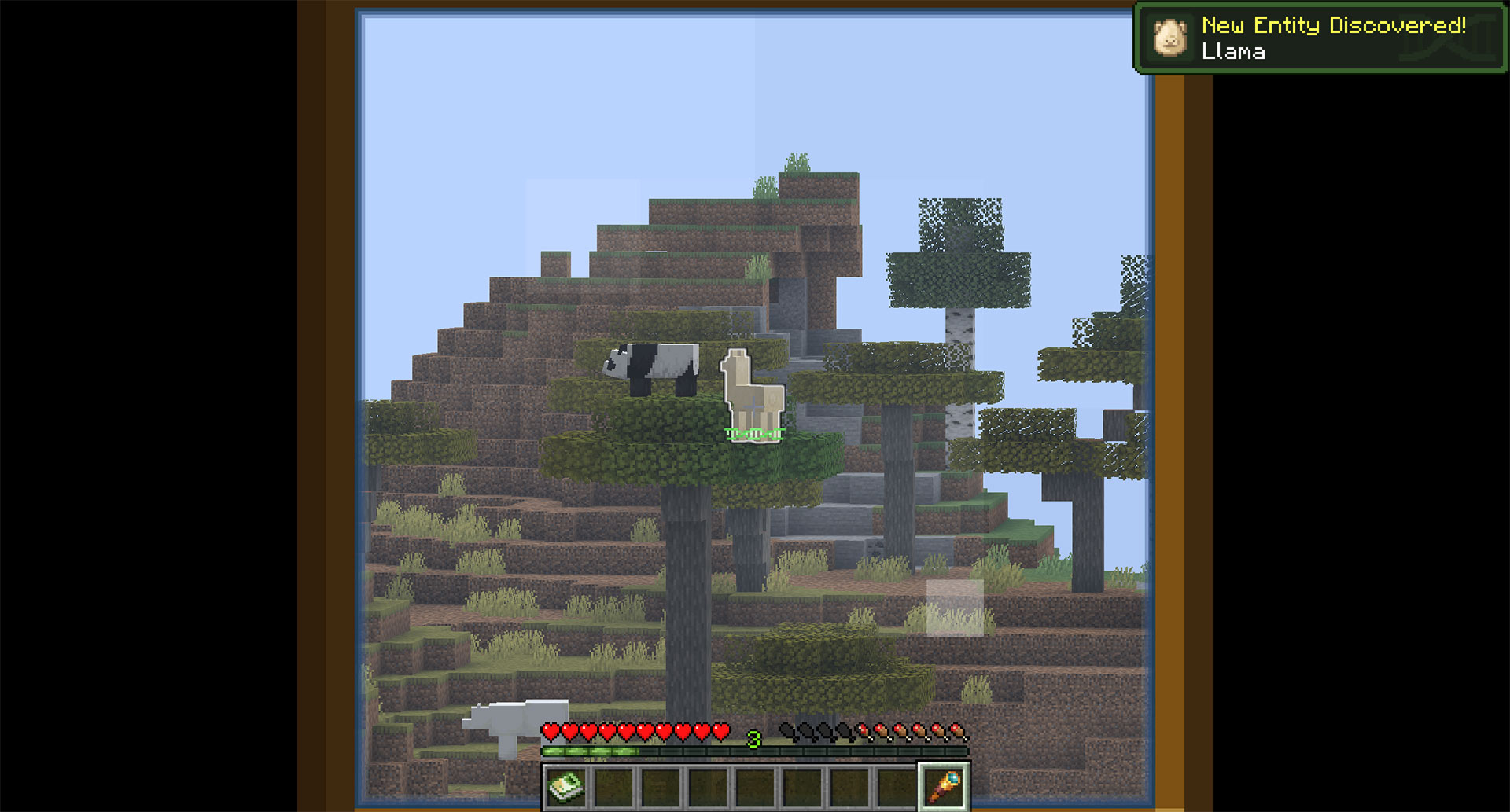
| Telescope Discovery | Entity Highlight |
|---|---|
 |
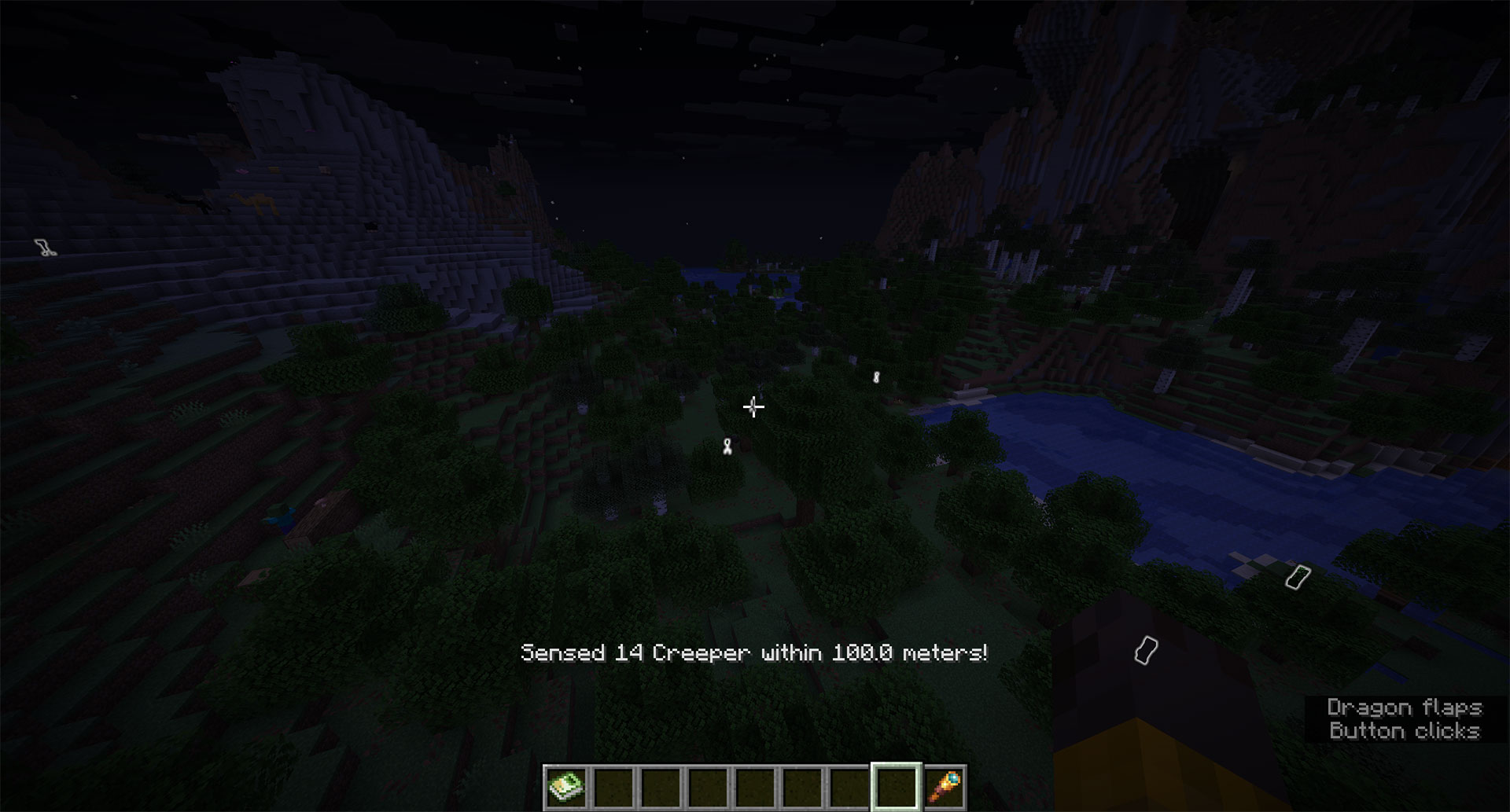 |
| A telescope sighting can count as a real discovery. | Highlight nearby mobs when rare targets are hard to spot. |
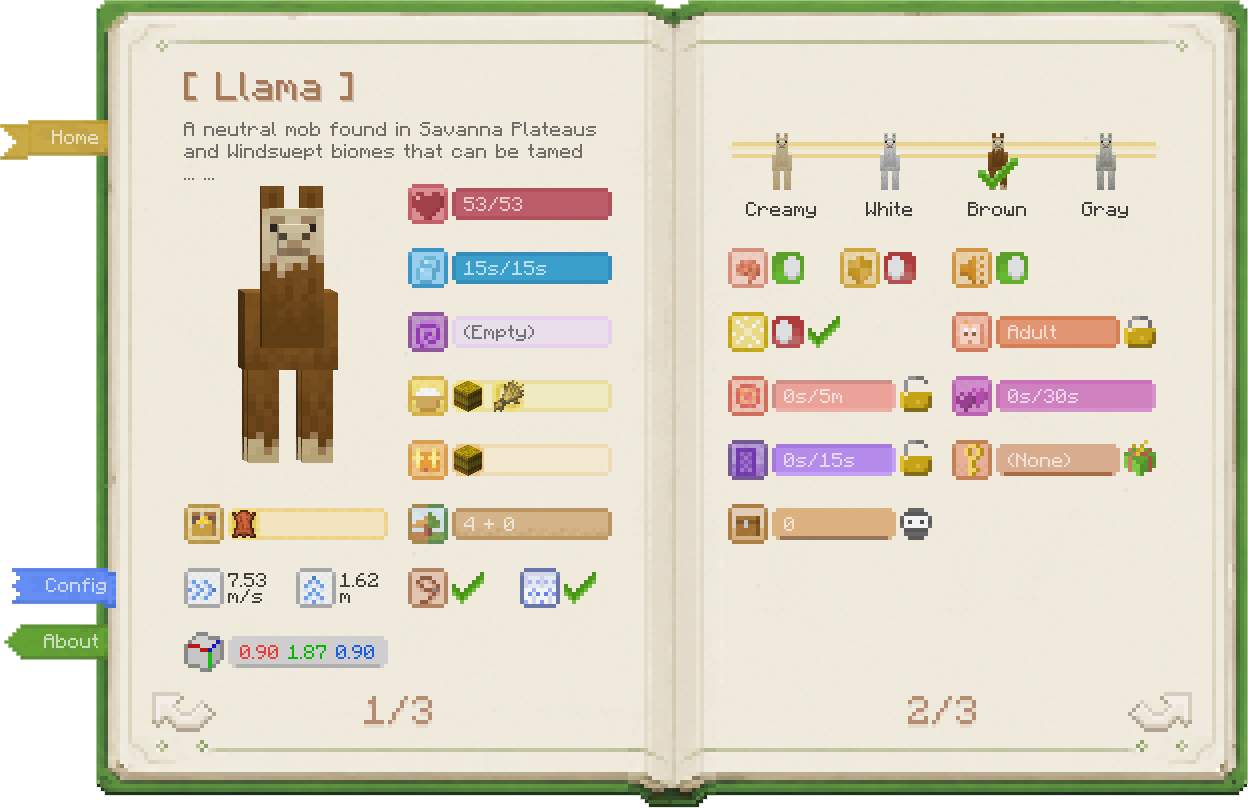
| Entity Details | Entity Tags |
|---|---|
 |
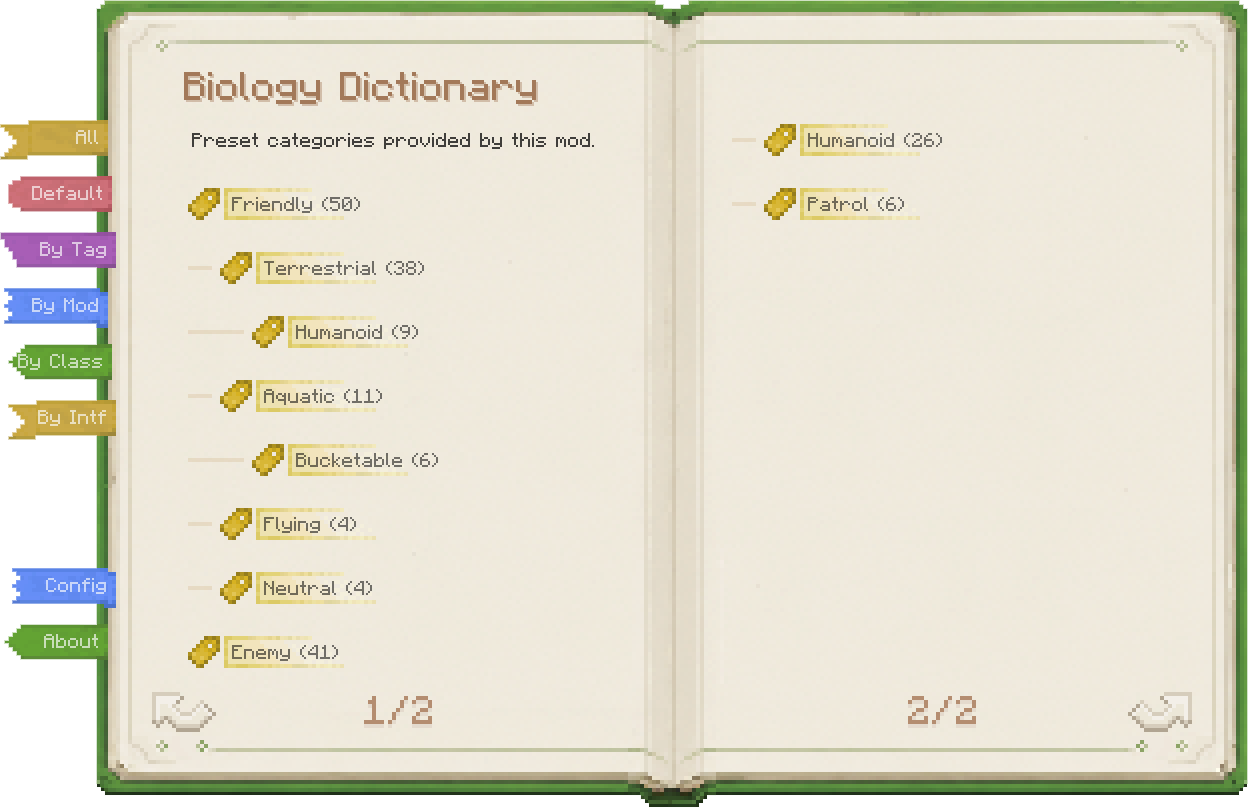 |
| Inspect properties, use skills, and change behavior. | Classify mobs from several angles for faster lookup. |
The tag page supports several views: built-in groups, MC tags, mod namespaces, and Java class/interface categories.
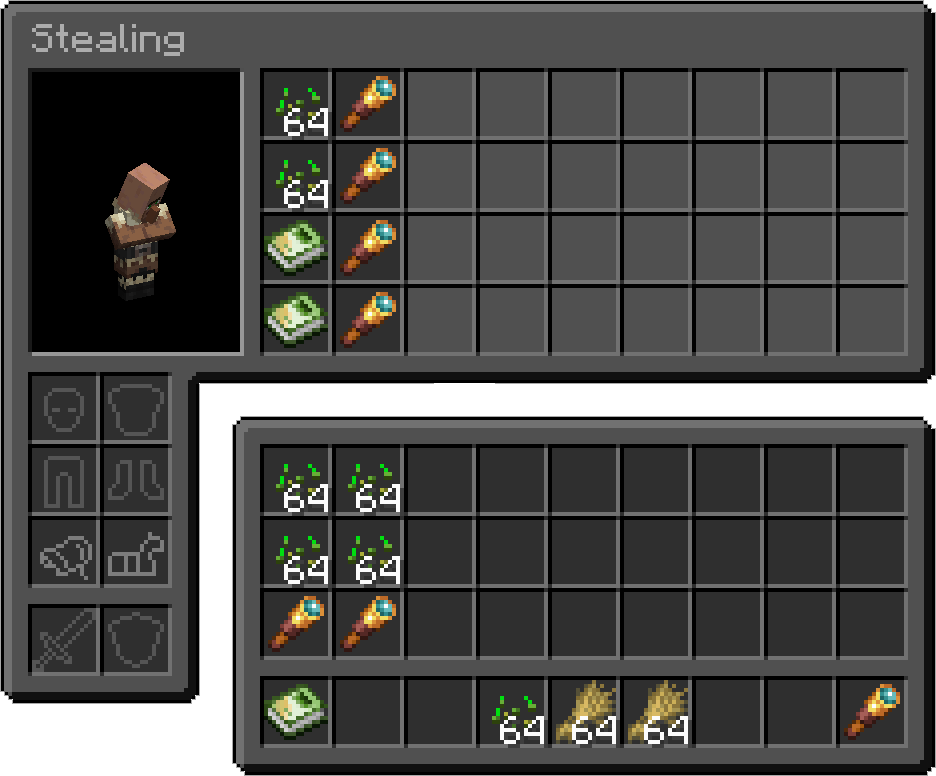
| Inventory Access | Beehive Info |
|---|---|
 |
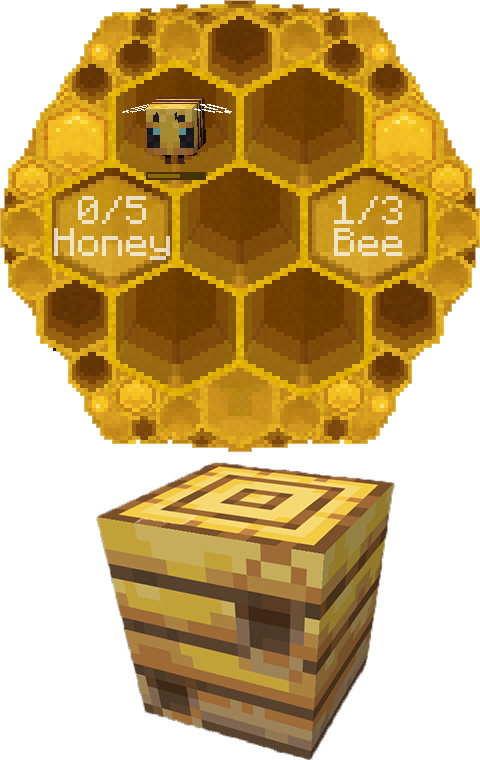 |
| Steal or fill inventories so villagers stop picking up wheat. | Use the dictionary on a hive to check bees and honey. |
Biology Dictionary is built around screens. Open it by:
`); Survival needs the book unless configured otherwise, while Creative can always open itThe screen depends on what you are looking at.
| Looking at | Opens |
|---|---|
| Block / Air | Home screen |
| Entity | That entity's detail screen |
| Beehive | Beehive info screen |
| Straight up | Home screen (forced) |
| Straight down | Your own detail screen |
How to get the Biology Dictionary book:
- In Creative mode, or when Survival hotkey access is enabled, the physical book is optional.
- The book is just
minecraft:writable_book+ NBT. No custom item is added.
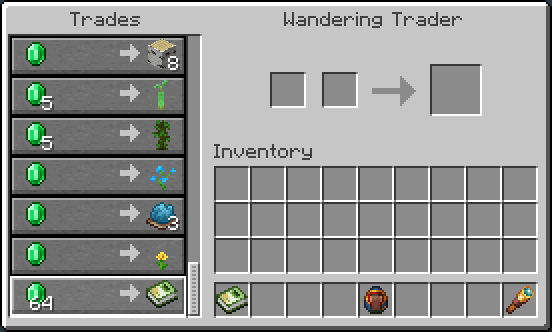
| Wandering Trader | Creative Inventory |
|---|---|
 |
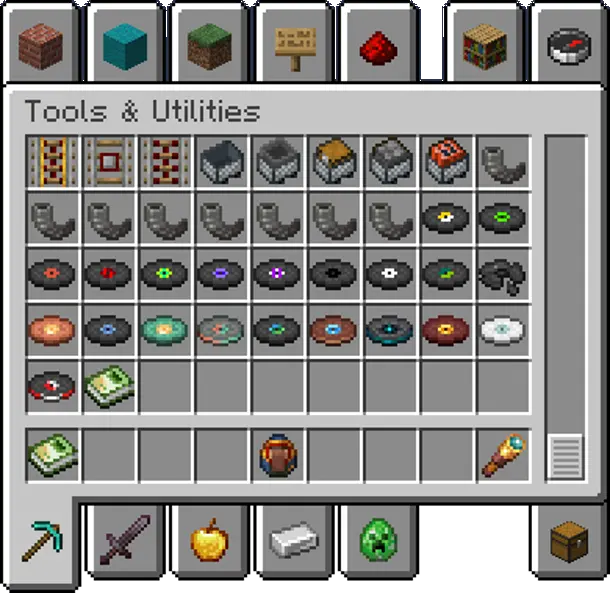 |
| In Survival, buy the Biology Dictionary from Wandering Traders. | In Creative, find it at the end of Tools & Utilities. |
Buy from Wandering Traders. Sell chance starts at 100% and gradually drops to 20% over time, without taking up any vanilla trade slots.
Easy to find early when you're broke, impossible to find later when you're rich (cue evil laugh)~
Kidding — it takes about 2 real-time days (144 in-game days) to hit 20%. You'll be fine.
Pack authors can disable trader sales in the config and add their own recipes instead.
Find the Biology Dictionary book at the end of the Tools & Utilities tab.
| Loader | Required |
|---|---|
| Fabric | Fabric API, Cloth Config |
| NeoForge / Forge | Architectury API, Cloth Config |
Project description from CurseForge.
Pick your setup
Choose the version and loader you play, then open the matching release.
Check the dependencies, then try the file in a copied instance before changing a world you care about.
Recent files
biology-dictionary-1.1.0-mc1.20.1-fabric.jar
12 Aug 2026
biology-dictionary-1.1.0-mc1.20.1-forge.jar
12 Aug 2026
biology-dictionary-1.1.0-mc1.21.1-fabric.jar
12 Aug 2026
biology-dictionary-1.1.0-mc1.21.1-neoforge.jar
12 Aug 2026
biology-dictionary-1.1.0-mc1.21.11-fabric.jar
12 Aug 2026
biology-dictionary-1.1.0-mc1.21.11-neoforge.jar
12 Aug 2026
biology-dictionary-1.1.0-mc26.1.2-fabric.jar
11 Aug 2026
biology-dictionary-1.1.0-mc26.1.2-neoforge.jar
11 Aug 2026
biology-dictionary-1.1.0-mc26.2-fabric.jar
11 Aug 2026
biology-dictionary-1.1.0-mc26.2-neoforge.jar
11 Aug 2026
biology-dictionary-1.0.4-mc1.20.1-fabric.jar
15 Jul 2026
biology-dictionary-1.0.4-mc1.21.1-fabric.jar
15 Jul 2026
Looking for an older file? The official CurseForge project page is in Resources.
 mod
modAdventurer’s Backpack adds magical, upgradeable backpacks for survival. Carry more, protect key items, place your pack in the world, and customize it for mining, building, and exploration without making survival feel like creative mode.
 mod
modShows information about what you are looking at. (Hwyla/WAILA fork for Minecraft 1.16+)
 mod
modThis mod adds useful enhancements to Applied Energistics 2, including automatic crafting cancelation, NBT-based exports, and enchanting automation. Currently in early beta.

