Simple Voice Chat Needed by AudioPlayer [FABRIC][26.2] AudioPlayer 2.3.0+26.2
requiredMatching file found Matched file: [FABRIC][26.2] Simple Voice Chat 2.6.22+26.2

CurseForge · Minecraft mod
Put your own audio files on music discs!
Quick answer
AudioPlayer [FABRIC][26.2] AudioPlayer 2.3.0+26.2 targets 26.2 with Fabric, Quilt. The project page does not say whether this file belongs on the client, dedicated server, or both. All 1 required mods have matching files.
Where it goes
The project page does not say whether this file belongs on the client, dedicated server, or both.
The source does not explicitly classify this release as client-only or server-only.
[FABRIC][26.2] AudioPlayer 2.3.0+26.2. Change the file and its required mods may change too.
Install Simple Voice Chat first. We found matching files for this game-version and loader setup. 14 come through another mod in the chain.
14 extra mods were pulled in by other dependencies. Indented rows show who needs each one. We only count dependency files that match this setup. A file for another loader does not fill the gap.
Before you install it
Built for AudioPlayer [FABRIC][26.2] AudioPlayer 2.3.0+26.2. Pick another file and the loader, install side or required mods may change.
Use [FABRIC][26.2] AudioPlayer 2.3.0+26.2. It targets 26.2 with Fabric, Quilt; another release may have different loader, side or dependency requirements.
Install Simple Voice Chat first. We found matching files for this game-version and loader setup. 14 come through another mod in the chain.
The project page does not say whether this file belongs on the client, dedicated server, or both.
Use the “Get this file” button beside [FABRIC][26.2] AudioPlayer 2.3.0+26.2. It opens that exact file at the source.
About this project
This server side Fabric mod enables uploading custom audio for music discs, goat horns and note blocks with heads.
This mod requires Simple Voice Chat on the client and server.
For additional features check out Audioplayer Roleplay.
This documentation is for version 2.x.x of the mod only!
mp3 and wavRun /audioplayer to get general information on how to upload files.
Run /audioplayer url "https://example.com/myaudio.mp3" where https://example.com/myaudio.mp3 is the link to your .mp3 or .wav file.
Copy your .mp3 or .wav file to the audioplayer_uploads folder in your server. Run /audioplayer serverfile "yourfile.mp3" where yourfile.mp3 is the name of the file you put on the server.
Run /audioplayer filebin and follow the instructions.
Run /audioplayer apply <ID> and hold a music disc, goat horn or head in your main hand.
It's also possible to bulk apply audio to more than one item at a time by holding a shulker box, bundle or other container item in your hand.
You can also apply custom audio by its original file name: /audioplayer apply "<FILE_NAME>". This command works with and without the file extension (like .mp3 or .wav). Note that the file name must be unique for this to work.
Run /audioplayer range <RANGE> while holding an item or container with items that have custom audio in your main hand.
Run /audioplayer info while holding a music disc, goat horn or head with custom audio in your main hand.
Run /audioplayer search <SEARCH_TEXT> to get all audio files that contain the search text.


Note that the files you upload to Filebin are publicly available if the upload link is disclosed!
Project description from CurseForge.
Pick your setup
Choose the version and loader you play, then open the matching release.
Showing the newest 12 of 25 game versions. Older files are in the list below.
Check the dependencies, then try the file in a copied instance before changing a world you care about.
Recent files
audioplayer-fabric-2.4.0+26.2.jar
16 Jul 2026
audioplayer-fabric-2.4.0+26.1.2.jar
16 Jul 2026
audioplayer-fabric-2.4.0+1.21.11.jar
16 Jul 2026
audioplayer-fabric-2.4.0+1.21.10.jar
16 Jul 2026
audioplayer-fabric-2.3.0+26.2.jar
21 Jun 2026
audioplayer-fabric-2.3.0+26.1.2.jar
21 Jun 2026
audioplayer-fabric-2.3.0+1.21.11.jar
21 Jun 2026
audioplayer-fabric-2.3.0+1.21.10.jar
21 Jun 2026
audioplayer-fabric-2.2.1+26.2.jar
16 Jun 2026
audioplayer-fabric-2.2.1+26.1.2.jar
14 Jun 2026
audioplayer-fabric-2.2.1+1.21.11.jar
14 Jun 2026
audioplayer-fabric-2.2.1+1.21.10.jar
14 Jun 2026
Looking for an older file? The official CurseForge project page is in Resources.
 mod
modVeinminer Addon - Use a hotkey to veinmine with a dynamic crosshair & block highlighting & shape selector
 mod
modA fork of the RL Ice & Fire mod for Modern minecraft
 mod
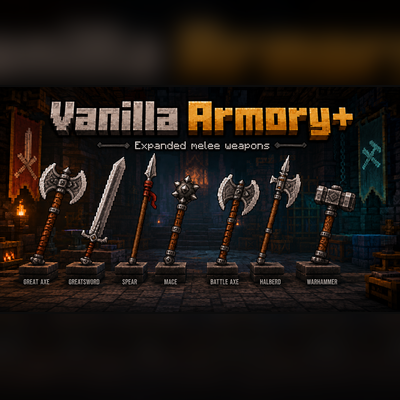
modA mod bringing 7 new melee weapons into the game.