Fabric API Needed by Photography 1.0.4+mc1.21.1
requiredMatching file found Matched file: 0.116.15+1.21.1

Modrinth · Minecraft mod
Yet another camera mod to take photos of your world!
Quick answer
Photography 1.0.4+mc1.21.1 targets 1.21, 1.21.1 with Fabric. Installation on the client is optional. Installation on the dedicated server is optional. All 1 required mods have matching files.
Where it goes
Installation on the client is optional. Installation on the dedicated server is optional.
The source marks this as usable on both the client and server.
1.0.4+mc1.21.1. Change the file and its required mods may change too.
Install Fabric API first. We found matching files for this game-version and loader setup.
We only count dependency files that match this setup. A file for another loader does not fill the gap.
Before you install it
Built for Photography 1.0.4+mc1.21.1. Pick another file and the loader, install side or required mods may change.
Use 1.0.4+mc1.21.1. It targets 1.21, 1.21.1 with Fabric; another release may have different loader, side or dependency requirements.
Install Fabric API first. We found matching files for this game-version and loader setup.
Installation on the client is optional. Installation on the dedicated server is optional.
Use the “Get this file” button beside 1.0.4+mc1.21.1. It opens that exact file at the source.
About this project
Photography requires Fabric Loader and Fabric API
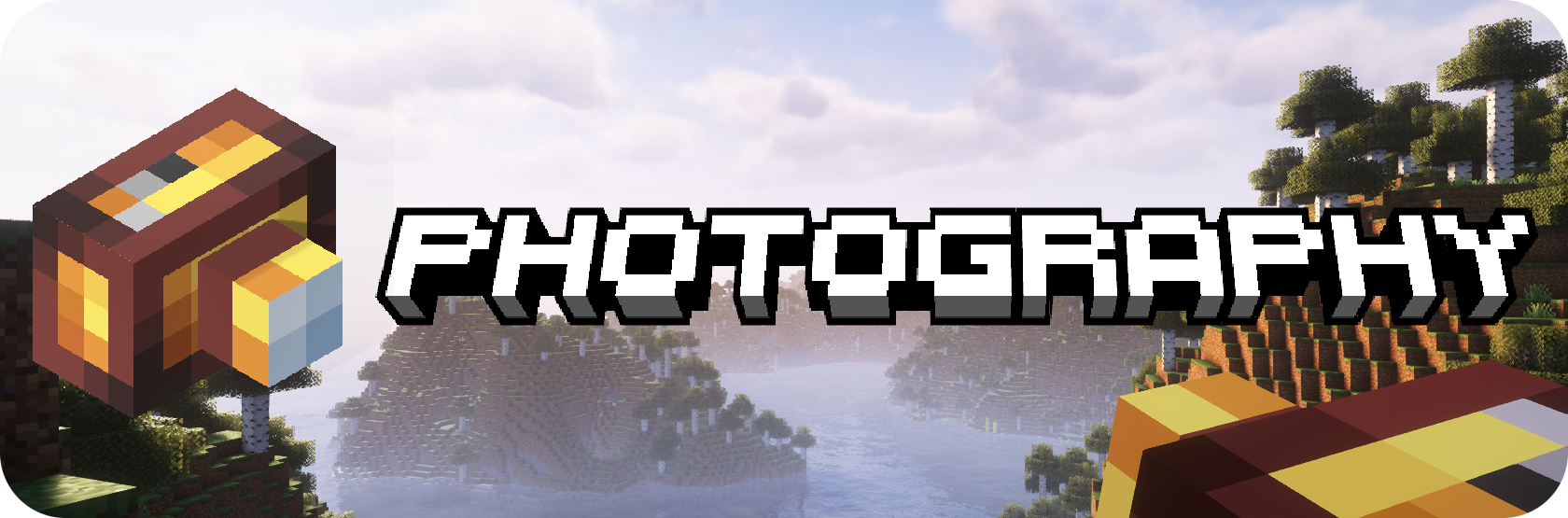
This is my very first mod, so please expect a few problems and bugs, even if I've done my best to avoid them. Thank you!
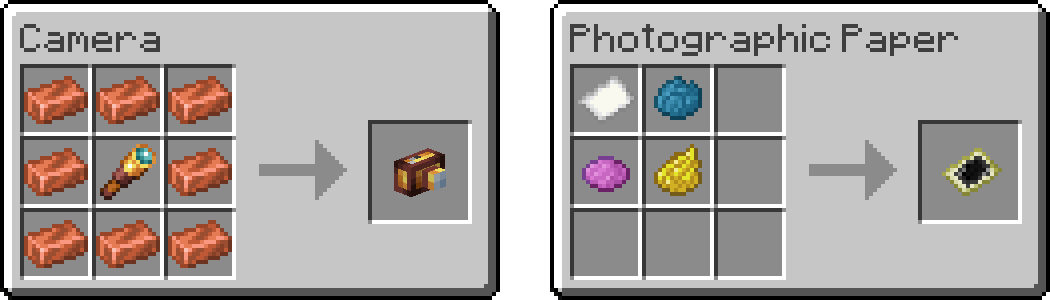
You need two items to take a photo:
Here are the crafting recipes:
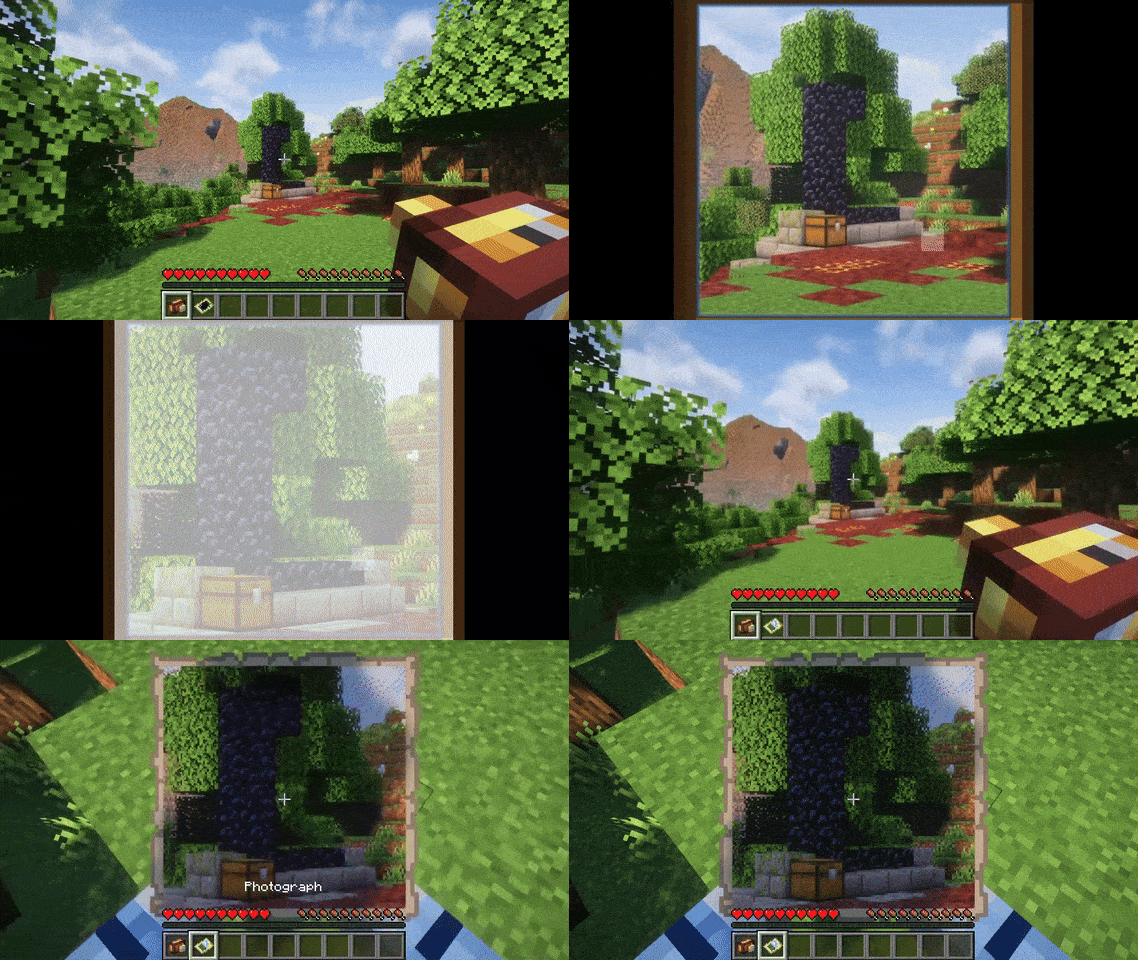
Then use the camera by right-clicking to open the viewfinder. You can use the right-click to take a photo, the mouse wheel to zoom, and the escape key to close the viewfinder. Taking a photo will consume a photographic paper from your inventory and give you a photograph.
This mod has been created to meet very specific needs. It adds a camera to easily take photos from the client renderer to enable the use of shaders while maintaining compatibility with vanilla clients. To clarify the mod is required on both server and client sides. Vanilla clients will still be able to join and see the photos, but will not be able to see or use the added features (which will be displayed as vanilla items), and the items and photos will remain in the world after the mod is removed.
Photography uses some code from Image2Map (made by TheEssem and Patbox) to render the photos.
Many thanks to its authors!
Project description from Modrinth.
Pick your setup
Choose the version and loader you play, then open the matching release.
Check the dependencies, then try the file in a copied instance before changing a world you care about.
Recent files
Photography-1.0.4+mc1.21.1.jar
11 Nov 2024
Photography-1.0.4+mc1.21.jar
2 Jul 2024
Photography-1.0.4+mc1.20.5-6.jar
2 Jul 2024
Photography-1.0.3+mc1.21.jar
21 Jun 2024
Photography-1.0.3+mc1.20.5-6.jar
21 Jun 2024
Photography-1.0.2+mc1.21.jar
19 Jun 2024
Photography-1.0.2+mc1.20.5-6.jar
19 Jun 2024
Photography-1.0.1+mc1.21.jar
17 Jun 2024
Photography-1.0.1+mc1.20.5-6.jar
17 Jun 2024
Photography-1.0.0+mc1.21.jar
14 Jun 2024
Photography-1.0.0+mc1.21.jar
14 Jun 2024
Looking for an older file? The official Modrinth project page is in Resources.