Fabric API Needed by Team Capes 1.1.2+1.21-fabric
requiredMatching file found Matched file: [1.21] Fabric API 0.102.0+1.21

Modrinth · Minecraft mod
🟦 Shows team colored capes, for players in teams. 🟥
Quick answer
Team Capes 1.1.2+1.21-fabric targets 1.21 with Fabric. It must be installed on the client. Do not install it on the dedicated server. All 1 required mods have matching files.
Where it goes
It must be installed on the client. Do not install it on the dedicated server.
This file is marked client-only.
1.1.2+1.21-fabric. Change the file and its required mods may change too.
Install Fabric API first. We found matching files for this game-version and loader setup.
We only count dependency files that match this setup. A file for another loader does not fill the gap.
Before you install it
Built for Team Capes 1.1.2+1.21-fabric. Pick another file and the loader, install side or required mods may change.
Use 1.1.2+1.21-fabric. It targets 1.21 with Fabric; another release may have different loader, side or dependency requirements.
Install Fabric API first. We found matching files for this game-version and loader setup.
It must be installed on the client. Do not install it on the dedicated server.
Use the “Get this file” button beside 1.1.2+1.21-fabric. It opens that exact file at the source.
About this project

Relies on vanilla teams, and their assigned color.
What cape is shown for a player:
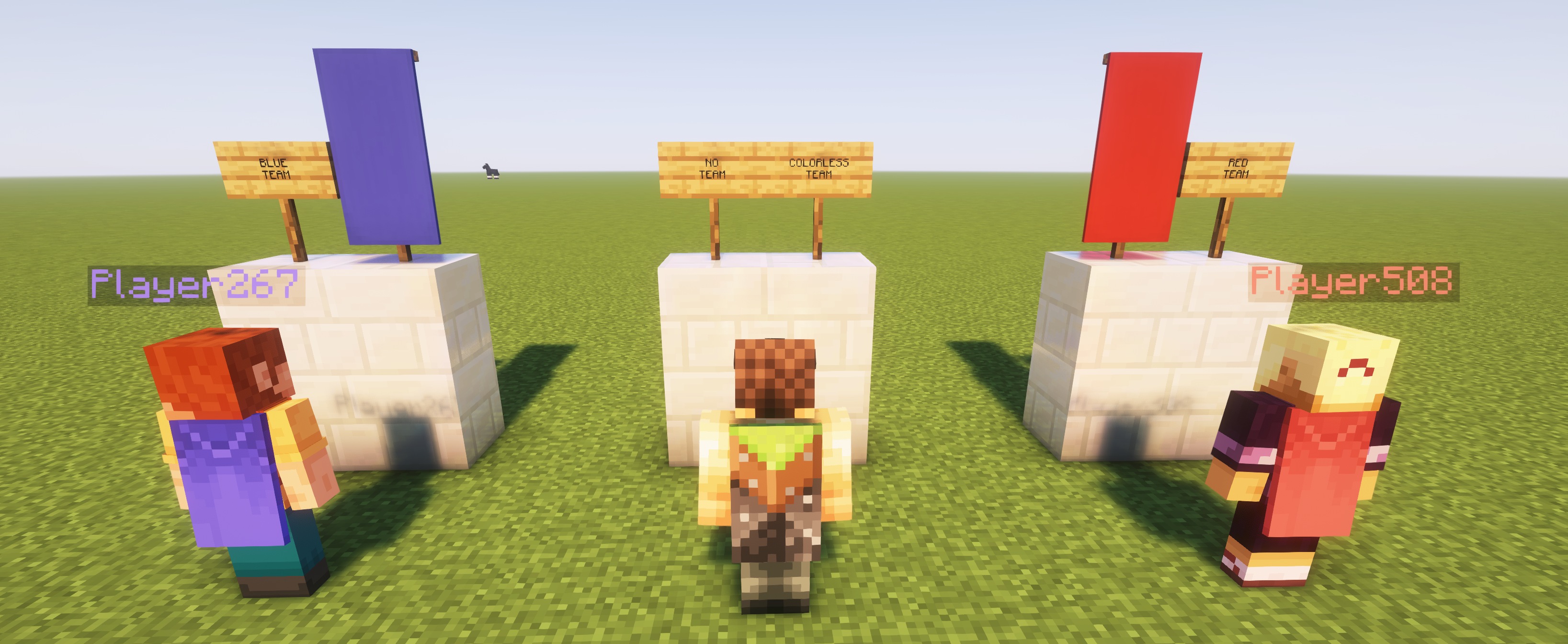
Project description from Modrinth.
Pick your setup
Choose the version and loader you play, then open the matching release.
Check the dependencies, then try the file in a copied instance before changing a world you care about.
Recent files
team_capes-fabric-1.1.2+1.21.jar
26 Sept 2026
team_capes-neoforge-1.1.2+1.21.jar
26 Sept 2026
team_capes-fabric-1.1.1+1.21.jar
13 Aug 2024
team_capes-neoforge-1.1.1+1.21.jar
13 Aug 2024
team_capes-fabric-1.1.0+1.20.6.jar
13 Aug 2024
team_capes-neoforge-1.1.0+1.20.6.jar
13 Aug 2024
team_capes-fabric-1.1.0.jar
13 Aug 2024
team_capes-neoforge-1.1.0.jar
13 Aug 2024
TeamCapes-forge-1.0.0.jar
21 Nov 2023
TeamCapes-fabric-1.0.0.jar
21 Nov 2023
Looking for an older file? The official Modrinth project page is in Resources.
 mod
Ducks for Forge and Fabric! Powered by geckolib and architectury.
 mod
A mod that adds dynamic Immersive Titles for every biome or structure
 mod
A client-side mod for Fabric that tracks in-game events on HolyWorld (Lite Anarchy) servers via the public API and notifies you in chat and on screen. Disclaimer This is a fun fan project. It is not official and is not affiliated with, endorsed by, or co