Minecraft version
Back to mods 
Modrinth · Minecraft mod
TxFastLoad
(lifestealsmp.com) Makes your game load quickly, removes all loading screens, makes texture packs load much faster, so even if you join LifeSteal SMP, it will load insanely fast.
Choose a version Pick your version below, then grab the matching file.
Quick answer
Which TxFastLoad release should I use?
Latest stable file 1.0.0
Game version 26.1.2
Loader Fabric
TxFastLoad 1.0.0 targets 26.1.2 with Fabric. It must be installed on the client. Do not install it on the dedicated server. No extra mods listed for this file.
Where it goes
Is TxFastLoad required on the client, server, or both?
It must be installed on the client. Do not install it on the dedicated server.
Client Required
Dedicated server Not supported
Loader for this release Fabric
Required install it here Optional supported, not mandatory Not supported do not install here Source doesn’t say do not assume
This file is marked client-only.
What else does TxFastLoad 1.0.0 need?
1.0.0. Change the file and its required mods may change too.
This file does not list any required mods. Do not add a library just because a different file uses it.
This file does not list any required or optional mods.
Before you install it
Add TxFastLoad without breaking your instance.
Built for TxFastLoad 1.0.0. Pick another file and the loader, install side or required mods may change.
- 01
Stick to this file
Use 1.0.0. It targets 26.1.2 with Fabric; another release may have different loader, side or dependency requirements.
- 02
Bring the mods it needs
This file does not list any required mods. Do not add a library just because a different file uses it.
- 03
Put it on the correct side
It must be installed on the client. Do not install it on the dedicated server.
- 04
Pick the file you checked
Use the “Get this file” button beside 1.0.0. It opens that exact file at the source.
About this project
What does TxFastLoad add?
This mod makes your game load & run faster.
Features:
- Removes "Loading terrain..." screen, such as when switching world dimension.
- Removes resource pack loading/reloading screen, so all texture packs load insanely fast (even when joining/leaving servers), allowing you to play without interruptions.
- Optimizes resource pack loading, some heavy resource packs can load up to 90% faster.
- Removes the fade effect when launching Minecraft.
(Joining lifestealsmp.com, which uses a resource pack, no screen & no lag.)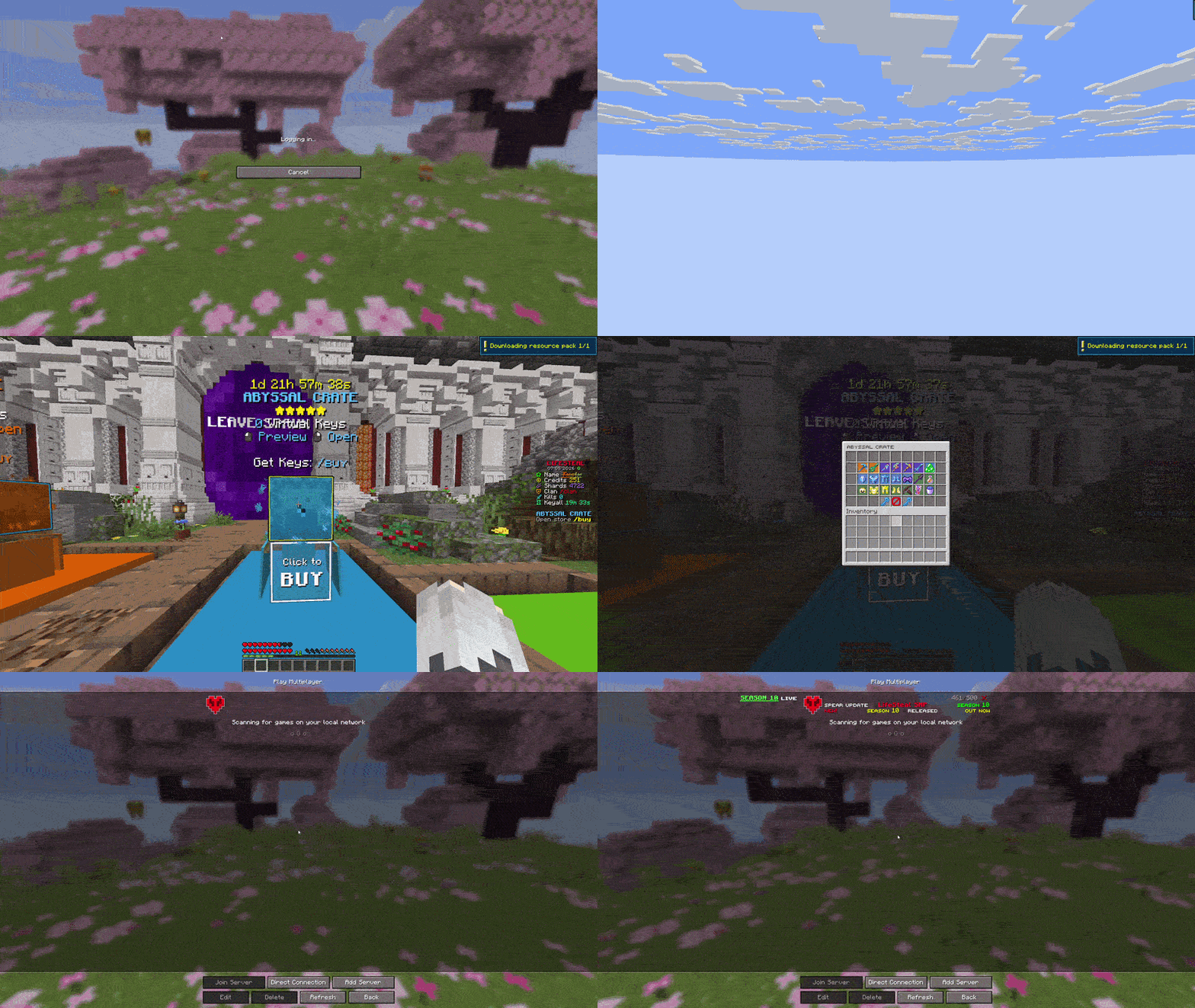
Incompatible with: QuickPack, Remove Reloading Screen, Force Close Loading Screen
Warning: DynamicFPS can cause the resource pack loading screen to be black, it is advised to not use it at all.
Support server: discord.gg/lifestealsmp.com
Project description from Modrinth.
Pick your setup
TxFastLoad by Minecraft version and loader
Choose the version and loader you play, then open the matching release.
Minecraft version
1.21.11
1 loader buildCheck the dependencies, then try the file in a copied instance before changing a world you care about.
Recent files
TxFastLoad versions and loaders
1.0.0
txfastload-26.1.2-1.0.0.jar
10 May 2026
Client Required Server Not supported Dependencies No extras listed Listed on Release listing
Check the 26.1.2 · Fabric setup 26.1.2Fabric release
1.0.0
txfastload-26.1.2-1.0.0.jar
8 May 2026
Client Required Server Not supported Dependencies No extras listed Listed on Release listing
Check the 26.1.2 · Fabric setup 26.1.2Fabric release
1.0.0
txfastload-1.21.11-1.0.0.jar
8 May 2026
Client Required Server Not supported Dependencies No extras listed Listed on Release listing
Check the 1.21.11 · Fabric setup 1.21.11Fabric release
Looking for an older file? The official Modrinth project page is in Resources.
 mod
CurseForge + Modrinth · Minecraft
More Beautiful Plates
200+ Pressure Plates based on Vanilla Blocks.
 mod
CurseForge + Modrinth · Minecraft
The Flash Flood
Heavy rain can turn into a flood! Rivers, lakes and oceans overflow their banks, then drain away when the storm passes.
 mod
CurseForge + Modrinth · Minecraft
Snow Under Trees
Adds snow under trees in snowy biomes