Fabric API Needed by PhantomShapes 2.0.1
requiredMatching file found Matched file: [1.21.2] Fabric API 0.106.1+1.21.2
Modrinth · Minecraft mod
Mod for visualizing 3D shapes like cubes and spheres in Minecraft to aid in building.
Quick answer
PhantomShapes 2.0.1 targets 1.21.2, 1.21.3, 1.21.4 with Fabric. It must be installed on the client. Do not install it on the dedicated server. All 3 required mods have matching files.
Where it goes
It must be installed on the client. Do not install it on the dedicated server.
This file is marked client-only.
2.0.1 on 1.21.2. Every mod below is checked against that same setup.
Install Fabric API, Fabric Language Kotlin, YetAnotherConfigLib (YACL) first. We found matching files for this game-version and loader setup. 1 comes through another mod in the chain.
1 extra mod was pulled in by another dependency. Indented rows show who needs each one. We only count dependency files that match this setup. A file for another loader does not fill the gap.
Before you install it
Built for PhantomShapes 2.0.1 on 1.21.2. Pick another file and the loader, install side or required mods may change.
Use 2.0.1. It targets 1.21.2, 1.21.3, 1.21.4 with Fabric; another release may have different loader, side or dependency requirements.
Install Fabric API, Fabric Language Kotlin, YetAnotherConfigLib (YACL) first. We found matching files for this game-version and loader setup. 1 comes through another mod in the chain.
It must be installed on the client. Do not install it on the dedicated server.
Use the “Get this file” button beside 2.0.1. It opens that exact file at the source.
About this project
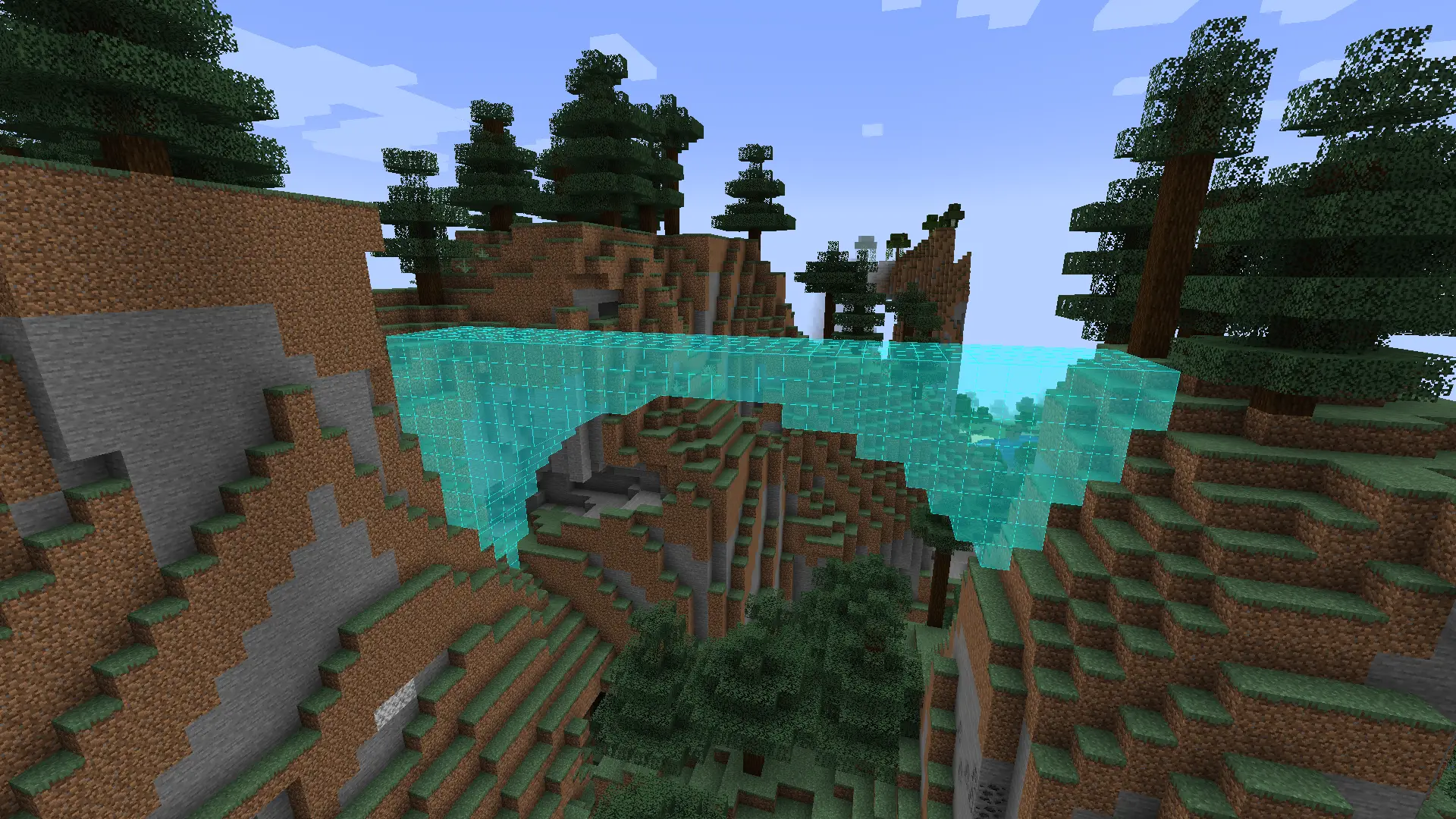
The Phantom Shapes Mod for Minecraft introduces a tool for previewing 3D shapes.
With this mod, building 3D shapes
becomes an ease, thanks to the inclusion of diverse shapes like cubes, spheres, cylinders, or toruses.
Further development and version bumps currently halted due to my lack of free time and many backend changes made by Mojang, requiring further research and multiple rewrites.
If you have any problems or have an idea for a new feature, make an issue on Github.
Shapes can be rotated in any direction, allowing players to create unique structures with ease.
For example, you can rotate a cylinder by 90 degrees in the X axis to create a tunnel.
If you find any incompatibilities, please let me know.
| Mod | Compatibility |
|---|---|
| Optifine | ❓Unknown |
| Sodium | ✅Compatible |
Upon loading into the game simply press K and the shape manager menu will show up.
You can change the keybinds in the controls menu.
From that point, you should be able to use the interface to do anything.
Mod settings can be accessed using the Mod Menu
Special thanks to kayaks00n for making the icons
Project description from Modrinth.
Pick your setup
Choose the version and loader you play, then open the matching release.
Check the dependencies, then try the file in a copied instance before changing a world you care about.
Recent files
phantomshapes-2.0.1.jar
28 Dec 2024
phantomshapes-2.0.0.jar
10 Dec 2024
phantomshapes-1.1.4.jar
27 Nov 2024
phantomshapes-1.1.3.jar
19 Nov 2024
phantomshapes-1.1.2-sources.jar
16 Nov 2024
phantomshapes-1.1.1.jar
10 Nov 2024
phantomshapes-1.1.0.jar
6 Nov 2024
Looking for an older file? The official Modrinth project page is in Resources.
 mod
Additional shapes for any block, including modded ones
 mod
Backup mod that keeps your worlds safe with automatic and manual backups, with an easy in-game UI to create, manage, and restore them.
 mod
Sick of wasting time with Minecraft’s slow launcher just to change your skin? Quick Skin lets you swap skins instantly even on “offline” servers and gives you access to every official Minecraft cape.