Architectury API Needed by Useful Tools 1.21.4-7.3.0-neoforge
requiredMatching file found Matched file: 15.0.3+neoforge

Modrinth · Minecraft mod
Early game items for your building and farming needs!
Quick answer
Useful Tools 1.21.4-7.3.0-neoforge targets 1.21.4 with NeoForge. Installation on the client is optional. Installation on the dedicated server is optional. All 1 required mods have matching files.
Where it goes
Installation on the client is optional. Installation on the dedicated server is optional.
The source marks this as usable on both the client and server.
1.21.4-7.3.0-neoforge. Change the file and its required mods may change too.
Install Architectury API first. We found matching files for this game-version and loader setup.
We only count dependency files that match this setup. A file for another loader does not fill the gap.
Before you install it
Built for Useful Tools 1.21.4-7.3.0-neoforge. Pick another file and the loader, install side or required mods may change.
Use 1.21.4-7.3.0-neoforge. It targets 1.21.4 with NeoForge; another release may have different loader, side or dependency requirements.
Install Architectury API first. We found matching files for this game-version and loader setup.
Installation on the client is optional. Installation on the dedicated server is optional.
Use the “Get this file” button beside 1.21.4-7.3.0-neoforge. It opens that exact file at the source.
About this project
Starting from version 7.0.0 you need Architectury API mod also and Fabric needs Fabric API!
Wish you could make huge wheat fields easily and fast? Or wide roads by just walking? Or maybe you have hard time finding spawners or slime chunks?
This mod can do that for you!
Introducing Useful Tools: Early game items for your building and farming needs.

Check out the other images too in Gallery-tab.
This mod contains tools that help with mentioned above and more.
Changelog can be found each file.
Also forum topic on minecraftforum, forge forums and on planetminecraft.
Project description from Modrinth.
Pick your setup
Choose the version and loader you play, then open the matching release.
Showing the newest 12 of 18 game versions. Older files are in the list below.
Check the dependencies, then try the file in a copied instance before changing a world you care about.
Recent files
usefultools-neoforge-1.21.4-7.3.0.jar
8 Nov 2026
usefultools-fabric-1.21.4-7.3.0.jar
8 Nov 2026
usefultools-neoforge-1.21.3-7.3.0.jar
7 Nov 2026
usefultools-fabric-1.21.3-7.3.0.jar
7 Nov 2026
usefultools-neoforge-1.21.2-7.3.0.jar
6 Nov 2026
usefultools-fabric-1.21.2-7.3.0.jar
6 Nov 2026
usefultools-neoforge-1.21.1-7.3.0.jar
5 Nov 2026
usefultools-fabric-1.21.1-7.3.0.jar
5 Nov 2026
usefultools-fabric-1.21-7.3.0.jar
4 Nov 2026
usefultools-neoforge-1.21-7.3.0.jar
4 Nov 2026
usefultools-forge-1.21.4-6.2.0.jar
25 Oct 2026
usefultools-quilt-1.20.1-7.0.1.jar
16 Apr 2026
Looking for an older file? The official Modrinth project page is in Resources.
 mod
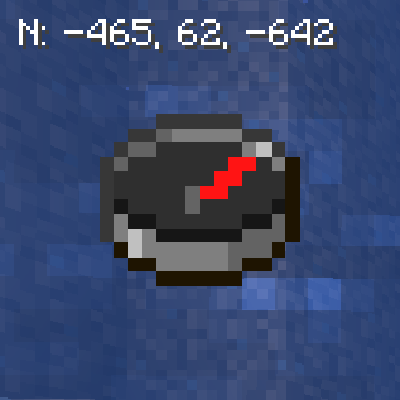
🧭 [Client] Shows direction and coordinates in the GUI/HUD with a compass in the inventory.
 mod
Disposable public fixture for testing the Modpacks.ch GitHub catalogue flow
 mod
Chinese Weapons adds a variety of Chinese-style armors and weapons to the game, alongside an array of crafting materials and new ores.