Cloth Config API Needed by EnvironmentZ 2.4.0+26.3-neoforge
requiredMatching file found Matched file: 26.3.159+neoforge

Modrinth · Minecraft mod
Harder environmentz
Quick answer
EnvironmentZ 2.4.0+26.3-neoforge targets 26.3 with NeoForge. Installation on the client is optional. Installation on the dedicated server is optional. All 1 required mods have matching files.
Where it goes
Installation on the client is optional. Installation on the dedicated server is optional.
The source marks this as usable on both the client and server.
2.4.0+26.3-neoforge. Change the file and its required mods may change too.
Install Cloth Config API first. We found matching files for this game-version and loader setup.
We only count dependency files that match this setup. A file for another loader does not fill the gap.
Before you install it
Built for EnvironmentZ 2.4.0+26.3-neoforge. Pick another file and the loader, install side or required mods may change.
Use 2.4.0+26.3-neoforge. It targets 26.3 with NeoForge; another release may have different loader, side or dependency requirements.
Install Cloth Config API first. We found matching files for this game-version and loader setup.
Installation on the client is optional. Installation on the dedicated server is optional.
Use the “Get this file” button beside 2.4.0+26.3-neoforge. It opens that exact file at the source.
About this project


EnvironmentZ adds harsh environment behaviors to Minecraft so keep cool in hot and warm in cold biomes.
If the temperature gets to 0°C (32F) the player starts to freezing if not protected against the cold.
If the temperature is too hot, make sure to wear no armor or protect yourself in another way against the heat.
So for the beginning, warm up at a cozy fire place or keep calm!
Recommend to use: Dehydration
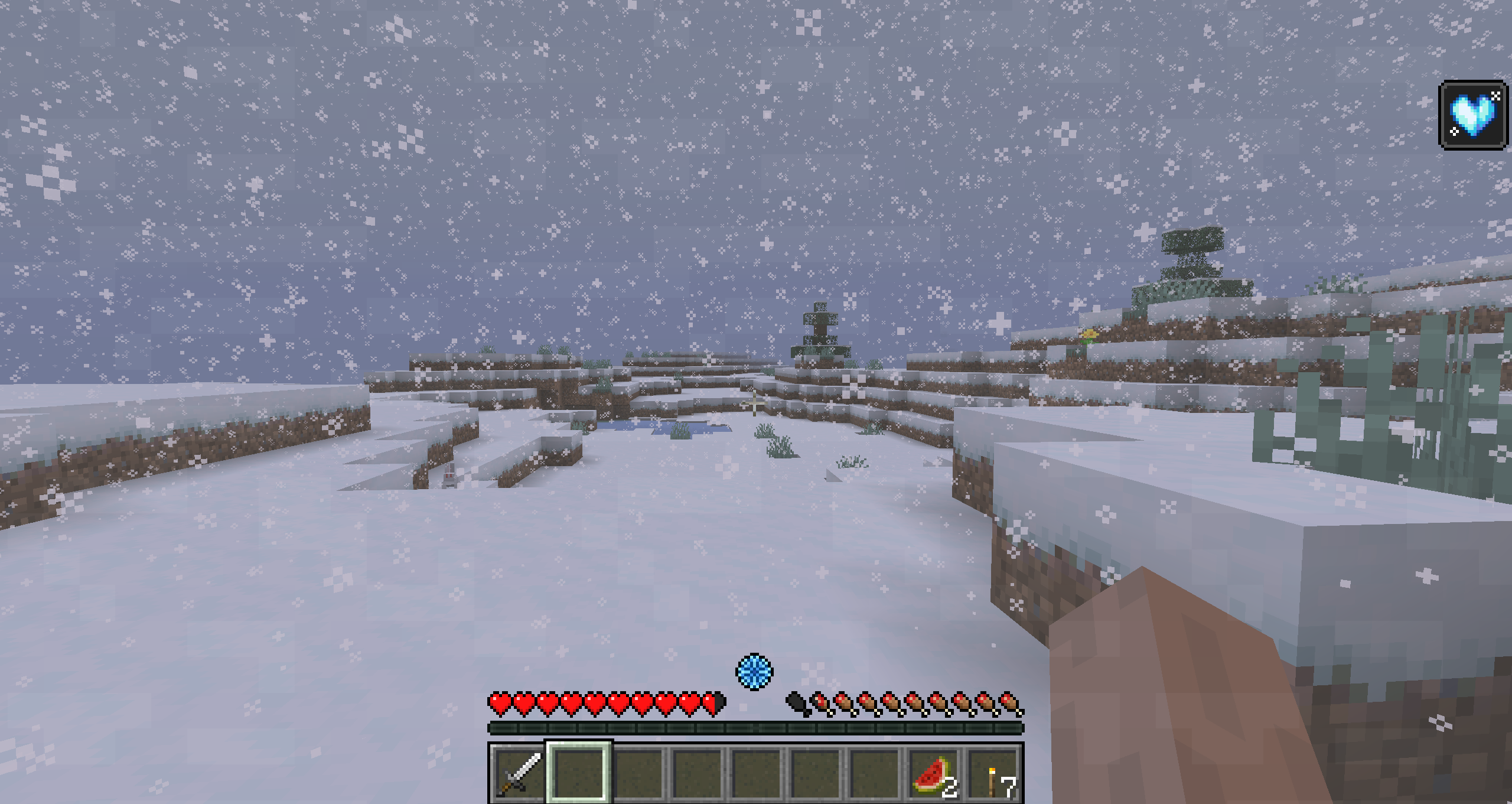
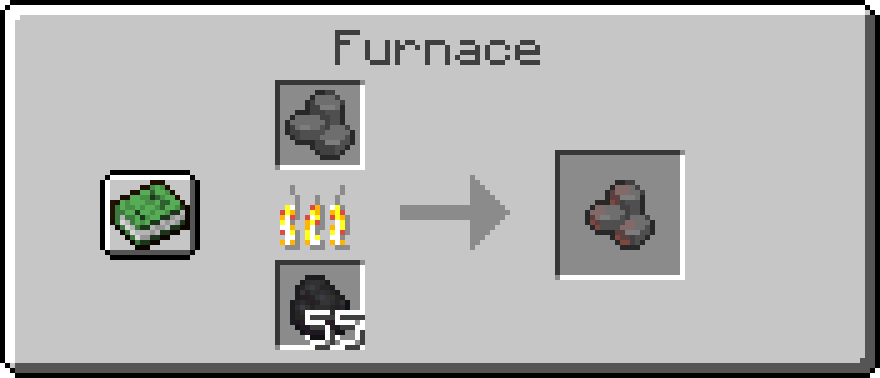
Warm yourself by carrying heated stones burn burn
Recipe: Cut stone in the stonecutter
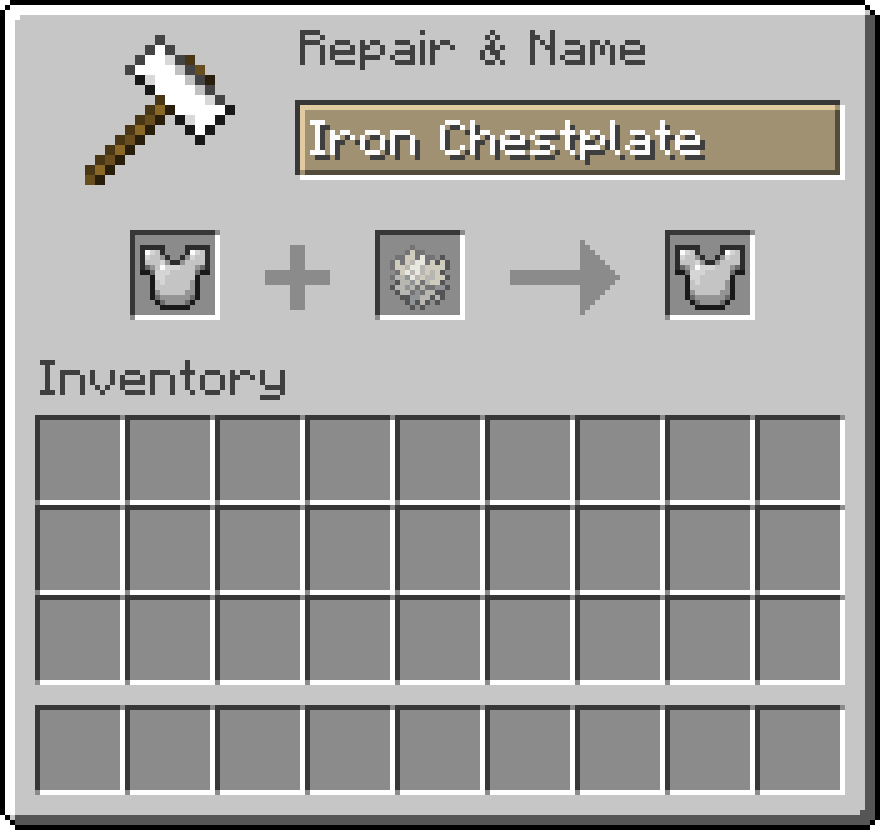
Craft a leather- or wolf armor or just insulate your armor with polar bear fur. (Older versions require to insulate armor at the smithing table).

This mod is developed for Fabric.
Since mc v26.3 Neoforge is also supported.
Modpack Permission:
Feel free to use it in any modpacks.
Bug Report:
Just report bugs at the github page.
Project description from Modrinth.
Pick your setup
Choose the version and loader you play, then open the matching release.
Check the dependencies, then try the file in a copied instance before changing a world you care about.
Recent files
environmentz-neoforge-2.4.0+26.3.jar
19 Nov 2026
environmentz-fabric-2.4.0+26.3.jar
19 Nov 2026
environmentz-2.3.0.jar
11 Nov 2026
environmentz-2.2.0.jar
19 Oct 2026
environmentz-2.1.1.jar
19 Sept 2026
environmentz-2.1.0.jar
23 Mar 2026
environmentz-2.0.9.jar
27 Aug 2024
environmentz-2.0.8.jar
23 Aug 2024
environmentz-2.0.8.jar
17 Nov 2023
environmentz-2.0.7.jar
14 Nov 2023
environmentz-2.0.6.jar
11 Nov 2023
environmentz-2.0.5.jar
18 Aug 2023
Looking for an older file? The official Modrinth project page is in Resources.
 mod
A lightweight mod that adds useful commands (like /tpa /repeat) and tweaks
 mod
Create your own portals between long distance and dimensions and discover the Rift dimension!
 mod
Adds a border that expands as your level increases. Playable with friends!


