Minecraft version
Back to mods 
Modrinth · Minecraft mod
Ziggy's Compressed Blocks
A light Minecraft mod that adds various compressed blocks for convenience and block variety
Choose a version Pick your version below, then grab the matching file.
Quick answer
Which Ziggy's Compressed Blocks release should I use?
beta file 0.6.2
Game version 26.3
Loader Fabric
Ziggy's Compressed Blocks 0.6.2 targets 26.3 with Fabric. Installation on the client is optional. Installation on the dedicated server is optional. No extra mods listed for this file.
Where it goes
Is Ziggy's Compressed Blocks required on the client, server, or both?
Installation on the client is optional. Installation on the dedicated server is optional.
Client Optional
Dedicated server Optional
Loader for this release Fabric
Required install it here Optional supported, not mandatory Not supported do not install here Source doesn’t say do not assume
The source marks this as usable on both the client and server.
What else does Ziggy's Compressed Blocks 0.6.2 need?
0.6.2. Change the file and its required mods may change too.
This file does not list any required mods. Do not add a library just because a different file uses it.
This file does not list any required or optional mods.
Before you install it
Add Ziggy's Compressed Blocks without breaking your instance.
Built for Ziggy's Compressed Blocks 0.6.2. Pick another file and the loader, install side or required mods may change.
- 01
Stick to this file
Use 0.6.2. It targets 26.3 with Fabric; another release may have different loader, side or dependency requirements.
- 02
Bring the mods it needs
This file does not list any required mods. Do not add a library just because a different file uses it.
- 03
Put it on the correct side
Installation on the client is optional. Installation on the dedicated server is optional.
- 04
Pick the file you checked
Use the “Get this file” button beside 0.6.2. It opens that exact file at the source.
About this project
What does Ziggy's Compressed Blocks add?

A light Minecraft mod that adds various compressed blocks for convenience and block variety.
The goal of this mod isn't to compress every block, or recursive compressions, as these mods exist already (checkout CB: Compressed Blocks for a cool example). The goal if these mod is to target the obvious cases in a polished way (e.g. compressed blaze rod blocks emit light).
This mod is perfect for running your items from a farm into a crafter before heading to storage.
Blocks added:
- Compressed Dirt
- Compressed Cobblestone
- Compressed Stone
- Compressed Sand
- Compressed Grass Block
- Compressed Netherrack
- Compressed End Stone
- Compressed Obsidian
- Compressed Cobbbled Deepslate
- Compressed Deepslate
- Compressed Blackstone
- Compressed Basalt
- Compressed Carrot
- Compressed Potato
- Compressed Beetroot
- Compressed Sugar Cane
- Compressed Melon
- Compressed Pumpkin
- Compressed Cactus
- Compressed Feather
- Compressed Egg
- Compressed Leather
- Compressed Arrow
- Compressed Spider Eye
- Compressed Gunpowder
- Compressed Rotten Flesh
- Compressed Ghast Tear
- Compressed Ender Pearl
- Compressed Blaze Rod
- Compressed Gravel
A disclaimer on the art:
I am not an experienced pixel artist and have used placeholder generated art for the mean time. If you have suggestions or would like to add your own art, let me know!
Project description from Modrinth.
Pick your setup
Ziggy's Compressed Blocks by Minecraft version and loader
Choose the version and loader you play, then open the matching release.
Minecraft version
26.2
1 loader buildMinecraft version
26.1
1 loader buildMinecraft version
1.21.11
1 loader buildCheck the dependencies, then try the file in a copied instance before changing a world you care about.
Recent files
Ziggy's Compressed Blocks versions and loaders
0.6.2
ziggys-compressed-blocks-0.6.2.jar
23 Oct 2026
Client Optional Server Optional Dependencies No extras listed Listed on Release listing
Check the 26.3 · Fabric setup 26.3Fabric beta
0.6.1
ziggys-compressed-blocks-0.6.1.jar
21 Jun 2026
Client Optional Server Optional Dependencies No extras listed Listed on Release listing
Check the 26.2 · Fabric setup 26.2Fabric beta
0.6.0
ziggys-compressed-blocks-0.6.0.jar
27 Mar 2026
Client Optional Server Optional Dependencies No extras listed Listed on Release listing
Check the 26.1 · Fabric setup 26.1Fabric beta
0.5.0
ziggys-compressed-blocks-0.5.0.jar
30 Jan 2026
Client Optional Server Optional Dependencies No extras listed Listed on Release listing
Check the 1.21.11 · Fabric setup 1.21.11Fabric beta
0.2.0
ziggys-compressed-blocks-0.2.0.jar
3 Jan 2026
Client Optional Server Optional Dependencies No extras listed Listed on Release listing
Check the 1.21.11 · Fabric setup 1.21.11Fabric beta
0.1.0
ziggys-compressed-blocks-0.1.0.jar
3 Jan 2026
Client Optional Server Optional Dependencies No extras listed Listed on Release listing
Check the 1.21.11 · Fabric setup 1.21.11Fabric beta
Looking for an older file? The official Modrinth project page is in Resources.
 mod
CurseForge + Modrinth · Minecraft
Mob Locator
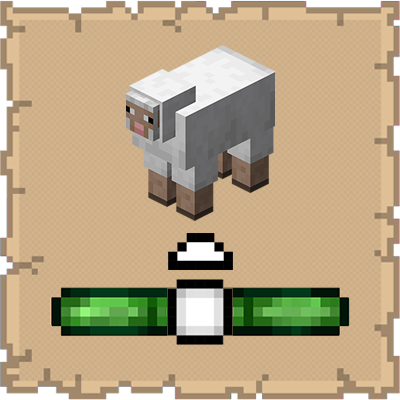
This mod ports the locator bar mechanic to the mobs.
 mod
Modrinth · Minecraft
Occultism
A ritual magic system centered around summonable spirits allows you to automate various tasks, store vast amounts of items, let demons mine in void dimensions, create powerful enchanted tools and jewelry, get support from familiars, and much much more.
 mod
Modrinth · Minecraft
Bird Zoom
A simple zoom mod that fixes common issues with other zoom mods. You can also scroll to zoom in and out. The sensitivity lowers the further you zoom in allowing for more accurate zooming on a subject. Allows for zooms up to 500x