


Minecraft version
Back to mods 
Modrinth · Minecraft mod
Registry Dump
Use commands to export the IDs of registry entries into JSON files
Choose a version Pick your version below, then grab the matching file.
Quick answer
Which Registry Dump release should I use?
Latest stable file 4.0.0
Game version 1.20.1
Loader Fabric
Registry Dump 4.0.0 targets 1.20.1 with Fabric. Do not install it on the client. It must be installed on the dedicated server. No extra mods listed for this file.
Where it goes
Is Registry Dump required on the client, server, or both?
Do not install it on the client. It must be installed on the dedicated server.
Client Not supported
Dedicated server Required
Loader for this release Fabric
Required install it here Optional supported, not mandatory Not supported do not install here Source doesn’t say do not assume
This file is marked server-only.
What else does Registry Dump 4.0.0 need?
4.0.0. Change the file and its required mods may change too.
This file does not list any required mods. Do not add a library just because a different file uses it.
This file does not list any required or optional mods.
Before you install it
Add Registry Dump without breaking your instance.
Built for Registry Dump 4.0.0. Pick another file and the loader, install side or required mods may change.
- 01
Stick to this file
Use 4.0.0. It targets 1.20.1 with Fabric; another release may have different loader, side or dependency requirements.
- 02
Bring the mods it needs
This file does not list any required mods. Do not add a library just because a different file uses it.
- 03
Put it on the correct side
Do not install it on the client. It must be installed on the dedicated server.
- 04
Pick the file you checked
Use the “Get this file” button beside 4.0.0. It opens that exact file at the source.
About this project
What does Registry Dump add?
Registry Dump
Dump all IDs of known registry entries into JSON files.
/dump registry
A specific registry can also be specified, by default all registries are exported.
/dump registry minecraft:item
The JSON files are created under dump within your minecraft directory and take the following shape:
dump/[registry key]/[namespace].json
For example
dump/banner_pattern/minecraft.json
dump/item/brazier.json
dump/worldgen/biome/minecraft.json
dump/worldgen/biome/environmental.json
The content of these files is a simple JSON array containing all keys withing that registry/namespace combo.
Project description from Modrinth.
Pick your setup
Registry Dump by Minecraft version and loader
Choose the version and loader you play, then open the matching release.
Minecraft version
1.20.1
2 loader buildsMinecraft version
1.19.2
2 loader buildsCheck the dependencies, then try the file in a copied instance before changing a world you care about.
Recent files
Registry Dump versions and loaders
4.0.0
registry_dump-4.0.0-fabric.jar
6 Oct 2026
Client Not supported Server Required Dependencies No extras listed Listed on Release listing
Check the 1.20.1 · Fabric setup 1.20.1Fabric release
4.0.0
registry_dump-4.0.0-forge.jar
6 Oct 2026
Client Not supported Server Required Dependencies No extras listed Listed on Release listing
Check the 1.20.1 · Forge setup 1.20.1Forge release
4.0.0
registry_dump-4.0.0-neoforge.jar
6 Oct 2026
Client Not supported Server Required Dependencies No extras listed Listed on Release listing
Check the 1.21.1 · NeoForge setup 1.21.1NeoForge release
4.0.0
registry_dump-4.0.0-fabric.jar
6 Oct 2026
Client Not supported Server Required Dependencies No extras listed Listed on Release listing
Check the 1.21.1 · Fabric setup 1.21.1Fabric release
2.1.0
registry_dump-fabric-2.1.0.jar
22 Aug 2024
Client Not supported Server Required Dependencies No extras listed Listed on Release listing
Check the 1.20.1 · Fabric setup 1.20.1Fabric release
2.1.0
registry_dump-forge-2.1.0.jar
22 Aug 2024
Client Not supported Server Required Dependencies No extras listed Listed on Release listing
Check the 1.20.1 · Forge setup 1.20.1Forge release
1.1.0
registry_dump-fabric-1.1.0.jar
22 Aug 2024
Client Not supported Server Required Dependencies No extras listed Listed on Release listing
Check the 1.19.2 · Fabric setup 1.19.2Fabric release
1.1.0
registry_dump-forge-1.1.0.jar
22 Aug 2024
Client Not supported Server Required Dependencies No extras listed Listed on Release listing
Check the 1.19.2 · Forge setup 1.19.2Forge release
3.0.0
registry_dump-neoforge-3.0.0.jar
19 Aug 2024
Client Not supported Server Required Dependencies No extras listed Listed on Release listing
Check the 1.21.1 · NeoForge setup 1.21.1NeoForge release
3.0.0
registry_dump-forge-3.0.0.jar
19 Aug 2024
Client Not supported Server Required Dependencies No extras listed Listed on Release listing
Check the 1.21.1 · Forge setup 1.21.1Forge release
3.0.0
registry_dump-fabric-3.0.0.jar
19 Aug 2024
Client Not supported Server Required Dependencies No extras listed Listed on Release listing
Check the 1.21.1 · Fabric setup 1.21.1Fabric release
2.0.0
registry_dump-fabric-2.0.0.jar
27 Jul 2024
Client Not supported Server Required Dependencies No extras listed Listed on Release listing
Check the 1.20.1 · Fabric setup 1.20.1Fabric release
Looking for an older file? The official Modrinth project page is in Resources.
 mod
mod CurseForge + Modrinth · Minecraft
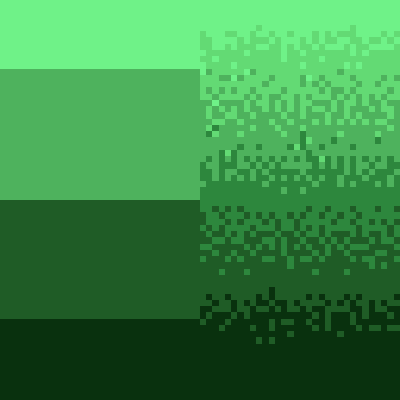
cbbg 🥬
color banding be gone - Remove pesky color banding from Minecraft
 mod
mod CurseForge + Modrinth · Minecraft
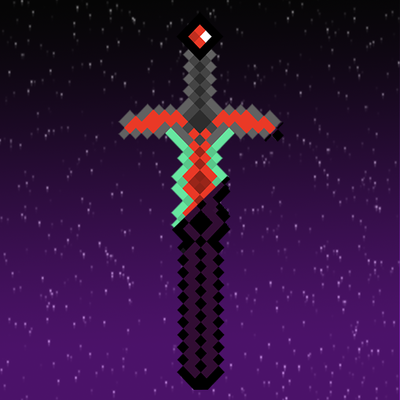
The Last Sword You Never Forgot
Though the road ahead is arduous and the blade lies broken, embark on the journey and reforge The Last Sword You Never Forgot.
 mod
mod GitHub · Minecraft
modpacks-ch-github-test
Disposable public fixture for testing the Modpacks.ch GitHub catalogue flow