Back to mods
AnnoyanceFix StationAPI Edition project artwork

Modrinth · Minecraft mod

AnnoyanceFix StationAPI Edition

Fixes (major) annoyances like boat behavior and backports useful features like enhanced pick block.

Choose a version Pick your version below, then grab the matching file.

Quick answer

Which AnnoyanceFix StationAPI Edition release should I use?

Updated 2 months ago
Latest stable file 2.11.1
Game version b1.7.3
Loader babric, Fabric

AnnoyanceFix StationAPI Edition 2.11.1 targets b1.7.3 with babric, Fabric. Installation on the client is optional. Installation on the dedicated server is optional. All 1 required mods have matching files.

Where it goes

Is AnnoyanceFix StationAPI Edition required on the client, server, or both?

Installation on the client is optional. Installation on the dedicated server is optional.

Client Optional
Dedicated server Optional
Loader for this release babric, Fabric
Required install it here Optional supported, not mandatory Not supported do not install here Source doesn’t say do not assume

The source marks this as usable on both the client and server.

What else does AnnoyanceFix StationAPI Edition 2.11.1 need?

2.11.1. Change the file and its required mods may change too.

All 1 required mods have matching files

Install StationAPI first. We found matching files for this game-version and loader setup.

StationAPI Needed by AnnoyanceFix StationAPI Edition 2.11.1
required
Matching file found Matched file: 2.0.0-alpha.6.5
Mod Menu Optional for AnnoyanceFix StationAPI Edition 2.11.1
optional
No matching file

We only count dependency files that match this setup. A file for another loader does not fill the gap.

Before you install it

Add AnnoyanceFix StationAPI Edition without breaking your instance.

Built for AnnoyanceFix StationAPI Edition 2.11.1. Pick another file and the loader, install side or required mods may change.

  1. 01

    Stick to this file

    Use 2.11.1. It targets b1.7.3 with babric, Fabric; another release may have different loader, side or dependency requirements.

  2. 02

    Bring the mods it needs

    Install StationAPI first. We found matching files for this game-version and loader setup.

  3. 03

    Put it on the correct side

    Installation on the client is optional. Installation on the dedicated server is optional.

  4. 04

    Pick the file you checked

    Use the “Get this file” button beside 2.11.1. It opens that exact file at the source.

About this project

What does AnnoyanceFix StationAPI Edition add?

AnnoyanceFix StationAPI Edition for Minecraft Beta 1.7.3

stationapi-banner

If you're looking for the ModLoader edition, see this repository: https://github.com/2zqa/AnnoyanceFix

If you're looking for skin fixes and inventory fixes: https://modrinth.com/mod/mojangfix-stationapi-edition

This version of the mod now supports multiplayer!

(Optional) Install SmoothBeta to improve performance.

The aim of this mod is to fix (major) annoyances or backport useful features that do not affect gameplay. List of fixes:

  • Shovels are also effective against: soul sand
  • Pickaxes are also effective against: furnaces, cobblestone stairs, bricks, redstone ore, iron doors, rails, dispensers, stone pressure plates, and monster spawners
  • Axes are also effective against: crafting tables, wooden slabs, wooden stairs, fences, wooden doors, ladders, signs, pumpkins, wooden pressure plates, jukeboxes, and noteblocks
  • Fences are placeable like modern Minecraft
  • Pumpkins and Jack'o'Lanterns are placeable like modern Minecraft
  • Slabs are placeable like modern Minecraft
  • Placing a block on tall grass, ferns, and dead bushes will now replace the plant block with the block placed like modern Minecraft
  • Stairs drop themselves
  • Bookshelves drop three books
  • Pigs drop their saddles if they have a saddle equipped
  • Boats drop themselves
  • Boats don't break due to high velocity (or drop boat, or vanilla, toggle with config)
  • Never fall through boats anymore when getting out
  • Logout/login with vehicle (no longer exit vehicle upon logout)
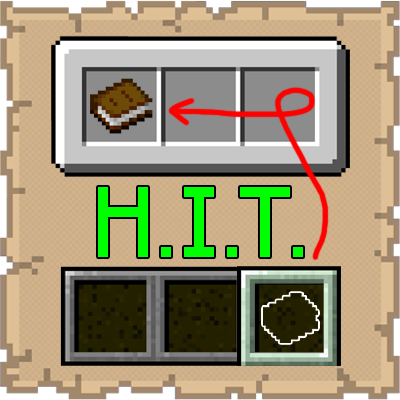
  • Pick block (middle mouse button click) works for blocks that are in the player's inventory, but not in their hotbar
  • Pick block also works on: paintings, minecarts (all three types), wooden doors, iron doors, signs, crops, redstone repeaters, redstone wire, beds, piston heads and cake
  • Pick block can optionally also work on: specific logs, leaves, saplings, wools, slabs, and even grass/bedrock if desired
  • Add missing wooden items as fuel sources in furnace: wooden tools, wooden doors, wooden slabs, boats, bowls, signs, and ladders
  • Repair armor and tools
  • Flowing lava now disappears when lava source block is removed
  • Also: almost all fixes are toggleable!

To use pick block: Look at something and click your scroll wheel. If it's in your inventory, it will automatically be selected.

  • On multiplayer pick block can only search the hotbar for the item

Installation using Prism Launcher

  1. Download an instance of Babric for Prism Launcher: https://github.com/babric/prism-instance
  2. Install Java 17 and set the instance to use it: https://adoptium.net/temurin/releases/
  3. Add GlassConfigAPI 3.0.2+ to the mod folder for the instance: https://modrinth.com/mod/glass-config-api
  4. Add Glass Networking to the mod folder for the instance: https://modrinth.com/mod/glass-networking
  5. Add StationAPI to the mod folder for the instance: https://modrinth.com/mod/stationapi
  6. (Optional) Add Mod Menu to the mod folder for the instance: https://modrinth.com/mod/modmenu-beta
  7. Add this mod to the mod folder for the instance: https://github.com/telvarost/BetaTweaks-StationAPI/releases
  8. Run and enjoy! 👍

FAQ

  • Q. Why is minecraft so small and part of my screen white?
    • A. You probably have screen scaling on or are using a high DPI screen. There are 5 possible ways to fix this:
      • The best option is to install Gambac: https://modrinth.com/mod/gambac
      • You could also pass the following string in as a java argument in the settings tab
        • -Dsun.java2d.uiScale=1.0
      • You could also install ClientsideEssentials mod or UniTweaks and use their screen scaling fix from GCAPI config options (fix may produce small artifacts with this option)
      • You could also change the DPI settings for Prism Launcher to system
      • Or, you could change your screen scaling to 100%

Feedback

Got any suggestions on what should be added next? Feel free to share it by creating an issue. Know how to code and want to do it yourself? Then look below on how to get started.

Contributing

Thanks for considering contributing! To get started fork this repository, make your changes, and create a PR.

If you are new to StationAPI consider watching the following videos on Babric/StationAPI Minecraft modding: https://www.youtube.com/watch?v=9-sVGjnGJ5s&list=PLa2JWzyvH63wGcj5-i0P12VkJG7PDyo9T

Project description from Modrinth.

Pick your setup

AnnoyanceFix StationAPI Edition by Minecraft version and loader

Choose the version and loader you play, then open the matching release.

1 available setups

Check the dependencies, then try the file in a copied instance before changing a world you care about.

Recent files

AnnoyanceFix StationAPI Edition versions and loaders

29 of 29 releases match

Looking for an older file? The official Modrinth project page is in Resources.