Architectury API Needed by Speedometer 6.4.2.1
requiredMatching file found Matched file: 20.0.12+neoforge
Modrinth · Minecraft mod
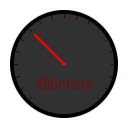
a simple mod to display your speed
Quick answer
Speedometer 6.4.2.1 targets 26.1.2 with NeoForge. It must be installed on the client. Do not install it on the dedicated server. All 1 required mods have matching files.
Where it goes
It must be installed on the client. Do not install it on the dedicated server.
This file is marked client-only.
6.4.2.1 on 26.1.2 NeoForge. Every mod below is checked against that same setup.
Install Architectury API first. We found matching files for this game-version and loader setup.
We only count dependency files that match this setup. A file for another loader does not fill the gap.
Before you install it
Built for Speedometer 6.4.2.1 on 26.1.2 NeoForge. Pick another file and the loader, install side or required mods may change.
Use 6.4.2.1. It targets 26.1.2 with NeoForge; another release may have different loader, side or dependency requirements.
Install Architectury API first. We found matching files for this game-version and loader setup.
It must be installed on the client. Do not install it on the dedicated server.
Use the “Get this file” button beside 6.4.2.1. It opens that exact file at the source.
About this project
This is a simple mod that displays your speed while riding something, flying, or just walking/running around, and also for when you are interested in how much speed boost you get from an effect or upgraded equipment.
This mod uses:
Architectury API for easy cross-comparability between NeoForge and Fabric.
Cloth Config API for cross comparability of config system.
You also need:
Fabric API for Architectury API.
How to change config?
This project contains a resourcepack, currently avalible on this project or under the 6.2 releases for NeoForged and Fabric. This resourcepack isn't spesific for one platform. The resourcepack is optinal to chage the default speedometer with a difrent one.
When adding this mod and starting the game an issue i call "silent crash" caqn happen where the crash log simce like it was fabric/neoforged itself that crashed.
Steps to solve this or know where the issue came from
mods directory or addeding .disabled to the end of the file name, example speedometer-6.2.1-Fabric.jar.disabledProject description from Modrinth.
Pick your setup
Choose the version and loader you play, then open the matching release.
Showing the newest 12 of 27 game versions. Older files are in the list below.
Check the dependencies, then try the file in a copied instance before changing a world you care about.
Recent files
speedometer-neoforge-6.4.2.1_26.1.2.jar
14 Jun 2026
Looking for an older file? The official Modrinth project page is in Resources.
 mod
modA bridge/proxy allowing you to connect to Minecraft: Java Edition servers with Minecraft: Bedrock Edition.
 mod
modConfigurable Minecraft-themed cursors
 mod
modDon’t mess with the server Play Minecraft with your friends in 2 clicks