Mod Menu Optional for Roleplayer's Dice 1.2.0+26.3
optionalMatching file found Matched file: 21.0.1

Modrinth · Minecraft mod
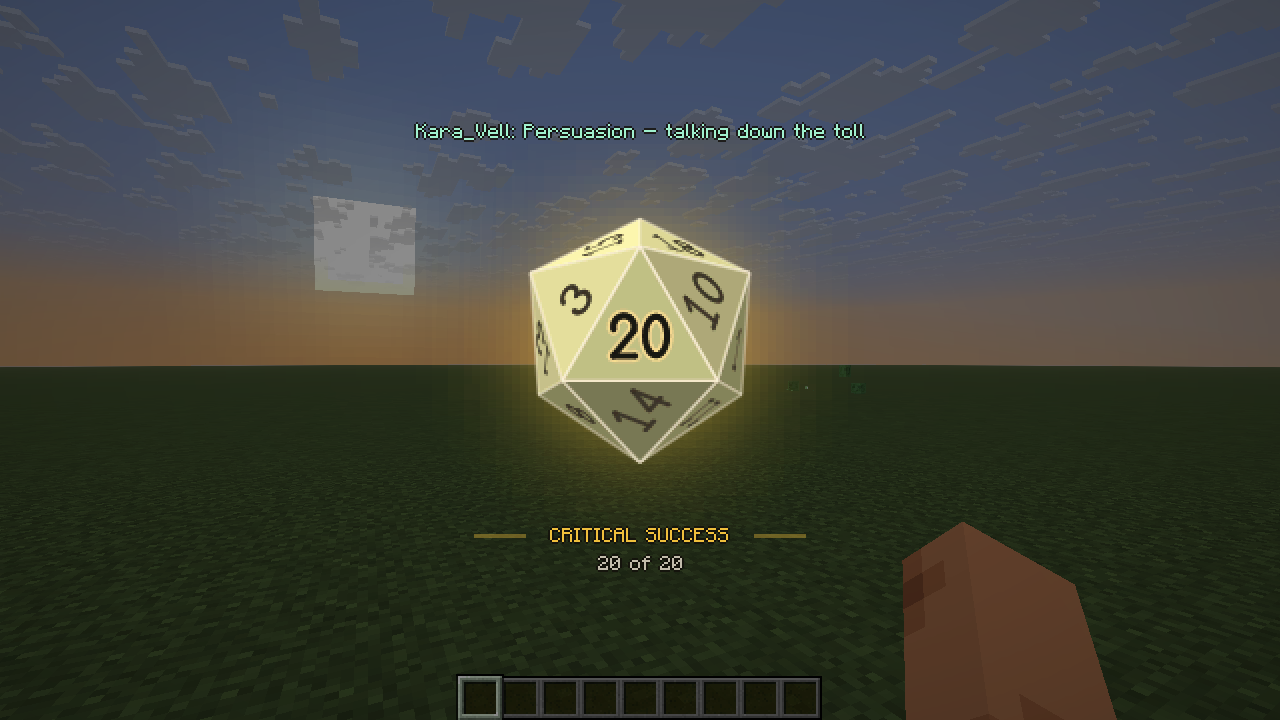
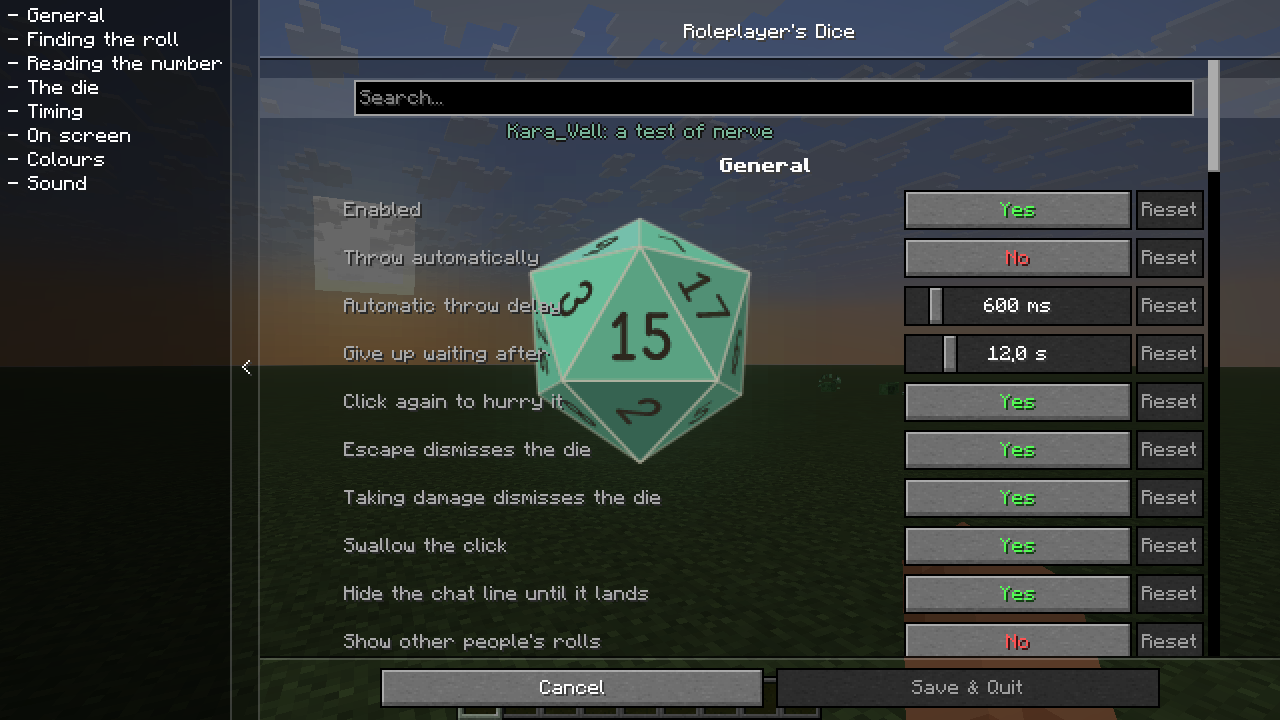
A roleplay server's dice roll, thrown where it can be seen: the chat line is held back, a die appears, you throw it by hand, and it lands on the number the server rolled.
Quick answer
Roleplayer's Dice 1.2.0+26.3 targets 26.3 with Fabric. It must be installed on the client. Do not install it on the dedicated server. All 1 required mods have matching files.
Where it goes
It must be installed on the client. Do not install it on the dedicated server.
This file is marked client-only.
1.2.0+26.3. Change the file and its required mods may change too.
Install Fabric API first. We found matching files for this game-version and loader setup. 1 comes through another mod in the chain.
1 extra mod was pulled in by another dependency. Indented rows show who needs each one. We only count dependency files that match this setup. A file for another loader does not fill the gap.
Before you install it
Built for Roleplayer's Dice 1.2.0+26.3. Pick another file and the loader, install side or required mods may change.
Use 1.2.0+26.3. It targets 26.3 with Fabric; another release may have different loader, side or dependency requirements.
Install Fabric API first. We found matching files for this game-version and loader setup. 1 comes through another mod in the chain.
It must be installed on the client. Do not install it on the dedicated server.
Use the “Get this file” button beside 1.2.0+26.3. It opens that exact file at the source.
About this project
Your roleplay server prints [13 out of 20] in the chat. This mod holds that line back, throws a die for it, and lets the line through once the die has landed on the thirteen.
Client side only. The server is never told the mod exists, needs no plugin, and nothing about the roll changes – the number was decided the moment the command was sent. The mod only refuses to spoil it.
You type /dice 20 strength of the blow. The command goes to the server untouched; the mod merely notes that it went, and out of what.
The server answers with something like Eliandrelle von Silverheim strength of the blow [13 out of 20]. That line does not reach the chat. Instead:
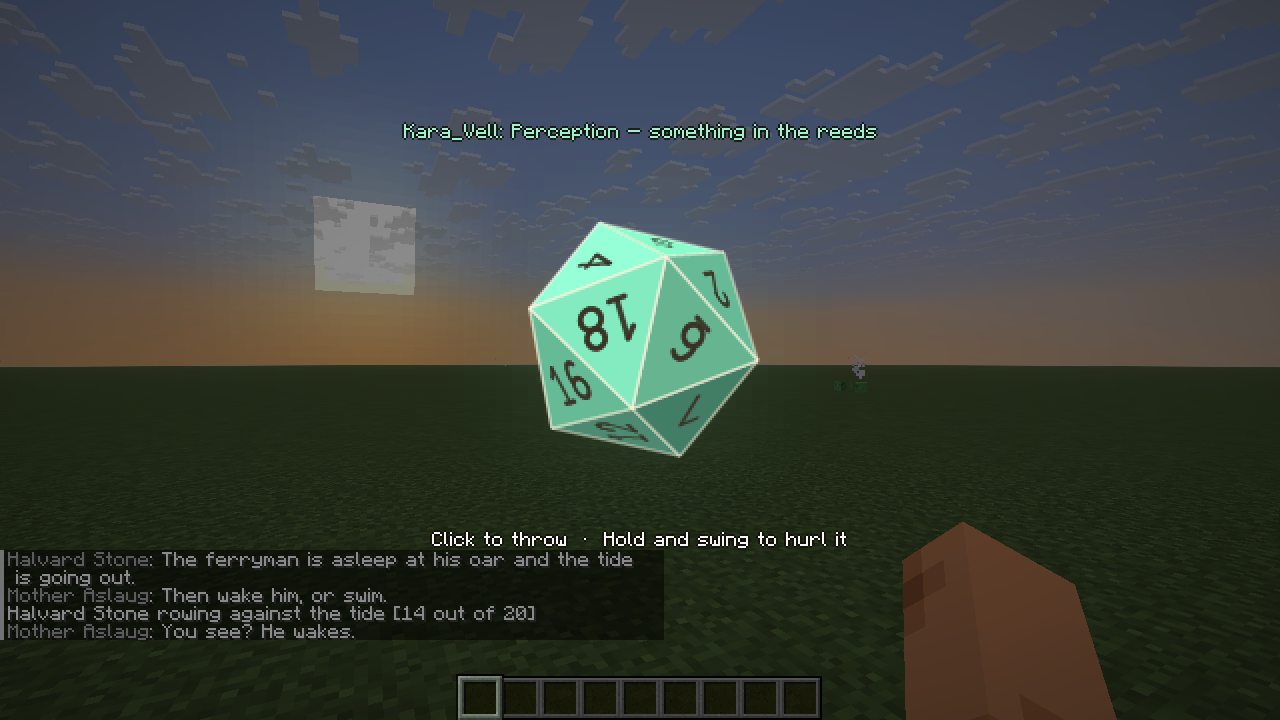
A die appears in the middle of the screen, your name and what you are rolling for above it. It does not hang there like a picture: it turns slowly, shivers, hops every couple of seconds and lands with a rattle – and the longer it is ignored, the more impatient it gets. A ring closes around it, because nothing waits forever.
You throw it. Click and it goes. Or hold the button and the die is in your hand: the camera freezes, a pointer appears, and the die follows it a moment late – that lag is the weight of the thing. It leans into the drag as it comes, tips over the way it is being hauled, and rocks back when you stop dead. Let go and it flies where the hand was going, as hard as the hand was going. The camera never moves, so from the outside a player throwing a die stands still instead of jerking their head at nothing.
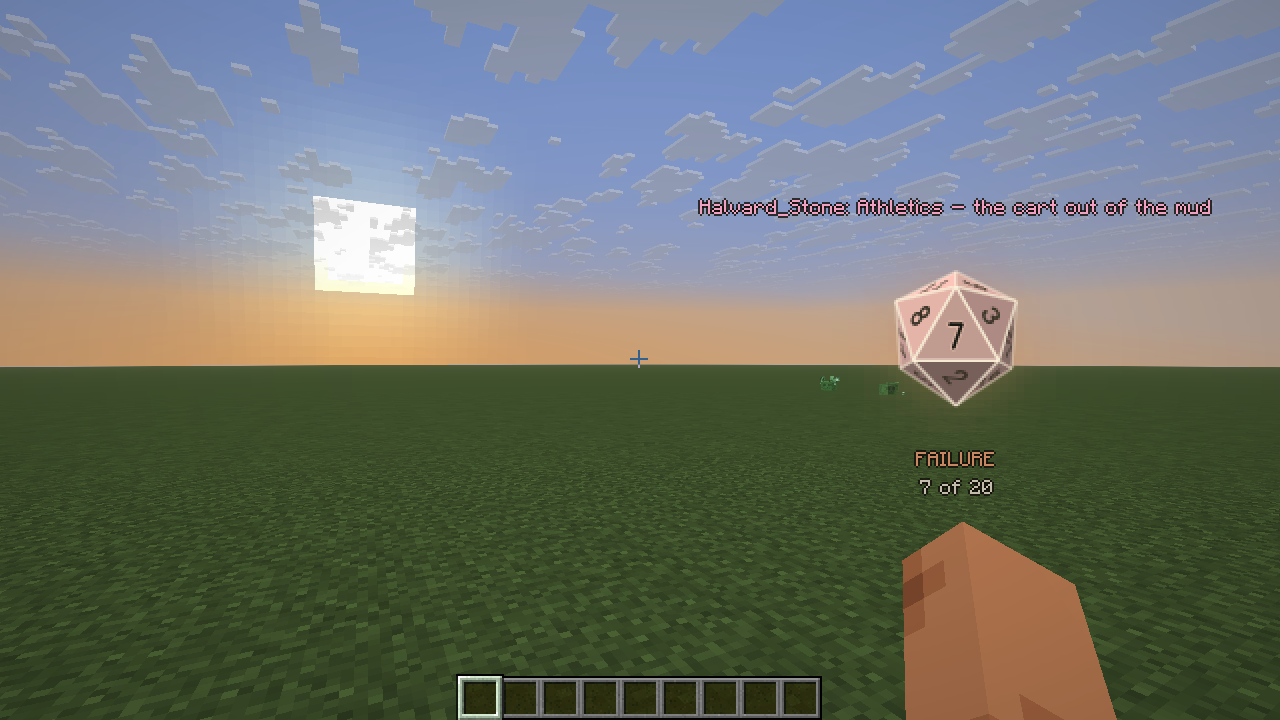
It lands where you threw it. A knock, and the number, large, on the face. Then it holds still long enough to be read, walks back to the middle, and only then does everything else arrive at once – the colour, the glow, the sound and the words: critical failure / failure / success / critical success, and 13 out of 20 beneath.
Then it fades, and the line it was standing in for goes into the chat exactly as the server wrote it, colours, hovers, clickable pieces and all.
The die tumbles about a random axis and is guided onto its face over the last third of the throw, so it lands on precisely what the server rolled – upright, square to the camera, rather than at whatever angle it happened to stop at.
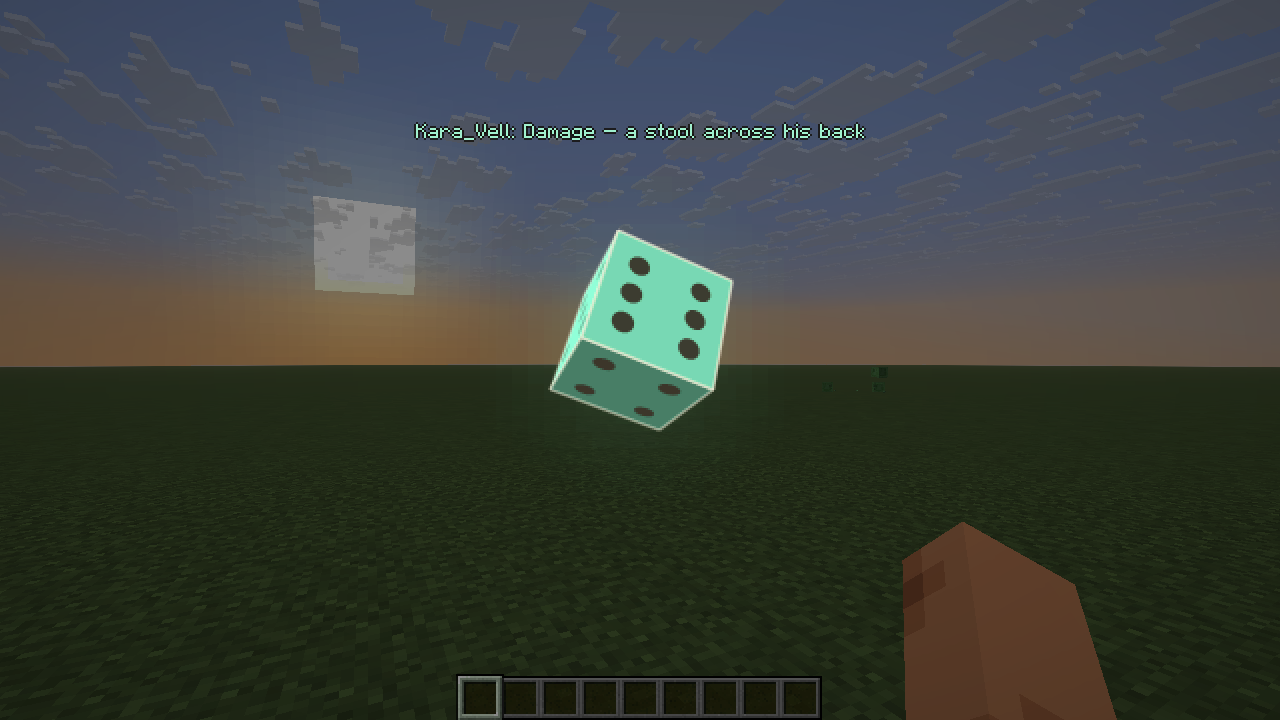
The faces carry different numbers, like a real die: drawn without repeats, and the number that came up is swapped onto the winning face rather than written over it. Roll d100 on a twenty-sided body and it carries twenty different numbers out of the hundred. A six-sided die shows pips, not digits, unless you would rather it did not.
Each player's die takes its colour from their UUID – the same colour Voice Subtitles gives their speech. Whoever speaks in pale green throws pale green dice, and in a square where ten people are rolling that is clearer than any heading.
Other people's rolls come up small and out of the way by default: a little die by the edge, no dimming, no waiting to be clicked – it is not yours to throw. Turn that off and their rolls play out full size like your own.
Escape puts the die away and prints the result at once, without opening the game menu. Taking damage does the same, immediately: a die in the middle of a dimmed screen is far too good a cover for whoever just walked up behind you.
And nothing is ever lost. A die nobody clicks throws itself on a timeout, a roll that cannot be shown is released on the spot, and everything still held is printed when you leave the server.
The pattern the mod reads, the command names it watches, the shapes, the sizes, the sounds, the colours and every timing are in the settings – under Mod Menu with Cloth Config, or through a screen of the mod's own if you have neither.
Out of the box it reads [13 out of 20], [13 of 20] and [13/20], and answers to /dice, /roll and their Russian equivalents. It understands /dice 20, /dice d20 and /dice 2d6 alike.
/rpdice demo throws a die that answers to nothing, so you can set the sliders against the thing they describe.
Every plugin words it differently, so the line the mod looks for is a setting: Result pattern, a regular expression with two capture groups – the number that came up first, the size of the die second. That is the whole contract. The default is
\[\s*(-?\d+)\s*(?:из|out\s+of|of|/)\s*(-?\d+)\s*]
and here is what to write when your server does something else:
| The server prints | Pattern |
|---|---|
Kara persuasion [13 out of 20] |
the default |
Kara persuasion [13/20] |
the default |
Kara rolls 13 (d20) |
(\d+)\s*\(\s*d(\d+)\s*\) |
Kara rolled a 13 on a d20 |
rolled a (\d+) on a d(\d+) |
❰ Kara ❱ 13 ⁄ 20 |
(\d+)\s*[/⁄]\s*(\d+) |
Kara: 13 (max 20) |
(\d+)\s*\(max\s*(\d+)\) |
Five things worth knowing before you write your own:
из, ИЗ and Из alike. No need for (?i).\[\s*(\d+). Editing config/roleplayers_dice.json by hand, JSON wants them doubled: "\\[\\s*(\\d+)". A pattern that does not compile is quietly ignored in favour of the default, so a typo cannot take the chat down with it.Then roll once. If the die appears, the pattern found the line; if the roll goes straight into the chat as it always did, it did not.
Codeberg – LGPL 3.0 or later.
Project description from Modrinth.
Pick your setup
Choose the version and loader you play, then open the matching release.
Showing the newest 12 of 15 game versions. Older files are in the list below.
Check the dependencies, then try the file in a copied instance before changing a world you care about.
Recent files
roleplayers-dice-1.2.0+26.3.jar
24 Nov 2026
roleplayers-dice-1.1.2+1.20.5-1.21.11.jar
19 Aug 2026
roleplayers-dice-1.1.1+1.20.5-1.21.11.jar
19 Aug 2026
roleplayers-dice-1.1.0+1.20.5-1.21.11.jar
19 Aug 2026
roleplayers-dice-1.0.0+1.20.5-1.21.11.jar
7 Aug 2026
Looking for an older file? The official Modrinth project page is in Resources.
 mod
Live subtitles for Simple Voice Chat: offline speech recognition turns what people say into captions, and translates them when they are speaking another language. All of it on your own machine.
 mod
A client-side add-on for Simple Voice Chat that shows a microphone indicator above a player's head while they're talking - even when name tags are hidden.
 mod
A hand-drawn atlas for roleplay servers. Draw territories, roads, inscriptions and whole player-built towns, correct the biomes it guessed wrong, and sign and date maps to hand to other players. Client-side, no server mod.