Minecraft version
Back to mods 
Modrinth · Minecraft mod
Legacy Mechanics: Addon
Addon to Legacy Mechanics that completes the Legacy experience!
Choose a version Pick your version below, then grab the matching file.
Quick answer
Which Legacy Mechanics: Addon release should I use?
Latest stable file 1.0.0
Game version 1.20, 1.20.1, 1.20.2
Loader minecraft
Legacy Mechanics: Addon 1.0.0 targets 1.20, 1.20.1, 1.20.2 with minecraft. It must be installed on the client. Do not install it on the dedicated server. No extra mods listed for this file.
Where it goes
Is Legacy Mechanics: Addon required on the client, server, or both?
It must be installed on the client. Do not install it on the dedicated server.
Client Required
Dedicated server Not supported
Loader for this release minecraft
Required install it here Optional supported, not mandatory Not supported do not install here Source doesn’t say do not assume
This file is marked client-only.
What else does Legacy Mechanics: Addon 1.0.0 need?
1.0.0. Change the file and its required mods may change too.
This file does not list any required mods. Do not add a library just because a different file uses it.
This file does not list any required or optional mods.
Before you install it
Add Legacy Mechanics: Addon without breaking your instance.
Built for Legacy Mechanics: Addon 1.0.0. Pick another file and the loader, install side or required mods may change.
- 01
Stick to this file
Use 1.0.0. It targets 1.20, 1.20.1, 1.20.2 with minecraft; another release may have different loader, side or dependency requirements.
- 02
Bring the mods it needs
This file does not list any required mods. Do not add a library just because a different file uses it.
- 03
Put it on the correct side
It must be installed on the client. Do not install it on the dedicated server.
- 04
Pick the file you checked
Use the “Get this file” button beside 1.0.0. It opens that exact file at the source.
About this project
What does Legacy Mechanics: Addon add?
📖 Description
Legacy Mechanics: Addon is a companion resource pack for Legacy Mechanics that completes the nostalgic console experience by restoring classic item names and labels from the Legacy Console Editions of Minecraft.
This addon focuses purely on visual and naming nostalgia, leaving gameplay untouched while ensuring every item and block name matches how it appeared on the old console versions.
Some of the restored names include:
- Jack o’Lantern → Jack-O-Lantern
- Jungle Sapling → Jungle Tree Sapling
- Short Grass → Tall Grass
- Tall Grass → Double Tall Grass
Perfect for players who want their world to look and feel just like Minecraft on Xbox 360, PS3, Wii U, and other Legacy Console Editions.
✨ Features
- Restores classic console-era item and block names.
- Designed to pair seamlessly with the Legacy Mechanics datapack.
- Works standalone for those who just want the nostalgic text changes.
- Lightweight and fully compatible with other texture or sound packs.
🌌 Nostalgia
Combine with these for the full Legacy Console feel:
- Legacy Mechanics to bring back console-era mechanics and gameplay tweaks.
- Legacy4J to bring back every aspect of Legacy Console Edition to modern versions.
- Golden Days for classic pre-1.14 textures.
- Nostalgic Tweaks for old fog, skies, and lighting.
- Moderner Beta for terrain generation in a console-like style.
⚙️ Compatibility
- ✅ Works with Minecraft 1.21.x and newer.
- 🧱 Compatible with both vanilla and modded installations.
📦 Installation
- Download the pack.
- Place the
.zipfile in yourresourcepacks/folder. - Enable it in Minecraft’s Resource Packs menu, ensuring it’s above any other packs that alter language files.
- Enjoy the authentic console-era naming nostalgia!
🤝 Support
Project description from Modrinth.
Pick your setup
Legacy Mechanics: Addon by Minecraft version and loader
Choose the version and loader you play, then open the matching release.
Minecraft version
1.21.9
1 loader buildMinecraft version
1.21.8
1 loader buildMinecraft version
1.21.7
1 loader buildMinecraft version
1.21.6
1 loader buildMinecraft version
1.21.5
1 loader buildMinecraft version
1.21.4
1 loader buildMinecraft version
1.21.3
1 loader buildMinecraft version
1.21.2
1 loader buildMinecraft version
1.21.1
1 loader buildMinecraft version
1.21
1 loader buildMinecraft version
1.20.6
1 loader buildShowing the newest 12 of 18 game versions. Older files are in the list below.
Check the dependencies, then try the file in a copied instance before changing a world you care about.
Recent files
Legacy Mechanics: Addon versions and loaders
1.0.0
Legacy-Mechanics-Addon-1.0.0.zip
2 Nov 2025
Client Required Server Not supported Dependencies No extras listed Listed on Release listing
Check the 1.21.10 · minecraft setup 1.201.20.11.20.21.20.3 release
Looking for an older file? The official Modrinth project page is in Resources.
 mod
mod CurseForge · Minecraft
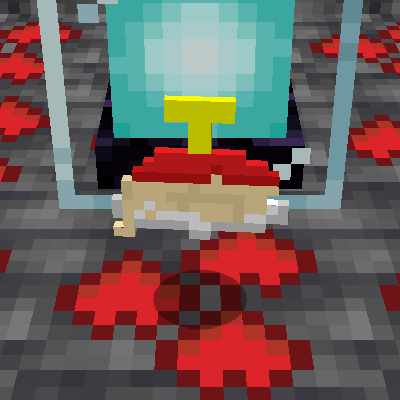
Infinite Lava Cell (AE2)
Adds an infinite lava cell for you ae2 network, makes having lava easier.
 mod
mod CurseForge · Minecraft
Tyler's Weaponry
Combines stuff from all my other mods, as well as adds some extra stuff
 mod
mod CurseForge · Minecraft
CNPC-plus-Fix
CNPCPlus is a community-driven enhancement for CustomNPCs, featuring bug fixes, performance improvements, compatibility patches, new features, and long-term maintenance while preserving compatibility with existing worlds and projects.