Minecraft version
Back to mods 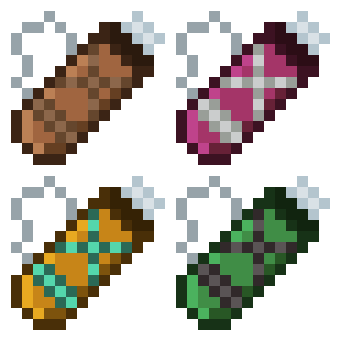
Modrinth · Minecraft mod
Quivers
Adds quivers to the game. Archery equipment mod.
Choose a version Pick your version below, then grab the matching file.
Quick answer
Which Quivers release should I use?
Latest stable file 1.0.2
Game version 26.2
Loader NeoForge
Quivers 1.0.2 targets 26.2 with NeoForge. Installation on the client is optional. Installation on the dedicated server is optional. No extra mods listed for this file.
Where it goes
Is Quivers required on the client, server, or both?
Installation on the client is optional. Installation on the dedicated server is optional.
Client Optional
Dedicated server Optional
Loader for this release NeoForge
Required install it here Optional supported, not mandatory Not supported do not install here Source doesn’t say do not assume
The source marks this as usable on both the client and server.
What else does Quivers 1.0.2 need?
1.0.2. Change the file and its required mods may change too.
This file does not list any required mods. Do not add a library just because a different file uses it.
This file does not list any required or optional mods.
Before you install it
Add Quivers without breaking your instance.
Built for Quivers 1.0.2. Pick another file and the loader, install side or required mods may change.
- 01
Stick to this file
Use 1.0.2. It targets 26.2 with NeoForge; another release may have different loader, side or dependency requirements.
- 02
Bring the mods it needs
This file does not list any required mods. Do not add a library just because a different file uses it.
- 03
Put it on the correct side
Installation on the client is optional. Installation on the dedicated server is optional.
- 04
Pick the file you checked
Use the “Get this file” button beside 1.0.2. It opens that exact file at the source.
About this project
What does Quivers add?

Carry every arrow type in a single inventory slot. Switch selected arrow with shotcuts.
Four tiers: Leather, Iron, Diamond and Netherite. Each holding more arrows than the last.
Hovering over the quiver shows its contents. It works with any arrow, vanilla or modded.
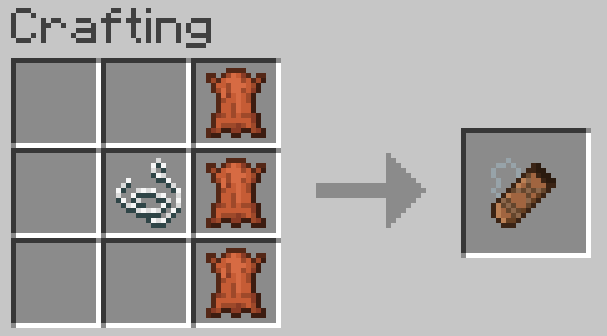
Crafting
3 leather in a vertical line, with a string to the left of the middle leather.
Switching arrows
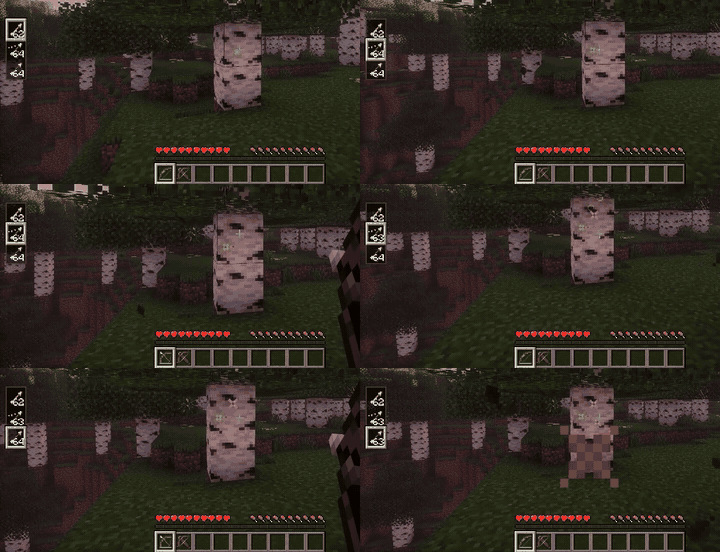
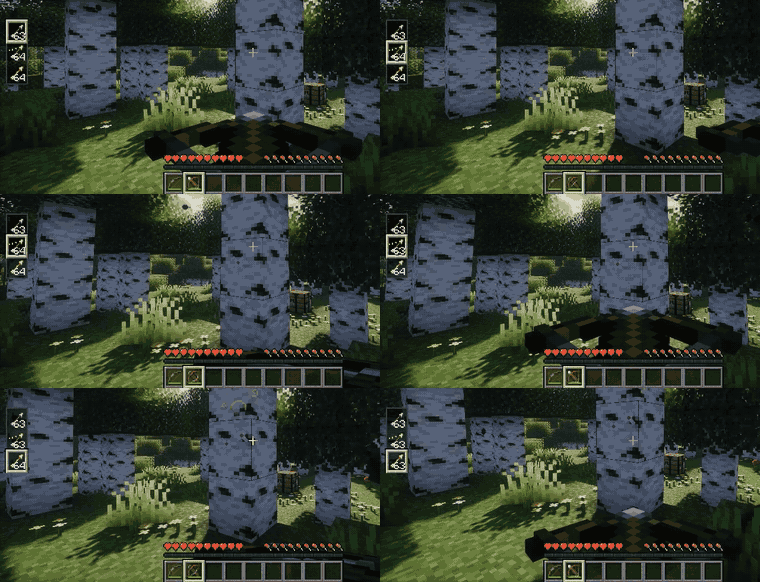
Hold a bow or crossbow and use Alt + Scroll to pick the active arrow type. (You can rebind in the keybind settings.)
Storing arrows
Arrows picked up from the ground go straight into the quiver automatically (can be turned off in the settings).
You can also drop arrows onto the quiver, drop the quiver onto arrows, or open its window and drag them in by hand.
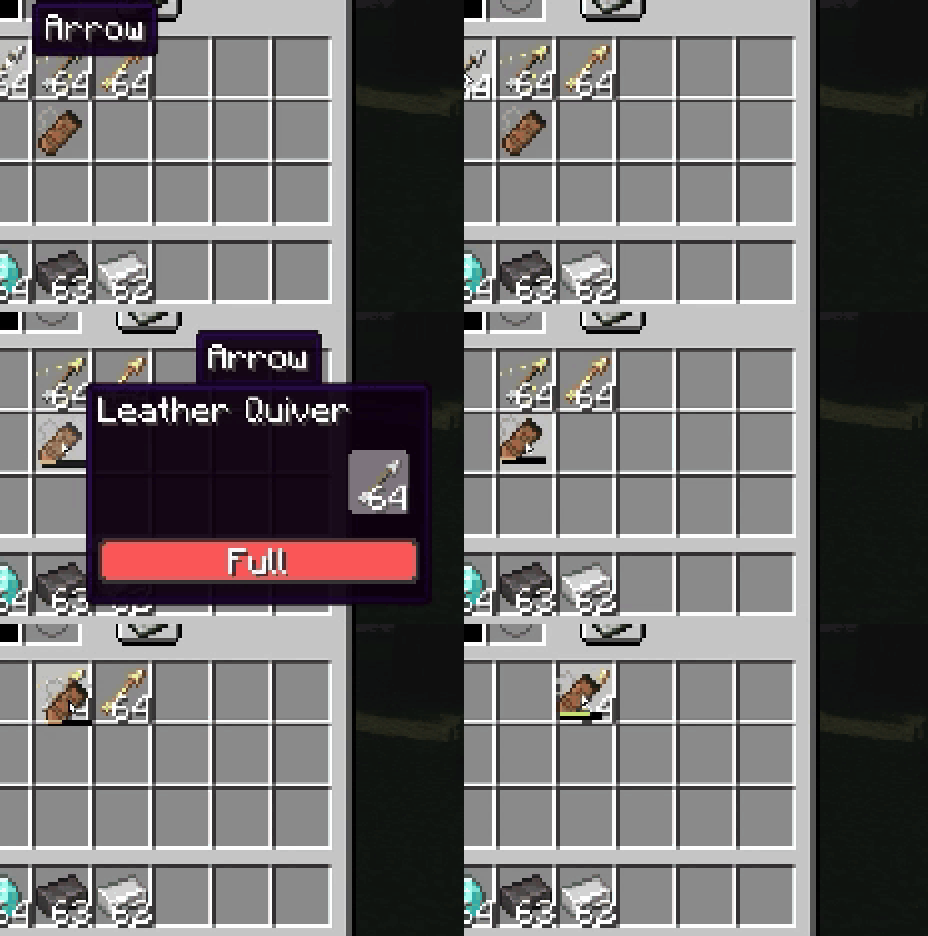
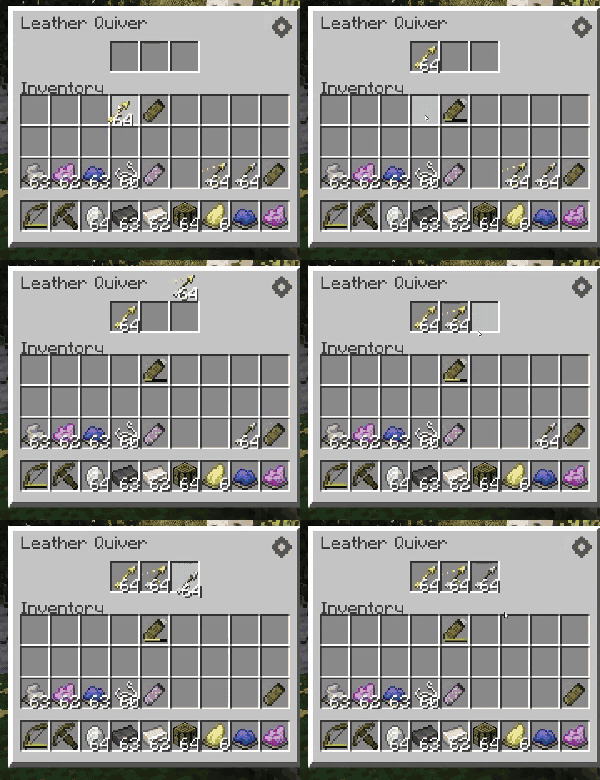
Upgrading
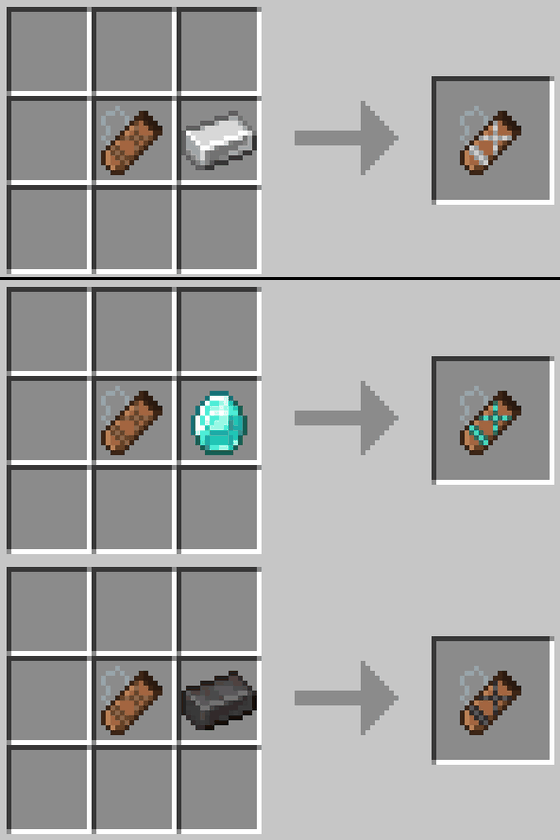
Combine any quiver with 1 material (Iron Ingot, Diamond, or Netherite Ingot) to upgrade it, regardless of its current tier.
Leather → 3 slots, Iron → 4 slots, Diamond → 6 slots, and Netherite → 8 slots.
Dyeing
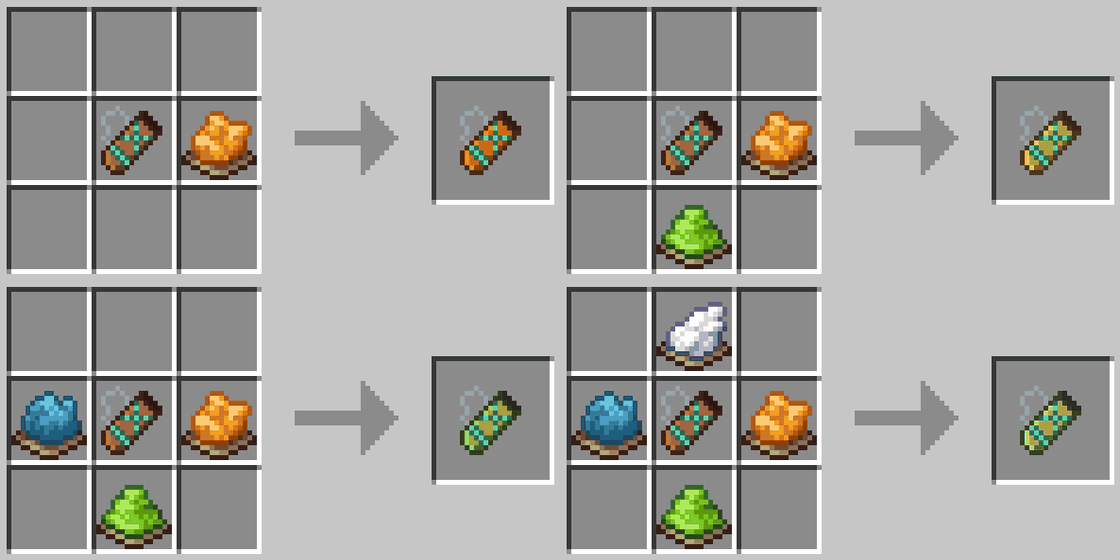
The quiver follows the same dyeing rules as leather armor: mix dyes for a custom color, and wash it off in a cauldron.
Settings
Customize the mod from the button in the top-right corner of the Quiver window. (Keybinds, like the arrow-switching shortcut, are set in the game's own Controls settings.)
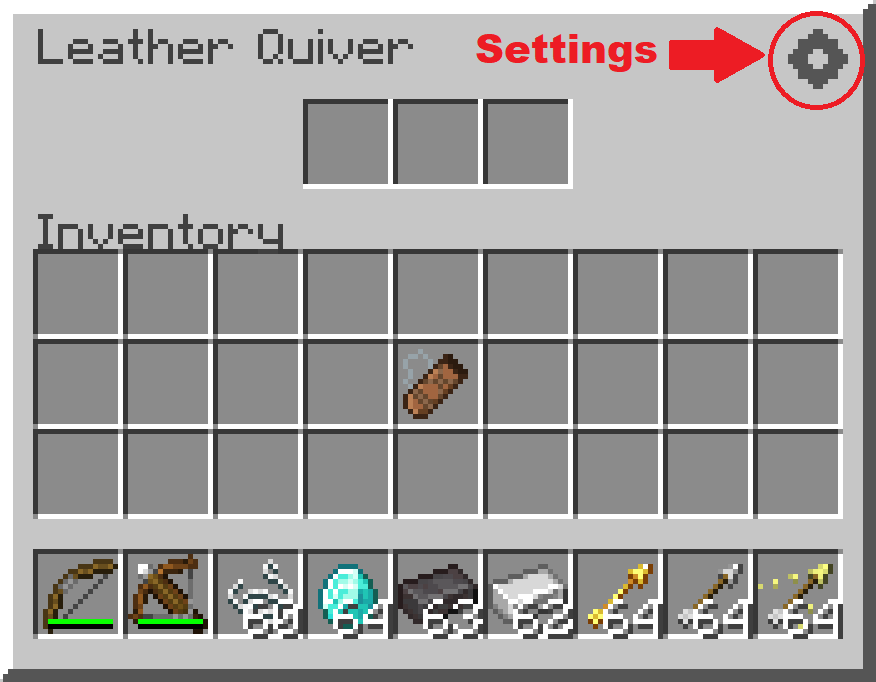
Project description from Modrinth.
Pick your setup
Quivers by Minecraft version and loader
Choose the version and loader you play, then open the matching release.
Minecraft version
26.1.2
3 loader buildsMinecraft version
26.1.1
3 loader buildsMinecraft version
26.1
3 loader buildsCheck the dependencies, then try the file in a copied instance before changing a world you care about.
Recent files
Quivers versions and loaders
1.0.2
quiver-neoforge-26.2-1.0.2.jar
31 Aug 2026
Client Optional Server Optional Dependencies No extras listed Listed on Release listing
Check the 26.2 · NeoForge setup 26.2NeoForge release
1.0.2
quiver-neoforge-26.1.2-1.0.2.jar
31 Aug 2026
Client Optional Server Optional Dependencies No extras listed Listed on Release listing
Check the 26.1.2 · NeoForge setup 26.126.1.126.1.2NeoForge release
1.0.2
quiver-forge-26.2-1.0.2.jar
31 Aug 2026
Client Optional Server Optional Dependencies No extras listed Listed on Release listing
Check the 26.2 · Forge setup 26.2Forge release
1.0.2
quiver-forge-26.1.2-1.0.2.jar
31 Aug 2026
Client Optional Server Optional Dependencies No extras listed Listed on Release listing
Check the 26.1.2 · Forge setup 26.126.1.126.1.2Forge release
1.0.2
quiver-fabric-26.2-1.0.2.jar
31 Aug 2026
Client Optional Server Optional Dependencies No extras listed Listed on Release listing
Check the 26.2 · Fabric setup 26.2Fabric release
1.0.2
quiver-fabric-26.1.2-1.0.2.jar
31 Aug 2026
Client Optional Server Optional Dependencies No extras listed Listed on Release listing
Check the 26.1.2 · Fabric setup 26.126.1.126.1.2Fabric release
Looking for an older file? The official Modrinth project page is in Resources.
 mod
mod CurseForge + Modrinth · Minecraft
Iron Tanks
Expanding Buildcraft tanks similarly to the way IronChests expanded vanilla chests.
 mod
mod CurseForge + Modrinth · Minecraft
ApricityUI
Build Minecraft UI with HTML + CSS + JS, follows Web standards as closely as possible.
 mod
mod CurseForge + Modrinth · Minecraft
Pact Magic
An expansive open-ended magic mod inspired by the web serials Pact and Pale by wildbow.