Cloth Config API Needed by Roughly Enough Config Screens (RECS) 1.5.4
requiredMatching file found Matched file: 15.0.140+neoforge

Modrinth · Minecraft mod
Adds configs screens for library mods such as Forge, and Framework. As well as JEI.
Quick answer
Roughly Enough Config Screens (RECS) 1.5.4 targets 1.21 with NeoForge. It must be installed on the client. Do not install it on the dedicated server. All 1 required mods have matching files.
Where it goes
It must be installed on the client. Do not install it on the dedicated server.
This file is marked client-only.
1.5.4. Change the file and its required mods may change too.
Install Cloth Config API first. We found matching files for this game-version and loader setup.
We only count dependency files that match this setup. A file for another loader does not fill the gap.
Before you install it
Built for Roughly Enough Config Screens (RECS) 1.5.4. Pick another file and the loader, install side or required mods may change.
Use 1.5.4. It targets 1.21 with NeoForge; another release may have different loader, side or dependency requirements.
Install Cloth Config API first. We found matching files for this game-version and loader setup.
It must be installed on the client. Do not install it on the dedicated server.
Use the “Get this file” button beside 1.5.4. It opens that exact file at the source.
About this project
Roughly Enough Config Screens is a mod that adds config screens to mods that use certain libraries for their configs.
RECS supports the following mods/libraries:
There is also an option on Forge to register vanilla's options screen as a config screen.
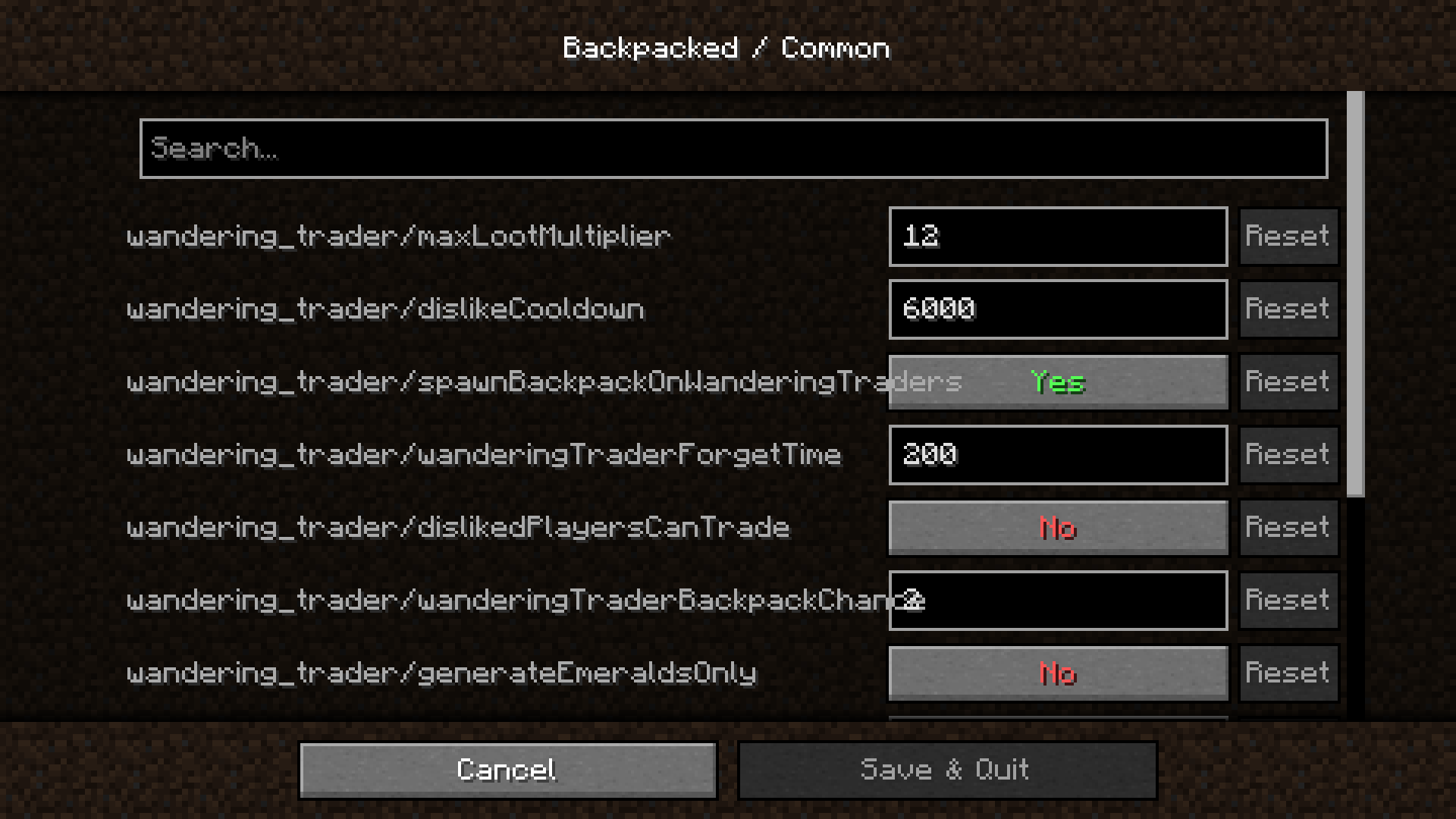
Project description from Modrinth.
Pick your setup
Choose the version and loader you play, then open the matching release.
Check the dependencies, then try the file in a copied instance before changing a world you care about.
Recent files
roughly-enough-config-screens-1.21-neo-1.5.4.jar
18 Jul 2024
roughly-enough-config-screens-1.21-fabric-1.5.4.jar
18 Jul 2024
roughly-enough-config-screens-1.20.6-neo-1.5.4.jar
18 Jul 2024
roughly-enough-config-screens-1.20.6-fabric-1.5.4.jar
18 Jul 2024
roughly-enough-config-screens-1.20.4-neo-1.5.4.jar
18 Jul 2024
roughly-enough-config-screens-1.20.4-fabric-1.5.4.jar
18 Jul 2024
roughly-enough-config-screens-1.20.2-neo-1.5.4.jar
18 Jul 2024
roughly-enough-config-screens-1.20.2-forge-1.5.4.jar
18 Jul 2024
roughly-enough-config-screens-1.20.2-fabric-1.5.4.jar
18 Jul 2024
roughly-enough-config-screens-1.20.1-neo-1.5.4.jar
18 Jul 2024
roughly-enough-config-screens-1.20.1-forge-1.5.4.jar
18 Jul 2024
roughly-enough-config-screens-1.20.1-fabric-1.5.4.jar
18 Jul 2024
Looking for an older file? The official Modrinth project page is in Resources.
 mod
modA library for developing mods for Slashblade: Resharped.
 mod
modA SlashBlade: Resharped and Touhou Little Maid crossover addon, designed to empower maids in wielding SlashBlades.
 mod
modModular Machinery Community on newer Minecraft, with additional features and high performance !