Minecraft version
Back to mods 
CurseForge · Minecraft mod
Unplugged AFK
The ability to "Go Green" by creating a bot to AFK in your place on a server.
Choose a version Pick your version below, then grab the matching file.
Quick answer
Which Unplugged AFK release should I use?
Latest stable file Unplugged-AFK v0.2.6 for mc1.21.5
Game version 1.21.5
Loader Fabric
Unplugged AFK Unplugged-AFK v0.2.6 for mc1.21.5 targets 1.21.5 with Fabric. The project page does not say whether this file belongs on the client, dedicated server, or both. No extra mods listed for this file.
Where it goes
Is Unplugged AFK required on the client, server, or both?
The project page does not say whether this file belongs on the client, dedicated server, or both.
Client Source doesn’t say
Dedicated server Source doesn’t say
Loader for this release Fabric
Required install it here Optional supported, not mandatory Not supported do not install here Source doesn’t say do not assume
The source does not explicitly classify this release as client-only or server-only.
What else does Unplugged AFK Unplugged-AFK v0.2.6 for mc1.21.5 need?
Unplugged-AFK v0.2.6 for mc1.21.5. Change the file and its required mods may change too.
This file does not list any required mods. Do not add a library just because a different file uses it.
This file does not list any required or optional mods.
Before you install it
Add Unplugged AFK without breaking your instance.
Built for Unplugged AFK Unplugged-AFK v0.2.6 for mc1.21.5. Pick another file and the loader, install side or required mods may change.
- 01
Stick to this file
Use Unplugged-AFK v0.2.6 for mc1.21.5. It targets 1.21.5 with Fabric; another release may have different loader, side or dependency requirements.
- 02
Bring the mods it needs
This file does not list any required mods. Do not add a library just because a different file uses it.
- 03
Put it on the correct side
The project page does not say whether this file belongs on the client, dedicated server, or both.
- 04
Pick the file you checked
Use the “Get this file” button beside Unplugged-AFK v0.2.6 for mc1.21.5. It opens that exact file at the source.
About this project
What does Unplugged AFK add?
Unplugged-AFK


Unplugged-AFK is an eco-friendly Minecraft mod that allows players to "go unplugged." By utilizing this mod, players can spawn a bot of themselves to stay AFK at their farms while they disconnect. This allows you to safely shut off your computer, saving electricity and promoting a "Green" approach to server farming!
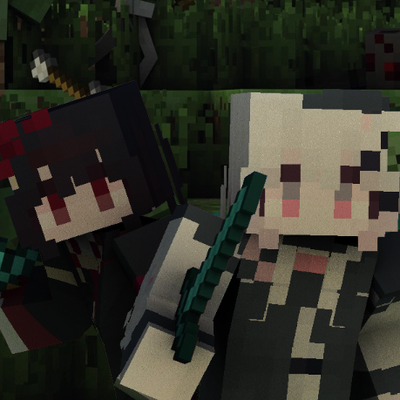
 ( Imagery and Mod Icon courtesy of Stridey )
Prerequisites & Installation
- Mod Loader: Fabric
- Minecraft Version: 1.19.2 up to 26.3
Features
- Go Green: Turn off your PC while your player-bot continues to AFK for you.
- Customizable Timeouts: Set specific durations for how long a bot should remain active. The default timeout is 129600 minutes (90 days).
- Admin Control: Server administrators have full command control to spawn, kick, or manage unplugged players.
- Safety Options: Configurations allow you to reset health upon death, disable damage for unplugged players, or even hide them from other players and operators.
- Server Restart: The mod also respawns all AFK bots at server restart with a slight delay.
Commands
Player Commands
/unplug [<minutes>] [<reason>]: Disconnects you and leaves an unplugged bot in your place.- Note: This command cannot be used by the single-player server owner.
Admin Commands
Requires permission level 3 by default.
/unplugged-admin: Displays information about the mod./unplugged-admin save: Saves the current configuration./unplugged-admin reload: Reloads the configuration, overwriting the current configuration./unplugged-admin purge: Purges players and resyncs the current player/unplugged maps with the live server./unplugged-admin spawn <player> [<minutes>] [<reason>]: Manually spawns an unplugged bot for a specified player./unplugged-admin kick <player>: Removes/kicks an active unplugged bot./unplugged-admin info [<player>]: Displays detailed debug information for a specific player. (advancedAdminOptionsenables the full "player" info)/unplugged-admin list [players|unplugged|all]: Lists currently tracked players or active unplugged bots. (advancedAdminOptionsenables the list sub commands)/unplugged-admin set <setting> <value>: Sets a config setting value. (advancedAdminOptionsenables this sub command)
Configuration
The mod features a highly customizable unplugged_afk.json file. Key options include:
| Category | Option | Description | Default |
|---|---|---|---|
| Main | unpluggedAfkEnabled |
Toggles the entire AFK feature. | true |
| Main | debugMode |
Enables debugging output. | false |
| Main | reducedListDebugInfo |
Enables Reduced output for various information commands. | true |
| Main | advancedAdminOptions |
Enables advanced Admin options, such as 'set'. | false |
| Unplugged | defaultUnpluggedTimeout |
Set the default timeout (in minutes). The default is for 90 days. | 129600 |
| Unplugged | resetHealthUponDeath |
Resets the AFK bots Health when killed. | false |
| Unplugged | unpluggedDisableDamage |
Prevents the AFK bot from taking damage. | false |
| Unplugged | unpluggedHidePlayer |
Makes the bot invisible to others. | false |
| Unplugged | unpluggedHideFromOps |
Makes the bot invisible to to Operators as well. | false |
| Command | unplugCommandPermissions |
Permission level required to use /unplug. |
0 |
| Command | unpluggedAdminCommandPermissions |
Permission level for /unplugged-admin. |
3 |
| Command | afkCommandPermissions |
Permission level required to use /afk. |
0 |
| Command | enableUnplugCommand |
Enables the /unplug Command. |
true |
| Command | enableAfkCommand |
Enables the /afk Command. (Works the same as /unplug) |
false |
| Messages | broadcastMessages |
Enables the broadcasting of Unplugged status messages. | false |
| Messages | hideUnpluggedJoin |
Enables the disabling of the default player has joined messages while bots are spawned, where possible. |
false |
| Messages | displayDuration |
Enables the duration display of Unplugged status messages. | false |
| Messages | displayReturnFeedback |
Enables the Feedback display of the reason why an Unplugged session ended | false |
Messages & Formatting: Server owners can extensively customize broadcast messages and formatting. For example, the default kick message when a player successfully uses the command is "§6Your player will be AFK§r". The duration and the timeDate are CoreLib time formatting options for the broadcast messages while displayDuration is enabled.
Example Config

Project description from CurseForge.
Pick your setup
Unplugged AFK by Minecraft version and loader
Choose the version and loader you play, then open the matching release.
Minecraft version
26.2
1 loader buildMinecraft version
26.1.2
1 loader buildMinecraft version
26.1.1
1 loader buildMinecraft version
26.1
1 loader buildMinecraft version
1.21.11
1 loader buildMinecraft version
1.21.10
1 loader buildMinecraft version
1.21.9
1 loader buildMinecraft version
1.21.8
1 loader buildMinecraft version
1.21.7
1 loader buildMinecraft version
1.21.6
1 loader buildMinecraft version
1.21.5
1 loader buildShowing the newest 12 of 28 game versions. Older files are in the list below.
Check the dependencies, then try the file in a copied instance before changing a world you care about.
Recent files
Unplugged AFK versions and loaders
Unplugged-AFK v0.2.6 for mc1.21.5
unplugged_afk-v0.2.6-mc1.21.5.jar
23 Sept 2026
Client Source doesn’t say Server Source doesn’t say Dependencies No extras listed Listed on Release listing
Check the 1.21.5 · Fabric setup Fabric1.21.5 release
Unplugged-AFK v0.2.6 for mc26.3
unplugged_afk-v0.2.6-mc26.3.jar
23 Sept 2026
Client Source doesn’t say Server Source doesn’t say Dependencies No extras listed Listed on Release listing
Check the 26.3 · Fabric setup Fabric26.3 release
Unplugged-AFK v0.2.6 for mc26.2
unplugged_afk-v0.2.6-mc26.2.jar
23 Sept 2026
Client Source doesn’t say Server Source doesn’t say Dependencies No extras listed Listed on Release listing
Check the 26.2 · Fabric setup Fabric26.2 release
Unplugged-AFK v0.2.6 for mc1.21.11
unplugged_afk-v0.2.6-mc1.21.11.jar
23 Sept 2026
Client Source doesn’t say Server Source doesn’t say Dependencies No extras listed Listed on Release listing
Check the 1.21.11 · Fabric setup Fabric1.21.11 release
Unplugged-AFK v0.2.6 for mc26.1.2
unplugged_afk-v0.2.6-mc26.1.2.jar
23 Sept 2026
Client Source doesn’t say Server Source doesn’t say Dependencies No extras listed Listed on Release listing
Check the 26.1.2 · Fabric setup Fabric26.126.1.126.1.2 release
Unplugged-AFK v0.2.6 for mc1.21.10
unplugged_afk-v0.2.6-mc1.21.10.jar
23 Sept 2026
Client Source doesn’t say Server Source doesn’t say Dependencies No extras listed Listed on Release listing
Check the 1.21.10 · Fabric setup Fabric1.21.91.21.10 release
Unplugged-AFK v0.2.6 for mc1.21.8
unplugged_afk-v0.2.6-mc1.21.8.jar
23 Sept 2026
Client Source doesn’t say Server Source doesn’t say Dependencies No extras listed Listed on Release listing
Check the 1.21.8 · Fabric setup Fabric1.21.81.21.61.21.7 release
Unplugged-AFK v0.2.6 for mc1.21.4
unplugged_afk-v0.2.6-mc1.21.4.jar
23 Sept 2026
Client Source doesn’t say Server Source doesn’t say Dependencies No extras listed Listed on Release listing
Check the 1.21.4 · Fabric setup Fabric1.21.4 release
Unplugged-AFK v0.2.6 for mc1.21.3
unplugged_afk-v0.2.6-mc1.21.3.jar
23 Sept 2026
Client Source doesn’t say Server Source doesn’t say Dependencies No extras listed Listed on Release listing
Check the 1.21.3 · Fabric setup Fabric1.21.31.21.2 release
Unplugged-AFK v0.2.6 for mc1.21.1
unplugged_afk-v0.2.6-mc1.21.1.jar
23 Sept 2026
Client Source doesn’t say Server Source doesn’t say Dependencies No extras listed Listed on Release listing
Check the 1.21.1 · Fabric setup 1.21Fabric1.21.1 release
Unplugged-AFK v0.2.6 for mc1.20.6
unplugged_afk-v0.2.6-mc1.20.6.jar
23 Sept 2026
Client Source doesn’t say Server Source doesn’t say Dependencies No extras listed Listed on Release listing
Check the 1.20.6 · Fabric setup Fabric1.20.51.20.6 release
Unplugged-AFK v0.2.6 for mc1.20.4
unplugged_afk-v0.2.6-mc1.20.4.jar
23 Sept 2026
Client Source doesn’t say Server Source doesn’t say Dependencies No extras listed Listed on Release listing
Check the 1.20.4 · Fabric setup Fabric1.20.41.20.3 release
Looking for an older file? The official CurseForge project page is in Resources.
 mod
CurseForge · Minecraft
Mercenary Horn AI NPC
Hire, pay, command, and keep alive a handful of mercenaries who remember your promises, your victories, and the graves you left behind.
 mod
CurseForge · Minecraft
CodeBadger: Skillsmith
Level up skills to improve yourself and learn how to shape the world.
 mod
CurseForge · Minecraft
Worldgen Assist
Experimental mod that lets each player's PC assist server-side terrain calculations for eligible new chunks.