Minecraft version
Back to mods 
Modrinth · Minecraft mod
Colorful Blocks
Add a splash of color to your builds with blocks and tools.
Choose a version Pick your version below, then grab the matching file.
Quick answer
Which Colorful Blocks release should I use?
Latest stable file 2.8.1+1.21.1
Game version 1.21.1
Loader Fabric
Colorful Blocks 2.8.1+1.21.1 targets 1.21.1 with Fabric. Installation on the client is optional. Installation on the dedicated server is optional. No extra mods listed for this file.
Where it goes
Is Colorful Blocks required on the client, server, or both?
Installation on the client is optional. Installation on the dedicated server is optional.
Client Optional
Dedicated server Optional
Loader for this release Fabric
Required install it here Optional supported, not mandatory Not supported do not install here Source doesn’t say do not assume
The source marks this as usable on both the client and server.
What else does Colorful Blocks 2.8.1+1.21.1 need?
2.8.1+1.21.1. Change the file and its required mods may change too.
This file does not list any required mods. Do not add a library just because a different file uses it.
This file does not list any required or optional mods.
Before you install it
Add Colorful Blocks without breaking your instance.
Built for Colorful Blocks 2.8.1+1.21.1. Pick another file and the loader, install side or required mods may change.
- 01
Stick to this file
Use 2.8.1+1.21.1. It targets 1.21.1 with Fabric; another release may have different loader, side or dependency requirements.
- 02
Bring the mods it needs
This file does not list any required mods. Do not add a library just because a different file uses it.
- 03
Put it on the correct side
Installation on the client is optional. Installation on the dedicated server is optional.
- 04
Pick the file you checked
Use the “Get this file” button beside 2.8.1+1.21.1. It opens that exact file at the source.
About this project
What does Colorful Blocks add?
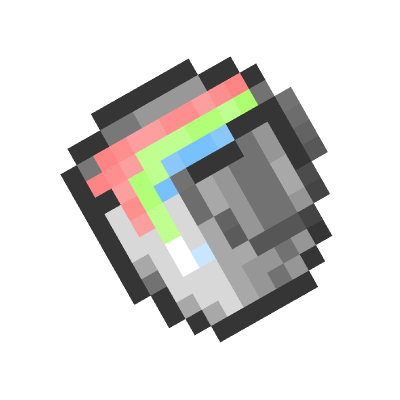
Colorful Blocks
ColorfulBlocks makes your world vibrant and colorful. Add a splash of color to your builds with blocks and tools.
The idea for this mod comes from PlatinPython's RGBBlocks. This version is built for Fabric.
Features
- Full RGB Color: Choose from over 16 million colors using the color picker GUI (RGB sliders, HSB sliders, or hex input).
- Paint Bucket: Right-click on concrete to paint it. Shift + right-click on a painted block to copy its color. Shift + right-click in air to open the color picker.
- Color Retention: Color data is preserved when mined.
Items & Blocks

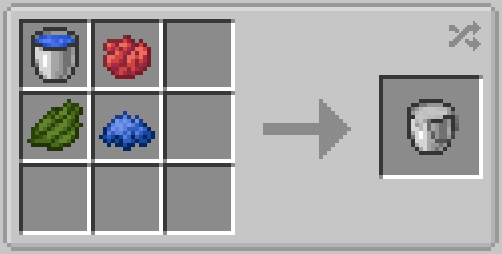
Paint Bucket
The bucket with 500 durability. Open color picker, paint concrete, or copy color.
Controls
Right-click vanilla concrete: Converts it to Stained Concrete in the bucket's current color.
Right-click Stained Concrete: Recolors the block.
Shift + Right-click something other than Stained Concrete: Opens the color picker GUI.
Right-click with empty bucket (in dispenser): Paints the block in front.
The first time you right-click on the concrete, it won't apply color directly; you can apply color by right-clicking again.

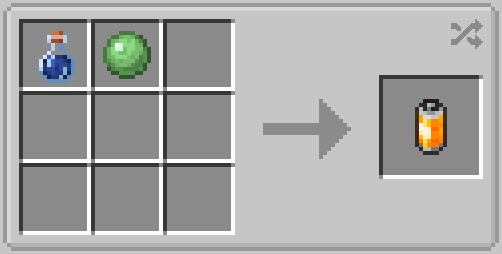
Clean Agent
Right-click on the Stained concrete to use. Shift the color 25% closer to white each time. The darker the color, the more clicks are required.
It has 120 Durability; consumes 1 point per use. No further consumption occurs after turning completely white.

Stained Concrete
Concrete block that displays any RGB color. Drops with color data intact.
This block is created by converting vanilla concrete using the Paint Bucket.
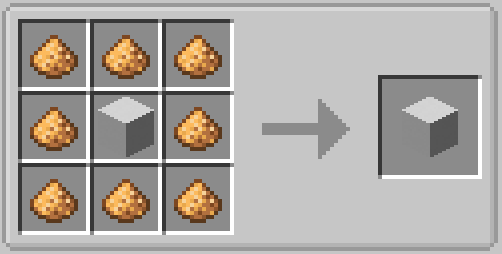
Glowing Stained Concrete
As the name suggests, it's a glowing stained concrete.
This is a variant of common stained concrete. It can help you build glowing things.
Enable Screenspace Colored Blocklight in your shaderpack can achieve a better visual effect.
GUI
Paint Bucket has a GUI.
When you press Shift + Right Click and aim at something other than Stained Concrete,you will see it:
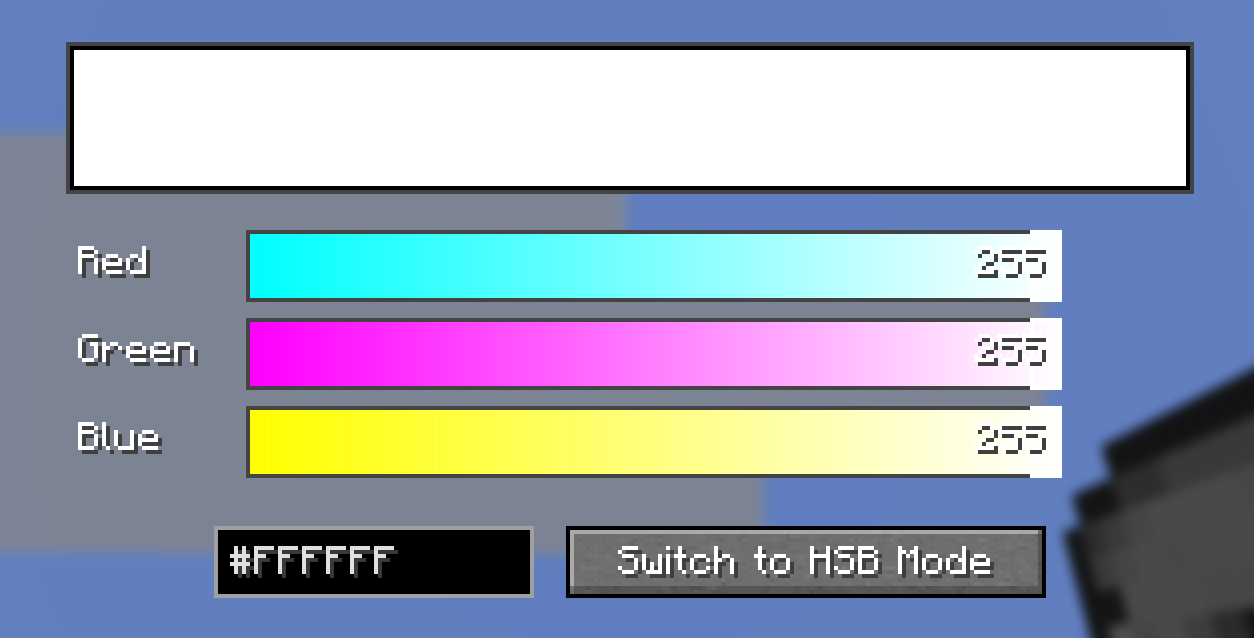
This interface displays a color alongside its appearance on dyed concrete; it shows the color name based on the entered HEX value and allows for color adjustment using HSB sliders and a square colorpicker.
/givec Command
Give yourself a stained concrete block of any color directly, no Paint Bucket needed. Requires cheats / operator permission (level 2).
| Command | Result |
|---|---|
/givec <color> |
Gives 1 Stained Concrete of that color. |
/givec <color> <count> |
Gives the specified amount. |
/givec <color> <count> <glowing> |
Set <glowing> to true for Glowing Stained Concrete. |
<color> is a hex color code, with or without the leading # .
Additional support
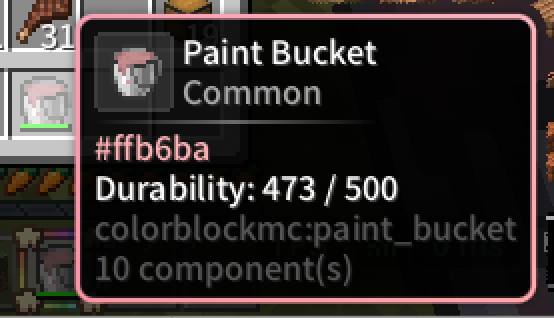
When you install this mod along with ModernUI, the tooltip box will match the color of the stained concrete or bucket.
Project description from Modrinth.
Pick your setup
Colorful Blocks by Minecraft version and loader
Choose the version and loader you play, then open the matching release.
Minecraft version
1.21.1
1 loader buildCheck the dependencies, then try the file in a copied instance before changing a world you care about.
Recent files
Colorful Blocks versions and loaders
2.8.1+1.21.1
Colorful Blocks-1.21.1-2.8.1-fabric-1787181290.jar
19 Aug 2026
Client Optional Server Optional Dependencies No extras listed Listed on Release listing
Check the 1.21.1 · Fabric setup 1.21.1Fabric release
2.8.1+26.1.2
Colorful Blocks-26.1.2-2.8.1-fabric-1787135539.jar
19 Aug 2026
Client Optional Server Optional Dependencies No extras listed Listed on Release listing
Check the 26.1.2 · Fabric setup 26.1.2Fabric release
2.7.4+26.1.2
Colorful Blocks-26.1.2-2.7.4-fabric-1786245931.jar
9 Aug 2026
Client Optional Server Optional Dependencies No extras listed Listed on Release listing
Check the 26.1.2 · Fabric setup 26.1.2Fabric release
2.7.4+1.21.1
Colorful Blocks-1.21.1-2.7.4-fabric-1786245922.jar
9 Aug 2026
Client Optional Server Optional Dependencies No extras listed Listed on Release listing
Check the 1.21.1 · Fabric setup 1.21.1Fabric release
Looking for an older file? The official Modrinth project page is in Resources.
 mod
mod CurseForge + Modrinth · Minecraft
Horse Powered
Hand-cranked and animal-powered machinery focusing on early game grinding, chopping, pressing, drying, and crushing. Leash horses, donkeys, or llamas to automate the line or generate Forge Energy. Data-driven recipes with full JEI, EMI, and Jade support.
 mod
mod Modrinth · Minecraft
FlectonePulse
Every Message Under Your Control!
 mod
mod Modrinth · Minecraft
Animated Logo
Replaces the Boring Mojang Studios Loading Screen with the Dungeons one