



Minecraft version
Back to mods 
Modrinth · Minecraft mod
Mobs Blocker
Mobs Blocker is a simple and effective admin tool to prevent any mob from spawning on your server via a simple command.
Choose a version Pick your version below, then grab the matching file.
Quick answer
Which Mobs Blocker release matches 1.20.1 Forge?
beta file 1.2.0
Game version 1.20.1
Loader Forge
Mobs Blocker 1.2.0 targets 1.20.1 with Forge. Do not install it on the client. It must be installed on the dedicated server. No extra mods listed for this file.
Where it goes
Is Mobs Blocker required on the client, server, or both?
Do not install it on the client. It must be installed on the dedicated server.
Client Not supported
Dedicated server Required
Loader for this release Forge
Required install it here Optional supported, not mandatory Not supported do not install here Source doesn’t say do not assume
This file is marked server-only.
What else does Mobs Blocker 1.2.0 need?
1.2.0 on 1.20.1 Forge. Every mod below is checked against that same setup.
This file does not list any required mods. Do not add a library just because a different file uses it.
This file does not list any required or optional mods.
Before you install it
Add Mobs Blocker without breaking your instance.
Built for Mobs Blocker 1.2.0 on 1.20.1 Forge. Pick another file and the loader, install side or required mods may change.
- 01
Stick to this file
Use 1.2.0. It targets 1.20.1 with Forge; another release may have different loader, side or dependency requirements.
- 02
Bring the mods it needs
This file does not list any required mods. Do not add a library just because a different file uses it.
- 03
Put it on the correct side
Do not install it on the client. It must be installed on the dedicated server.
- 04
Pick the file you checked
Use the “Get this file” button beside 1.2.0. It opens that exact file at the source.
About this project
What does Mobs Blocker add?
Mobs Blocker
Advanced Spawn Control for Your Server
Mobs Blocker has been completely re-architected to give you granular control over entity spawning. Stop mobs based on specific conditions (natural spawns, spawners, eggs) or apply rules globally across mob categories.
⚠️ UPDATE NOTICE: This mod has been rewritten and currently ONLY supports version 1.2.0. For version 1.1.0, please check the GitHub repository. Versions below 1.1.0 are no longer supported.
🚀 How It Works & Core Features
The Logic System
Mobs Blocker intercepts every entity spawn attempt and checks rules in this specific order:
- Specific Rules: Is there a rule for this exact Entity ID? (e.g.,
minecraft:zombie) - Preset Rules: If not, is there a rule for its Category? (e.g.,
monsters) - Global Rules: If not, is there a Global rule set?
Key Features
- Granular Control: Block mobs based on how they spawn (Natural, Spawners, Eggs, Commands).
- Smart Presets: Apply rules to entire categories (e.g., block all
monstersorwater_creatures). - Global Settings: Apply a rule to every entity on the server instantly.
- In-Game Management: Full command system with auto-completion.
- Zero Lag: Uses optimized
HashSetlookups and hooks into NeoForge events for minimal performance impact. - Server-Side Only: Clients do not need to install this mod.
📜 The Rules System (Understanding Block Types)
When adding a rule, you define what to block. You can block specific sources or use "Inverse Mode" to allow only specific sources.
| Rule Keyword | Effect |
|---|---|
all |
Blocks ALL spawns for this target. |
natural |
Blocks natural spawns (darkness, biome generation). |
spawner |
Blocks mob spawners (dungeons, trial spawners). |
egg |
Blocks spawn eggs and dispensers. |
command |
Blocks /summon or command block spawns. |
!natural |
Inverse: Blocks everything EXCEPT natural spawns. |
!spawner |
Inverse: Blocks everything EXCEPT spawners. |
!command |
Inverse: Blocks everything EXCEPT commands. |
💻 Command Guide (Usage Examples)
All commands require OP Level 4.
1. Specific Mob Control (add)
Target a single entity type.
- Block Zombies completely:
/spawnblocker add minecraft:zombie all - Block Creepers from spawning naturally (but allow spawners/eggs):
/spawnblocker add minecraft:creeper natural - Allow Skeletons ONLY from Spawners (Inverse Mode):
/spawnblocker add minecraft:skeleton !spawner
2. Category Presets (preset)
Apply rules to groups of mobs.
Available categories: monsters, creatures, ambient, water, misc.
- Block all Monsters from spawning naturally:
/spawnblocker preset monsters natural - Disable all ambient creatures (Bats, etc.):
/spawnblocker preset ambient all
3. Global Settings (global)
Apply a fallback rule to the entire server.
- Disable Natural Spawning server-wide (Adventure mode style):
/spawnblocker global natural
4. Management & Utilities
- Remove a rule:
/spawnblocker remove minecraft:zombie /spawnblocker remove preset monsters - List active rules:
/spawnblocker list - Reload Config (from disk):
/spawnblocker reload - Reset Everything (Wipe Config):
/spawnblocker reset
📂 Configuration File (Manual Editing)
The configuration is saved automatically to config/spawnblocker.json. You can edit this file manually if the server is stopped.
Example spawnblocker.json:
{
  "minecraft:phantom": [
    "all"
  ],
  "preset:monsters": [
    "natural"
  ],
  "minecraft:zombie": [
    "!spawner"
  ],
  "global_settings": [
    "command"
  ]
}
Project description from Modrinth.
Pick your setup
Mobs Blocker by Minecraft version and loader
Choose the version and loader you play, then open the matching release.
Minecraft version
1.21.4
1 loader buildMinecraft version
1.21.1
1 loader buildMinecraft version
1.20.6
1 loader buildMinecraft version
1.20.4
2 loader buildsMinecraft version
1.20.1
1 loader buildMinecraft version
1.19.4
1 loader buildMinecraft version
1.19.2
1 loader buildCheck the dependencies, then try the file in a copied instance before changing a world you care about.
Recent files
Mobs Blocker versions and loaders
1.2.0
mobs_blocker-1.2.0-forge-1.20.1.jar
22 Dec 2025
Client Not supported Server Required Dependencies No extras listed Listed on Release listing
Check the 1.20.1 · Forge setup 1.20.1Forge beta
1.1.0
mobs_blocker-1.1.0-forge-1.20.1.jar
18 Dec 2025
Client Not supported Server Required Dependencies No extras listed Listed on Release listing
Check the 1.20.1 · Forge setup 1.20.1Forge beta
1.0.0
mobblocker-1.0.0-forge-1.20.1.jar
12 Apr 2024
Client Not supported Server Required Dependencies No extras listed Listed on Release listing
Check the 1.20.1 · Forge setup 1.20.1Forge alpha
Looking for an older file? The official Modrinth project page is in Resources.
 mod
Modrinth · Minecraft
TaCZ Fixes
An addon mod for Timeless and Classics Zero which supplies some useful function for players and gunspack authors.
 mod
Modrinth · Minecraft
Just Enough Items (JEI)
View Items and Recipes
 mod
CurseForge · Minecraft
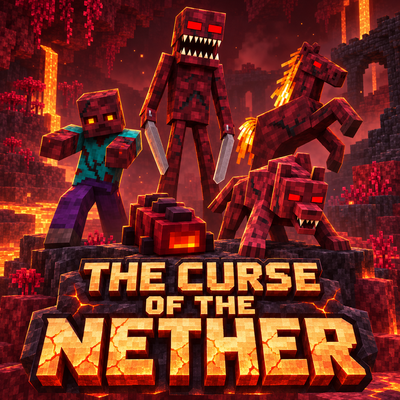
The Curse of the Nether
Survive a spreading Nether infection with five escalating phases, corrupted creatures, growing Hives, new weapons and armor, and a powerful Hive Mother to defeat.