Craft Config Lib Needed by Blocks Previewer 2.1.1+26.1-neoforge
requiredMatching file found Matched file: 1.1.12+26.1-neoforge

Modrinth · Minecraft mod
Client-side mod to preview how blocks will be orientated when placed!
Quick answer
Blocks Previewer 2.1.1+26.1-neoforge targets 26.1, 26.1.1, 26.1.2 with NeoForge. It must be installed on the client. Do not install it on the dedicated server. All 1 required mods have matching files.
Where it goes
It must be installed on the client. Do not install it on the dedicated server.
This file is marked client-only.
2.1.1+26.1-neoforge on 26.1. Every mod below is checked against that same setup.
Install Craft Config Lib first. We found matching files for this game-version and loader setup.
We only count dependency files that match this setup. A file for another loader does not fill the gap.
Before you install it
Built for Blocks Previewer 2.1.1+26.1-neoforge on 26.1. Pick another file and the loader, install side or required mods may change.
Use 2.1.1+26.1-neoforge. It targets 26.1, 26.1.1, 26.1.2 with NeoForge; another release may have different loader, side or dependency requirements.
Install Craft Config Lib first. We found matching files for this game-version and loader setup.
It must be installed on the client. Do not install it on the dedicated server.
Use the “Get this file” button beside 2.1.1+26.1-neoforge. It opens that exact file at the source.
About this project
Ever placed a stair or piston the wrong way and had to break it again? Blocks Previewer lets you see how a block will be oriented before it’s placed, saving your time and frustration, especially useful for builders and redstoners.
This is a purely client-sided mod, and does not interact the server. Works similarly to Create’s placement preview, but for any block in Minecraft.
To open config for the mod, use the command /blockspreviewer or by using Mod Menu for Fabric or the built in (neo)Forge config menu.
Controls
(Both keys are fully configurable in the controls menu.)
Block filtering
TRANSPARENT mode
OUTLINE mode

CONFIGS
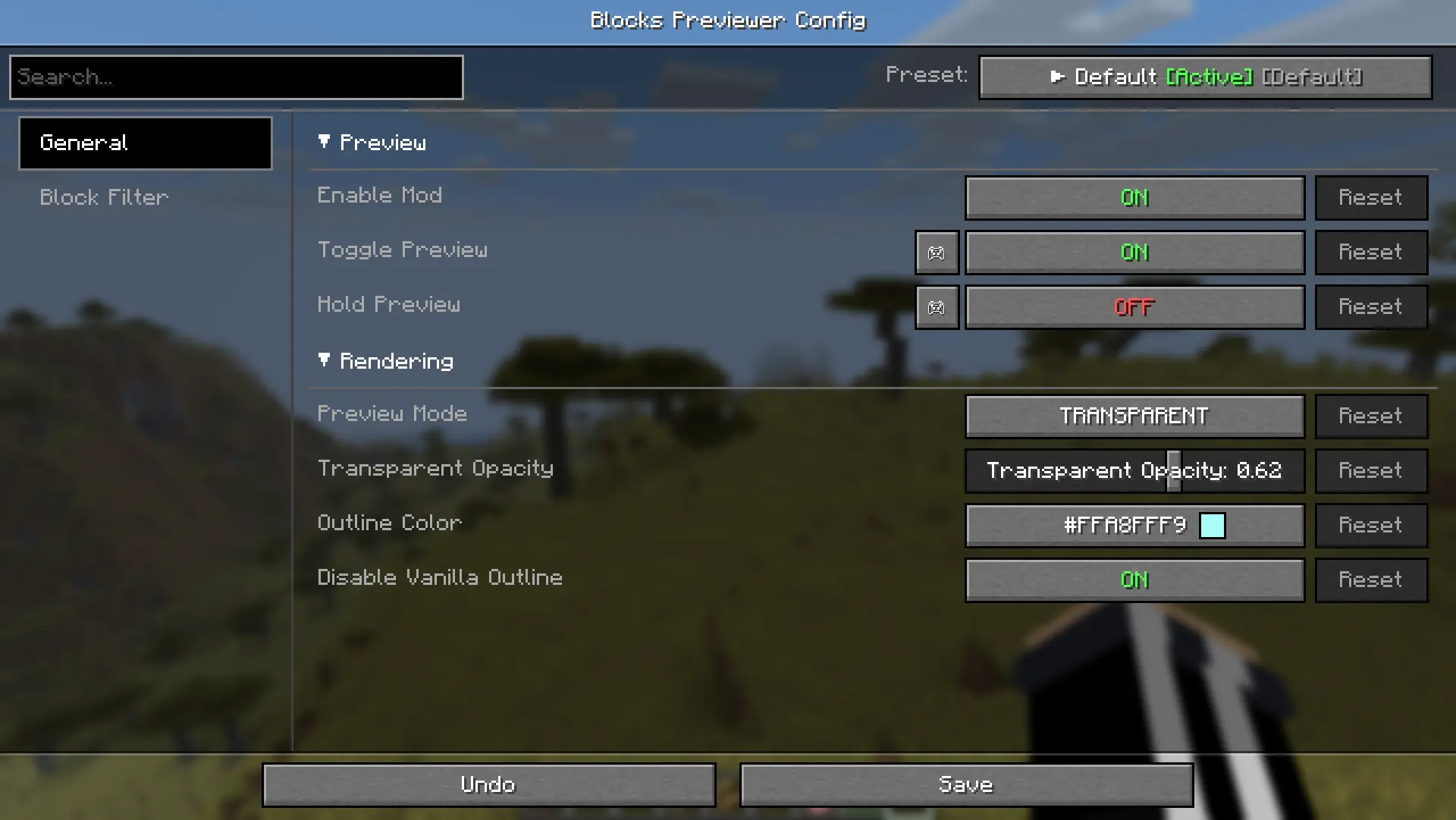
Mod Menu is optional. All else is required.
| Modrinth | Curseforge |
|---|---|
| Craft Config Lib | Craft Config Lib |
| Fabric API | Fabric API |
| Mod Menu | Mod Menu |
Project description from Modrinth.
Pick your setup
Choose the version and loader you play, then open the matching release.
Showing the newest 12 of 22 game versions. Older files are in the list below.
Check the dependencies, then try the file in a copied instance before changing a world you care about.
Recent files
blocks_previewer-2.1.1+26.1-neoforge.jar
31 May 2026
blocks_previewer-2.1.1+26.1-fabric.jar
29 May 2026
blocks_previewer-2.1.0+26.1-fabric.jar
28 May 2026
Looking for an older file? The official Modrinth project page is in Resources.
 mod
A living seasonal world with changing landscapes, weather, crops, and 24 solar terms—even beyond the horizon.
 mod
An immersive and fully functioning computer that provides an anternative to the stale and overused quest book and guide book
 mod
A mod that adds a simple, immersive, and balanced Glider to the game!