Fabric API Needed by MineBerry - Essentials 1.8.0
requiredMatching file found Matched file: 0.161.0+26.2

Modrinth · Minecraft mod
An essential Fabric mod for MineBerry and MinePeak
Quick answer
MineBerry - Essentials 1.8.0 targets 26.2 with Fabric. It must be installed on the client. Do not install it on the dedicated server. All 1 required mods have matching files.
Where it goes
It must be installed on the client. Do not install it on the dedicated server.
This file is marked client-only.
1.8.0 on Fabric. Every mod below is checked against that same setup.
Install Fabric API first. We found matching files for this game-version and loader setup.
We only count dependency files that match this setup. A file for another loader does not fill the gap.
Before you install it
Built for MineBerry - Essentials 1.8.0 on Fabric. Pick another file and the loader, install side or required mods may change.
Use 1.8.0. It targets 26.2 with Fabric; another release may have different loader, side or dependency requirements.
Install Fabric API first. We found matching files for this game-version and loader setup.
It must be installed on the client. Do not install it on the dedicated server.
Use the “Get this file” button beside 1.8.0. It opens that exact file at the source.
About this project
Chat tools, safety tools, tournament mode, waypoints, evidence reports, a customizable HUD and Aerion, your in-game assistant. All in one clean dashboard, and every module is optional.
Built for the MineBerry and MinePeak servers. Some features rely on those servers' commands and chat messages, so they may not behave the same elsewhere.
Watch the official trailer on YouTube.
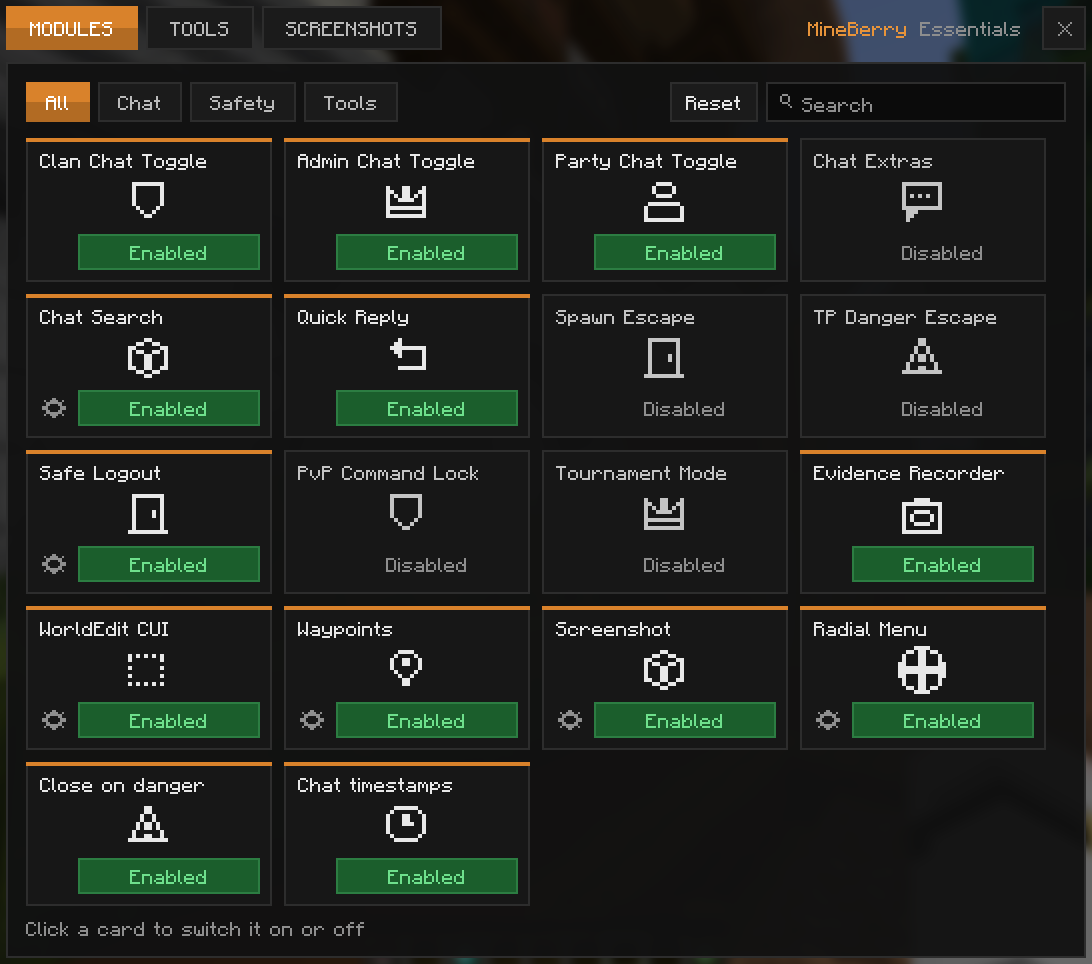
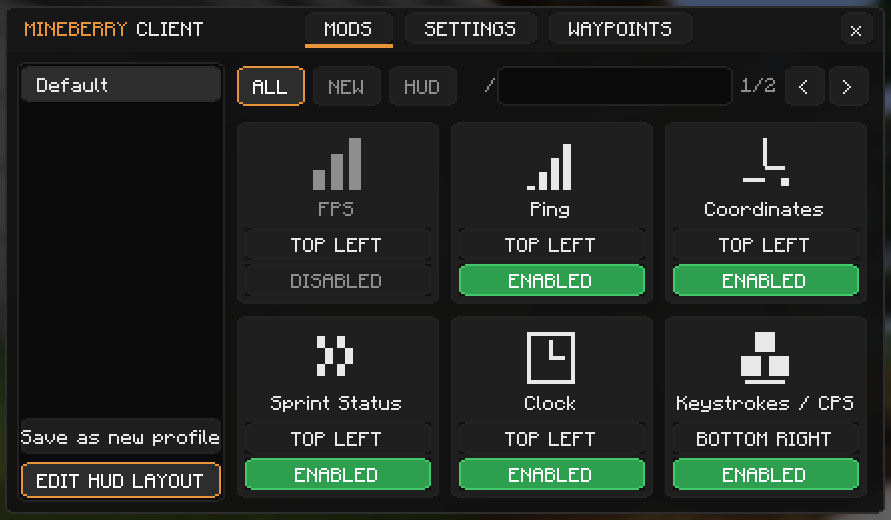
Ask it, tell it, and it gets things done.
| Category | What you get |
|---|---|
| Aerion | In-game assistant with a mini chat, an Aerion tab, alerts and actions |
| Chat | Chat search, Color Code Chat, click-to-copy commands |
| Safety | Send Guard, safe logout and PvP command lock |
| Tournament | Tournament HUD and mode |
| Navigation | Waypoints, airdrop tracking and coordinate conversion |
| Evidence | Evidence reports and a screenshot gallery with F2 copy |
| View | Freelook and Self Nametag |
| HUD | Fully customizable HUD with a built-in editor |
| Radial menu | Hold V and flick to run quick commands like /rtp |
mods folder.Press Right Shift for the HUD menu. Every key can be rebound under Options > Controls > Key Binds.
Every release has its own changelog in the Versions tab, and on GitHub Releases. After an update, the mod also shows a "What's New" popup in-game. You can reopen it anytime under Control Center > Tools > What's New.
Made by Agio12 (ex.aerys) and Nice_EX (nice_ex.). Licensed under MIT.
Project description from Modrinth.
Pick your setup
Choose the version and loader you play, then open the matching release.
Check the dependencies, then try the file in a copied instance before changing a world you care about.
Recent files
mineberry-essentials-1.8.0.jar
24 Nov 2026
mineberry-essentials-1.7.3.jar
21 Nov 2026
mineberry-essentials-1.7.2.jar
21 Nov 2026
mineberry-essentials-1.7.1.jar
20 Nov 2026
mineberry-essentials-1.7.0.jar
19 Nov 2026
mineberry-essentials-1.6.4.jar
19 Nov 2026
mineberry-essentials-1.6.3.jar
19 Nov 2026
mineberry-essentials-1.6.2.jar
18 Nov 2026
mineberry-essentials-1.6.1.jar
18 Nov 2026
Looking for an older file? The official Modrinth project page is in Resources.
 mod
An exploration-focused world map and minimap with cave mapping, waypoints and extensive customization.
 mod
360 degree third person view
 mod
The mods let you customize your block outline