Minecraft version
Back to mods 
Modrinth · Minecraft mod
MineBerry - Essentials
An essential Fabric mod for MineBerry and MinePeak
Choose a version Pick your version below, then grab the matching file.
Quick answer
Which MineBerry - Essentials release matches 26.2?
Best match for your filters 1.6.2
Game version 26.2
Loader Fabric
MineBerry - Essentials 1.6.2 targets 26.2 with Fabric. It must be installed on the client. Do not install it on the dedicated server. No extra mods listed for this file.
Where it goes
Is MineBerry - Essentials required on the client, server, or both?
It must be installed on the client. Do not install it on the dedicated server.
Client Required
Dedicated server Not supported
Loader for this release Fabric
Required install it here Optional supported, not mandatory Not supported do not install here Source doesn’t say do not assume
This file is marked client-only.
What else does MineBerry - Essentials 1.6.2 need?
1.6.2 on 26.2. Every mod below is checked against that same setup.
This file does not list any required mods. Do not add a library just because a different file uses it.
This file does not list any required or optional mods.
Before you install it
Add MineBerry - Essentials without breaking your instance.
Built for MineBerry - Essentials 1.6.2 on 26.2. Pick another file and the loader, install side or required mods may change.
- 01
Stick to this file
Use 1.6.2. It targets 26.2 with Fabric; another release may have different loader, side or dependency requirements.
- 02
Bring the mods it needs
This file does not list any required mods. Do not add a library just because a different file uses it.
- 03
Put it on the correct side
It must be installed on the client. Do not install it on the dedicated server.
- 04
Pick the file you checked
Use the “Get this file” button beside 1.6.2. It opens that exact file at the source.
About this project
What does MineBerry - Essentials add?
MineBerry - Essentials
An essential Fabric mod for MineBerry and MinePeak.
Chat tools, safety tools, a tournament mode, waypoints, evidence reports, a customizable HUD and more, all in one clean dashboard.
Built for the MineBerry and MinePeak servers. Some features depend on those servers' commands and chat messages, so they may not behave the same elsewhere.
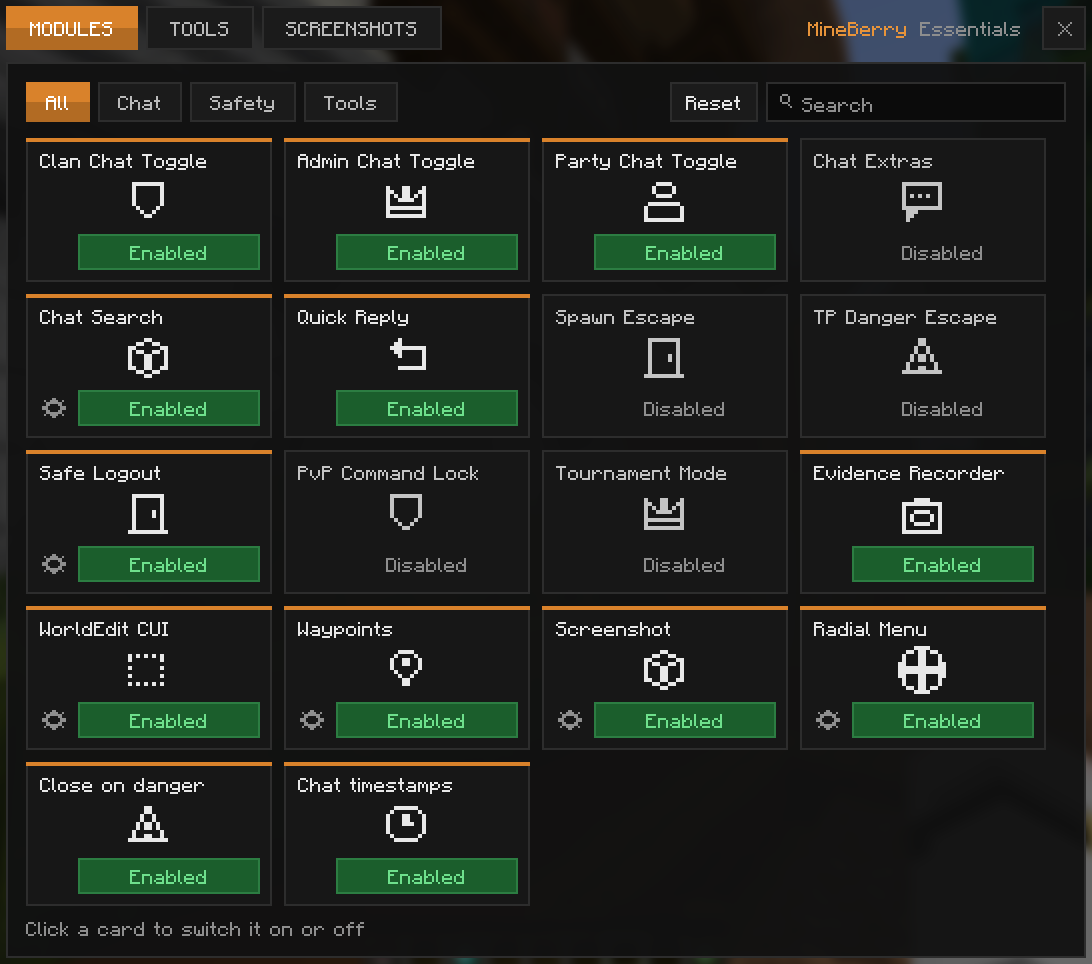
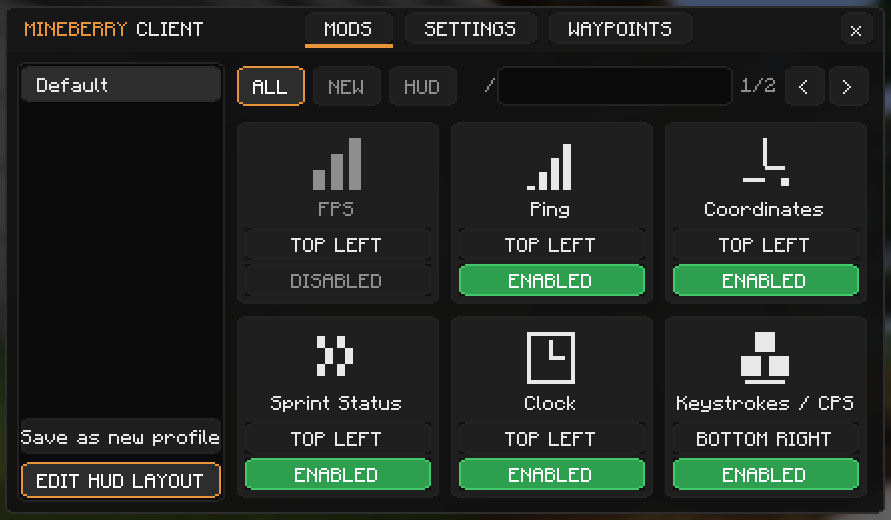
Quick Start
- Install Fabric Loader 0.20.1 or newer for Minecraft 26.2.
- Put Fabric API and MineBerry - Essentials into your
modsfolder (Java 25 or newer). - Join MineBerry or MinePeak and press Right Control to open the Control Center.
- Switch on the modules you want. Everything is optional.
Press Right Shift for the HUD menu. Every key can be rebound under Options > Controls > Key Binds.
Requirements
| Requirement | Version |
|---|---|
| Minecraft | 26.2 |
| Fabric Loader | 0.20.1 or newer |
| Fabric API | Required |
| Java | 25 or newer |
| Mod Menu | Optional |
Links
Made by Agio12 (ex.aerys) and Nice_EX (nice_ex.). Licensed under MIT.
Project description from Modrinth.
Pick your setup
MineBerry - Essentials by Minecraft version and loader
Choose the version and loader you play, then open the matching release.
Check the dependencies, then try the file in a copied instance before changing a world you care about.
Recent files
MineBerry - Essentials versions and loaders
1.6.2
mineberry-essentials-1.6.2.jar
18 Nov 2026
Client Required Server Not supported Dependencies No extras listed Listed on Release listing
Check the 26.2 · Fabric setup 26.2Fabric release
1.6.1
mineberry-essentials-1.6.1.jar
18 Nov 2026
Client Required Server Not supported Dependencies 1 required · 1 unchecked Listed on Release listing
Check the 26.2 · Fabric setup 26.2Fabric release
Looking for an older file? The official Modrinth project page is in Resources.
 mod
Modrinth · Minecraft
SimplesorterR
A lightweight client-side mod for effortless inventory management in Minecraft.
 mod
Modrinth · Minecraft
disable front camera
Skips the front camera when cycling through the cameras modes.
 mod
Modrinth · Minecraft
HyInfo
Minecraft mod for Hypixel adding levelhead, BedWars stars, SkyWars stars and Duels division display in tablist and above nametags