Fabric API Needed by Geodesy 3.3
requiredMatching file found Matched file: 0.153.0+26.2

Modrinth · Minecraft mod
Geode Amethyst Farm Design Tool
Quick answer
Geodesy 3.3 targets 26.2, 26.3 with Fabric. Do not install it on the client. It must be installed on the dedicated server. All 1 required mods have matching files.
Where it goes
Do not install it on the client. It must be installed on the dedicated server.
This file is marked server-only.
3.3 on 26.2. Every mod below is checked against that same setup.
Install Fabric API first. We found matching files for this game-version and loader setup.
We only count dependency files that match this setup. A file for another loader does not fill the gap.
Before you install it
Built for Geodesy 3.3 on 26.2. Pick another file and the loader, install side or required mods may change.
Use 3.3. It targets 26.2, 26.3 with Fabric; another release may have different loader, side or dependency requirements.
Install Fabric API first. We found matching files for this game-version and loader setup.
Do not install it on the client. It must be installed on the dedicated server.
Use the “Get this file” button beside 3.3. It opens that exact file at the source.
About this project
Small Fabric mod for calculating amethyst farm flying machine layout. Inspired by
the original ilmango's video and
the flying machine based farm made by neffty87.
You should only run this in disposable worlds, either in single player or on servers
where you have op. Command blocks must also be enabled.
The mod will destroy the immediate surroundings of the geode!
Run /geodesy without any arguments to acquire The Unholy Book of Geodesy,
as well as the set of blocks you will need to build the farm.
Scout out a nice geode. For our tutorial this small one will do.
Note: this method of amethyst farming tends to struggle with very large geodes,
because of how many collisions they usually cause. Small to medium sized ones
work best.
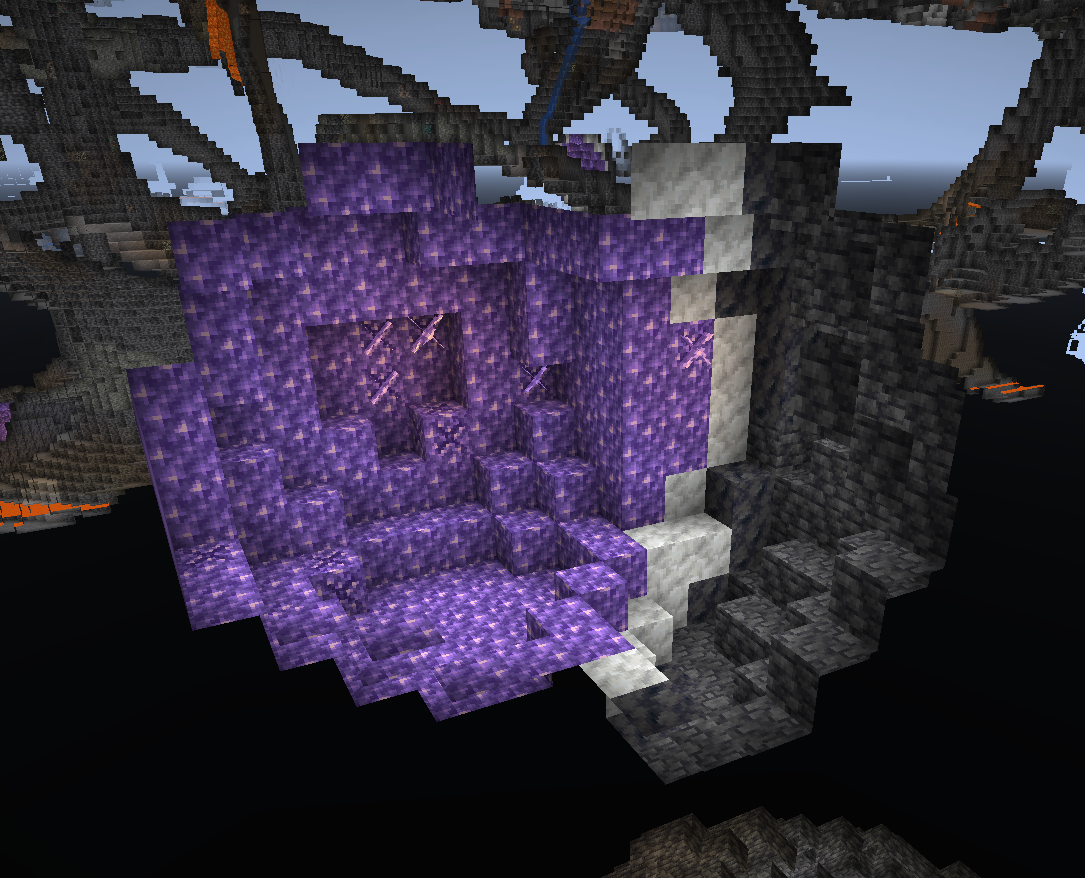
Run /geodesy area (first corner) (second corner) to clear out the surrounding
area of any junk and calculate the geode area. The geode will be highlighted for you
to verify you've entered correct coordinates.
You don't have to be exact with the corner coordinates - you can select a larger
volume and the mod will find the geode anyway. The only time you have to be careful
is when you have two geodes very close to each other (this is also the reason we don't
have autodetection - it easily got confused with multiple geodes nearby).
Here I run /geodesy area 701 -24 -945 712 -15 -934:
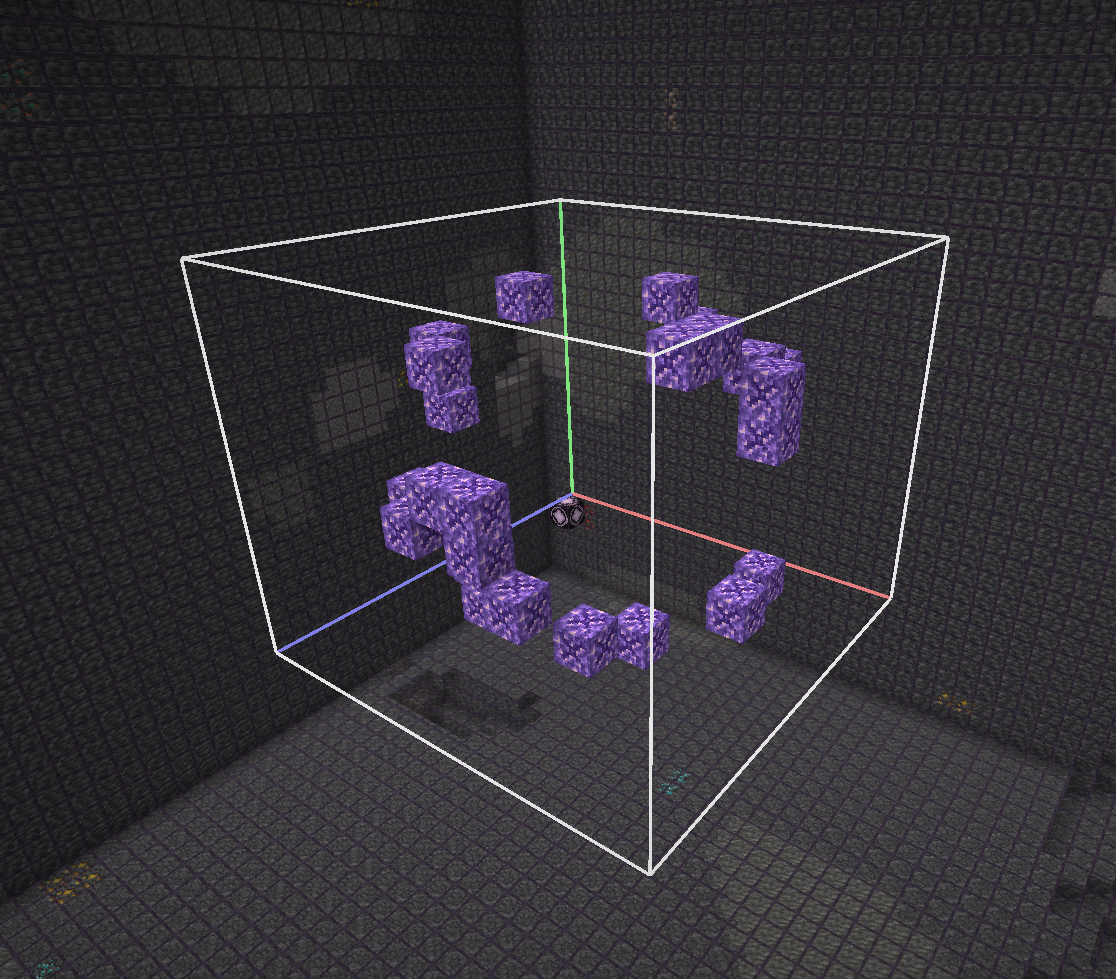
Run /geodesy analyze to perform combinations of projections on all axes and calculate
their efficiency. While the best possible efficiency is achieved by running the flying
machines on all three axes, sometimes just two are good enough. The exact numbers vary
depending on the specific geode layout.
Here I run /geodesy analyze:
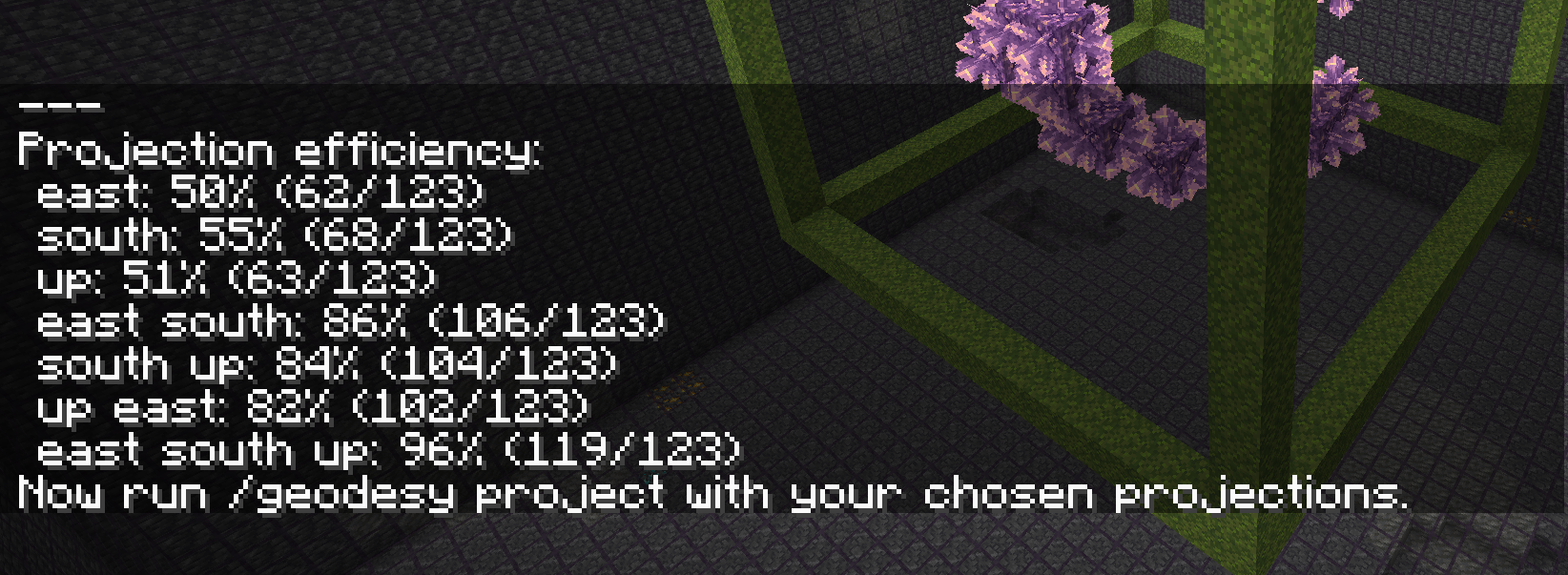
Run /geodesy project (directions) to project the geode onto three planes and create
the farm structure:
You can change the directions in three different aspects, without influencing the
efficiency of the farm:
Here I run /geodesy project east south up:
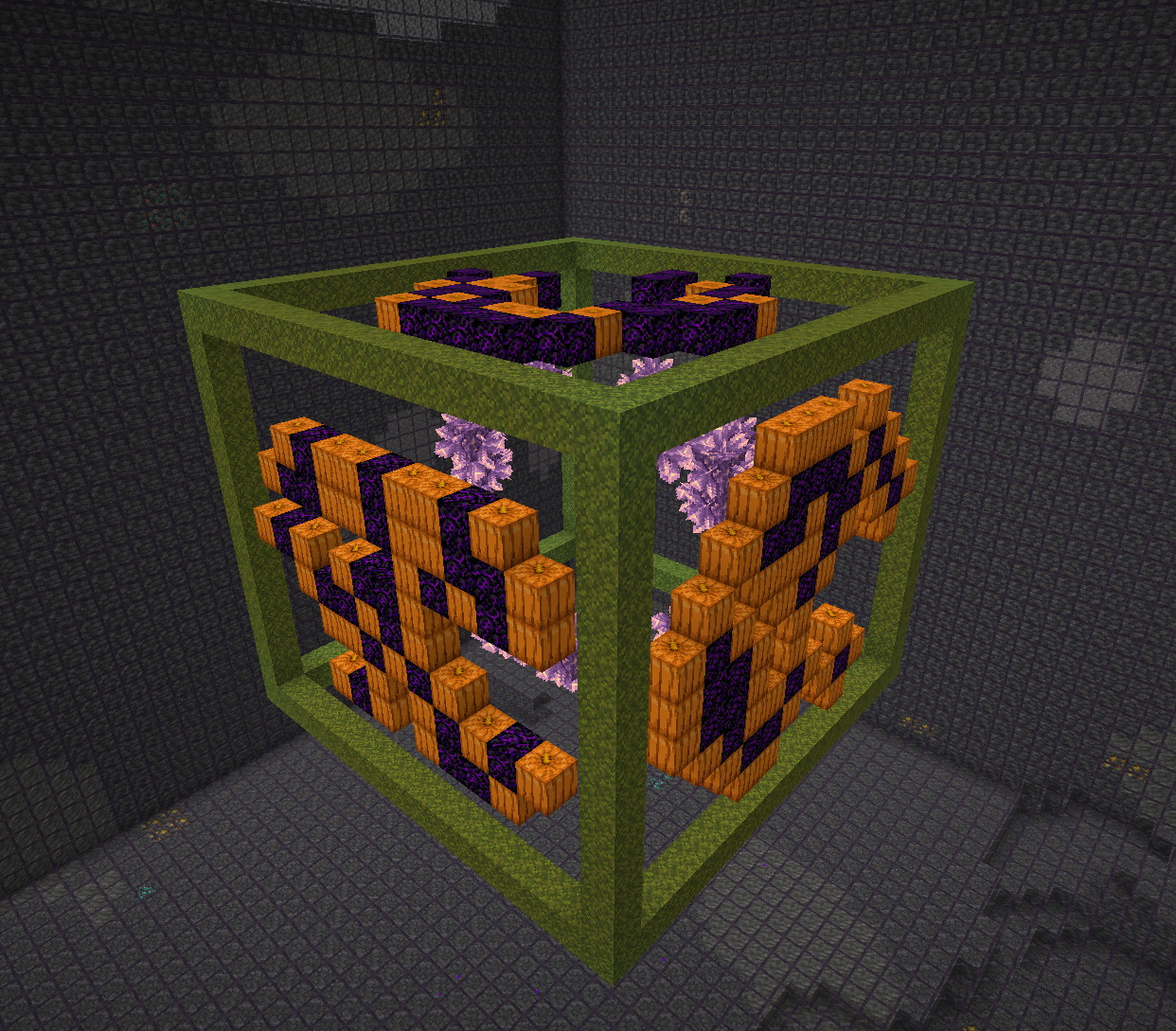
Run /geodesy solve to automatically calculate optimal placement of slime and honey
blocks, as well as the mob head markers for flying machines. This step is optional -
you can still place them manually as described in Steps 6 and 7.
The solver uses a backtracking algorithm to find "islands" (connected groups of sticky
blocks) that maximize coverage of pumpkin blocks while respecting constraints:
The command accepts optional parameters:
/geodesy solve - Use default settings (cost of 1.0, 5 second timeout)/geodesy solve (cost) - Set cost threshold (1.0-12.0)/geodesy solve (cost) (timeout) - Set cost threshold and timeout in seconds (1-300)The cost parameter controls the tradeoff between coverage and number of flying machines:
The solver scores solutions as: harvest_cells_covered - (island_count × cost)
After solving, slime/honey blocks are placed one layer outside the wall, and mob head
markers (3 zombie heads + 1 wither skeleton skull in an L-shape) are placed for each island.
You can re-run /geodesy solve with different parameters - the previous solution will
be cleared automatically.
If you prefer manual placement or want to adjust the solver's output, place slime and
honey blocks outside the structure, as shown by ilmango in the video. All pumpkin blocks
should be covered; no crying obsidian blocks should be covered. If you can't cover all
pumpkin blocks, the efficiency of the farm will be slightly reduced.
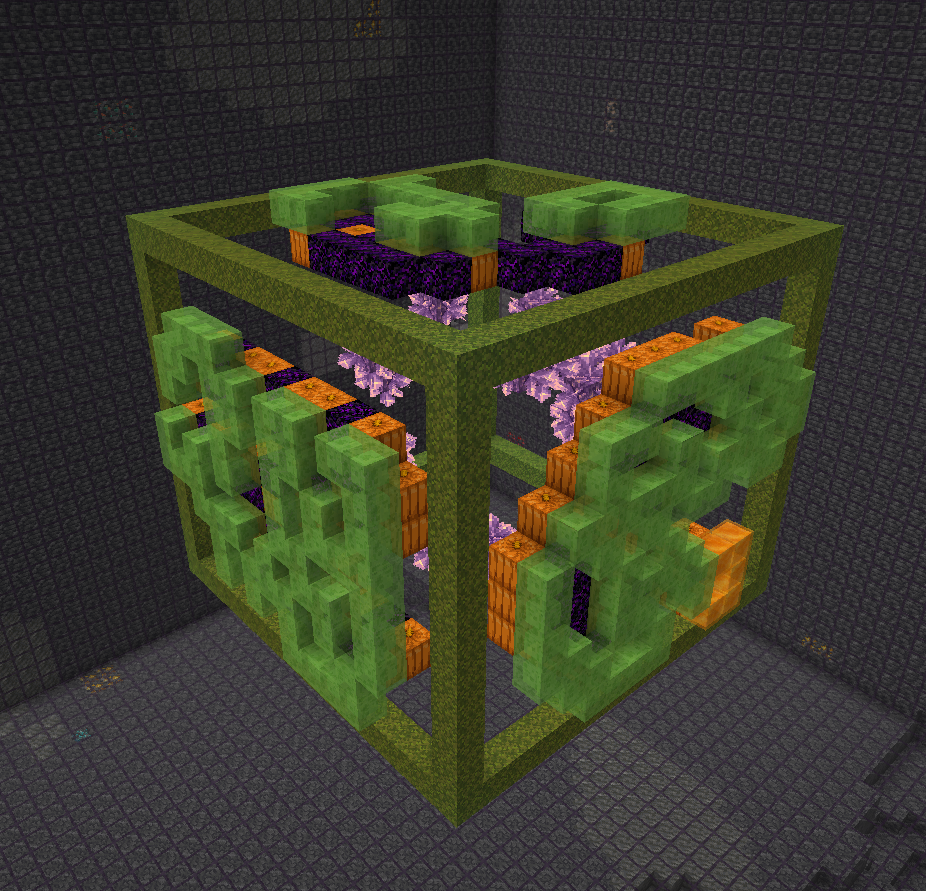
If you skipped the solve step or want to adjust markers, use mob heads to indicate where
the flying machines should go. Black mob head (wither skeleton skull) marks a blocker
obsidian block, three green mob heads (zombie heads) indicate a flying machine.
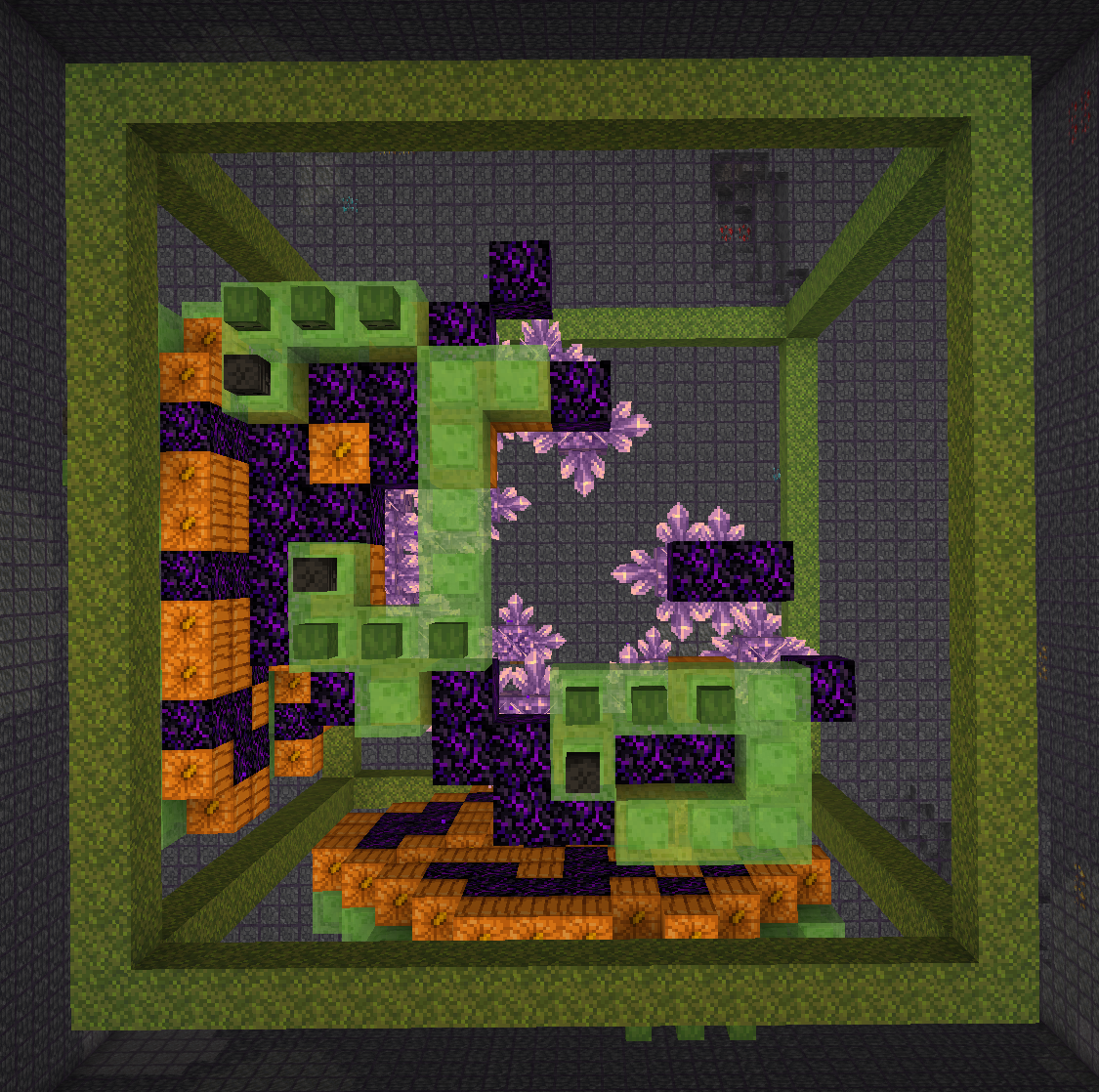
Run /geodesy assemble to "push" the sticky block structures inside the obsidian frame
and generate flying machines at locations that you marked. The redstone clock is also
generated for your convenience - just connect it.
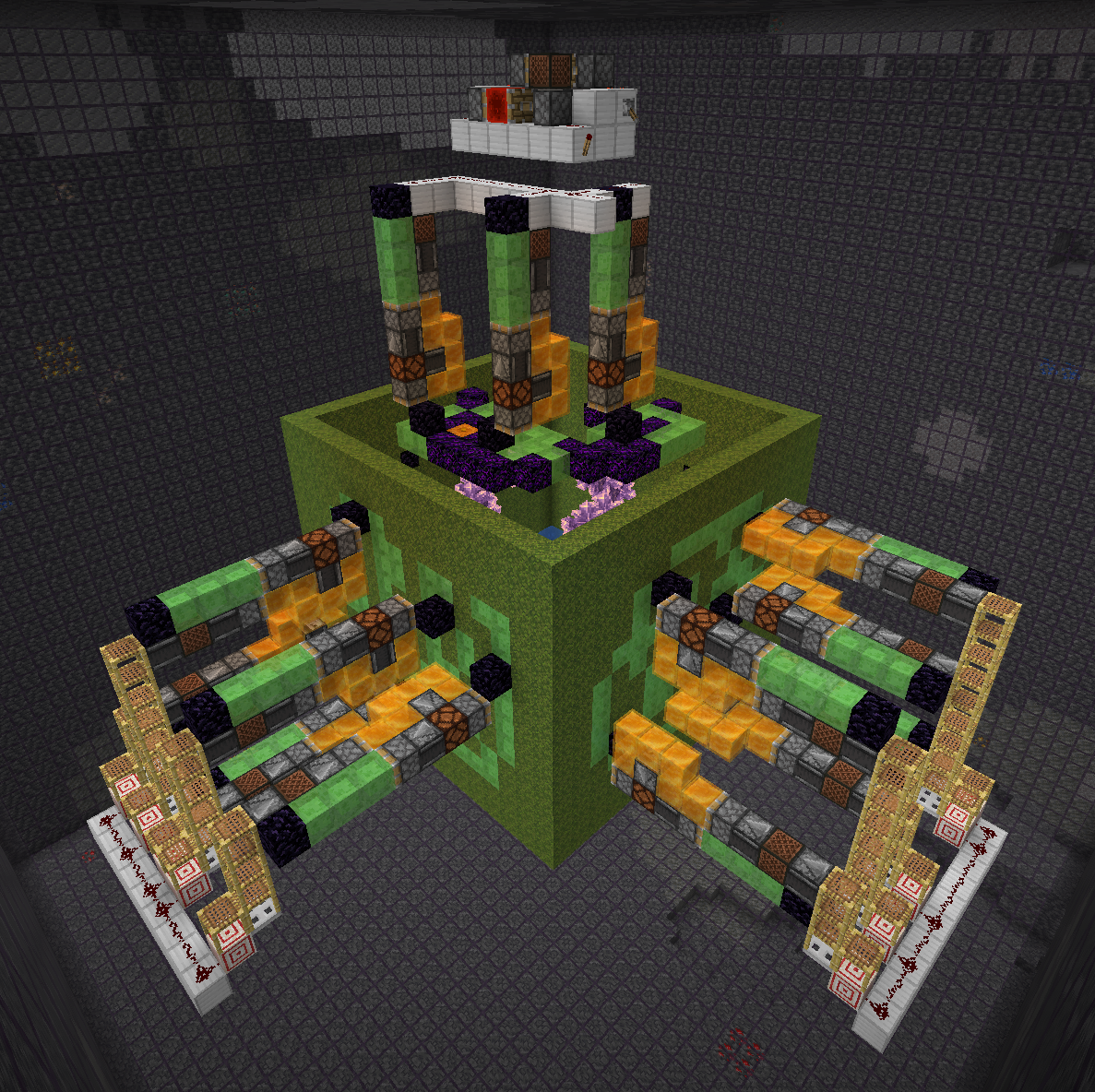
The rest is up to you! Add trigger wiring and collection system. When adding repeaters to the trigger
wiring, make sure to set them to maximum delay. Again, watch ilmango's video for more information.
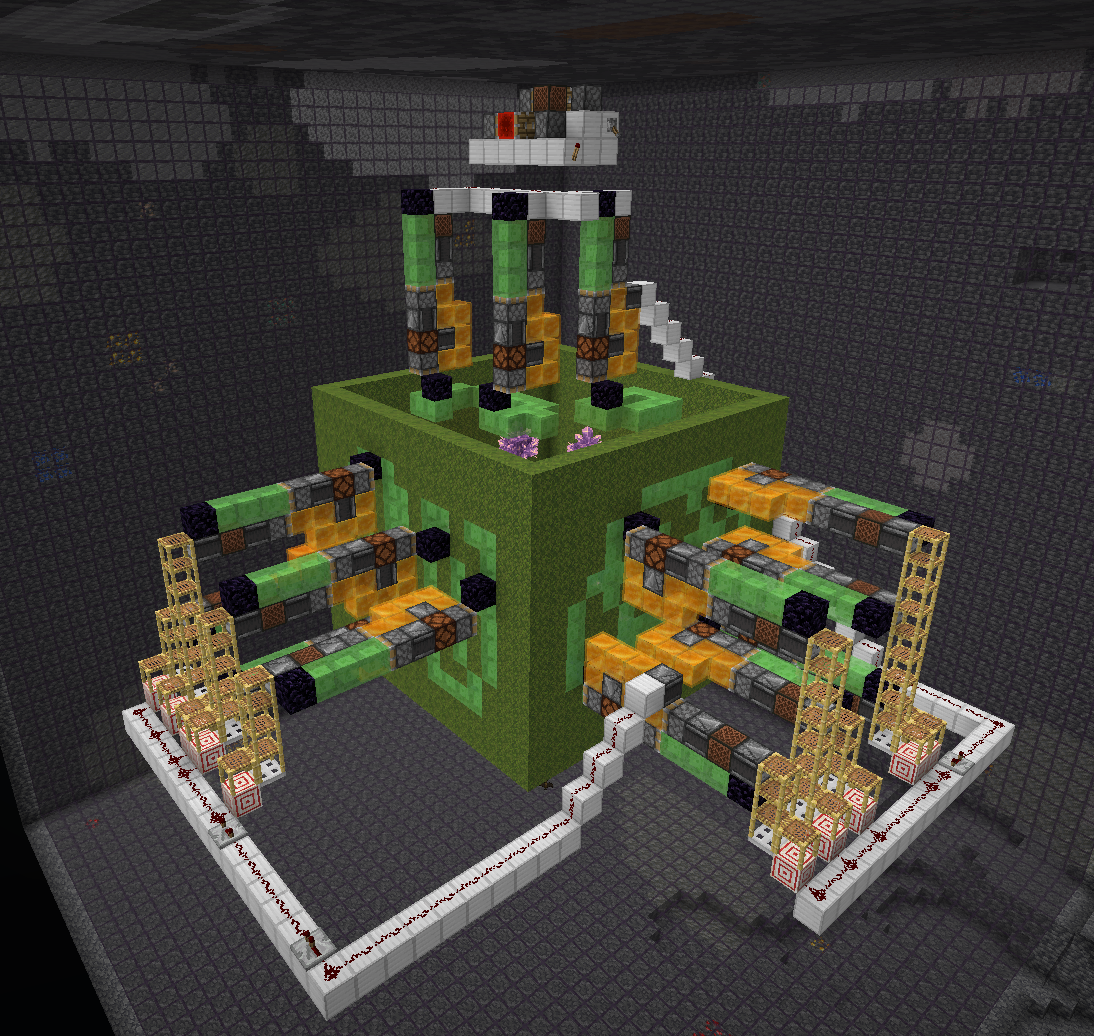
For a list of things to do, see TODO.md.
Project description from Modrinth.
Pick your setup
Choose the version and loader you play, then open the matching release.
Showing the newest 12 of 32 game versions. Older files are in the list below.
Check the dependencies, then try the file in a copied instance before changing a world you care about.
Recent files
geodesy-3.3.jar
24 Jun 2026
Looking for an older file? The official Modrinth project page is in Resources.
 mod
A growing collection of quality-of-life tweaks, bug fixes, and cross-mod integrations for modpack creators!
 mod
Glasscraft adds a Glasscutter that lets you safely harvest glass, glass panes, glowstone and sea lanterns
 mod
A lightweight utility for replacing one block with another, both during worldgen and afterward.

