Minecraft version
Back to mods 
Modrinth · Minecraft mod
Many Faces
Save custom name + skin "personas" and switch between them instantly. Built for roleplay and ReplayMod recordings in singleplayer.
Choose a version Pick your version below, then grab the matching file.
Quick answer
Which Many Faces release matches 26.1?
Best match for your filters 1.0.0
Game version 26.1, 26.1.1, 26.1.2
Loader Fabric
Many Faces 1.0.0 targets 26.1, 26.1.1, 26.1.2 with Fabric. Installation on the client is optional. Installation on the dedicated server is optional. No extra mods listed for this file.
Where it goes
Is Many Faces required on the client, server, or both?
Installation on the client is optional. Installation on the dedicated server is optional.
Client Optional
Dedicated server Optional
Loader for this release Fabric
Required install it here Optional supported, not mandatory Not supported do not install here Source doesn’t say do not assume
The source marks this as usable on both the client and server.
What else does Many Faces 1.0.0 need?
1.0.0 on 26.1. Every mod below is checked against that same setup.
This file does not list any required mods. Do not add a library just because a different file uses it.
This file does not list any required or optional mods.
Before you install it
Add Many Faces without breaking your instance.
Built for Many Faces 1.0.0 on 26.1. Pick another file and the loader, install side or required mods may change.
- 01
Stick to this file
Use 1.0.0. It targets 26.1, 26.1.1, 26.1.2 with Fabric; another release may have different loader, side or dependency requirements.
- 02
Bring the mods it needs
This file does not list any required mods. Do not add a library just because a different file uses it.
- 03
Put it on the correct side
Installation on the client is optional. Installation on the dedicated server is optional.
- 04
Pick the file you checked
Use the “Get this file” button beside 1.0.0. It opens that exact file at the source.
About this project
What does Many Faces add?
Many Faces
Become anyone. Many Faces lets you save a roster of personas, each one a
custom username, skin, and body model, and switch between them
instantly in-game. Built for roleplay, machinima, and ReplayMod recordings.
Features
- Save unlimited personas: a username + a custom skin PNG + Classic/Slim model.
- Switch in one click: open the menu, click a persona, you're them.
- ReplayMod-ready: your persona name is baked into the recording, and the
right skin is matched back on playback, so each recorded character looks correct. - Dead-simple skins: pick any
.pngwith the native file picker. No uploads,
no Mojang account swapping. - Real name change in singleplayer: your persona name shows in chat and the
tab list, not just floating above your head. - Open with
/personaor the K key (rebindable).
How to use
- Press K (or run
/persona). - Click Add Persona, enter a name, choose a skin PNG, pick Classic or Slim.
- Click a persona to become it. Hit Reset to real name to go back.
Requirements
- Minecraft 26.1.2
- Fabric Loader + Fabric API
- Java 21
- Client-side only. Install on your own client; nothing to put on a server.
Good to know
- The name change uses your singleplayer world's integrated server. This is a
singleplayer / recording tool. It does not change how you appear to other
players on a multiplayer server. - Custom skins are rendered on your own client. Other players won't see them;
in ReplayMod playback they're matched by the recorded name.
Personas are stored in config/persona_mod/ so they persist across worlds.
Project description from Modrinth.
Pick your setup
Many Faces by Minecraft version and loader
Choose the version and loader you play, then open the matching release.
Minecraft version
26.1.2
1 loader buildMinecraft version
26.1.1
1 loader buildMinecraft version
26.1
1 loader buildCheck the dependencies, then try the file in a copied instance before changing a world you care about.
Recent files
Many Faces versions and loaders
1.0.0
persona_mod-1.0.0.jar
20 Jun 2026
Client Optional Server Optional Dependencies No extras listed Listed on Release listing
Check the 26.1 · Fabric setup 26.126.1.126.1.226.2 release
Looking for an older file? The official Modrinth project page is in Resources.
 mod
CurseForge + Modrinth · Minecraft
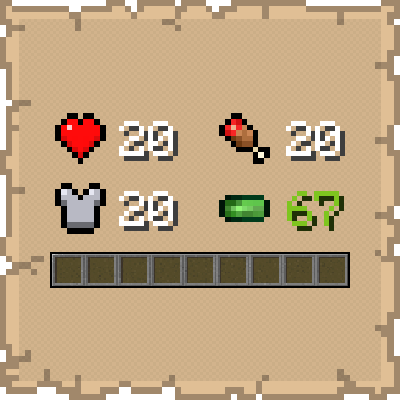
Numerical HUD
This mod replaces vanilla status bars with clean, animated numerical values and dynamic icons.
 mod
Modrinth · Minecraft
Geyser
A bridge/proxy allowing you to connect to Minecraft: Java Edition servers with Minecraft: Bedrock Edition.
 mod
Modrinth · Minecraft
Villager Apprentice
Villagers don't teach you. You teach them. Replaces the slot machine rolling of villager trades with a more adventerous system.