Fabric API Needed by Ghostblocks 1.21-1.6.5
requiredMatching file found Matched file: [1.21] Fabric API 0.102.0+1.21

Modrinth · Minecraft mod
A client sided configuration mod that adds interesting visual effects and useful tweaks.
Quick answer
Ghostblocks 1.21-1.6.5 targets 1.21 with Fabric. Installation on the client is optional. Installation on the dedicated server is optional. All 2 required mods have matching files.
Where it goes
Installation on the client is optional. Installation on the dedicated server is optional.
The source marks this as usable on both the client and server.
1.21-1.6.5 on Fabric. Every mod below is checked against that same setup.
Install Fabric API, Cloth Config API first. We found matching files for this game-version and loader setup.
We only count dependency files that match this setup. A file for another loader does not fill the gap.
Before you install it
Built for Ghostblocks 1.21-1.6.5 on Fabric. Pick another file and the loader, install side or required mods may change.
Use 1.21-1.6.5. It targets 1.21 with Fabric; another release may have different loader, side or dependency requirements.
Install Fabric API, Cloth Config API first. We found matching files for this game-version and loader setup.
Installation on the client is optional. Installation on the dedicated server is optional.
Use the “Get this file” button beside 1.21-1.6.5. It opens that exact file at the source.
About this project
Ghostblock (or ghost for short) is a mod me and my friend mlgnez have been working on for over a year! It contains many client-sided tweaks that are either fun, or frustrating depending on how you look at it. Some might even be useful! However you see it, all* features are disabled by default so you wont notice it in game until you start messing with the settings. Overall this mod is just for me to put fun things i find into minecraft! So lets get into all the features in order by category!

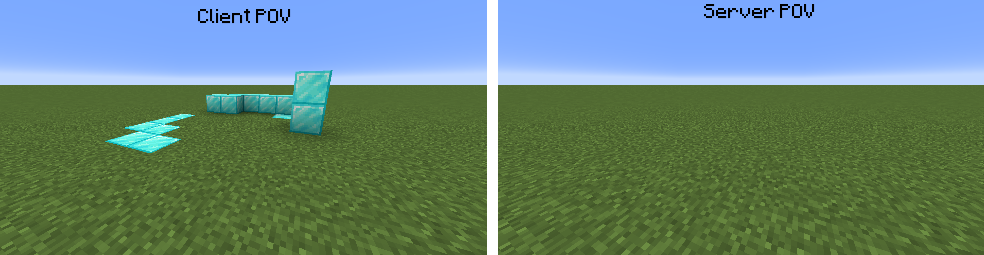
Have you ever been playing on a server and you get stuck on a block that isnt there? Well thats called a server sided ghost block. These happen when the server and client disagree on what blocks exist. In the case above, the server thought there was a block, but the client didn't. Well, what if the opposite happened?
When you press the ghost block button that you defined in the controls, which is G by default, it spawns a ghost block under your feet!
All flying exploits using this are server-sided opt in, and can only replace non-air blocks with a ghost block if the server does not opt-in to this feature
Do you enjoy ice physics in minecraft? No? Well, I added frozen mode that turns all blocks as slippery as they can get!
If you play in windowed mode, at the top of your screen it should say something along the lines of "Minecraft* 1.19.3 - Singleplayer". Well, what if it didnt? With this you can make it say anything!

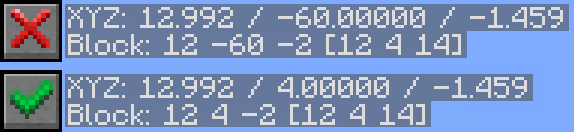
Does your brain have trouble processing negative numbers? Well, mine doesn't but one of my friend's does. So they asked I add this feature, and so I did. Whenever you look in the f3 menu, your mind will no longer be flooded with those hurtful negative numbers. Let's just keep it positive!
This one makes every block be as bouncy as a slime block. Though i'd bring feather falling, because stone wont break your fall as good as slime will...
Are you waiting for Minecraft 2.0 to release? Don't you just want it now?! Well, now you can set your "version" to whatever you want! It may only effect the f3 menu and the title screen, but who's gonna be laughing when your friends are waiting on Minecraft 1.20 when you're already on 2.0

yes i do play with a bunch of mods, don't judge me
Sometimes I think to myself, what if my character was further away, and less visible, or what if I couldnt see the world as much, and only my character. If you have ever wanted the same thing, I have the option for you! This lets you change how many blocks away your camera is in the third person mode (f5). This value defaults to 4, just like vanilla, but you can change it to whatever you want!

Wow, that name is a mouthful, but it describes exactly what it does. If you're trying to break a block and your tool is below a certain percent, it will not let you. Great for not breaking your Silk touch Efficiency 5 Unbreaking 3 Mending diamond pickaxe that you worked 2 hours to get, completely hypothetical situation though.
To set this percentage, set the option to yes, then close and re-open the config, to see another option that lets you set the percent. When the top option is enabled, the default is 10%.


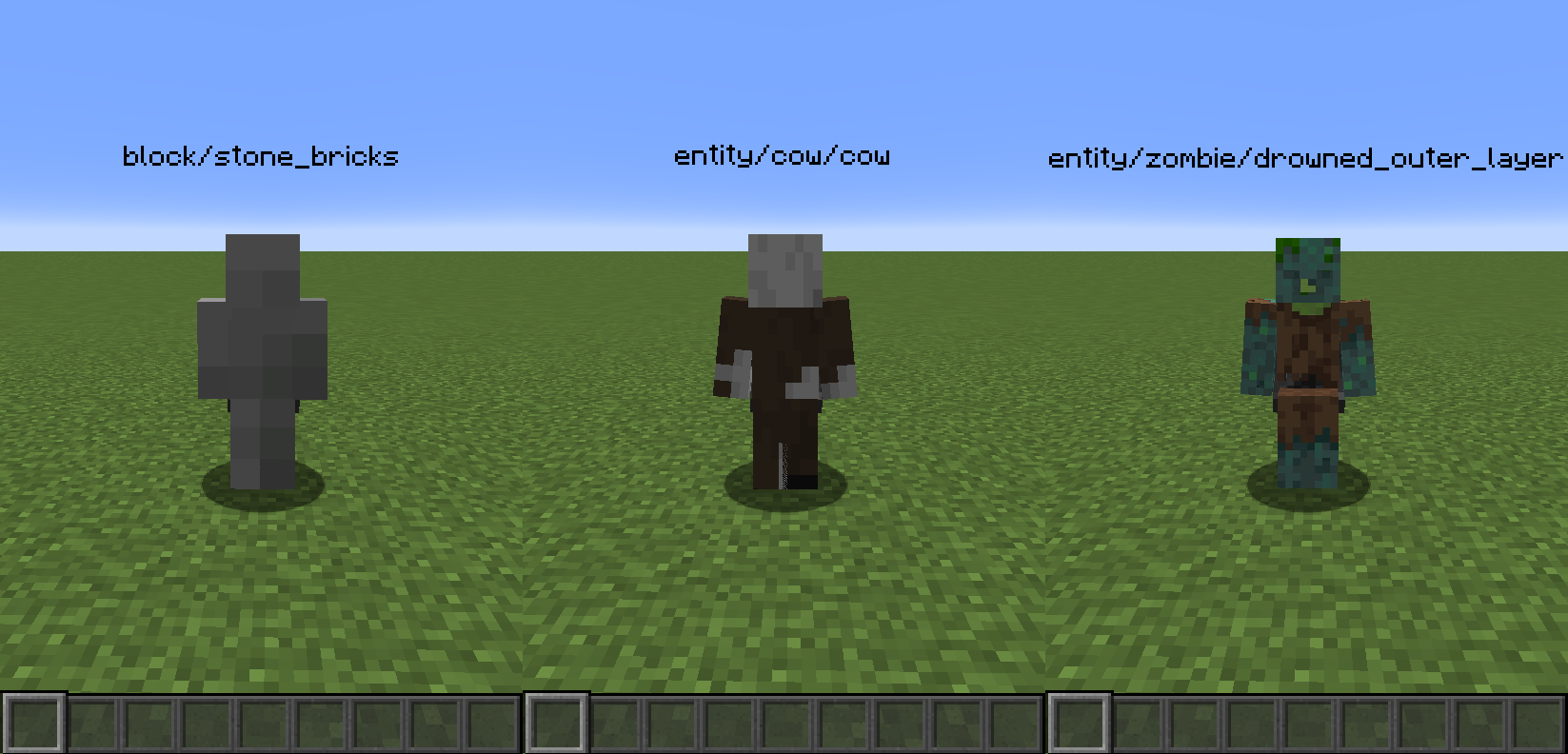
this allows you to change the player skin texture to point to anything in the game! From other mobs to items and blocks, theres no limit! even though there probably should be...
Also, if you want to disable the 2nd layer of textures on your 1st person hand, you can do so with the sleeve texture option
Sometimes, I feel like I have no head, and now you can simulate that in minecraft! You can disable the rendering of any part of the character's body. Head, Legs, Arms, and Torso can be disabled. You could even disable them all at once! You wont, but you could!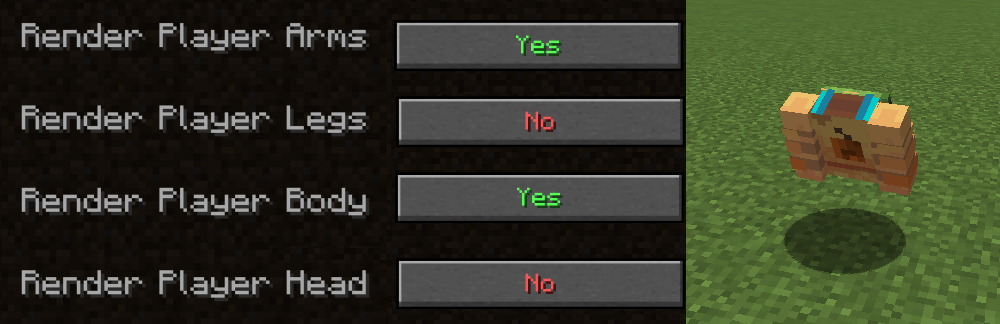
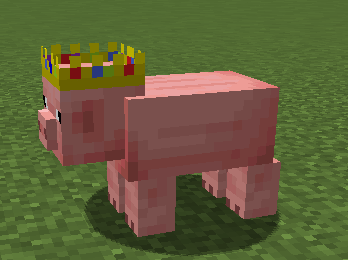
This is the only feature enabled by default, however I think it has good reason to be. It adds a crown to all pigs in your minecraft world in honor of technoblade. I've watched his videos for so long, and he meant a lot to the minecraft community as a whole. You can turn this off if it messes with your texturepack, as it does modify the pig's texture to achieve this.
This lets you pretend you are either: Freezing to death, drowning, or melting. All of these seem preferable to seeing, so this is clearly the most used feature.

This lets you lower yourself into the ground or up in the air, but not really. It just makes them render higher.
Moleman Mode

Thats the texture and model changes. They've mostly all been about the player, except for the technoblade model swap. This next category is my absolute favorite, its a lot of fun to mess with. So lets move on to...
This contains a lot of separate options, so ill show them off real quick.
LIGHTNING ROUND
This changes the color of the top of the sky! lets set it to red.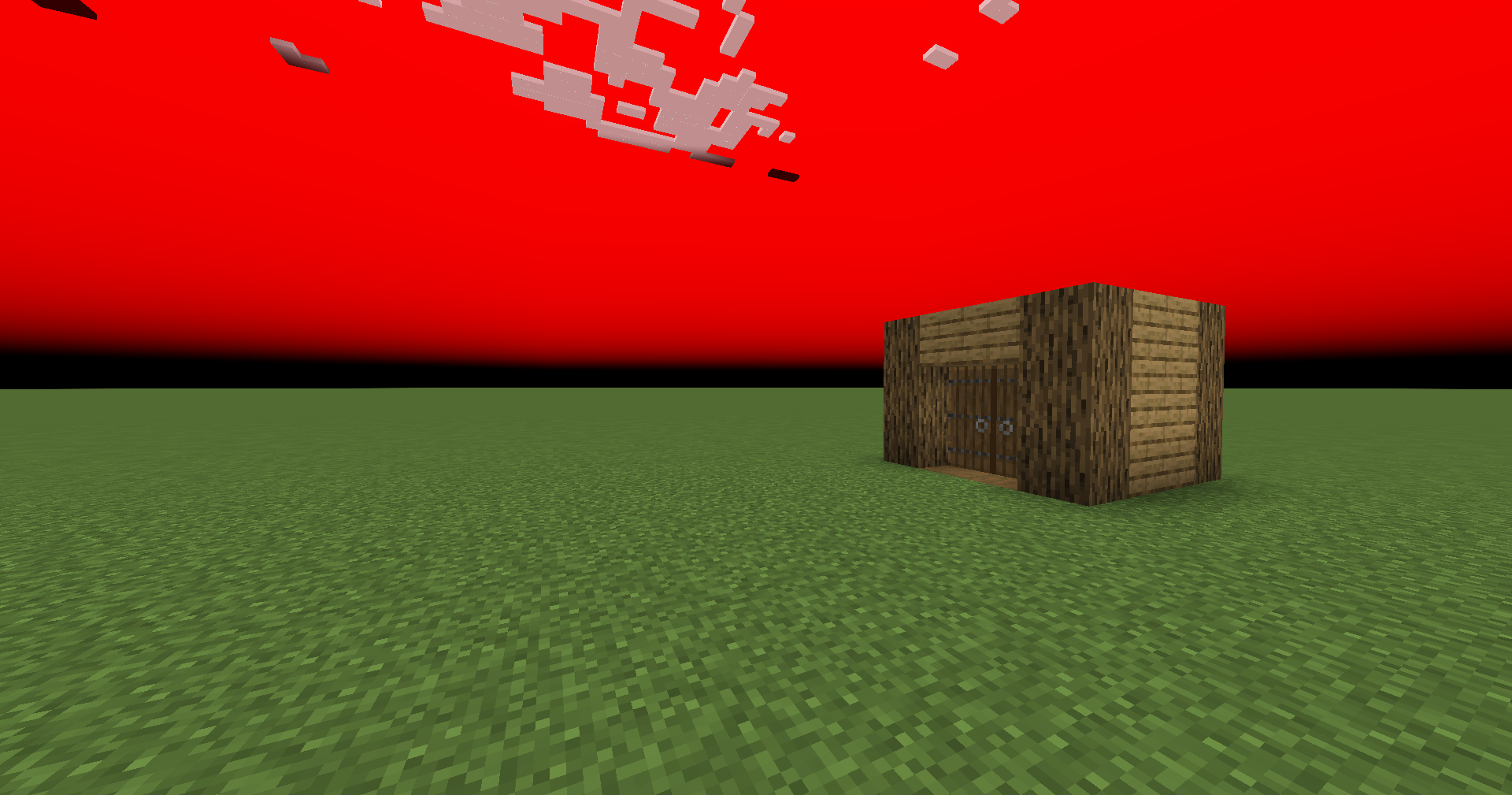
This changes the color of the bottom and edges of the sky! lets set it to orange.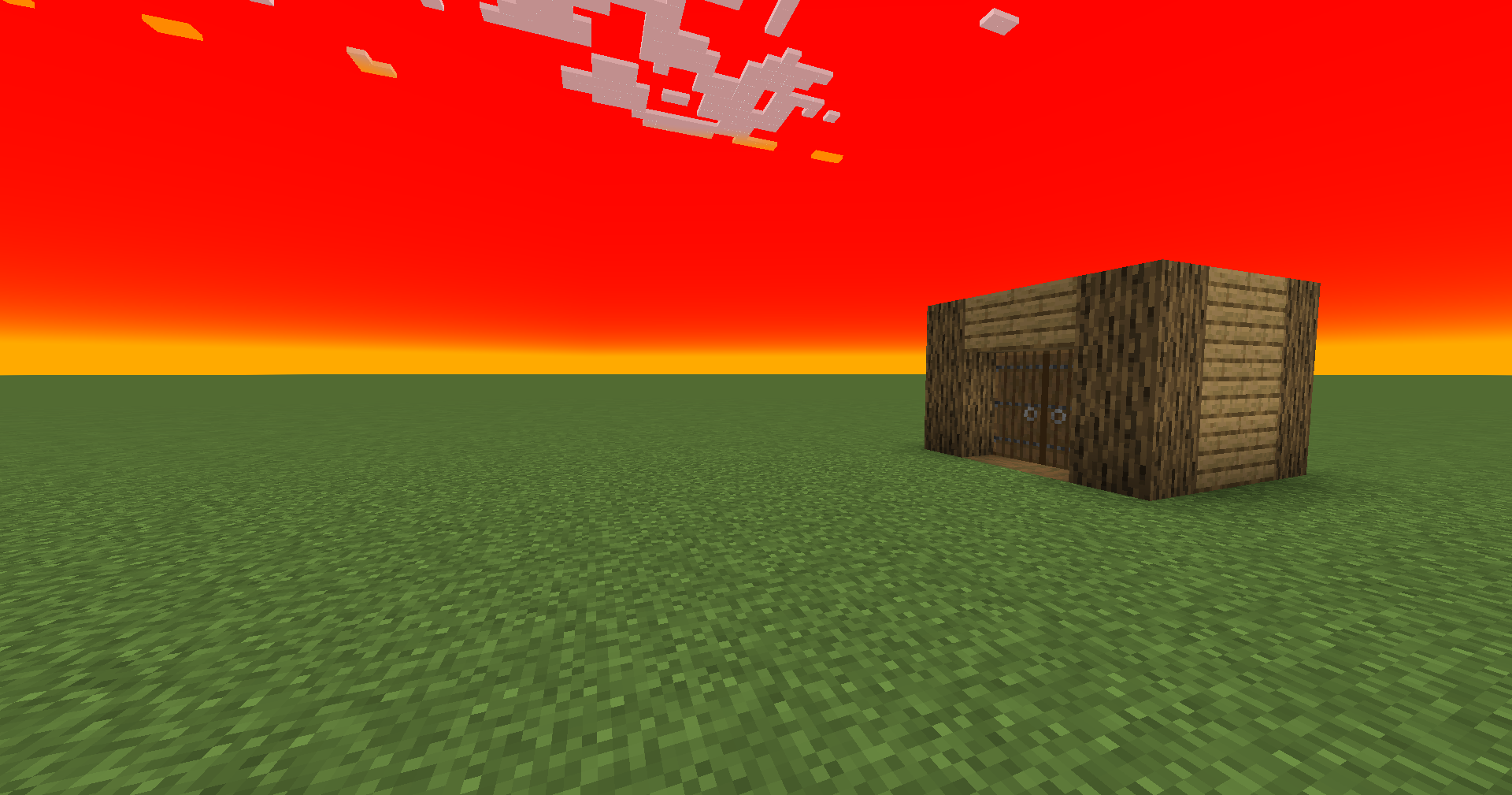
This changes the color of carrots. No, wait, it's leaves. How about cyan.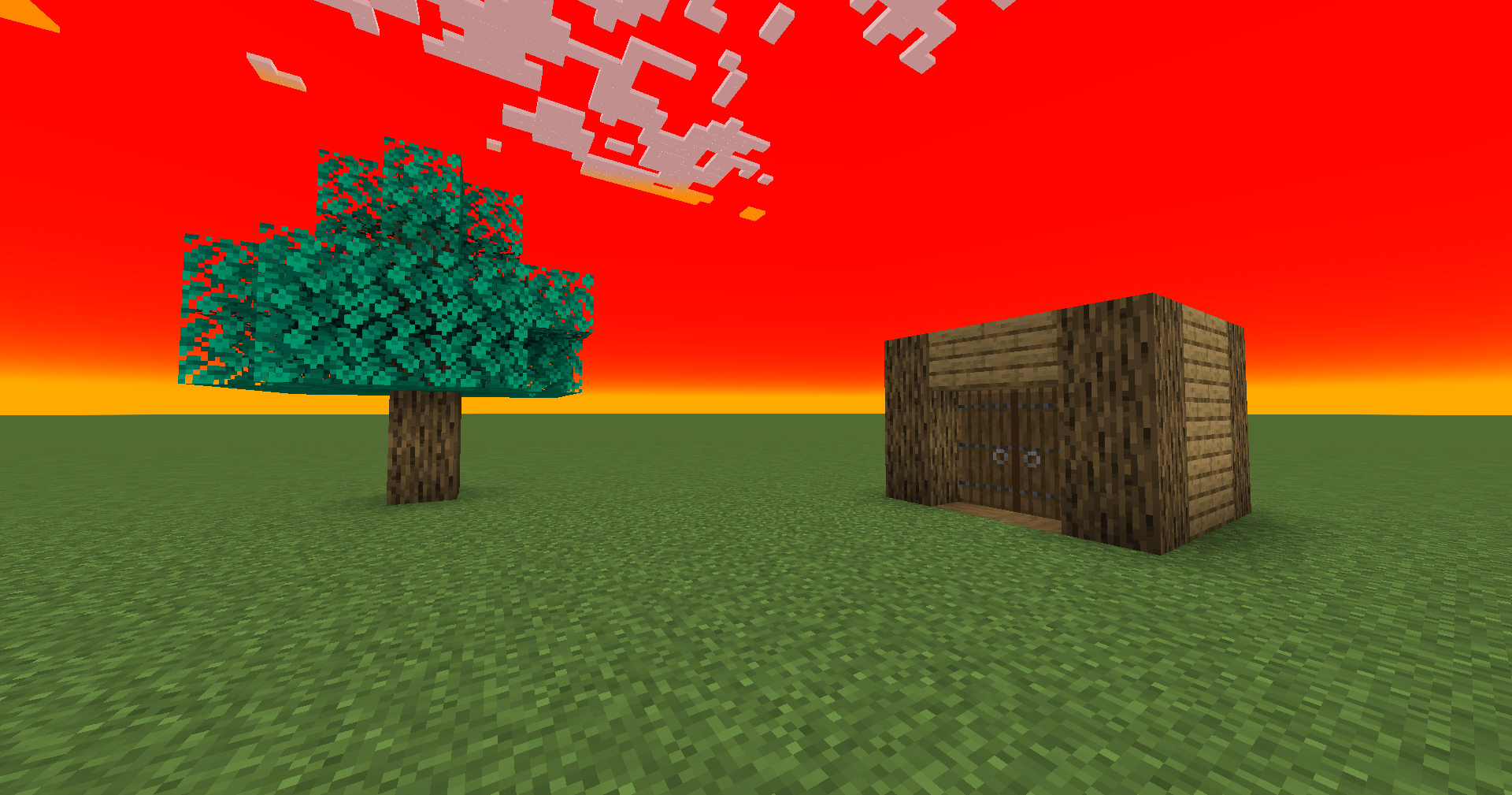
This grasses the change of color... wait too fast I can't-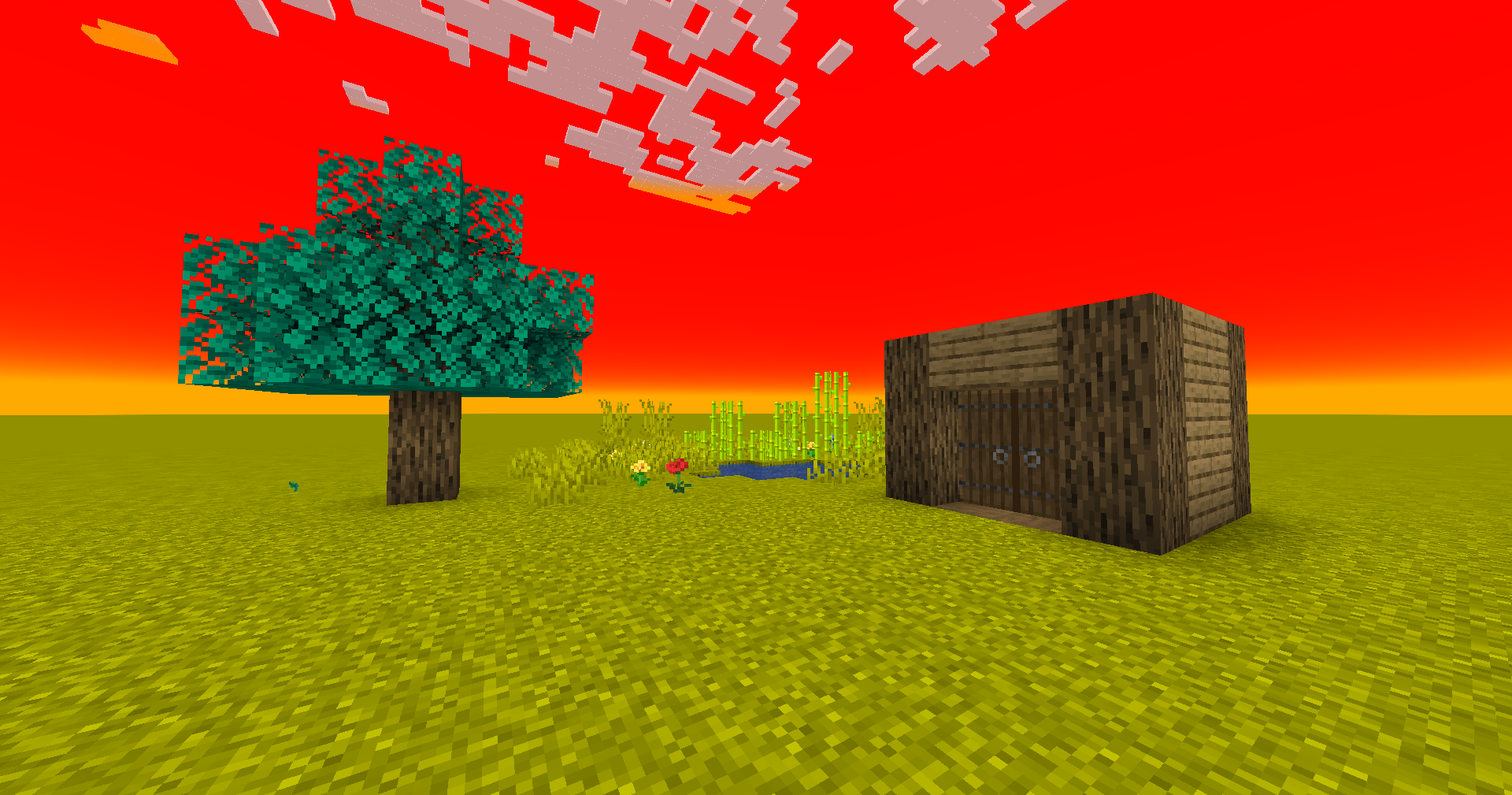
This is water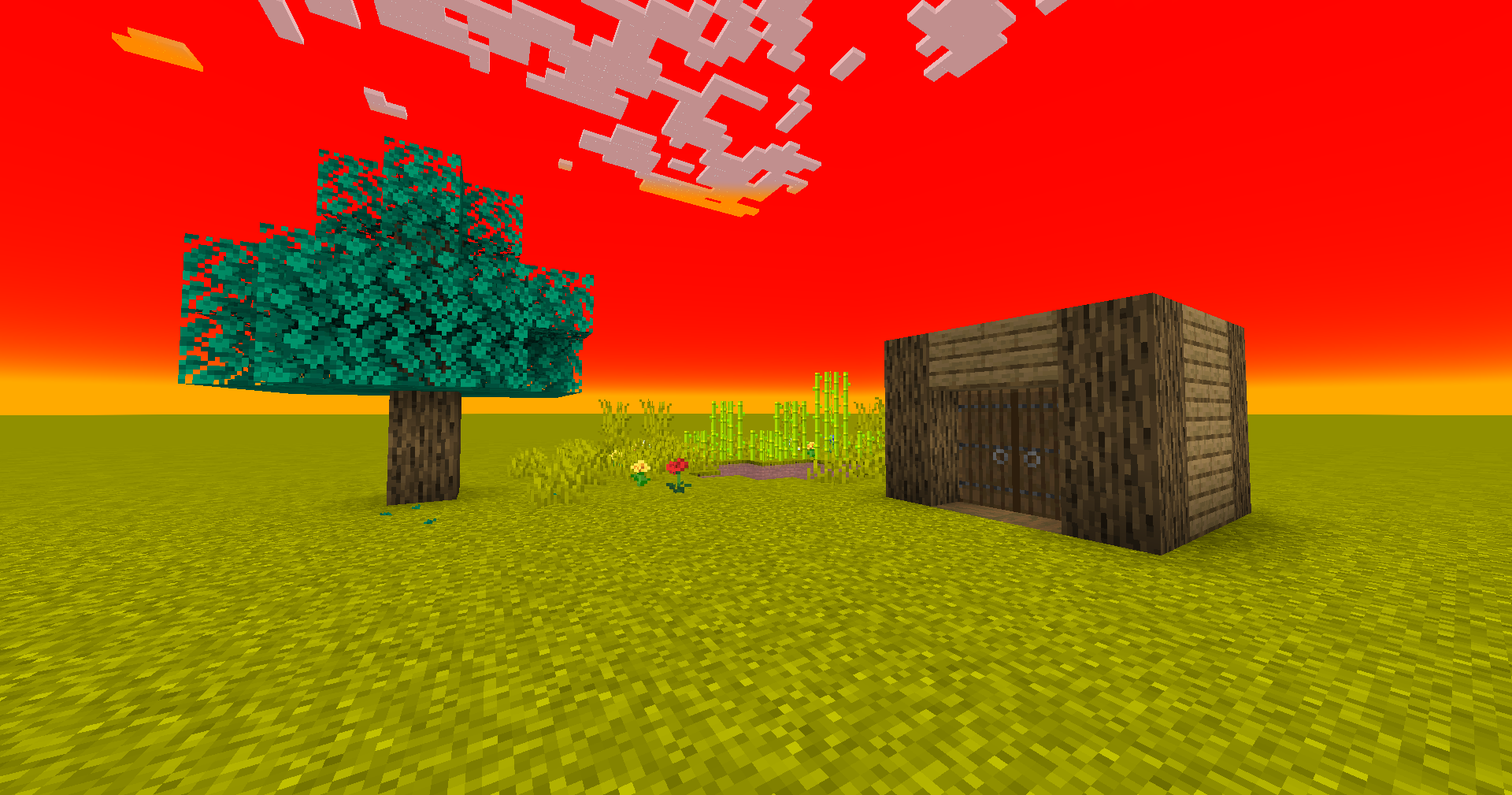
You can make the fog color different from the main water color, but why would you?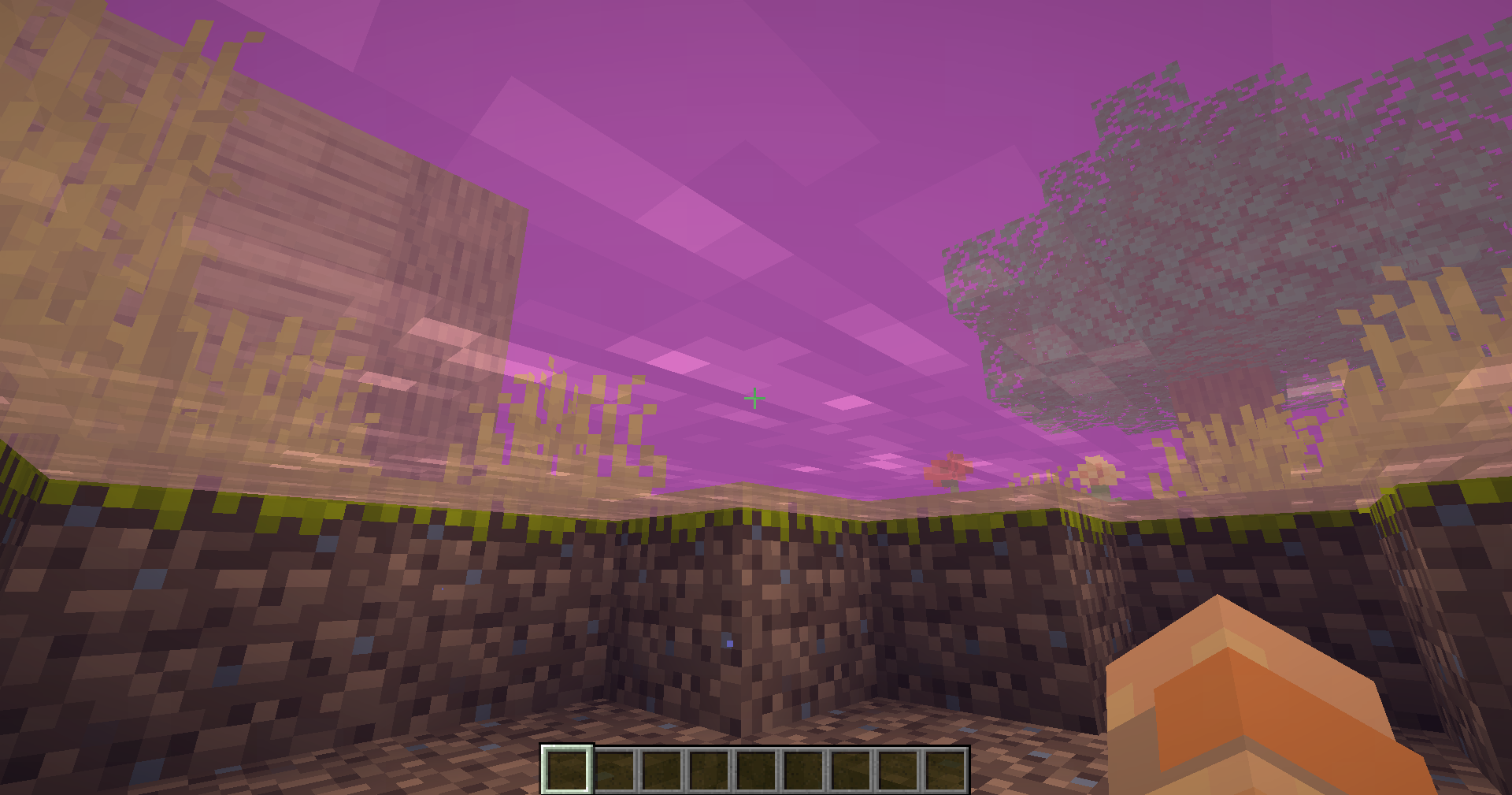
Well, that looks awful. lets move on...
Not to say I'm stealing, but many other client sided mods have this, and so does this one. It lets you set your time to any time you want. Generally its good for seeing how your builds look at different times of day on a multiplayer server.
There are 4 presets for this category: Grass color always plains, Water always Ocean, Grass always jungle, and Time always sunset. These all feel self explanatory, so hopefully there's no misunderstanding there.
Well, its been a long journey, especially for me writing this, but for you reading this mostly. This is the last category. It only has one entry right now, however it will be updated to include more as time goes on, just like the rest of them.

Theres 3 camera types, and only one is a gamemode.
just your everyday camera
I remove the camera interpolation
This is the actual gamemode. I made the camera stay a fixed distance above your character, and its a fun challenge to play the game in this way!
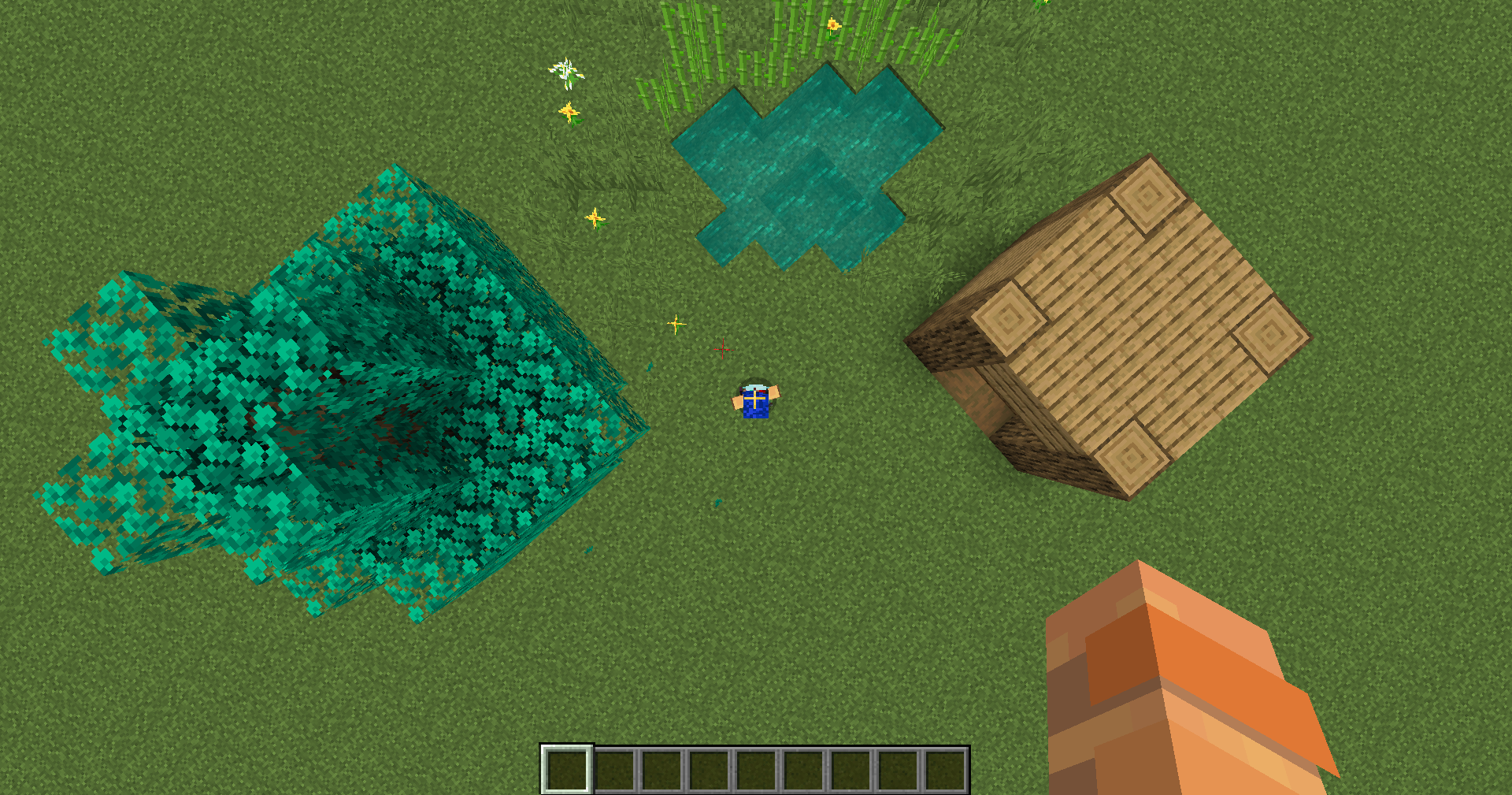
Well, that's my mod! If you think the features are worth your disk-space, feel free to download. You can update these settings by pressing the Ghost Open Menu keybind (Right Shift by default), and remember none* of these are enabled by default, so there's no reason not to download this mod!
Credits:
Project description from Modrinth.
Pick your setup
Choose the version and loader you play, then open the matching release.
Check the dependencies, then try the file in a copied instance before changing a world you care about.
Recent files
ghost-1.21-1.6.5.jar
8 Jul 2024
ghost-1.20.4-1.6.5.jar
8 Jul 2024
ghost-1.20.4-1.6.4.jar
8 Jul 2024
ghost-1.20.6-1.6.5.jar
23 May 2024
ghost-1.20.6-1.6.4.jar
15 May 2024
ghost-1.20-1.6.4.jar
15 Jun 2023
ghost-1.20-1.6.3.jar
8 Jun 2023
ghost-1.19.4-1.6.3.jar
23 Mar 2023
ghost-1.19.3-1.6.3.jar
26 Jan 2023
ghost-1.19.3-1.6.2.jar
25 Jan 2023
ghost-1.19.3-1.6.1.jar
17 Jan 2023
ghost-1.19.3-1.6.0.jar
15 Jan 2023
Looking for an older file? The official Modrinth project page is in Resources.
 mod
modClient-side Fabric mod that adds tabbed chat with automatic channel switching. Filter messages by Global, Local, and Private channels.
 mod
modA lightweight client-side mod for effortless inventory management in Minecraft.
 mod
modA Fabric/(Neo)Forge mod that adds various different QoL features, including container searching, precise inventory management, cool visual effects, and so much more!