Fabric API Needed by Shulker Layouts 1.0+26.3
requiredMatching file found Matched file: 0.166.0+26.3

Modrinth · Minecraft mod
Client-side shulker box layouts with item previews, placement safeguards, and smart shift-click routing.
Quick answer
Shulker Layouts 1.0+26.3 targets 26.3 with Fabric. It must be installed on the client. Do not install it on the dedicated server. 1 required mod needs a matching file.
Where it goes
It must be installed on the client. Do not install it on the dedicated server.
This file is marked client-only.
1.0+26.3. Change the file and its required mods may change too.
Install Fabric API, Fabric Language Kotlin first, but 1 required mod has no matching file for this setup. Do not mix loader builds to force a match. 2 come through another mod in the chain.
2 extra mods were pulled in by other dependencies. Indented rows show who needs each one. We only count dependency files that match this setup. A file for another loader does not fill the gap.
Before you install it
Built for Shulker Layouts 1.0+26.3. Pick another file and the loader, install side or required mods may change.
Use 1.0+26.3. It targets 26.3 with Fabric; another release may have different loader, side or dependency requirements.
Install Fabric API, Fabric Language Kotlin first, but 1 required mod has no matching file for this setup. Do not mix loader builds to force a match. 2 come through another mod in the chain.
It must be installed on the client. Do not install it on the dedicated server.
Use the “Get this file” button beside 1.0+26.3. It opens that exact file at the source.
About this project
Client-side shulker box layouts with item previews, placement safeguards, and smart shift-click routing to keep your shulker boxes organised.
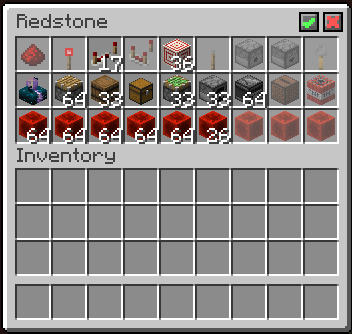
Check out the gallery to see the mod in use!
✓ in the top right corner of the inventory to save your layoutYou should now be able to take items from the shulker box which will leave behind a preview of the layout.
Alternatively, click ⨯ in the top right corner to clear the layout.
Project description from Modrinth.
Pick your setup
Choose the version and loader you play, then open the matching release.
Check the dependencies, then try the file in a copied instance before changing a world you care about.
Recent files
shulker-layouts-1.0+26.3.jar
11 Nov 2026
shulker-layouts-1.0+26.2.jar
16 Jul 2026
Looking for an older file? The official Modrinth project page is in Resources.
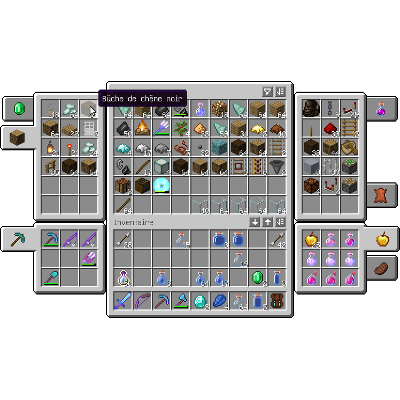 mod
The adventurer backpack with custom inventory geometry and icons
 mod
Library mod for Sophisticated mods
 mod
Storage mod with multiple tiers and functional upgrades