Minecraft version
Back to mods 
Modrinth · Minecraft mod
CraftyAI
A free, intelligent AI companion for Minecraft. Talk naturally, scan blocks, and more in chat!
Choose a version Pick your version below, then grab the matching file.
Quick answer
Which CraftyAI release should I use?
Latest stable file 1.3.1
Game version 1.20.6
Loader Forge
CraftyAI 1.3.1 targets 1.20.6 with Forge. The project page does not say whether this file belongs on the client, dedicated server, or both. No extra mods listed for this file.
Where it goes
Is CraftyAI required on the client, server, or both?
The project page does not say whether this file belongs on the client, dedicated server, or both.
Client Source doesn’t say
Dedicated server Source doesn’t say
Loader for this release Forge
Required install it here Optional supported, not mandatory Not supported do not install here Source doesn’t say do not assume
The source does not explicitly classify this release as client-only or server-only.
What else does CraftyAI 1.3.1 need?
1.3.1. Change the file and its required mods may change too.
This file does not list any required mods. Do not add a library just because a different file uses it.
This file does not list any required or optional mods.
Before you install it
Add CraftyAI without breaking your instance.
Built for CraftyAI 1.3.1. Pick another file and the loader, install side or required mods may change.
- 01
Stick to this file
Use 1.3.1. It targets 1.20.6 with Forge; another release may have different loader, side or dependency requirements.
- 02
Bring the mods it needs
This file does not list any required mods. Do not add a library just because a different file uses it.
- 03
Put it on the correct side
The project page does not say whether this file belongs on the client, dedicated server, or both.
- 04
Pick the file you checked
Use the “Get this file” button beside 1.3.1. It opens that exact file at the source.
About this project
What does CraftyAI add?

CraftyAI
AI companion for Minecraft
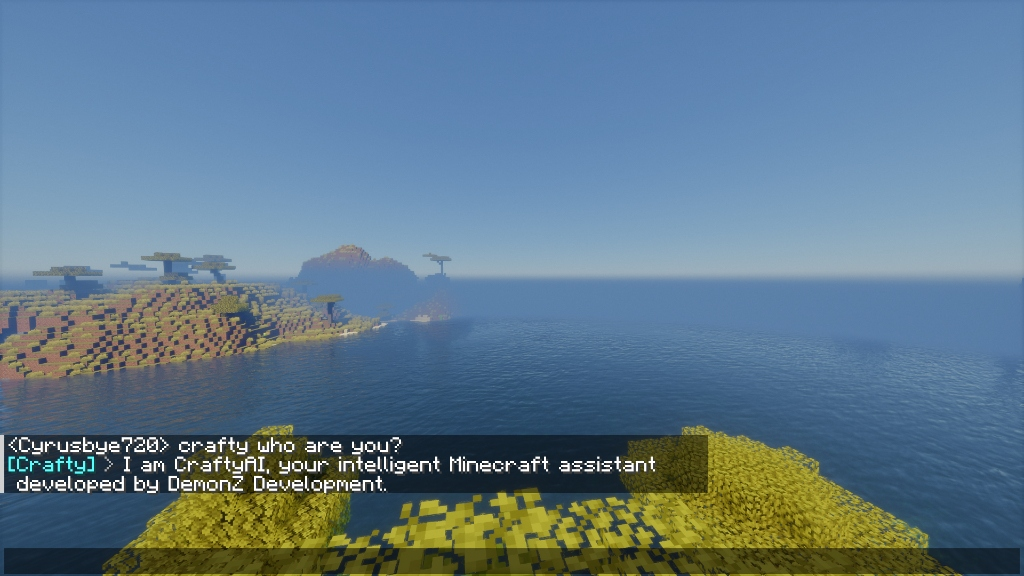
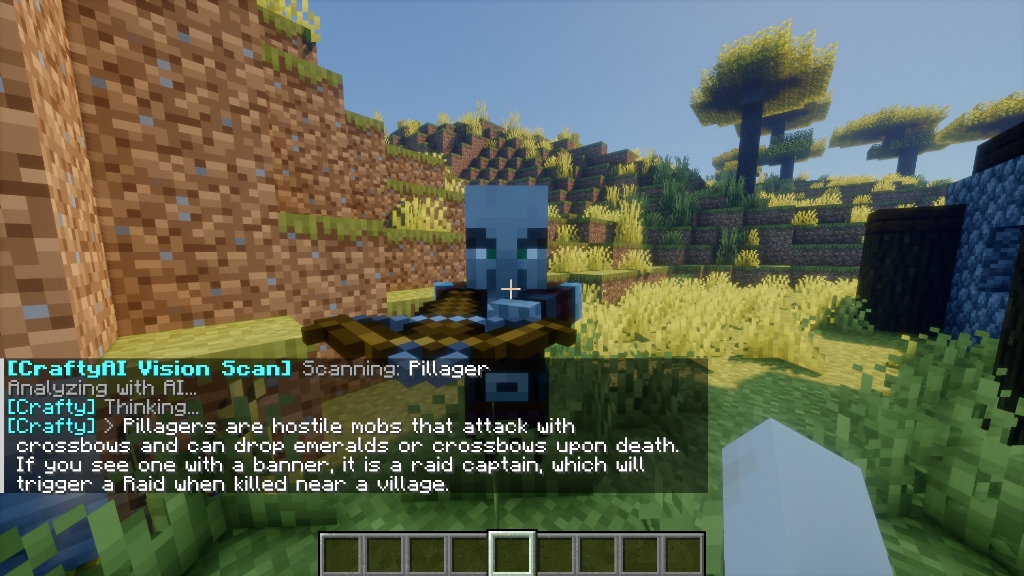
Talk to an AI in Minecraft chat. It answers questions, scans blocks, controls time and weather, gives items, and runs commands. Free to use.
Need help, have questions, or want to share feedback? Join our community on the Discord server.
What's New in v1.3.1
This release updates all mods platforms Fabric, Forge, and NeoForge with a 1-click API key flow, native keybindings, and crash-proofing across every loader.
- 1-Click Auto-Mint Free Key — press M in-game or open mod settings and click Auto-Mint Key to instantly provision and link your free API key, no copy/pasting.
- Configurable keybindings — integrated into the native Minecraft Controls menu (rebindable): M for the settings GUI, V for the Vision Scanner. Same keys on every loader.
- Universal
/craftycommands —/crafty,/crafty ask <question>,/crafty apikey <key>,/crafty settings,/crafty status. - Crash-safe rendering & reflection — fail-safe fallbacks eliminate
NoSuchMethodErrorcrashes across all loaders; crisp UI rendering and smooth unpausing. - Forge 1.20.6 crash fix — Forge jars are version-locked, so releases now ship separate jars:
craftyai-forgefor 1.20.4 andcraftyai-forge-1206for 1.20.6 (requires Java 21). This fixes theNoSuchMethodErrorcrash when a player joins a 1.20.6 server.
What's New in v1.3.0
- Bedrock players welcome — GeyserMC and Floodgate players are fully supported, including prefixes (
.,*,-, spaces) and gamertags up to 36 characters. - API keys set themselves up — legacy
cai-and unconfigured keys are upgraded to validcai_format automatically on startup, with built-in rate-limit protection. - Minecraft 26 support — a dedicated Fabric build for MC 26.x (
craftyai-fabric-26), while the plugin's single Spigot-API JAR runs on both 1.21.x and 26.x servers. Legacy Fabric (1.20.4–1.21.1) and Forge (1.20.4 / 1.20.6) builds are unchanged. - More ways to find things —
/locate poilookups join the existing structure and biome searches. - Conversation memory — the AI recalls past conversations across sessions using vector similarity search.
- Block and entity scanning — ask the AI to look at nearby blocks and entities up to 32 blocks out.
Features
In-Game AI Chat
|
Vision Scanner
|
AI Game Actions
|
Built to Scale
|
Subscription Tiers
CraftyAI is free. Higher tiers simply add more capacity for large networks.
| Tier | RPM | Requests/Day | Tokens/Day | Custom Prompts |
|---|---|---|---|---|
| Free | 30 | 100 | 50K | No |
| Starter | 100 | 1,000 | 500K | No |
| Pro | 200 | 5,000 | 2.5M | 1 change/24h |
| Enterprise | 500 | 100,000 | 10M | Yes |
Platform Support
Plugin (Server-Side)
| Platform | Versions | Status |
|---|---|---|
| Spigot | 1.8 → 1.21.x & 26.x | Full Support |
| Paper | 1.8 → 1.21.x & 26.x | Full Support |
| Folia | 1.19 → 1.21.x & 26.x | Async Scheduling |
| Purpur | 1.16 → 1.21.x & 26.x | Full Support |
One plugin JAR covers every supported version — CraftyAI is built on the stable Spigot API, so the same file works on 1.8 through 26.x.
Mod (Client/Server)
| Platform | Versions | Status |
|---|---|---|
Fabric (craftyai-fabric) |
1.20.4 – 1.21.1 |
Full Support |
Fabric 26.x (craftyai-fabric-26) |
26.x |
Full Support |
| Quilt | 1.20.4 – 1.20.6 |
Fabric-Compatible |
Forge (craftyai-forge) |
1.20.4 |
Full Support |
Forge 1.20.6 (craftyai-forge-1206) |
1.20.6 |
Full Support (Java 21) |
NeoForge 26.x (craftyai-forge-26) |
26.x |
Full Support |
(Fabric uses craftyai-fabric for 1.20.x–1.21.1, craftyai-fabric-26 for MC 26.x; Forge ships per-version jars — craftyai-forge for 1.20.4 and craftyai-forge-1206 for 1.20.6 — NeoForge uses craftyai-forge-26 for 26.x. Forge jars are version-locked: pick the jar that matches your exact Minecraft version.)
Quick Setup
Plugin (Spigot/Paper/Folia/Purpur)
- Download
craftyai-spigot-1.3.1.jarfrom Modrinth - Drop it in
plugins/and start the server - Start chatting.
Mod (Fabric/Forge/NeoForge)
- Download from Modrinth and place in
mods/ - Fabric users: Install Fabric API
- Launch Minecraft
- Chat.
Commands & Permissions
| Command | Description | Permission |
|---|---|---|
/crafty |
Plugin info and status | crafty.chat |
/crafty status |
Connection diagnostics | crafty.chat |
/crafty reload |
Reload configuration | crafty.admin |
/crafty learn Q | A |
Teach the AI new knowledge | crafty.admin |
/crafty confirm |
Confirm pending AI world actions | crafty.chat |
/crafty memory |
View player RAG vector memory context | crafty.use |
/crafty forget [n] |
Clear recent player vector memories | crafty.use |
/crafty privacy <on|off> |
Toggle server RAG memory privacy | crafty.admin |
/crafty mode <local|cloud> |
Toggle local vs cloud AI mode | crafty.admin |
/crafty apikey |
View or auto-mint server API key | crafty.admin |
/crafty apikey rotate |
Rotate server API key | crafty.admin |
/crafty pro status |
Show current tier and expiry | crafty.chat |
/crafty pro redeem <key> |
Redeem a Pro key from Discord | crafty.admin |
/crafty pro help |
How to get a Pro key | crafty.chat |
/crafty link |
Link server to Discord | crafty.chat |
/crafty prompt view |
View custom prompt | crafty.admin |
/crafty prompt set <text> |
Set custom prompt (Pro) | crafty.admin |
/crafty prompt reset |
Reset prompt (Pro) | crafty.admin |
Transparency & Privacy
- DemonZ AI Cloud: CraftyAI is powered by DemonZ Development's proprietary AI Cloud infrastructure. Chat history is processed securely and is never sold.
- BYOK: Bring your own AI API key for full data isolation.
- Closed Source Infrastructure: Server-side AI network code is proprietary to DemonZ Development. Plugins communicate via secure, encrypted HTTPS endpoints.
Remote Connections (Modrinth Rule 1.11):
- AI Gateway Endpoint: Connects to
https://craftyai-gateway.craftyauth.workers.devwhen a player chats. Sends game context, API key, and Session ID to generate AI responses and actions. - Telemetry: Sends anonymous heartbeats with request counts. Disable with
enable_metrics: false(Plugin) ortelemetry_enabled: false(Mod).
Found a Bug?
Open a ticket on our Discord server.
Sponsored by Nexeu Hosting

High-performance, affordable hosting for your Minecraft server. Premium hardware, instant setup, 24/7 support.
Built by DemonZ Development
CraftyAI is not affiliated with Mojang, Microsoft, or Minecraft.
Project description from Modrinth.
Pick your setup
CraftyAI by Minecraft version and loader
Choose the version and loader you play, then open the matching release.
Minecraft version
26.1.2
4 loader buildsMinecraft version
26.1.1
4 loader buildsMinecraft version
26.1
4 loader buildsMinecraft version
1.21.11
3 loader buildsMinecraft version
1.21.10
3 loader buildsMinecraft version
1.21.9
3 loader buildsMinecraft version
1.21.8
3 loader buildsMinecraft version
1.21.7
3 loader buildsMinecraft version
1.21.6
3 loader buildsMinecraft version
1.21.5
3 loader buildsMinecraft version
1.21.4
3 loader buildsShowing the newest 12 of 74 game versions. Older files are in the list below.
Check the dependencies, then try the file in a copied instance before changing a world you care about.
Recent files
CraftyAI versions and loaders
1.3.1
craftyai-forge-1206-1.3.1.jar
9 Aug 2026
Client Source doesn’t say Server Source doesn’t say Dependencies No extras listed Listed on Release listing
Check the 1.20.6 · Forge setup 1.20.6Forge release
1.3.1
craftyai-forge-1.3.1.jar
9 Aug 2026
Client Source doesn’t say Server Source doesn’t say Dependencies No extras listed Listed on Release listing
Check the 1.20.5 · Forge setup 1.20.41.20.5Forge release
1.3.1
craftyai-forge-26-1.3.1.jar
9 Aug 2026
Client Source doesn’t say Server Source doesn’t say Dependencies No extras listed Listed on Release listing
Check the 26.2 · Forge setup 26.126.1.126.1.226.2 release
1.3.1-hotfix-26
craftyai-fabric-26-1.3.1.jar
5 Aug 2026
Client Source doesn’t say Server Source doesn’t say Dependencies 1 required · 1 unchecked Listed on Release listing
Check the 26.1.2 · Fabric setup 26.126.1.126.1.2Fabric release
1.3.1-hotfix-legacy
craftyai-fabric-1.3.1.jar
5 Aug 2026
Client Source doesn’t say Server Source doesn’t say Dependencies 1 required · 1 unchecked Listed on Release listing
Check the 1.21.4 · Fabric setup 1.20.41.20.51.20.61.21 release
1.3.0
craftyai-spigot-1.3.0.jar
1 Aug 2026
Client Source doesn’t say Server Source doesn’t say Dependencies No extras listed Listed on Release listing
Check the 26.1.2 · bukkit setup 1.81.8.11.8.21.8.3 release
1.3.0
craftyai-forge-26-1.3.0.jar
1 Aug 2026
Client Source doesn’t say Server Source doesn’t say Dependencies No extras listed Listed on Release listing
Check the 26.1.2 · NeoForge setup 26.126.1.126.1.2NeoForge release
1.3.0
craftyai-forge-1.3.0.jar
1 Aug 2026
Client Source doesn’t say Server Source doesn’t say Dependencies No extras listed Listed on Release listing
Check the 1.21.1 · Forge setup 1.201.20.11.20.21.20.3 release
1.3.0
craftyai-fabric-26-1.3.0.jar
1 Aug 2026
Client Source doesn’t say Server Source doesn’t say Dependencies 1 required · 1 unchecked Listed on Release listing
Check the 26.1.2 · Fabric setup 26.126.1.126.1.2Fabric release
1.3.0
craftyai-fabric-1.3.0.jar
1 Aug 2026
Client Source doesn’t say Server Source doesn’t say Dependencies 1 required · 1 unchecked Listed on Release listing
Check the 1.21.11 · Fabric setup 1.20.41.20.51.20.61.21 release
1.2.0-beta
craftyai-fabric-1.2.0-beta.jar
15 Jun 2026
Client Source doesn’t say Server Source doesn’t say Dependencies 1 required · 1 unchecked Listed on Release listing
Check the 1.21.11 · Fabric setup 1.20.41.20.51.20.61.21 beta
1.2.0-beta
craftyai-fabric-26-1.2.0-beta.jar
15 Jun 2026
Client Source doesn’t say Server Source doesn’t say Dependencies 1 required · 1 unchecked Listed on Release listing
Check the 26.1.2 · Fabric setup 26.126.1.126.1.2Fabric beta
Looking for an older file? The official Modrinth project page is in Resources.
 mod
mod CurseForge + Modrinth · Minecraft
EarthMC Map Addon
Xaero's minimap extension that is built for EarthMC.
 mod
mod CurseForge + Modrinth · Minecraft
Jerotes Warehouse
This is Jerotes_ Mod Dependencies
 mod
mod CurseForge + Modrinth · Minecraft
Black Gold Alliance
Black Gold Alliance introduces the Nether Siphon, an ancient multiblock device that mines the Nether from the Overworld — but attracts the attention of the most disciplined piglin faction, the Black Gold Alliance.