Minecraft version
Back to mods 
Modrinth · Minecraft mod
BlossomLib
Library mod for Blossom-series Fabric mods
Choose a version Pick your version below, then grab the matching file.
Quick answer
Which BlossomLib release should I use?
Latest stable file 2.6.1+26.3
Game version 26.3
Loader Fabric, Quilt
BlossomLib 2.6.1+26.3 targets 26.3 with Fabric, Quilt. Do not install it on the client. It must be installed on the dedicated server. No extra mods listed for this file.
Where it goes
Is BlossomLib required on the client, server, or both?
Do not install it on the client. It must be installed on the dedicated server.
Client Not supported
Dedicated server Required
Loader for this release Fabric, Quilt
Required install it here Optional supported, not mandatory Not supported do not install here Source doesn’t say do not assume
This file is marked server-only.
What else does BlossomLib 2.6.1+26.3 need?
2.6.1+26.3. Change the file and its required mods may change too.
This file does not list any required mods. Do not add a library just because a different file uses it.
This file does not list any required or optional mods.
Before you install it
Add BlossomLib without breaking your instance.
Built for BlossomLib 2.6.1+26.3. Pick another file and the loader, install side or required mods may change.
- 01
Stick to this file
Use 2.6.1+26.3. It targets 26.3 with Fabric, Quilt; another release may have different loader, side or dependency requirements.
- 02
Bring the mods it needs
This file does not list any required mods. Do not add a library just because a different file uses it.
- 03
Put it on the correct side
Do not install it on the client. It must be installed on the dedicated server.
- 04
Pick the file you checked
Use the “Get this file” button beside 2.6.1+26.3. It opens that exact file at the source.
About this project
What does BlossomLib add?
BlossomLib
BlossomLib is a Minecraft Fabric library mod build for the Blossom-series mods.
Table of contents
Dependencies
- Fabric API
(CurseForge
/ Modrinth),
or Quilt Standard Libraries (Modrinth)
if using Quilt - fabric-permissions-api / LuckPerms /
etc. (Optional) - server-translations-api (Embedded)
Config
This library's config file can be found at config/BlossomMods/BlossomLib.json, after running the server with
the mod at least once.
logging: LoggingConfig - settings to do with BlossomMods loggingbaseTeleportation: TeleportationConfig - default teleportation settingscolors: Colors - text colorsdimNameOverrides: Map<String, String> - a map of dimension name overrides, for example set to{ "minecraft:the_nether": "The Underworld" } to display The Nether as The UnderworldenableMC124177Fix: boolean - Enable a fix for MC-124177 / CrossDimTPFix
LoggingConfig
consoleLogLevel: String (OFF, FATAL, ERROR, WARN, INFO, DEBUG, TRACE, ALL) - BlossomMods logging level
for the console outputfileLogLevel: String (OFF, FATAL, ERROR, WARN, INFO, DEBUG, TRACE, ALL) - BlossomMods logging level
for the file outputfileLogPath: String - where to put the BlossomMods log filefileLogAppend: boolean - whether to keep the old BlossomMods logs on server startupdisableCustomLogger: boolean - whether to completely bypass the custom logger in case of a mod incompatibility
TeleportationConfig
bossBar: BossBar - settings altering the boss bartitleMessage: TitleMessage - settings altering the title messageactionBarMessageEnabled: boolean - whether to show a message in the action bar when counting downfovEffectBefore: CubicBezierCurve - FOV animation before the teleportationfovEffectAfter: CubicBezierCurve - FOV animation after the teleportationcancelOnMove: boolean - whether to cancel the countdown if the player movesparticleAnimation: ParticleAnimation - which particle animation to use
BossBar
enabled: boolean - whether the boss bar is enabledcolor: String (pink, blue, red, green, yellow, purple, white) - the color of the boss bartextColor: String (valid text color) - the color of the boss bar name
TitleMessage
titleCounting: TitleConfig* - settings altering the display of the counting TitlesubtitleCounting: TitleConfig* - settings altering the display of the counting SubtitletitleDone: TitleConfig - settings altering the display of the done TitlesubitleDone: TitleConfig - settings altering the display of the done Subtitle
TitleConfig
color: String (valid text color) - color of the title / subtitlemodifiers: String - characters b - bold, i - italics, u - underline, o - obfuscated, s - strikethrough, can
appear in any order
*counterColor: String (valid text color) - color of the counter in the title / subtitle
CubicBezierCurve
enabled: boolean - whether to even play the animation at allvalues: float[4] - 4 values defining the cubic-bezier curve; 1st & 3rd values must be between 1 and 0, weird
things will happen if they're not!start: float - beginning valueend: float - final valuestepCount: int - how many steps the animation should generate
Colors
These colors will be only applied to Blossom mods chat responses
base: String - the text color in which most text responses will bewarn: String - the text color in which warning messages will beerror: String - the text color in which error messages will besuccess: String - the text color in which success messages will bevariable: String - the text color in which variables will beplayer: String - the text color in which player names will becommand: String - the text color in which commands will becommandDescription: String - the text color in which command descriptions will be
Commands & their permissions
/tpcancel- cancel any ongoing teleport / countdown
Permission:blossom.tpcancel(default: true)/blossomlib- library specific commands
Permission:blossom.lib.base-command(default: OP level 2)reload-config- reload and apply config from the config file
Permissionblossom.lib.base-command.reload-config(default: OP level 3)clear-countdowns [<player>]- clear all or specific players countdowns
Permissionblossom.lib.base-command.clear.countdowns(default: OP level 2)clear-cooldowns [<player>] [<type>]- clear all or specific players specific type cooldowns
Permissionblossom.lib.base-command.clear.cooldowns(default: OP level 2)debug- debug commands
Permissionblossom.lib.base-command.debug(default: OP level 4)countdown <standStill>- create an arbitrary countdownteleport <standStill> [<cooldown>] <pos> <rot>- create an arbitrary teleportfov <multiplier>- set player FOV
Translation keys
only keys with available arguments are shown, for full list, please seesrc/main/resources/data/blossom/lang/en_us.json
blossom.countdown.boss_bar.name: 1 argument - seconds remainingblossom.countdown.action_bar.counting: 1 argument - seconds remainingblossom.countdown.title.counting.title: 1 argument - seconds remainingblossom.countdown.title.counting.subtitle: 1 argument - seconds remainingblossom.clear-countdowns.one: 1 argument - player whose countdown was clearedblossom.clear-cooldowns.one: 1 argument - player whose cooldown was clearedblossom.clear-cooldowns.type: 2 arguments - player whose cooldown was cleared, type of cleared cooldownblossom.debug.countdown.start: 1 argument - standstill timeblossom.debug.teleport.no-cooldown: 1 argument - standstill timeblossom.debug.teleport.cooldown: 2 arguments - standstill time, cooldown timeblossom.config-reload: 1 argument - module nameblossom.text.command.display: 1 argument - display textblossom.text.command.plain: 1 argument - display text/command runblossom.text.command.description: 2 arguments - display text/command run, description
zh_cn (Chinese, Simplified), zh_tw (Chinese, Traditional) - added by @BackWheelko_kr (Korean) - added by @biryeongtraines_mx (Spanish, Mexico) - added by @FabrizioCoderfr_fr (French) - added by @WalTho
Project description from Modrinth.
Pick your setup
BlossomLib by Minecraft version and loader
Choose the version and loader you play, then open the matching release.
Minecraft version
26.2
2 loader buildsMinecraft version
26.1.2
2 loader buildsMinecraft version
26.1.1
2 loader buildsMinecraft version
26.1
2 loader buildsMinecraft version
1.21.11
2 loader buildsMinecraft version
1.21.10
2 loader buildsMinecraft version
1.21.9
2 loader buildsMinecraft version
1.21.8
2 loader buildsMinecraft version
1.21.7
2 loader buildsMinecraft version
1.21.6
2 loader buildsMinecraft version
1.21.5
2 loader buildsShowing the newest 12 of 28 game versions. Older files are in the list below.
Check the dependencies, then try the file in a copied instance before changing a world you care about.
Recent files
BlossomLib versions and loaders
2.6.1+26.3
blossom-lib-2.6.1+26.3.jar
16 Sept 2026
Client Not supported Server Required Dependencies No extras listed Listed on Release listing
Check the 26.3 · Fabric setup 26.3FabricQuilt release
2.6.1+1.21
blossom-lib-2.6.1+1.21.jar
31 Jul 2026
Client Not supported Server Required Dependencies No extras listed Listed on Release listing
Check the 1.21.1 · Fabric setup 1.211.21.1FabricQuilt release
2.6.0+1.21
blossom-lib-2.6.0+1.21.jar
28 Jul 2026
Client Not supported Server Required Dependencies No extras listed Listed on Release listing
Check the 1.21.1 · Fabric setup 1.211.21.1FabricQuilt release
2.6.0+1.21.11
blossom-lib-2.6.0+1.21.11.jar
28 Jul 2026
Client Not supported Server Required Dependencies No extras listed Listed on Release listing
Check the 1.21.11 · Fabric setup 1.21.11FabricQuilt release
2.6.0+26.2
blossom-lib-2.6.0+26.2.jar
28 Jul 2026
Client Not supported Server Required Dependencies No extras listed Listed on Release listing
Check the 26.2 · Fabric setup 26.2FabricQuilt release
2.5.20+26.1
blossom-lib-2.5.20+26.1.jar
20 Jun 2026
Client Not supported Server Required Dependencies No extras listed Listed on Release listing
Check the 26.2 · Fabric setup 26.2FabricQuilt release
2.5.19+26.1
blossom-lib-2.5.19+26.1.jar
4 May 2026
Client Not supported Server Required Dependencies No extras listed Listed on Release listing
Check the 26.1.2 · Fabric setup 26.126.1.126.1.2Fabric release
2.5.18+1.21.11
blossom-lib-2.5.18+1.21.11.jar
14 Dec 2025
Client Not supported Server Required Dependencies No extras listed Listed on Release listing
Check the 1.21.11 · Fabric setup 1.21.11FabricQuilt release
2.5.17+1.21.9
blossom-lib-2.5.17+1.21.9.jar
11 Oct 2025
Client Not supported Server Required Dependencies No extras listed Listed on Release listing
Check the 1.21.10 · Fabric setup 1.21.91.21.10FabricQuilt release
2.5.16+1.21.9
blossom-lib-2.5.16+1.21.9.jar
11 Oct 2025
Client Not supported Server Required Dependencies No extras listed Listed on Release listing
Check the 1.21.10 · Fabric setup 1.21.91.21.10FabricQuilt release
2.5.15+1.21.5
blossom-lib-2.5.15+1.21.5.jar
11 Oct 2025
Client Not supported Server Required Dependencies No extras listed Listed on Release listing
Check the 1.21.8 · Fabric setup 1.21.51.21.61.21.71.21.8 release
2.5.14+1.21.5
blossom-lib-2.5.14+1.21.5.jar
24 Jun 2025
Client Not supported Server Required Dependencies No extras listed Listed on Release listing
Check the 1.21.6 · Fabric setup 1.21.51.21.6FabricQuilt release
Looking for an older file? The official Modrinth project page is in Resources.
 mod
mod CurseForge + Modrinth · Minecraft
TNTimer
Countdown timer on top of screen to know exactly when that TNT is going to explode without need to see the TNT client-side. Renders a timer over primed TNT (starting from v2.0)
 mod
mod CurseForge + Modrinth · Minecraft
MDM (formerly Modern Decorations Mod)
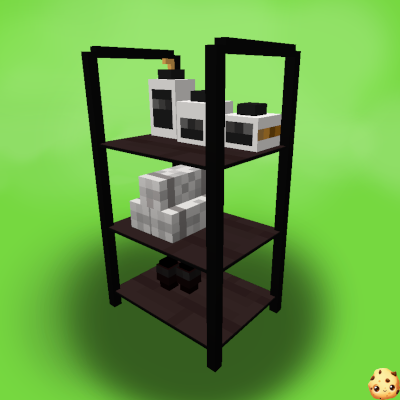
A mod that adds decorative furniture such as kitchen sets, bathroom accessories, office, etc.
 mod
mod Modrinth · Minecraft
Held Item Info
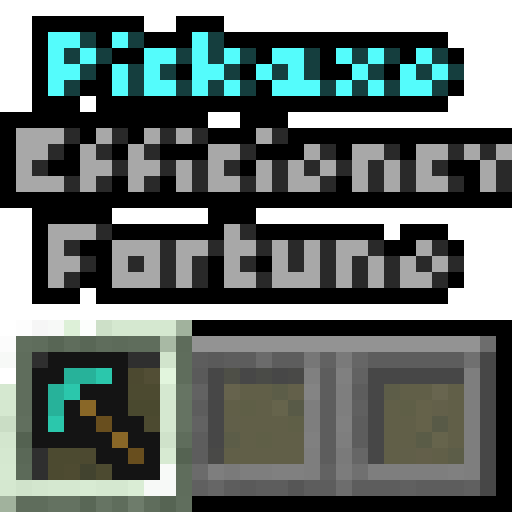
Shows information (like enchantments) about the held item under its name.